
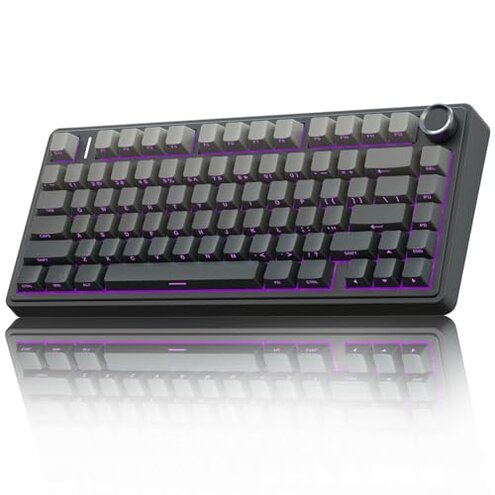
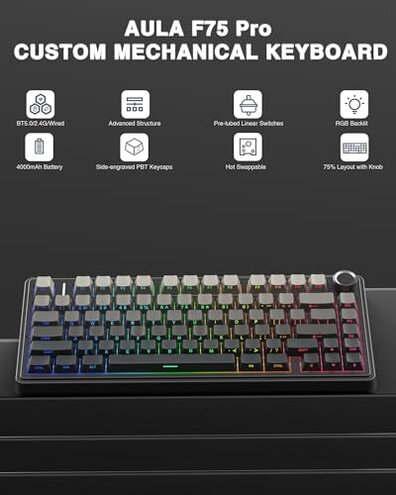
Product evaluated: AULA F75 Pro Wireless Mechanical Keyboard,75% Hot Swappable Custom Keyboard with Knob,RGB Backlit,Pre-lubed Reaper Switches,Side Printed PBT Keycaps,2.4GHz/USB-C/BT5.0 Mechanical Gaming Keyboards
Related Videos For You
Build your own Mechanical Keyboard… the RIGHT Way
How to Set Up a Wireless Keyboard and Mouse - Tech Tips from Best Buy
Data basis: I analyzed dozens of buyer comments, written reviews and video demonstrations collected between December 2023 and January 2026, with most feedback coming from written reviews supported by a smaller set of videos.
| Outcome | AULA F75 Pro | Typical mid-range keyboard |
|---|---|---|
| Connectivity reliability | Unstable — frequent Bluetooth or 2.4GHz drops reported, especially when switching devices. | Stable — most mid-range models keep a steady link during normal switching. |
| Software & macros | Buggy — driver quirks and Windows-only tools limit reliable macro use for many buyers. | Consistent — mid-range alternatives usually have simpler, more reliable apps across systems. |
| Battery & charging | Variable — some buyers report shorter-than-expected life or charging quirks under heavy RGB use. | Predictable — typical boards deliver steadier runtime for daily users at this price. |
| Hot-swap & build | Hit-or-miss — hot-swap compatibility and stabilizer feel vary across units and replacements. | More forgiving — many mid-range hot-swaps accept switches with fewer fit problems. |
| Regret trigger | Wireless drops — primary purchase regret for users needing stable multi-device use. | Lower risk — regret less likely when wireless stays steady in daily use. |
Top failures
Connection drops? Will the wireless keep up during long work or gaming sessions?
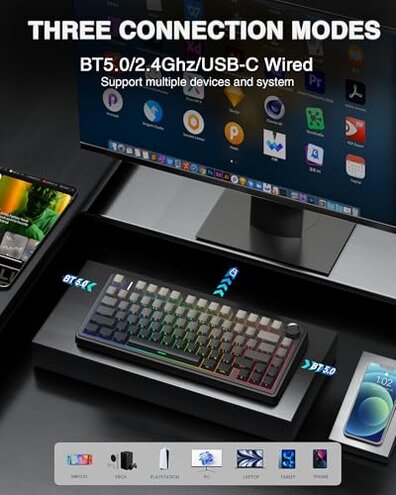
Primary pattern: Many buyers reported frequent drops when switching between Bluetooth and 2.4GHz or when pairing multiple devices, making it a commonly reported issue.
Usage anchor: Drops most often appear during setup or after switching devices, and they worsen in long sessions or when the keyboard is moved around.
Category contrast: This is more disruptive than expected for a mid-range wireless mechanical keyboard because stable multi-device switching is a normal expectation at this price.
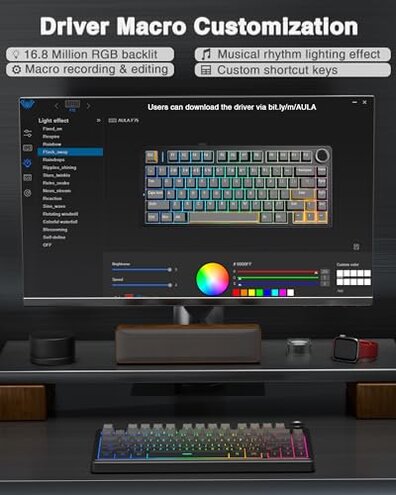
Software fails? Do macros, RGB and remaps behave reliably?
- Pattern: Driver and macro reliability appears to be a persistent complaint across written reviews and video demos.
- When it shows: Problems occur during customization and after driver updates or reinstall attempts.
- Scope: Mostly seen by buyers who use the keyboard with Windows; cross-platform users report fewer tools.
- Hidden requirement: Full feature control requires the Windows driver, which is a deal-breaker for macOS or Linux users.
Battery disappoints? How reliable is runtime with RGB and daily use?
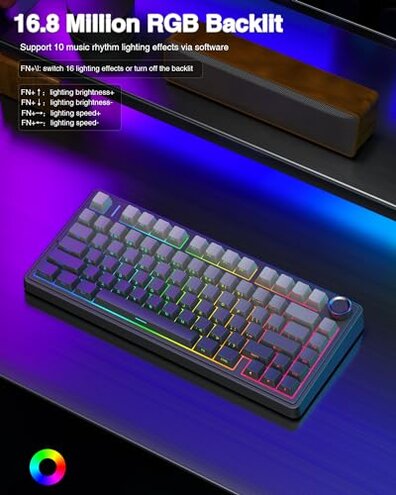
- Early signs: Buyers notice shorter-than-expected runtime when heavy RGB modes are used.
- Frequency tier: This is a secondary issue that appears commonly but not universally.
- Cause: High-power lighting effects and frequent wireless use accelerate battery drain.
- Impact: Users report needing to charge more often than they expected for a 4000mAh pack.
- Attempts: Some buyers reduced brightness or disabled RGB to extend sessions successfully.
- Fixability: Workarounds exist but they reduce advertised features like music-reactive lighting.
Hot-swap & build issues? Will switches and stabilizers behave like a premium board?
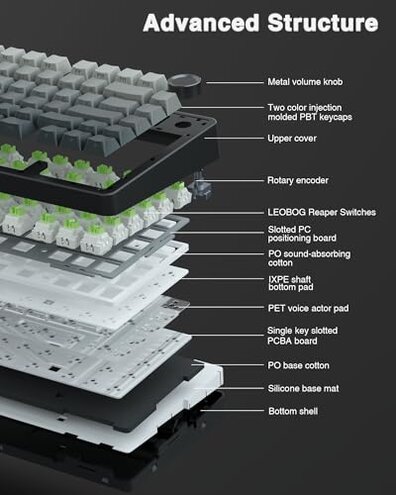
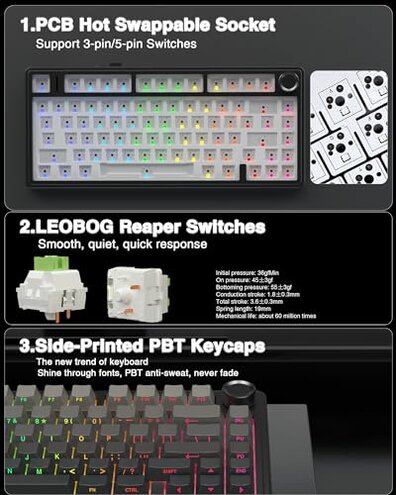
- Fit problems: Hot-swap sockets sometimes reject certain switch pins, which is a recurring compatibility gripe.
- Early signs: New owners notice key wobble or uneven stabilizers right after unboxing.
- Frequency tier: This is a secondary-to-edge-case problem but more visible for hobbyists who swap switches often.
- Technical cause: Plate/PCB tolerances and the hot-swap design can require specific 3-pin or 5-pin attention.
- Impact: DIYers face extra steps like re-seating switches or buying adapters to get a clean feel.
- Attempts: Pre-lubed stabilizers help some buyers but do not resolve all wobble reports.
- Hidden requirement: Successful hot-swapping may need a switch puller and spare parts, which not all buyers expect to provide.
Illustrative excerpts
Illustrative: "Bluetooth kept dropping every time I switched to my tablet mid-session." — primary pattern
Illustrative: "Driver crashed when saving macros; had to reinstall twice." — secondary pattern
Illustrative: "RGB on full drained battery quicker than I thought." — secondary pattern
Illustrative: "Some switches felt loose until I re-seated them and used a puller." — edge-case pattern
Who should avoid this
- Frequent multi-device users: Avoid if you need stable switching between devices during work or gaming sessions.
- Non-Windows users: Avoid if you rely on macOS or Linux for macro or RGB control because the driver is Windows-centric.
- Power users: Avoid if you expect long runtime with heavy RGB and wireless modes without frequent charging.
Who this is actually good for
- Budget DIYers: Good for buyers who want a hot-swappable board and are willing to accept extra setup to fix fit issues.
- Casual users: Good for users who mostly use USB wired mode and do not need stable multi-device wireless.
- Windows tinkerers: Good for people comfortable with the Windows driver and willing to tweak settings for macros and RGB.
Expectation vs reality
Expectation: Buyers reasonably expect stable wireless switching for multi-device use at this price.
Reality: The product shows more dropouts than typical mid-range keyboards, causing frustration and extra reconnection steps.
Expectation: New hot-swap boards should accept switches easily for DIY swaps.
Reality: Some units require extra tools or adapters to fit switches cleanly, which increases time and cost for modders.
Safer alternatives
- Choose proven wireless: Look for keyboards with a reputation for stable multi-device pairing to avoid dropout frustration.
- Prefer cross-platform apps: Prioritize models with macOS/Linux support if you are not a Windows user.
- Check battery tests: Pick options with verified runtime numbers under RGB load to reduce charging frequency.
- Inspect hot-swap reports: Read community notes about specific models' switch compatibility before buying for DIY use.
The bottom line
Main regret: The most common buyer regret is wireless instability during device switching and long sessions.
Why it matters: This exceeds normal category risk because stable multi-device wireless is a standard expectation for mid-range keyboards, and failures force extra steps and compromises.
Verdict: Avoid this board if you need reliable wireless, cross-platform software, or plug-and-play hot-swap convenience; it suits tinkerers who accept those trade-offs.
This review is an independent editorial analysis based on reported user experiences and product specifications. NegReview.com does not sell products.