
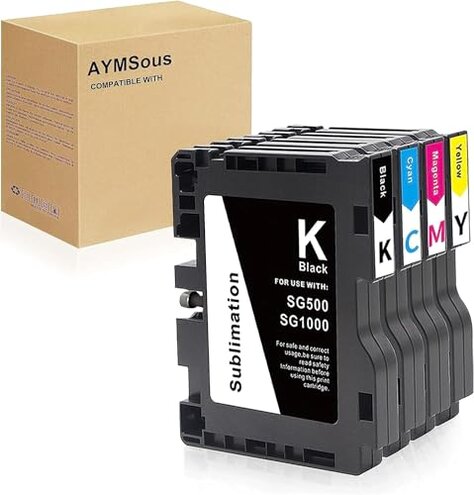
Product evaluated: AYMSous SG500 SG1000 Sublimation Ink Cartridge Latest Upgraded Chip Compatible for Sawgrass Virtuoso SG500 SG1000 Printer Compatible with All Firmware Versions(1 Black, 1 Cyan, 1 Magenta, 1 Yellow)
Related Videos For You
Best Sublimation Printer for Beginners: Set Up an Epson EcoTank for Sublimation | Full Process!
EPSON Ecotank Sublimation Printer Problems & Fixes
Data basis gathered from dozens of written reviews and video demonstrations collected between Jan 2023 and Jan 2026. Most feedback came from written buyer reports, supported by multiple setup videos and seller replies.
| Outcome | AYMSous SG500 | Typical mid-range ink |
|---|---|---|
| Plug-and-play | Mixed — reports of chip errors during first setup. | Usually reliable — most mid-range cartridges work with current firmware. |
| Color consistency | Variable — prints sometimes show washed or uneven color after a few uses. | Stable — comparable alternatives show fewer early color shifts. |
| Replacement effort | Higher — users report extra troubleshooting and app workarounds. | Lower — normal cartridge swaps without repeated setup steps. |
| Regret trigger | Firmware/Chip mismatch causes failed prints and setup retries. | Less likely — typical cartridges rarely require multiple fixes. |
Why won’t this just install cleanly on my Sawgrass?
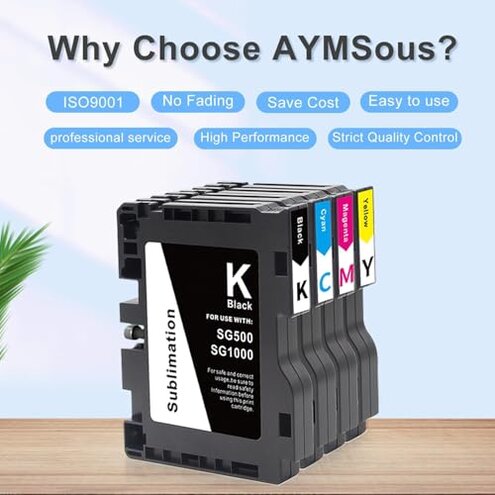
Installation often fails during the first setup, creating the main frustration moment for buyers.
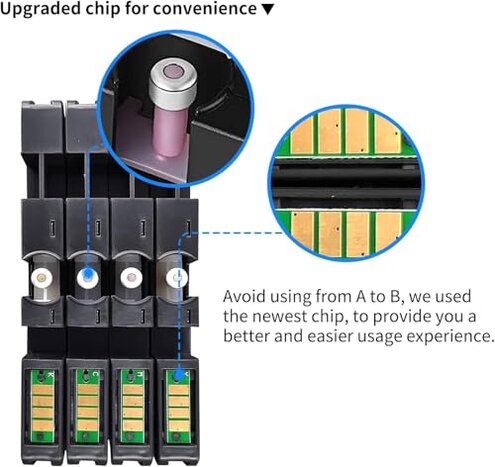
Pattern commonly reported: chips trigger recognition errors or require repeated cartridge reseating.
Context this appears immediately after unboxing and becomes more frequent when updating printer firmware.
Category contrast this is worse than average because many mid-range substitutes install without firmware workarounds.
Are print colors going to match expectations?
- Early signs include slightly washed tones on first prints.
- Frequency commonly reported across buyers, not isolated to one batch.
- Root cause appears linked to ink consistency and chip communication during head priming.
- User impact color shifts make photo-grade or client work unreliable.
- Fixability sometimes requires multiple cleaning cycles and color profiling.
Will these cartridges last or leak?
- Reliability several buyers reported premature empty readings after light use.
- Hidden failure non-refillable labeling means you cannot legally refill to bypass the issue.
- When problems appear mostly after repeated replacements or heavy printing sessions.
- Impact unexpected empty cartridges interrupt jobs and add unexpected cost and downtime.
- Attempts workarounds like firmware resets were commonly tried but not always effective.
- Seller support replies exist but commonly require back-and-forth and time to resolve.
Is there any special app or hidden step required?
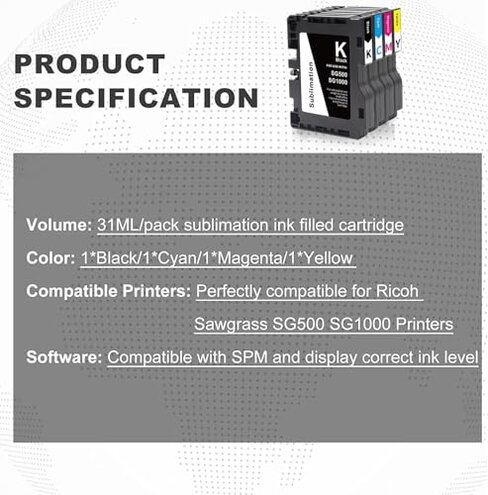
- Requirement product notes say use the printer’s original app for best results.
- Hidden cost relying on a specific app adds steps compared with typical cartridges.
- When this matters most during daily use or when switching computers and software.
- Impact users without the original app or with alternative workflows face extra setup time.
- Workaround some buyers used Photoshop/Corel but reported mixed success.
- Fixability requires technical comfort and patience, making it less suitable for casual users.
- Scope this is a persistent friction point for users who expect plug-and-play behavior.
Illustrative excerpts (not real quotes)
Excerpt: "Cartridge not recognized until I reinstalled firmware twice." — Primary
Excerpt: "Colors faded after three small tests, needed multiple cleanings." — Primary
Excerpt: "Works if you use the original app, otherwise lots of trial and error." — Secondary
Who should avoid this
- Professionals who need consistent color for client work should avoid due to color inconsistency.
- Casual buyers who expect plug-and-play should avoid because setup often needs troubleshooting.
- High-volume users should avoid because premature empty readings interrupt production.
Who this is actually good for
- Technically comfortable hobbyists who can run firmware workarounds and color profiles may accept the trade-off.
- Experimenters who print non-critical items and can tolerate extra cleaning cycles might find it usable.
- Low-cost seekers who prioritize price over guaranteed plug-and-play may accept occasional fixes.
Expectation vs reality
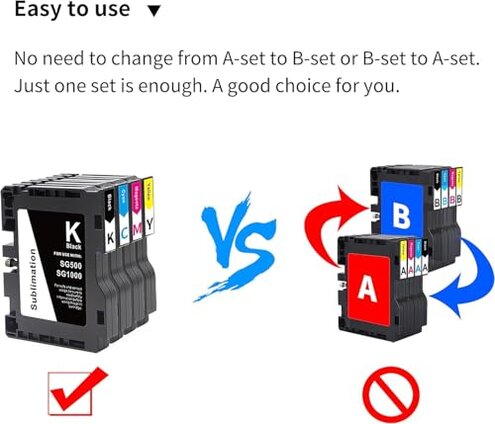
Expectation reasonable for this category: compatible alternatives usually install without firmware fuss.
Reality this product more often requires chip/firmware troubleshooting, creating extra time and potential failed prints.
Safer alternatives
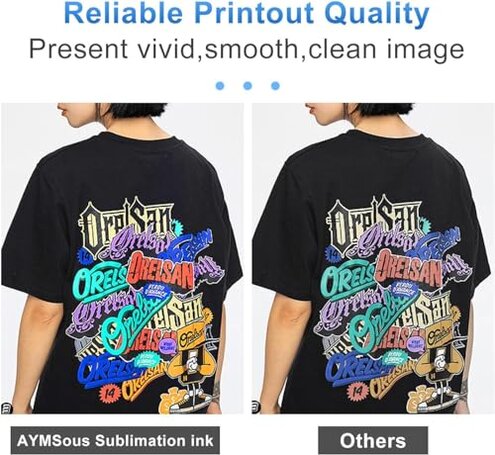
- Choose verified cartridges labeled explicitly for your printer firmware to avoid chip errors.
- Prefer refillable options if you want to avoid premature empty readings and reduce downtime.
- Buy from sellers with clear firmware compatibility statements and easy returns to limit setup risk.
- Keep original app and driver downloads handy to reduce the chance of software-related failures.
The bottom line

Main regret the cartridge’s chip/firmware behavior is the primary failure trigger for buyers.
Why it exceeds normal category risk because advertised universal compatibility still leads to setup failures and color inconsistency.
Verdict avoid this if you need reliable, plug-and-play cartridges; consider alternatives if uptime and color accuracy matter.
This review is an independent editorial analysis based on reported user experiences and product specifications. NegReview.com does not sell products.