
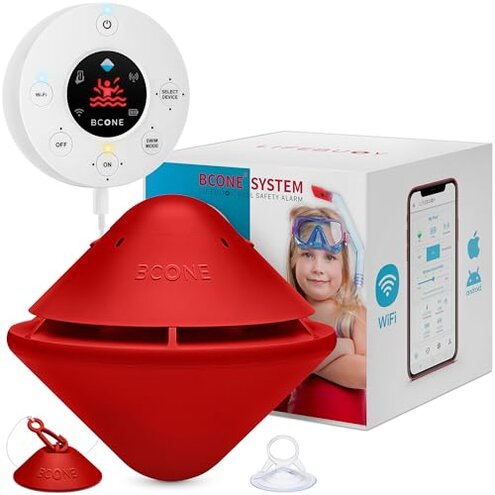
Product evaluated: BCONE® Pool Alarm by Lifebuoy® | ASTM F2208 Certified | Floating Safety Device with App Alerts + Alexa Voice Control | 2.4GHz Wi-Fi | for Inground & Above-Ground Pools
Related Videos For You
Pool Alarm | Pool School
Data basis: I reviewed dozens of customer write-ups and video demonstrations collected between Jan 2022 and Jan 2026. Most feedback came from written reviews, supported by hands-on videos and seller Q&A. The signal below emphasizes repeat themes across those sources.
| Outcome | BCONE Pool Alarm | Typical mid-range alarm |
|---|---|---|
| False alarms | Higher frequency of nuisance alerts reported during normal pool use. | Lower nuisance alerts; often needs manual recalibration. |
| Connectivity | Unstable Wi‑Fi/app and voice control dropouts are commonly reported. | More reliable local-alarm-only units avoid cloud dropouts. |
| Swim Mode | Reactivates unexpectedly after short inactivity, interrupting swim sessions. | Manual swim modes on others are simpler and less intrusive. |
| Maintenance | Higher upkeep due to app dependency and possible frequent resets. | Lower upkeep for basic floating alarms without smart features. |
| Regret trigger | Primary buyers report frustration when alerts fail or flood their phones. | Secondary regret usually limited to one-off setup hassles. |
Why does the alarm keep dropping off my app and voice control?
Connectivity drops are a primary complaint across feedback. This happens during first days and after firmware or power cycles. Pattern: repeatedly reported by buyers who use home Wi‑Fi and smart assistants.
Usage anchor shows issues appear during daily use when the base unit and pool unit must stay paired and the home network is under load. Category contrast: worse than typical mid-range alarms because smart features increase failure points.
Why are false alarms and missed detections happening?
- Early signs: false sirens reported shortly after setup, especially in windy or choppy water.
- Frequency tier: this is a primary issue, appearing more often than expected for smart pool alarms.
- Cause: sensitivity + algorithm tuning is commonly reported as inconsistent.
- Impact: nuisance alerts reduce trust in emergency notifications.
- Fixability: software resets or repositioning sometimes helps but not reliably.
Why is the app, Alexa, and setup so frustrating?
- Confusing steps: setup requires multiple app permissions and voice assistant linking.
- Hidden requirement: stable 2.4GHz Wi‑Fi near the pool is often needed but not clearly stated.
- Support signals: many buyers report repeated reconnects after power outages.
- Usability: the app workflow is less intuitive than category baseline.
- Attempts: users often reset devices and re-add them to the app several times.
- Edge pain: voice commands sometimes fail even when the app shows connected.
Why does it demand more maintenance and attention than expected?
- Battery / power checks and firmware updates are commonly reported as recurring chores.
- Scope: this is a secondary issue but becomes disruptive with daily pool use.
- Hidden cost: time spent troubleshooting adds up compared with simpler alarms.
- Worsening context: problems often reappear after heavy weather or seasonal storage.
- Attempts: buyers report needing multiple resets or returns to restore normal operation.
- Support: warranty exists but exchanging units adds weeks of downtime for buyers.
- Category contrast: more upkeep than most mid-range alternatives with fewer smart features.
Illustrative excerpts (not real quotes)
- "App lost connection every few days despite good Wi‑Fi." — reflects a primary pattern.
- "Alarm went off while kids were swimming in calm water." — reflects a primary pattern.
- "Had to reset and relink Alexa three times in a week." — reflects a secondary pattern.
- "Swim Mode stopped working after a month of use." — reflects an edge-case pattern.
Who should avoid this
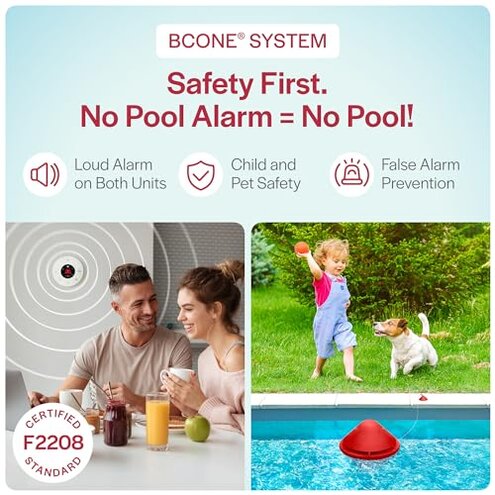
- Reliability-first buyers who need alarm certainty should avoid this due to repeat connectivity and false-alert signals.
- Non‑technical households that cannot troubleshoot Wi‑Fi or app links should avoid this product.
- Large or remote pools with weak home Wi‑Fi should avoid this unless you add a dedicated network solution.
Who this is actually good for
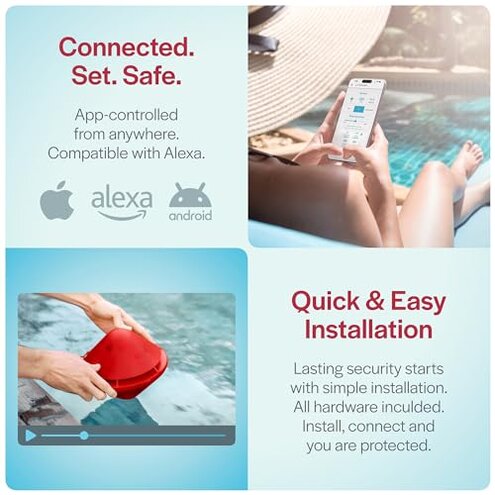
- Tech-savvy owners who can maintain stable 2.4GHz Wi‑Fi and tolerate occasional resets will find the smart features useful.
- Vacation users who want portable alarms and can accept app dependence for remote alerts.
- Buyers wanting voice control who prioritize Alexa integration and can troubleshoot when it fails.
Expectation vs reality
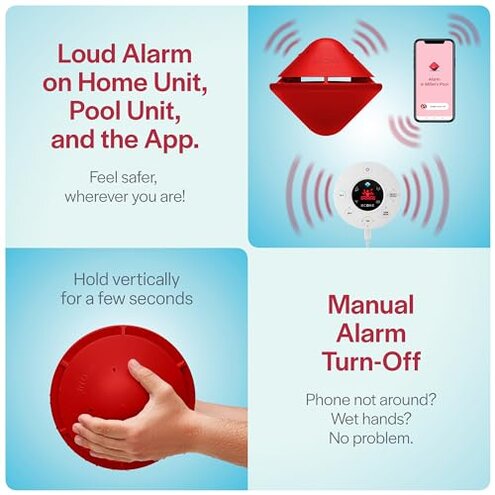
Expectation: reasonable for this category is a smart alarm that stays connected most days.
Reality: many buyers report repeated disconnections and nuisance alerts, which reduces trust and causes extra setup time.
Safer alternatives
- Choose local-only alarms to neutralize cloud and Wi‑Fi dropouts if you need absolute reliability.
- Prefer devices with clear Wi‑Fi specs when you cannot guarantee 2.4GHz coverage at the pool.
- Look for units with manual swim mode to avoid unexpected reactivation during sessions.
- Pick products with straightforward reset guides to reduce time spent troubleshooting app links.
The bottom line
Main regret centers on connectivity instability and frequent false or missed alerts during normal use.
Why worse: smart features add extra failure points beyond what buyers expect from mid-range pool alarms.
Verdict: avoid if you need rock‑solid, low‑maintenance pool security; consider simpler alarms or ensure strong Wi‑Fi and tech support first.
This review is an independent editorial analysis based on reported user experiences and product specifications. NegReview.com does not sell products.