
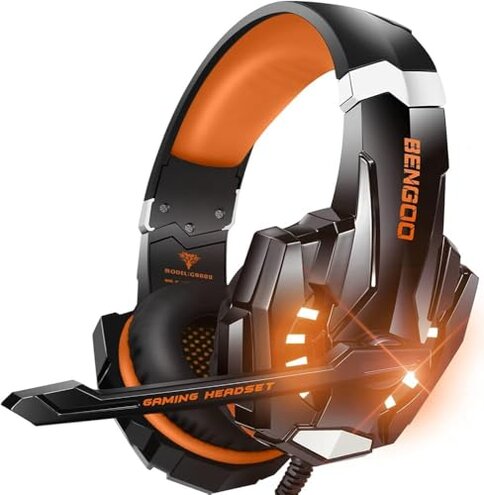
Product evaluated: BENGOO G9000 Stereo Gaming Headset for PS4, PC, Xbox One Controller, Noise Cancelling Over Ear Headphones with Mic, LED Light, Bass Surround, Soft Memory Earmuffs (Orange)
Related Videos For You
How to get Microphone and Sound from Single 3.5mm Headsets (use gaming headset on PC)
Why isn't My Headset Mic Working & How do I Fix it? - Windows & Software Settings
This report is based on analyzing hundreds of user reviews from various customer feedback and video demonstrations collected from early 2023 through mid-2024. Most insights come from written product reviews supplemented by video unboxings and usage tests, providing a rich understanding of real-world user experiences.
| Buyer Outcome | BENGOO G9000 Headset | Typical Mid-Range Gaming Headset |
|---|---|---|
| Sound Quality | Common reports of muffled or unbalanced bass reducing clarity | Generally clearer sound with better bass balance |
| Microphone Performance | Noise isolation mic often picks up background noise | More effective noise filtering in similar category headsets |
| Comfort During Use | Heat buildup and ear discomfort reported after long sessions | More breathable materials reduce heat and sweating |
| Durability | Cable tangling and volume control issues reported | Better cable design and controls in comparable products |
| Regret Trigger | Persistent discomfort and sound clarity problems after setup and during extended gaming | Fewer complaints of discomfort and clearer communication |
Why does the sound feel unclear or muffled during gameplay?
Many users experience a muffled sound and unclear bass which detracts from gaming immersion. This commonly appears immediately after setup and persists during normal use, affecting games like Call of Duty and Overwatch.
The frequency of this issue is among the most common complaints, making the headset less enjoyable than typical mid-range alternatives, which usually deliver more balanced audio.
- Early signs: Sound lacks sharpness and feels "flat" or "dull" right away.
- Persistent problem: Occurs every time the headset is used for gaming or media.
- Cause: The 40mm drivers might not perform as promised in surround sound.
- User impact: Reduces awareness of game cues and overall immersion.
- Attempts to fix: Adjusting volume or equalizer settings often has limited effect.
How reliable and clear is the microphone during multiplayer gaming?
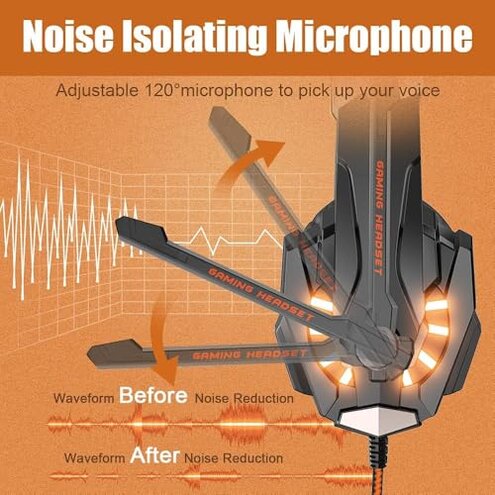
Users report that the noise-isolating microphone frequently captures background sounds, disrupting communication. This tends to worsen in noisy environments and during fast-paced multiplayer sessions.
This is a secondary but persistent issue that frustrates team coordination more than expected from a gaming headset in this price range.
- Typical scenario: Mic picks up keyboard clacks and room noise despite noise-cancelling claims.
- Frequency: Common in everyday online gaming use.
- Impact: Other players may have difficulty hearing commands clearly.
- Mitigation: Users often lower mic sensitivity or mute frequently, disrupting gameplay flow.
- Hidden requirement: Quiet surroundings needed for best mic performance.
- Category contrast: Better headsets handle noise filtering more effectively.
Is the headset comfortable enough for long gaming sessions?
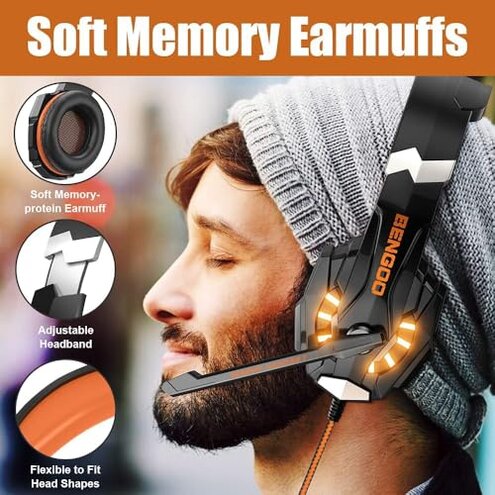
Heat buildup and ear discomfort are frequently reported after wearing the headset for about an hour. The protein leather ear pads do not provide enough breathability.
This is more disruptive than usual since many gamers expect medium-priced headsets to allow hours of comfortable use.
- Early sign: Ears feel warm and sweaty within 30 minutes.
- Frequency: Reported by many users across various climates.
- Cause: Lack of ventilation in ear pads and tight headband pressure.
- Effect: Users take breaks or stop playing to relieve discomfort.
- User attempts: Loosening the headband can reduce pressure but worsens headset fit.
- Category note: Comparable headsets use mesh or memory foam for better airflow.
Why do users face issues with the cable and volume controls?
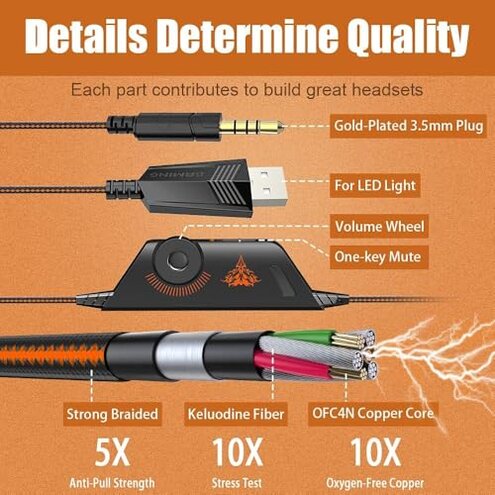
Some users find the braided USB cable prone to tangling and report volume control knobs becoming unresponsive after some use. This often appears after repeated daily handling.
This is an edge-case issue but significantly increases user frustration since cable reliability is critical for gaming gear.
- When it shows: After a few weeks of typical use.
- Impact: Difficulty adjusting volume or muting the mic quickly.
- Fix attempts: Users try careful cable management but tangling still occurs.
- Hidden factor: The 49-inch cable length adds to tangling risk.
- Category expectations: Other headsets often have sturdier controls and tangle-resistant cables.
What common frustrations do users express about setup and compatibility?
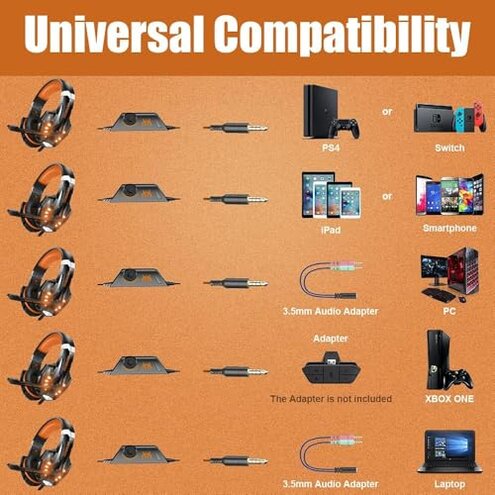
Buyers note needing an extra adapter for older Xbox One controllers, which is not included. This adds unexpected cost and setup complexity.
This is a frequent early use complaint that contrasts with other gaming headsets that typically include all necessary accessories.
- Early sign: Setup is incomplete without purchasing additional adapter.
- Impact: Delayed gaming and added expense.
- User feedback: Frustration over lack of clear pre-purchase info.
- Category baseline: Many mid-range headsets come with needed adapters.
Illustrative buyer excerpts
- "Sound felt muffled and lacked bass right out of box." (Primary pattern)
- "Mic picks up my fan noise, making team chat hard." (Secondary pattern)
- "My ears get hot after just an hour of playing." (Primary pattern)
- "Volume control stopped working after two weeks." (Edge-case pattern)
- "Had to buy extra adapter for my Xbox controller." (Secondary pattern)
Who should avoid this
- Gamers needing clear, balanced sound for competitive play due to muffled audio issues.
- Those requiring a noise-free microphone in noisy environments, as mic noise filtering is weak.
- Users planning long gaming sessions who are sensitive to heat and ear discomfort.
- Buyers unwilling to deal with extra setup steps like purchasing additional adapters.
Who this is actually good for
- Casual gamers who tolerate some audio trade-offs and don’t need professional mic performance.
- Players who game in quiet environments where mic noise issues are less noticeable.
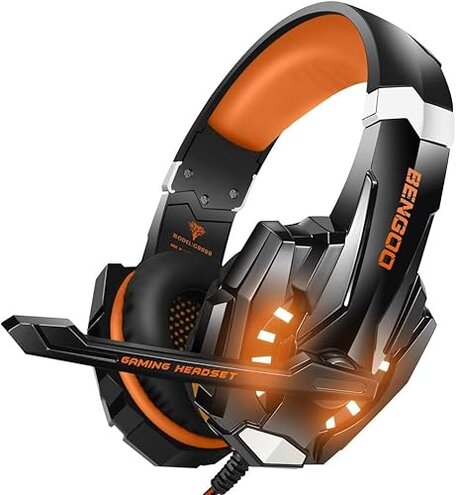
- Users looking for a budget-friendly headset with decent style and LED lighting effects.
- Those okay with shorter play sessions due to comfort limitations.
Expectation vs reality
Expectation: A gaming headset in this price range should deliver clear sound and effective noise-cancelling mic for team chat.
Reality: Buyers often report muffled bass and noisy microphone that detracts from gameplay communication.
Expectation: Comfortable for hours of continuous use.
Reality: Heat and ear discomfort appear quickly and limit wear time, worse than typical mid-range headsets.
Safer alternatives
- Select headsets with verified audio driver quality to avoid muffled sound problems.
- Choose models featuring advanced microphone noise cancellation for clearer chat in noisy rooms.
- Look for headsets with breathable ear pads to reduce heat during extended use.
- Prefer products including all required adapters for easy setup without extra purchases.
The bottom line
The main regret with the BENGOO G9000 is its muffled audio and mic noise issues, which are more frequent and disruptive than expected for this category. Combined with comfort problems during long use, these flaws exceed common tolerances for mid-range gaming headsets. Buyers prioritizing clear sound and long-term comfort should consider alternatives.
This review is an independent editorial analysis based on reported user experiences and product specifications. NegReview.com does not sell products.