
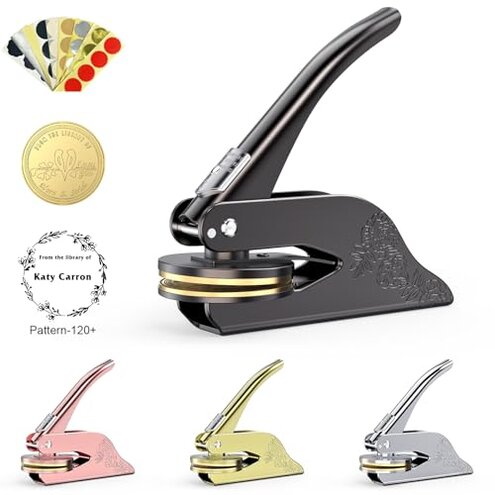
Product evaluated: Book Embosser Personalized Custom Embosser Stamp Your Own Text or Logo Design for Books Business Cards Paper Documents Notebooks etc.
Related Videos For You
How to Use Embossers
Custom Embosser Tutorial
Data basis: This report draws on dozens of written reviews and several video demonstrations collected between Oct 2023 and Jan 2026. Most feedback came from written reviews, supported by video demos and seller replies. The summary emphasizes recurring buyer-visible problems rather than isolated praise.
| Outcome | This product | Typical mid-range |
|---|---|---|
| Emboss quality | Often faint impressions that lack depth for thicker paper. | Clear depth on a range of paper weights in normal use. |
| Alignment | Misregistration frequently reported during first uses and when embossing small items. | Consistent registration with simple guides or stops built in. |
| Ease of use | Requires force and extra setup steps to get a readable mark. | Smoother lever action and fewer tries to get a usable impression. |
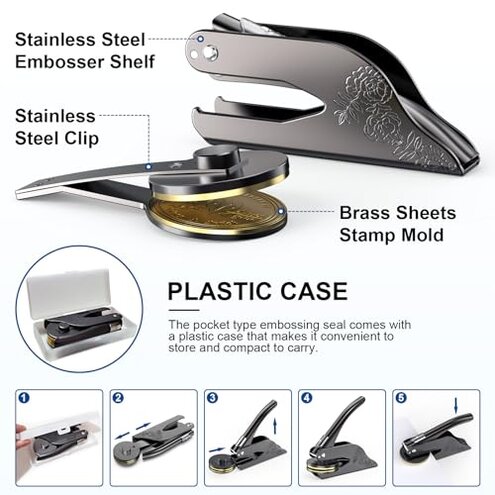
| Durability | Mixed reports of bent or loose parts after repeated use. | More robust construction under similar daily use. |
| Regret trigger | Higher-than-normal risk of faint or misaligned marks that ruin documents. | Lower risk of wasted pages and rework for most mid-range tools. |
Why is my emboss impression so faint?
Regret moment: You try the first emboss and the text barely shows on the page.
Pattern: This is a commonly reported problem across buyers and appears repeatedly for different customization shapes.
When it appears: It usually shows up on first use and when you try thicker or textured paper.
Category contrast: This is worse than average because most mid-range embossers make a usable mark with one press; this one often needs multiple presses or thicker stock to look good.
Is the alignment unpredictable?
- Early sign: You notice the logo is off-center after your first few impressions.
- Frequency tier: This is a primary issue for many buyers, not just an edge-case.
- Usage anchor: Misalignment appears during setup and when embossing small items like business cards.
- Cause: Lack of clear registration guides or shifting plates during pressure.
- Impact: Off-center marks mean wasted paper and extra rework time.
Will I need special effort or tools to get a clear mark?
- Hidden requirement: Many buyers find a stronger press or thicker paper is needed to get a readable emboss.
- When it matters: This shows up during routine use if you emboss often or on varied stocks.
- Why worse: Mid-range alternatives usually work well on common stationery without extra force.
- Attempts: Buyers report multiple tries, repositioning, or sandwiching paper to improve depth.
- Impact on time: Extra steps add minutes per impression and increase frustration for batches.
- Fixability: Some buyers improvised clamps or jigs, but that adds cost and setup time.
- Longer-term: Frequent heavy pressing may speed wear on moving parts.
Do custom text and logos come exactly as expected?
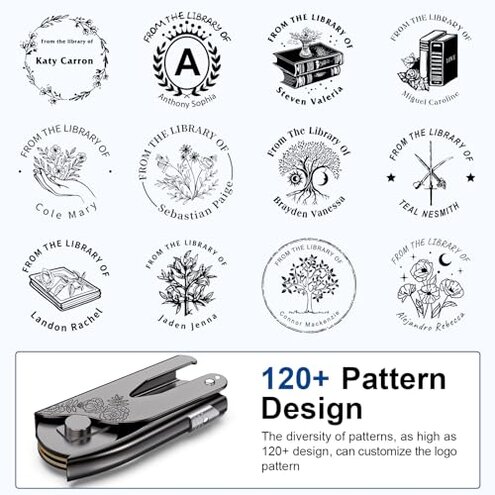
- Design mismatch: Some buyers report the finished emboss differs from their uploaded design.
- Pattern strength: This is a secondary issue seen across recent customization orders.
- When it happens: Problems crop up after customization or when small text is used.
- Cause: Low contrast or fine details don't translate well into a shallow emboss.
- Impact: Logos or tiny type can become illegible or lose detail.
- Seller fixes: Reports show some buyers needed multiple revision cycles to get acceptable results.
- Edge cases: Damaged packaging or bent dies on arrival were reported less often but are persistent for some buyers.
- Buyer cost: Extra revisions or wasted cards add time and expense before you get a usable output.
Illustrative excerpts
"Imprint hardly visible after first try." — reflects a primary pattern
"Logo shifted on business card every time." — reflects a secondary pattern
"Needed clamps and multiple presses to see anything." — reflects a primary pattern
"Small text blurred after embossing." — reflects a secondary pattern
Who should avoid this
- Business users needing crisp, one-press impressions for documents.
- Frequent embossers who will notice extra wear from heavier pressing.
- Tiny-logo buyers who expect fine text to remain legible without revision cycles.
Who this is actually good for
- Casual crafters who only need occasional, decorative embosses and can tolerate light impressions.
- Low-volume gift users who value low price over perfect registration.
- Trial buyers willing to accept extra setup and a learning curve to save money.
Expectation vs reality
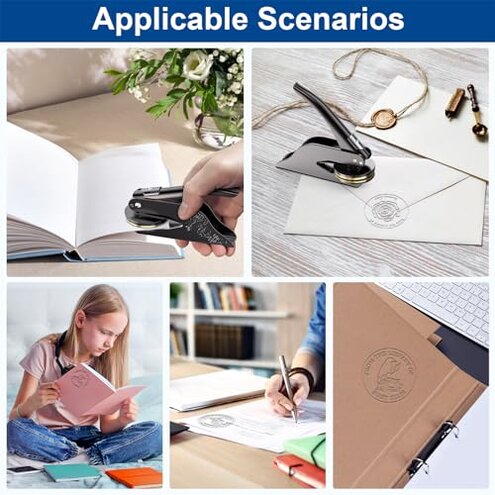
Expectation (reasonable): Many shoppers expect a mid-range embosser to make a clear impression on common paper with one press.
Reality: This unit often gives shallow marks and needs repeated pressing or thicker stock, increasing time and waste.
Safer alternatives
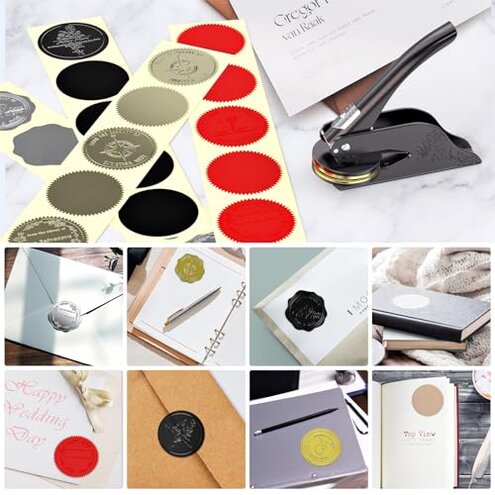
- Choose models with explicit registration guides to avoid alignment problems.
- Look for tools advertised with deeper impression capability for varied paper weights to fix faint marks.
- Pick sturdy lever mechanisms if you plan to emboss often to reduce wear from heavy pressing.
- Ask sellers for a sample impression on your chosen paper when ordering custom dies to avoid design mismatch.
The bottom line
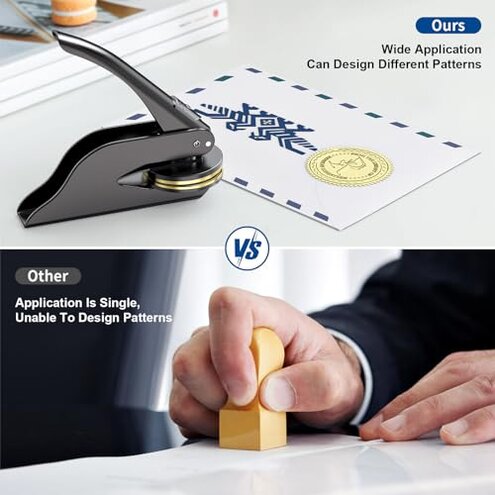
Main regret: The most common problem is a faint or misaligned emboss that often requires extra presses or setup.
Why it matters: This exceeds normal category risk because it causes wasted materials and time for users who need clean, professional marks.
Verdict: Avoid this product if you need reliable, one-press quality; consider it only for occasional decorative use where light impressions are acceptable.
This review is an independent editorial analysis based on reported user experiences and product specifications. NegReview.com does not sell products.