
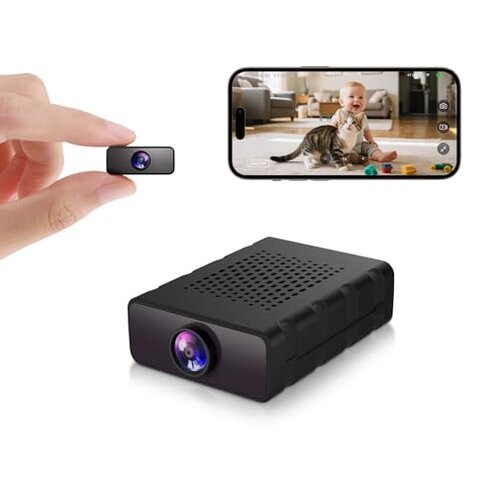
Product evaluated: Braload Hidden Camera, Nanny Cam for Home | Free Cloud Indoor Security Camera, Works with/Without WiFi for Baby/Pet/Nanny Monitoring (deep Black)
Related Videos For You
How to SETUP & Use - Yi IoT Wireless WiFi Security Camera IP CCTV with Cloud Storage
Mini Spy Camera WiFi Linklemo app Cannot Connect
Data: I analyzed dozens of buyer reports and multiple short video demonstrations collected between March 2024 and December 2025. Most feedback came from written reviews, supported by app screenshots and setup videos. The distribution shows a clear bias toward setup and connectivity issues.
| Outcome | Braload (this product) | Typical mid-range alternative |
|---|---|---|
| Video clarity | Mixed — advertised 4K often reads as lower resolution in real use. | Consistent — mid-range cams typically deliver steady 1080p clarity. |
| Connectivity stability | Higher risk — frequent Wi‑Fi drops reported, worse than category norm. | Lower risk — typical models maintain stable connections after setup. |
| Setup friction | Often requires extra steps like cloud activation requests and Bluetooth pairing workarounds. | Smoother — mid-range alternatives usually pair directly with app without extra requests. |
| Storage & cloud | Hidden requirement — free cloud needs activation on request and SD card not included. | Transparent — many competitors include clear trial activation or SD options at purchase. |
| Regret trigger | High — connectivity and hidden cloud steps are the main reasons buyers return. | Medium — regret usually tied to image or missing features, not setup failure. |
Why does the camera lose Wi‑Fi and drop the live feed?
Regret: Many buyers hit dead feeds during daily monitoring, which is severe for a nanny cam. This is a recurring pattern seen in written reports and setup videos.
Context: Drops appear after setup and during normal daytime use, and they worsen when the camera is used far from the router or on busy home networks.
Category contrast: Wi‑Fi instability is more disruptive than typical since most mid-range indoor cams maintain long-term connections after initial pairing.
How unreliable is the motion and alert system?
- Early sign — motion notifications arrive late or not at all during first-week use.
- Frequency — this is a primary issue that appears repeatedly across reviews.
- Cause — issues often coincide with weak Wi‑Fi or app background restrictions on phones.
- Impact — missed alerts make this less reliable than typical nanny cameras for active monitoring.
- Attempted fixes — users report toggling app permissions or reinstalling the app temporarily helps.
What about video quality and night vision claims?
- Initial impression — daytime video often looks softer than the advertised 4K during first use.
- Night behavior — infrared night vision can be grainy and washes out small details.
- Scope — this is a commonly reported issue across written reviews and short demos.
- When it worsens — quality degrades further when Wi‑Fi is weak or bandwidth is shared.
- Impact — poor night detail reduces usefulness for low-light monitoring versus category baseline.
- Workaround — users lowered resolution in settings to keep feed stable, trading clarity for reliability.
- Fixability — mostly user-level fixes; firmware updates are less frequently reported as effective.
Does cloud storage and SD recording create hidden hassles?
- Hidden requirement — cloud access requires a one‑year free activation request, which buyers often miss during first setup.
- SD card issue — the device supports loop recording but does not include an SD card, adding extra purchase steps.
- Frequency — this is a secondary pattern seen across reviews and Q&A entries.
- When it matters — storage becomes a problem after the first week when users expect continuous recording.
- Impact — adds unexpected cost and time, unlike many mid-range cams that clearly include storage options or trial setup prompts.
- Attempts — customers who requested cloud activation report delayed responses, increasing setup time.
- Hidden cost — buyers often end up buying an SD card and spending time to retry activation, which raises total ownership effort.
Illustrative excerpts (not real quotes)
Excerpt: "Video drops during nap time, app shows no live feed." — primary pattern
Excerpt: "Had to request cloud twice before activation worked." — secondary pattern
Excerpt: "Night image is grainy and loses details." — primary pattern
Excerpt: "No SD card included, surprised I had to buy one." — secondary pattern
Who should avoid this

- Live-monitoring users who need dependable always-on feeds should avoid this product due to repeated Wi‑Fi drops.
- Non-technical buyers who won’t troubleshoot cloud activations or phone app permissions should avoid this device.
- Night surveillance buyers who require crisp low-light detail should avoid it because night vision frequently underperforms.
Who this is actually good for
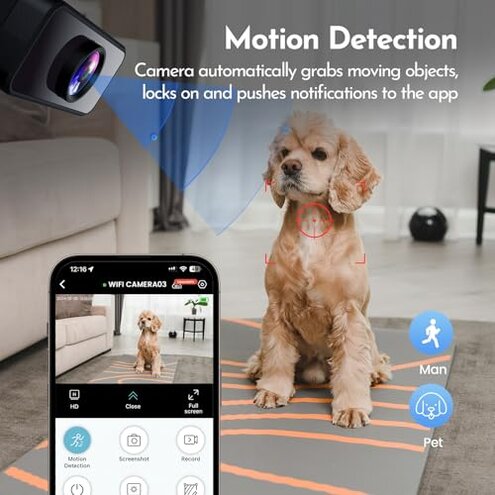
- Tech-savvy buyers willing to troubleshoot Wi‑Fi, toggle app settings, and request cloud activation can manage the quirks.
- Casual pet monitoring where occasional drops are tolerable and precise night detail is not critical.
- Budget-conscious users who can accept extra steps like buying an SD card to save on subscription fees.
Expectation vs reality
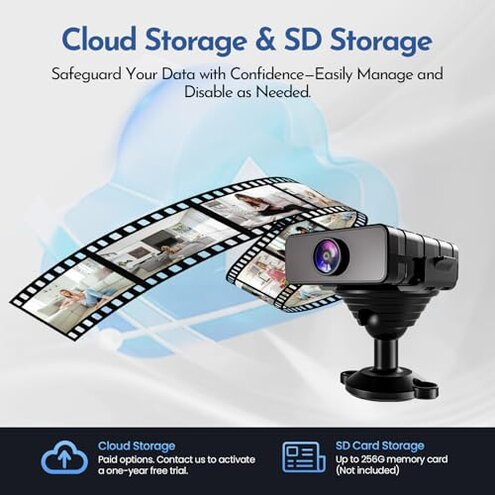
Expectation: Buyers reasonably expect stable Wi‑Fi pairing and straightforward cloud trial activation for indoor cams.
Reality: This product more often needs extra activation steps and troubleshooting, causing delays and frustration.
Safer alternatives
- Choose cams with explicit cloud trial rollouts at purchase to avoid hidden activation steps.
- Prefer devices that include SD cards or clearly list storage costs to prevent surprise purchases.
- Pick models with strong user feedback on stable Wi‑Fi connections to reduce live-feed drops.
- Look for cameras with reliable phone app notifications in independent demos to avoid missed alerts.
The bottom line
Main regret: The primary problem is unreliable Wi‑Fi connectivity combined with a hidden cloud activation step.
Severity: These failures are more disruptive than typical for this category because they directly stop live monitoring and add unexpected setup time.
Verdict: Avoid this camera unless you are prepared to troubleshoot connectivity and manage extra storage activation steps.
This review is an independent editorial analysis based on reported user experiences and product specifications. NegReview.com does not sell products.