
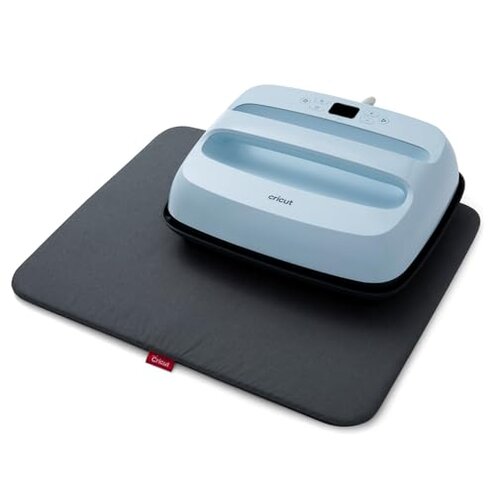
Product evaluated: Cricut EasyPress 3 Heat Press Machine (12 "x 10") with Heat Press Mat (15.5" x 12.5")
Related Videos For You
How To Heat Press A T-Shirt 101 - Easy Tutorial
🤓 Beginners Guide to Using a Heat Press - How to use a Heat Press
Data basis This report summarizes dozens of buyer comments collected from written feedback and video demonstrations during a recent review window from 2024 to 2026. Most feedback centered on hands-on use and setup, with written complaints appearing more often than video examples.
| Buyer outcome | This product | Typical mid-range alternative |
|---|---|---|
| First-time setup | Higher friction because app pairing and guided setup can add extra steps before pressing. | Lower friction with simple onboard controls and fewer setup dependencies. |
| Daily use flow | More interruptions if you switch projects often and need settings help each time. | Smoother routine for repeat jobs with direct manual control. |
| Heat confidence | Less forgiving when pressure, timing, and setup are slightly off during larger transfers. | More predictable for buyers who want fewer variables to manage. |
| Category risk | Higher-than-normal reliance on phone-based setup than many mid-range heat press options. | More typical stand-alone operation with fewer hidden requirements. |
| Regret trigger | Paying for convenience but getting extra setup steps and inconsistent results on bigger projects. | Accepting less polish but avoiding some app and workflow friction. |
Why does a simple press feel annoying before you even start?
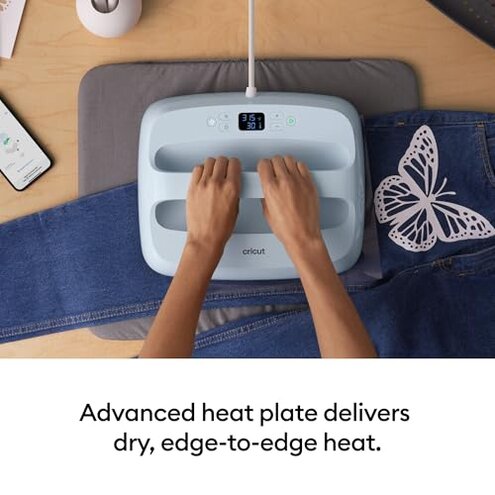
Primary issue for many buyers is setup friction. The regret usually starts on first use, when a tool expected to work like a simple press asks for app involvement and extra steps.
Recurring pattern appears repeatedly in feedback from people who wanted quick projects. Compared with a typical mid-range heat press, this feels more disruptive because the convenience pitch suggests less work, not more.
- Hidden requirement appears after unboxing, when buyers realize phone-assisted setup is part of the experience.
- Frequency tier places this among the most common complaints, especially from casual crafters.
- Worsens when you start a project quickly and do not want to troubleshoot pairing or app prompts.
- User impact is lost time and broken momentum before any transfer is made.
- Fixability is partial, because once configured it may feel easier, but the added dependency does not disappear.
Illustrative: “I wanted to press a shirt, not troubleshoot my phone first.”
Pattern: primary pattern.
Why do some projects still come out uneven or disappointing?
- Primary issue is result consistency during daily use, especially on larger items like sweatshirts or blankets.
- Recurring pattern is not universal, but it appears often enough to matter for buyers expecting easy pro-looking transfers.
- Worsens during bigger designs, thicker fabrics, or any project where even pressure is harder to maintain.
- Category contrast matters because all heat presses require technique, but this can feel less forgiving than expected for a guided product.
- Early sign is needing retries, second presses, or extra caution to avoid weak adhesion.
- Real cost is wasted blanks, wasted transfer material, and extra project time.
- Mitigation exists with careful prep and strict timing, but that undercuts the low-stress promise.
Illustrative: “It worked great once, then the next shirt needed a redo.”
Pattern: primary pattern.
Why does the large size help and hurt at the same time?
Secondary issue is handling comfort. The larger 12 x 10 size is useful for bigger projects, but the trade-off shows up when moving, aligning, and pressing carefully.
Persistent complaint is that large coverage sounds easier than it feels in real use. Against a typical mid-range alternative, the downside is more awkward handling for small spaces or frequent project changes.
Usage moment is most obvious during repeated sessions, when lifting and repositioning becomes tiring and less convenient than expected. This matters more if you craft often, store tools between uses, or work on a small table.
- Early clue is needing more table space than expected once the mat and project are laid out.
- Frequency tier makes this a secondary complaint, less frequent than setup issues but still persistent.
- Worsens when working on youth shirts, sleeves, or smaller placements where the larger press feels clumsy.
- Impact is slower alignment and more careful repositioning to avoid mistakes.
Illustrative: “Nice size for blankets, but awkward for my everyday shirt projects.”
Pattern: secondary pattern.
Why does the smart guidance not always feel simpler?
- Secondary issue is expectation mismatch, where guided settings promise confidence but still leave room for user error.
- Appears repeatedly after setup, when buyers assume the app removes most guesswork from pressing.
- Worsens with mixed materials, unfamiliar blanks, or rapid project switching.
- Category baseline would allow some learning curve, but this feels more frustrating than expected because the smart features raise confidence early.
- Buyer effect is stronger disappointment when a failed transfer happens despite following prompts.
- Attempted fix usually means slowing down, double-checking settings, and doing more test presses.
- Hidden cost is not just materials, but confidence loss for newer crafters.
Illustrative: “The guidance helped, but it still wasn’t foolproof.”
Pattern: secondary pattern.
Who should avoid this
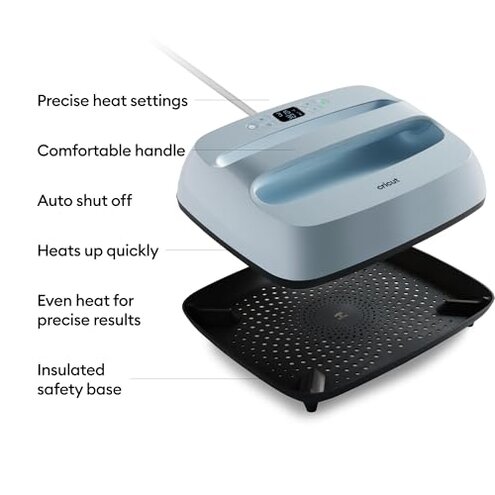
- Avoid it if you want a press that works with minimal setup and no phone dependence.
- Avoid it if failed transfers would be costly for your projects, because consistency complaints are a primary risk.
- Avoid it if you mostly make smaller items, where the larger format can feel awkward more often than helpful.
- Avoid it if you expect guided features to remove most technique demands, because that trade-off exceeds normal category tolerance.
Who this is actually good for
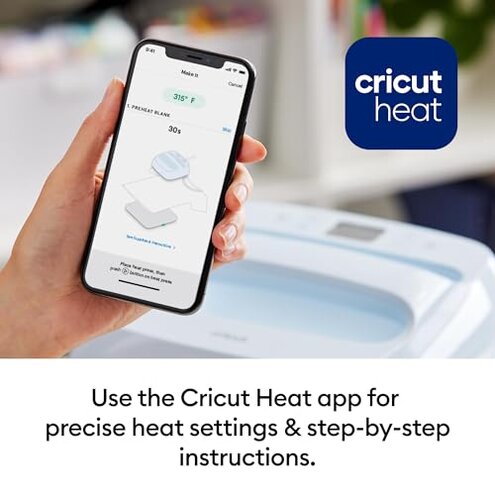
- Good fit for buyers focused on larger projects who accept some setup friction in exchange for broader press coverage.
- Good fit for crafters already comfortable with test pressing, because they can better manage the consistency risk.
- Good fit for occasional users with enough workspace, where the larger size and mat are easier to handle.
- Good fit for buyers who do not mind app-assisted workflow and are willing to trade speed for guided settings.
Expectation vs reality
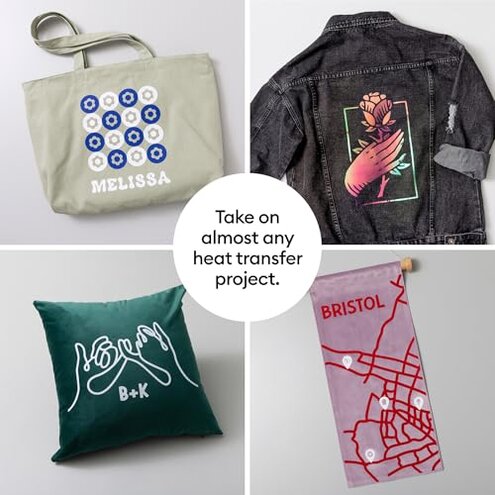
Expectation: a modern heat press should feel fast and simple on first use.
Reality: setup friction is a primary complaint, and it can delay the first project more than expected.
Expectation: guided controls should make results more consistent than a basic press.
Reality: consistency gaps still show up during larger or trickier projects, which feels worse than expected for this category.
Expectation: a larger pressing area means easier crafting.
Reality: larger handling helps coverage but can add alignment hassle and workspace demands.
Reasonable standard: some learning curve is normal for this category.
Worse here: smart guidance can create a stronger sense of security than the real-world results always support.
Safer alternatives
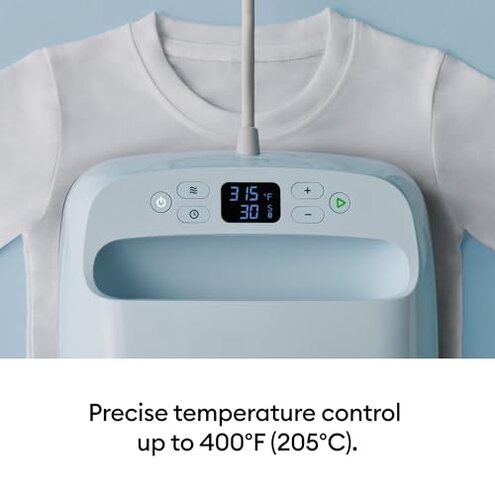
- Choose manual controls if you want to avoid the app dependency and first-use setup friction.
- Choose a smaller press if your main jobs are shirts, pockets, or smaller placements in tight spaces.
- Choose a more forgiving model if you are new to heat transfers and want fewer technique-sensitive outcomes.
- Choose stand-alone workflow if you craft in bursts and do not want phone-based steps slowing projects down.
The bottom line
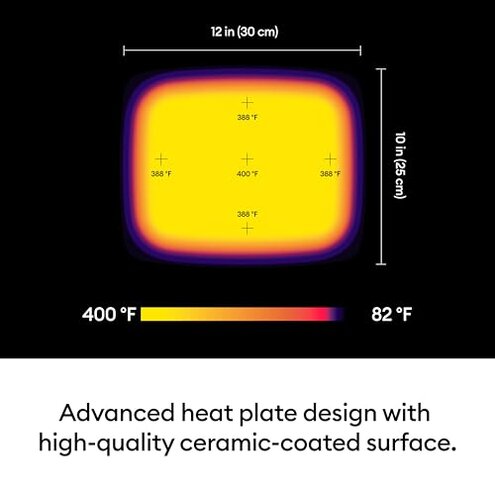
Main regret usually starts with app-led setup and continues when real-world results feel less foolproof than the promise. That risk is higher than normal for this category because buyers are paying for convenience and guidance, yet still report extra steps and technique sensitivity. Verdict: avoid it if you want simple, stand-alone reliability more than smart features.
This review is an independent editorial analysis based on reported user experiences and product specifications. NegReview.com does not sell products.