
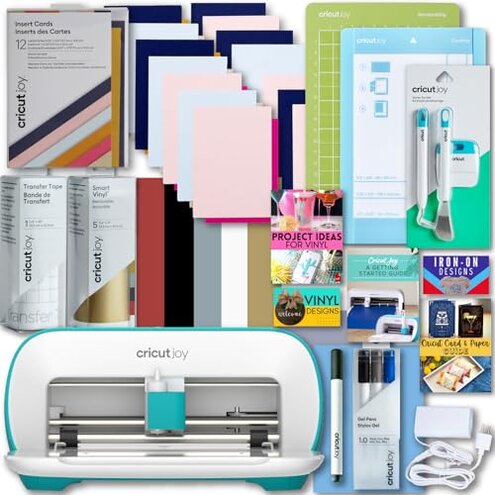
Product evaluated: Cricut Joy Machine with Card Kit, Sampler Smart Vinyl Roll, Cutting Mats and Tool Set Bundle - Compact Tool for DIY Craft Projects and Decals, Beginner Craft Cutting Machine with Starting Materials
Related Videos For You
How to use Cricut Cutting Machines (For Beginners!)
How To Cut & Apply Cricut Vinyl For Beginners ~ Cricut Maker
Data basis: This report summarizes dozens of buyer comments collected from written feedback and video-style demonstrations between 2024 and 2026. Most feedback came from text impressions, with visual walk-throughs mainly supporting setup and first-use problems rather than long-term reliability.
| Buyer outcome | Cricut Joy bundle | Typical mid-range alternative |
| First-use setup | Higher friction because Bluetooth-only pairing and app workflow add extra steps before cutting starts. | Usually easier with fewer connection steps or more forgiving setup flow. |
| Material flexibility | More limited because the compact format narrows project size and can create bundle expectation mismatch. | Usually broader for mixed project sizes and fewer size-related surprises. |
| Learning curve | Above normal for beginners once design software, pairing, and material rules all meet at first use. | Moderate and often more forgiving for casual first projects. |
| Hidden costs | Higher-than-normal risk if buyers expect the included bundle to avoid extra purchases for long. | Often lower when expectations are clearer or compatibility is less restrictive. |
| Regret trigger | Buying for simplicity and then spending extra time troubleshooting setup, sizing limits, or accessory needs. | Usually buying too little capacity, not fighting the basic workflow. |
Why does a “simple” craft machine feel slow to start?
This is the primary complaint: buyers often choose this model for easy crafting, then lose time during first-use setup. That trade-off feels more disruptive than expected because convenience is the main reason people buy a compact cutter.
The pattern appears repeatedly: friction usually shows up right after unboxing, when pairing, app setup, and project preparation all happen at once. Compared with a typical mid-range alternative, this feels less forgiving for true beginners.
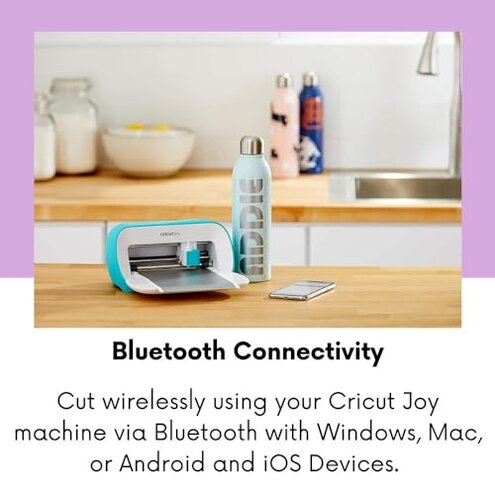
- Early sign: setup starts smoothly until the machine must connect by Bluetooth only, which adds a hard requirement before any project begins.
- Frequency tier: this is a primary issue, and it appears repeatedly in first-use complaints rather than isolated edge cases.
- Usage moment: frustration peaks during initial pairing when the machine needs to stay powered on and near the device.
- Hidden requirement: buyers need a compatible device setup with Bluetooth and internet, which is easy to miss if they expected a more direct start.
- Impact: what should feel beginner-friendly can turn into troubleshooting time before making even a simple label or card.
- Why worse here: small cutting machines usually accept some learning curve, but this one is more frustrating than normal because “easy” is its core promise.
Will the small size feel cute at first, then limiting fast?
- Pattern: this is a secondary issue, but it becomes more noticeable after the first few successful small projects.
- When it hits: limits show up during daily use when buyers try to expand from labels and cards into wider decor ideas.
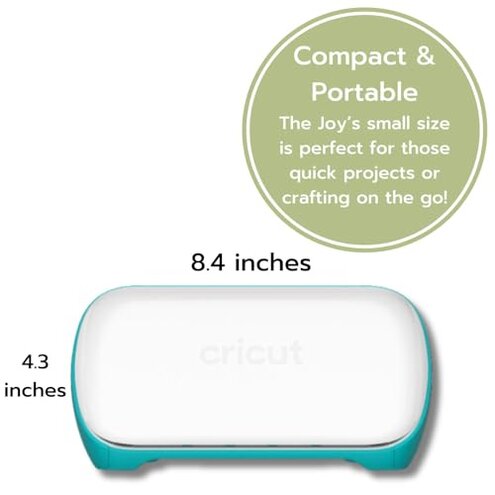
- What buyers notice: the compact machine can feel more restrictive than expected once project ideas grow beyond simple decals.
- Bundle effect: the included extras can create bigger-project expectations even though the machine itself stays compact.
- Why it stings: the machine is sold as small but mighty, so project-size limits can feel like a mismatch rather than a fair trade-off.
- Category contrast: small cutters are expected to have limits, but this can feel more confining than typical when buyers shop a bundle expecting versatility.
- Fixability: this is not very fixable because the limitation comes from the machine format, not a one-time mistake.
Do the included supplies really keep costs down?
Not always. A persistent regret point is that the bundle helps with starting materials, but it does not remove the ongoing need to match tools, mats, or project supplies to the machine.
This is not universal, but it shows up after the first projects when buyers try to keep crafting without pausing for more supplies. Compared with many mid-range alternatives, the effort and refill planning can feel higher than expected.
- Pattern: this is a secondary issue that becomes clearer once the included materials are used up.
- Usage context: it worsens after early success, when buyers assume they can keep making projects without more shopping.
- Buyer impact: the machine can become a stop-and-reorder product if your project plans grow faster than the starter bundle.
- Hidden cost: the problem is less the first box and more the ongoing accessory path tied to a specific machine size and workflow.
- Why worse here: starter bundles usually reduce friction longer than this, so the extra planning can feel less generous than expected.
Is the software side harder than the cutting itself?
- Pattern: this is a persistent issue across beginner feedback, though not every buyer struggles equally.
- When it appears: the pain shows up after setup, once users move from unboxing to actually making a design.
- Cause buyers feel: the free design path exists, but the workflow can still feel app-dependent and less direct than expected.
- Practical effect: simple projects may still require more screen time than buyers expected from a casual home craft tool.
- Worsening condition: it gets more annoying when users switch between phone, tablet, and computer expectations.
- Why this matters: the machine is meant for quick personalization, so software friction feels more disruptive than hardware limits.
- Category contrast: design software is normal in this category, but this feels less beginner-friendly than average when convenience is the main selling point.
- Fixability: buyers can improve with practice, but the learning tax is real at the start.
Illustrative excerpts
- Illustrative: “I bought it for fast labels, but setup took longer than crafting.” Primary pattern tied to first-use friction.
- Illustrative: “Cute machine, but my project ideas outgrew it almost immediately.” Secondary pattern tied to size limits.
- Illustrative: “The bundle helped me start, then I had to buy more.” Secondary pattern tied to ongoing supply needs.
- Illustrative: “Cutting was fine once connected, but getting there was the chore.” Primary pattern tied to Bluetooth and app setup.
- Illustrative: “I expected beginner easy, not software homework.” Edge-case wording, but it reflects recurring software friction.
Who should avoid this
- Avoid it if you want a craft tool with minimal setup and little patience for Bluetooth pairing or app learning.
- Avoid it if you already know you want larger projects, because the compact format can feel limiting faster than expected.
- Avoid it if you dislike ongoing supply planning, since starter bundles reduce friction only for the first round of projects.
- Avoid it if your buying reason is “easy for anyone,” because beginner ease is a higher-risk promise here than in some mid-range alternatives.
Who this is actually good for
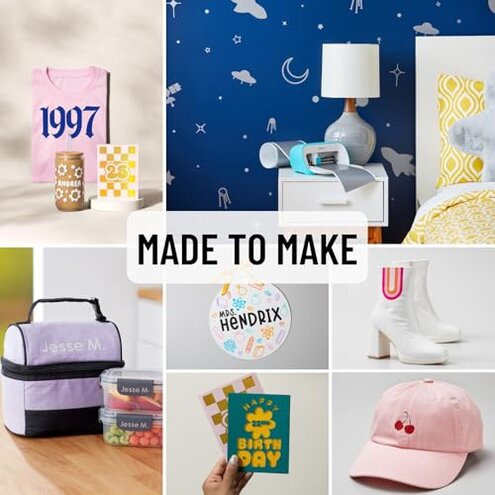
- Good fit for buyers making small labels and cards who accept setup friction in exchange for compact storage.
- Good fit for people already comfortable with design apps, because the software learning curve will feel less severe.
- Good fit for occasional crafters who value small footprint more than broad project flexibility.
- Good fit for gift buyers if the recipient already knows Cricut workflow and will not be surprised by accessory needs.
Expectation vs reality
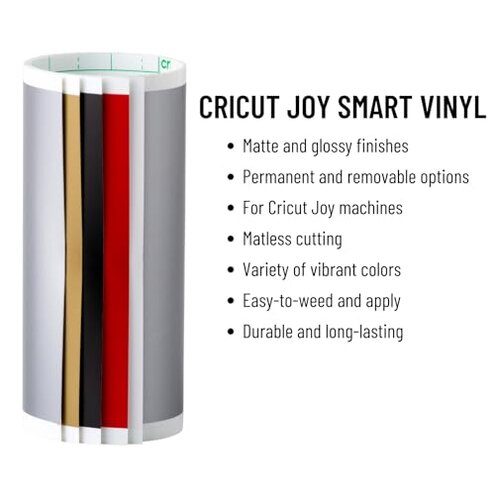
- Expectation: a compact machine should be quick to start. Reality: Bluetooth-only setup and software steps can delay the first project more than expected.
- Expectation: a starter bundle should cover early crafting with few interruptions. Reality: extra supply planning can show up sooner than many buyers expect.
- Expectation: it is reasonable for this category to have some learning curve. Reality: this one can feel worse than category-normal because convenience is such a big part of the pitch.
- Expectation: small size means easy storage with minor trade-offs. Reality: the project-size limits can become a real regret trigger once ideas expand.
Safer alternatives
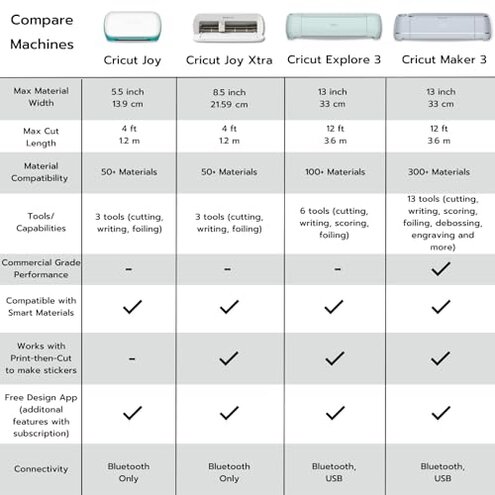
- Choose a model with a more forgiving setup path if the main failure you want to avoid is Bluetooth and app frustration.
- Choose more cutting width if you already know your projects will move beyond labels, cards, and small decals.
- Budget for refills from the start if you still want this machine, so the bundle illusion does not create disappointment.
- Watch real setup demos before buying if hidden requirements are your main concern, especially device compatibility and first-project workflow.
The bottom line
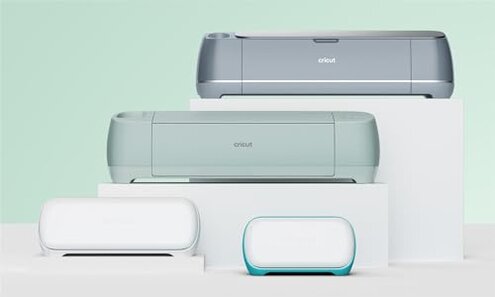
Main regret trigger: buyers often choose this Cricut for simplicity, then run into setup friction, software effort, and faster-than-expected limitations. That exceeds normal category risk because those pain points hit the exact convenience promise the product leans on. Verdict: avoid it if you want low-friction crafting from day one or expect room to grow quickly.
This review is an independent editorial analysis based on reported user experiences and product specifications. NegReview.com does not sell products.