
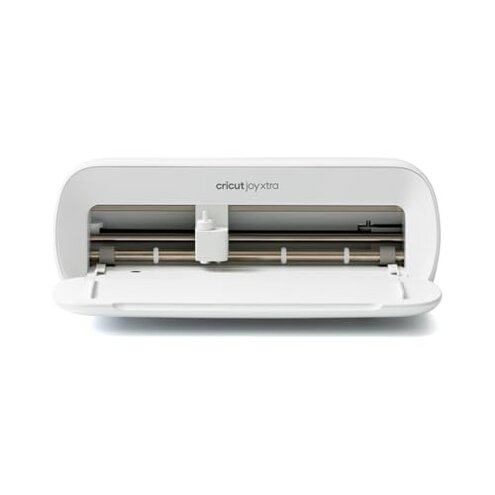
Product evaluated: Cricut Joy Xtra Cutting Machine
Related Videos For You
Setting Up & First Cut with a VinylSystems Specialist Cutter
Contour Cutting Calibration (MG Cutter Plotter Series)
Data basis: This report draws from dozens of buyer comments gathered from written feedback and video-style demonstrations collected from 2023 to 2026. Most input came from written reviews, with added context from hands-on setup clips and longer use updates, which helps separate first-day excitement from repeated-use frustration.
| Buyer outcome | Cricut Joy Xtra | Typical mid-range alternative |
|---|---|---|
| First-day setup | Higher friction if app, account, and machine pairing do not go smoothly. | Moderate friction, but usually fewer setup surprises once connected. |
| Print then cut use | More sensitive to alignment and printer-to-machine workflow. | Usually easier to recover when cuts land slightly off. |
| Small project reliability | Mixed consistency during detailed or repeated jobs. | More forgiving for everyday labels, cards, and decals. |
| Hidden requirements | Higher-than-normal risk of extra steps through software use and accessory needs. | Lower risk of feeling blocked by workflow rules. |
| Regret trigger | Buying for simplicity and meeting app and calibration friction instead. | Buying for routine crafting and getting fewer interruptions. |
Why does a simple cutter feel complicated so fast?
Primary issue: Setup friction is among the most common complaints, and it hits right when buyers expect an easy first project. The trade-off is clear: compact size sounds beginner-friendly, but the workflow can feel less forgiving than expected.
Pattern: This appears repeatedly during first use, especially when connecting the machine, updating software, or learning the design app. That makes the frustration feel worse than a typical mid-range cutter, where setup is still annoying but often more predictable.
- Early sign: Trouble starts when a buyer wants one quick label or card and instead spends extra time on account, app, or connection steps.
- When it hits: It shows up after unboxing and can return during later updates or reconnecting sessions.
- Why worse: For this category, some setup is normal, but the extra workflow dependence feels heavier than expected for a compact machine.
- Impact: The machine can feel like it adds admin work before any crafting happens.
- Fixability: Patient users often get through it, but the time cost is the real complaint.
- Hidden requirement: You need to be comfortable using the Design Space app, not just the machine itself.
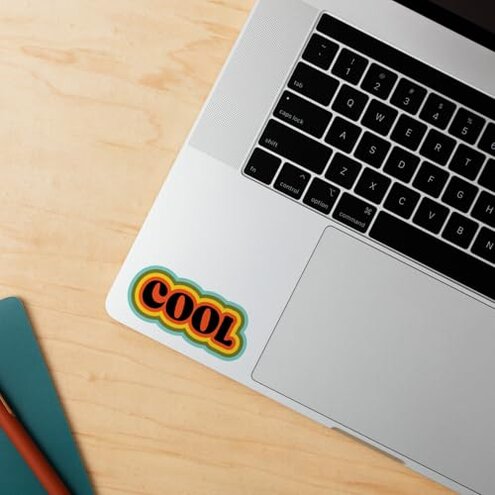
Illustrative: “I wanted to make stickers fast, but setup took longer than the project.”
Pattern tier: This reflects a primary pattern.
Why do cuts sometimes miss where you expected?
- Primary risk: Cut accuracy is a primary issue, especially during print-then-cut projects where placement matters.
- Context: It tends to show up after setup when buyers move from simple shapes to full-color printed designs.
- Worsens when: The frustration grows during detailed designs or when users expect clean sticker borders.
- Comparative cue: This is more disruptive than expected because a mid-range cutter should be reasonably forgiving on basic alignment jobs.
- Buyer impact: Missed cuts waste time and materials, which feels expensive even if the machine itself is discounted.
- Attempts: Buyers commonly try recalibration, reloading materials, or reprinting, but that adds extra steps.
- Not universal: Some users get good results, but the persistent inconsistency is what triggers regret.
Illustrative: “The print looked fine, but the cut line drifted enough to ruin it.”
Pattern tier: This reflects a primary pattern.
Why does it stop feeling convenient during regular crafting?
Secondary issue: Daily-use convenience is a secondary complaint, but it becomes more frustrating over time than the initial setup problems. Buyers often like the size, then realize the workflow still asks for more attention than expected.
Usage moment: This shows up during repeat sessions when switching project types, reloading supplies, or jumping back into the app after a break. Compared with a typical mid-range machine, the inconvenience feels higher because the small format does not automatically mean faster use.
What buyers notice: The machine is compact, but the full job can still involve multiple steps before cutting starts. That mismatch between small machine and not-so-small effort is a recurring regret point.
Category contrast: Some prep is normal in craft cutters, but buyers expect a compact model to remove hassle, not just save desk space.
Illustrative: “It fits my desk, but it still doesn’t feel quick to use.”
Pattern tier: This reflects a secondary pattern.
Why does the real cost feel higher than the price tag?
- Secondary pattern: A persistent complaint is that the machine can feel incomplete without extra supplies, app time, and workflow learning.
- When noticed: Buyers usually realize this after the first few projects, not on the product page.
- Hidden need: The machine supports many functions, but actually using them can require more tools and materials than beginners expect.
- Why worse: Extra accessories are normal in this category, yet the frustration is higher here because buyers often choose this size for low-commitment crafting.
- Regret effect: The low-footprint appeal can turn into a higher-effort hobby entry point.
- Less frequent: This is less common than setup complaints, but more frustrating once money has already been spent.
- Fixability: It is manageable if you already own supplies and enjoy the software side.
- Practical truth: If you want a plug-in-and-go tool, this can feel like more system than machine.
Illustrative: “I thought I bought one tool, not a whole crafting workflow.”
Pattern tier: This reflects a secondary pattern.
Who should avoid this
- Avoid it if you want a low-effort first cutter and have little patience for app setup, pairing, and calibration.
- Avoid it if your main goal is clean print-then-cut stickers, because alignment complaints are among the most disruptive issues.
- Avoid it if you expect a compact machine to also mean a faster workflow, since that gap drives repeated regret.
- Avoid it if you dislike hidden ecosystem costs, because accessories and software dependence can feel higher than expected.
Who this is actually good for
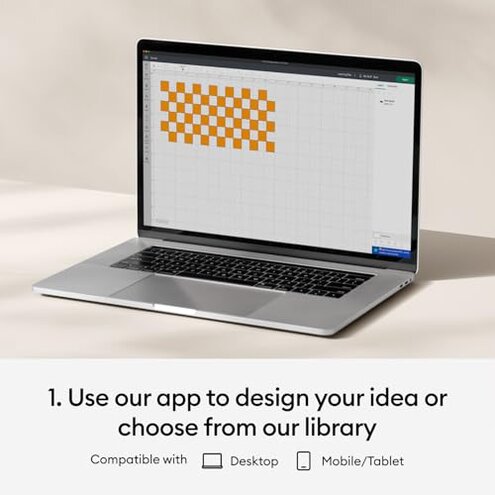
- Good fit for crafters who already know the app and can tolerate setup friction in exchange for a smaller machine.
- Good fit for buyers making simpler cuts more often than precision print-then-cut projects.
- Good fit for hobby users with limited desk space who accept that compact size does not equal fewer steps.
- Good fit for people already invested in compatible supplies and willing to learn the workflow.
Expectation vs reality
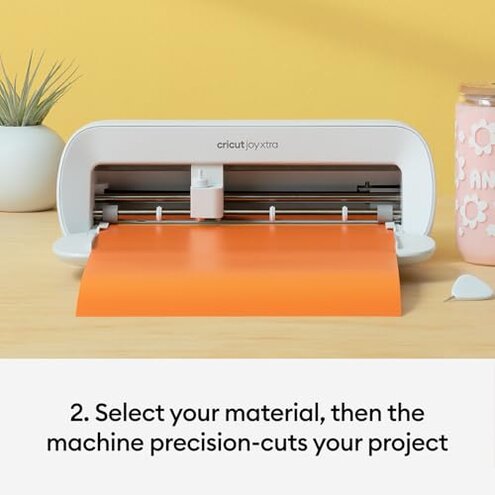
- Expectation: A small cutter should feel simple to start.
Reality: The setup path can feel more involved than the machine size suggests. - Expectation: Print then cut should be easy enough for casual sticker projects.
Reality: Alignment sensitivity is a primary complaint during real use. - Expectation: Extra supplies are reasonable for this category.
Reality: The effort and add-ons can feel worse than expected because this model is often bought for convenience. - Expectation: Compact means quick sessions.
Reality: Reopening the app, setting files, and checking calibration can slow down small jobs.
Safer alternatives
- Choose simplicity if you are a beginner: favor a cutter known for easier first-day setup and fewer account or pairing headaches.
- Prioritize accuracy if you mainly make stickers: look for models with a stronger reputation for forgiving print-then-cut alignment.
- Check ecosystem costs before buying: price out needed mats, tools, and routine supplies, not just the machine.
- Match the workflow to your patience: if you want fast one-off labels, pick a model with fewer software steps.
- Watch real use clips before buying: focus on setup, calibration, and repeat projects rather than polished demo images.
The bottom line
Main regret trigger: Buyers choose this machine for easy compact crafting and then run into software friction, alignment sensitivity, and extra workflow demands.
Why it exceeds normal risk: Some setup and supplies are normal in this category, but this model appears less forgiving than a typical mid-range alternative when buyers want simple, repeatable results.
Verdict: If convenience is your top reason for buying, this is one to skip carefully unless you already know and accept the Cricut-style workflow.
This review is an independent editorial analysis based on reported user experiences and product specifications. NegReview.com does not sell products.