
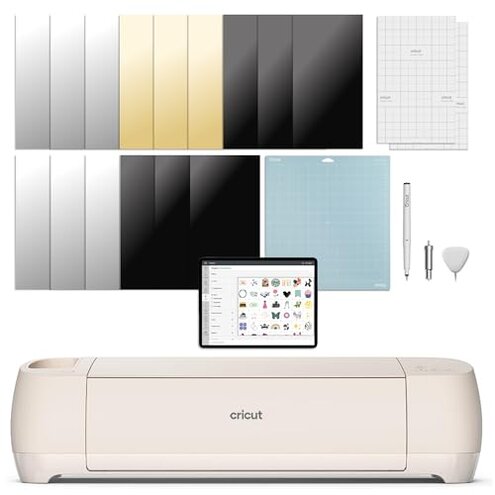
Product evaluated: Cricut Explore 4 - Smart Cutting Machine (Seashell) | Digital Content Bundle - Includes Images in Design Space App
Related Videos For You
How to use Cricut Cutting Machines (For Beginners!)
How To Cut & Apply Cricut Vinyl For Beginners ~ Cricut Maker
Data basis: This report uses dozens of buyer feedback points collected from written comments and video walkthroughs between March 2025 and March 2026. Most feedback came from written impressions, with video use clips helping confirm where frustration shows up during setup and first projects.
| Buyer outcome | This product | Typical mid-range alternative |
|---|---|---|
| First-day setup | Higher friction because account, app, and digital content steps can add extra time before cutting. | Usually simpler, with fewer activation surprises before the first project. |
| Learning curve | Steeper early on, especially if you expect plug-in-and-go crafting. | More forgiving for casual users doing basic labels or cards. |
| Content access | More dependency on the design app and included digital items. | Often less central, with fewer expectations tied to bundled content. |
| Daily workflow | More app-led, which can feel slower when doing quick repeat tasks. | Typically steadier once material settings are learned. |
| Regret trigger | Buying for ease and finding extra setup steps, app dependence, and trial-and-error instead. | Buying for ease usually means fewer early surprises. |
Do you want crafting to start fast, not turn into account setup?
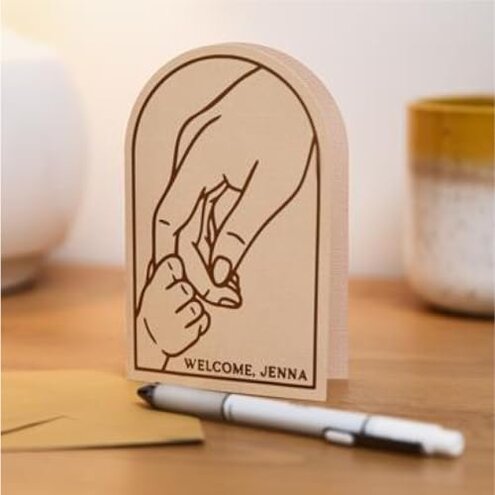
This is a primary issue and among the most common complaints for connected cutting machines. The regret moment usually happens on first use, when buyers expect to unbox, load material, and start.
The trade-off is clear: you get guided software and digital content, but setup can feel more involved than expected for this category. That feels worse than normal because many mid-range buyers shop this class for easy personalization, not onboarding steps.
- Pattern: Recurring frustration appears repeatedly around registration, app navigation, and machine linking before the first project.
- Usage moment: Right after unboxing, the extra steps are most noticeable when a buyer planned a quick same-day project.
- Why it stings: More disruptive than expected because the machine is sold around beginner-friendly creation.
- Hidden requirement: Design Space reliance is not a small detail; it becomes part of almost every early task.
- Impact: Time loss shows up before any real crafting confidence is built, which can make the first session feel discouraging.
- Fixability: Partly fixable once you learn the workflow, but that does not remove the rough first impression.
Illustrative excerpt: “I wanted a simple weekend project, not an account-and-app project.” Primary pattern.
Will the software feel helpful, or like one more thing to manage?
- Frequency tier: Primary issue, with software dependence appearing across multiple feedback types more often than accessory complaints.
- When it appears: After setup, friction shows up during design edits, material choices, and sending jobs to the machine.
- Buyer-visible problem: Workflow drag matters most when you only want to cut one small label, decal, or card.
- Category contrast: Less forgiving than typical mid-range alternatives because quick jobs still route through the same app-centered process.
- Worsening condition: Short sessions make the friction feel bigger, since the prep can rival the actual project time.
- Trade-off: Powerful options help advanced users, but casual buyers can feel buried under menus and choices.
- Mitigation: Better later if you repeat the same project types, though the early learning curve remains a barrier.
Illustrative excerpt: “The machine was ready before I was ready to use the app.” Primary pattern.
Are the bundled digital extras actually useful right away?
This is a secondary issue, less frequent than setup friction but more frustrating when it shapes the buying decision. The problem shows up during registration and the first search for ready-to-use content.
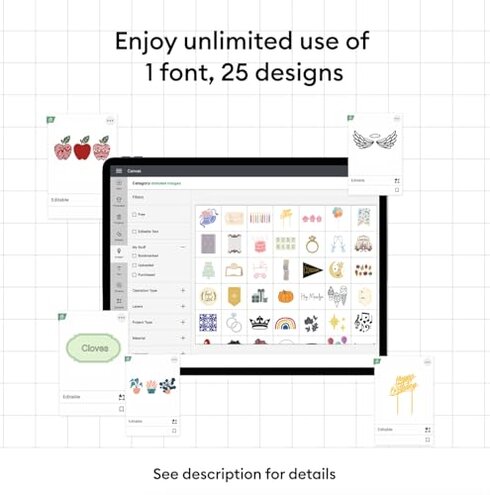
What makes it sting is expectation mismatch. Buyers who choose this bundle for included images and templates can feel slowed down if accessing, finding, or understanding those extras takes more effort than expected.
- Pattern: Persistent confusion appears around what is included automatically versus what still depends on app navigation.
- Scope: Seen across multiple feedback sources, especially from first-time machine owners.
- Usage anchor: First project planning is where buyers notice whether the bundled content really speeds things up.
- Why worse than normal: Higher expectation risk exists because this listing leans on digital content as a value point.
- Impact: Choice overload can replace the expected shortcut, delaying simple beginner projects.
Illustrative excerpt: “I bought the bundle for easy starts, but finding things still took work.” Secondary pattern.
Do quick sticker or vinyl jobs end up feeling bigger than they should?
- Frequency tier: Secondary issue, commonly reported after the first successful cut, when buyers start expecting a faster routine.
- When it hits: During daily use, especially for small repeat jobs like labels, decals, and short card runs.
- What you notice: Setup overhead can feel large compared with the size of the project itself.
- Why this exceeds baseline: More upkeep than many mid-range alternatives, where repeat tasks feel more direct once basics are learned.
- Worsening condition: Frequent small projects make every extra tap, material check, or app step feel bigger.
- Practical effect: Spontaneity drops, which matters if you craft in short bursts instead of long planned sessions.
- Attempts buyers make: Templates and saved settings can help, but they do not fully remove the app-first workflow.
- Fixability: Manageable for organized users, but still a poor fit for shoppers wanting the simplest possible machine.
Illustrative excerpt: “Small jobs still felt like I had to gear up too much.” Secondary pattern.
Who should avoid this
- Avoid it if you want a near-instant first project with minimal setup and no patience for account or app steps.
- Avoid it if your crafting style is mostly quick labels, short decals, or one-off tasks done in spare moments.
- Avoid it if the bundle value is your main reason to buy, because the digital extras may not feel like instant savings in practice.
- Avoid it if you get frustrated by guided software and prefer a more direct, less menu-heavy workflow.
Who this is actually good for

- Good fit for buyers willing to trade a rougher first day for a broader feature set across many project types.
- Good fit for patient beginners who do not mind learning one app-centered system and reusing it later.
- Good fit for hobby users planning longer sessions, where setup time matters less than having more design options.
- Good fit for shoppers already comfortable with Cricut-style workflows and expecting software to drive the experience.
Expectation vs reality
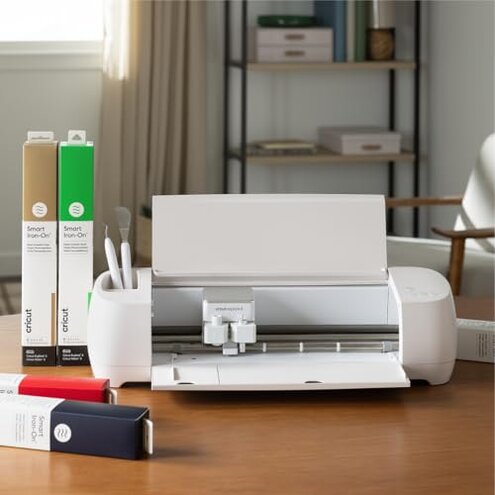
Expectation: A modern cutting machine should feel reasonable for this category to set up in one sitting and start a simple project quickly.
Reality: This one can ask for more onboarding than expected before the fun part starts.
- Expectation: A bundle should make beginner projects easier right away.
- Reality: The included digital value can still require searching, learning, and app familiarity first.
- Expectation: Small jobs should feel lightweight.
- Reality: The workflow can make tiny projects feel bigger than they are.
Safer alternatives

- Shop for a cutting machine with a simpler first-run process if fast unboxing success matters more than feature depth.
- Choose a model known for quicker repeat jobs if you mostly make labels, decals, and short vinyl tasks.
- Prioritize listings with clear offline or lower-app dependence if software friction usually ruins hobby tools for you.
- Buy for core machine ease, not bundle extras, unless you already know how the design app handles included content.
The bottom line

Main regret trigger: buyers often expect a friendly starter machine, then run into setup friction, app dependence, and more workflow overhead than planned. That exceeds normal category risk because many mid-range alternatives feel easier for small, casual projects. Verdict: avoid this if your top priority is fast, low-friction crafting rather than learning a software-led system.
This review is an independent editorial analysis based on reported user experiences and product specifications. NegReview.com does not sell products.