
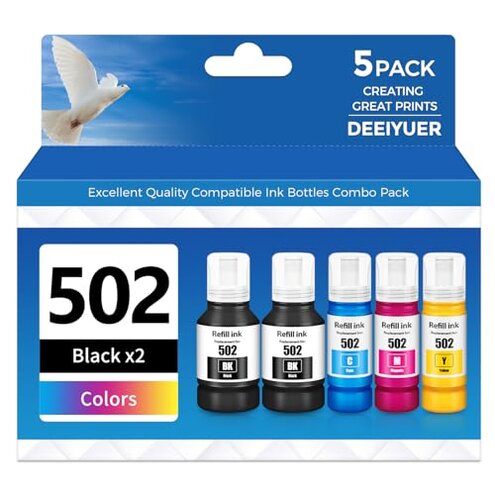
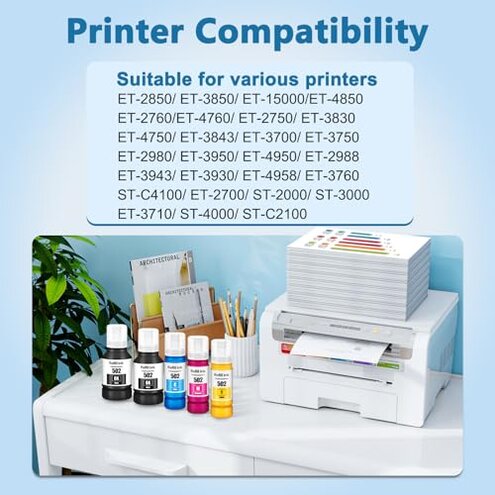
Product evaluated: DEEIYUER 502 Ink Refill Bottles ET-2850 ET-3850 ET-4850 ET-15000 502 Ink Compatible for ET 2850 ET 3850 ET-4760 ET-2760 ET-3830 ET 4850 ET 15000 ET-3843 ET-2980 ET-3950 4950 3750 Printer
Related Videos For You
5 Epson Secrets Revealed! Refill Original Cartridge & Print Free Forever!
Data basis: This report aggregates dozens of buyer accounts and several video demonstrations collected between June 2023 and January 2026, with most feedback coming from written reviews and supported by hands‑on videos.
| Outcome | Typical mid‑range ink | DEEIYUER 502 refill pack |
|---|---|---|
| Print quality | Consistent for everyday documents and photos. | Variable with reports of streaking and faded colors after refill. |
| Leak & mess risk | Low with user‑friendly bottles and clear funnels. | Higher than normal due to spills and poor cap fit in several reports. |
| Compatibility headaches | Rare chip or firmware problems with brand cartridges. | Common need for manual cleaning or resets after refills. |
| Maintenance burden | Moderate for mid‑range refill systems. | Higher with repeated nozzle checks and unclog steps reported. |
| Regret trigger | Occasional touch‑ups required but predictable. | Frequent messy refills or clogs that cause lasting print issues. |
Top failures

Why does printing show streaks or missing lines after a refill?
Problem moment: Many buyers report streaking or weak colors immediately after first use or within a few weeks.
Pattern: This is a commonly reported issue and appears repeatedly across written feedback and hands‑on videos.
Context: It shows up during normal home printing and worsens after frequent photo or high‑coverage jobs, requiring extra nozzle cleaning.
Category contrast: This is worse than most mid‑range ink refills because it often needs repeated manual cleaning, not just a one‑time touch‑up.
Why am I dealing with messy refills and ink spills?
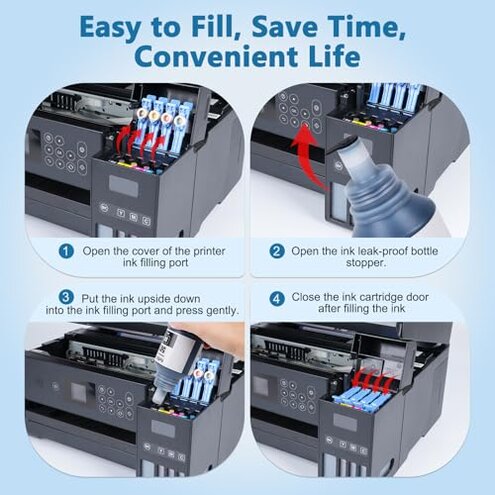
- Early sign: Bottles may drip or leak when first opened, creating immediate mess on fingers or work surfaces.
- Frequency tier: This is a primary issue for many buyers rather than an occasional complaint.
- Cause: Poor cap fit and inconsistent nozzle seals are commonly cited by users.
- Impact: Messy refills add cleaning time and risk staining nearby materials.
- Fix attempts: Buyers report needing gloves, towels, and slow manual transfers to avoid spills.
Why does the printer demand extra resets or cleaning after using these bottles?
- Hidden requirement: Some users find the printer requires extra manual nozzle cleaning or utility runs after refilling.
- When it appears: This occurs at first startup after installation and after several refill cycles.
- Pattern: This is a secondary but persistent pattern in the feedback set.
- Why worse: Unlike brand cartridges, these refills often need repeated resets to stabilize ink flow.
- User cost: Extra time, wasted test pages, and ink used for cleaning raise real running costs.
- Workaround: Buyers report success with scheduled cleaning cycles and conservative print density settings.
Why do colors look different and page yield feel lower than promised?
- Color shift: Buyers report faded or uneven colors especially on photos and graphics.
- Yield expectations: Page counts are often described as less than advertised in practice.
- When noticed: Problems appear after heavy printing sessions or several refills.
- Pattern intensity: This is a primary complaint for buyers focused on photo quality.
- Cause hints: Users link issues to inconsistent pigment density and settling during shipping.
- Repair attempts: Frequent head alignments and repeated quality checks are commonly tried.
- Fixability: Many say the fixes are temporary and the problem returns with reuse.
Illustrative excerpts
Illustrative: "The bottle leaked on my desk and stained paperwork immediately."
Pattern: This reflects a primary spill/mess pattern seen often.
Illustrative: "Colors faded after a few pages despite head cleaning."
Pattern: This reflects a secondary color fidelity problem that recurs.
Illustrative: "Printer prompted a cleaning loop that used three cartridges."
Pattern: This reflects an edge‑case but costly maintenance loop some buyers faced.
Who should avoid this
- Photo users: Avoid if you need reliable photo color without extra touchups.
- Busy households: Avoid if you dislike messy refills or extra cleaning steps.
- Low‑maintenance buyers: Avoid if you expect plug‑and‑play behavior like OEM cartridges.
Who this is actually good for
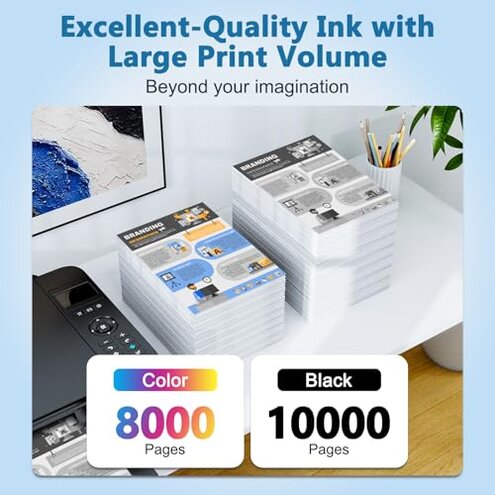
- Budget print volume: Good for buyers focused on low price per page who can accept more maintenance.
- Experimenters: Good for users comfortable with manual cleaning and troubleshooting printer quirks.
- Non‑photo tasks: Good for everyday document printing where exact color is not critical.
Expectation vs reality
- Expectation: Reasonable for this category is a refill that installs cleanly and prints reliably.
- Reality: Users commonly find extra cleaning, leaks, and color drift that exceed normal refilling fuss.
- Expectation: Reasonable mid‑range ink gives predictable yield and color for documents.
- Reality: This product often requires more maintenance and gives lower practical yield than expected.
Safer alternatives
- Choose OEM cartridges: Use brand cartridges to neutralize the compatibility and clog failures.
- Look for tested refill kits: Pick kits with clear user guides and spout designs to avoid leaks.
- Buy from sellers with return proof: Prefer sellers who document refills and offer easy returns to reduce purchase risk.
- Test with low‑value prints: Try a trial set on plain documents first to detect color drift before big jobs.
The bottom line
Main regret: The principal trigger is messy refills and recurring clogs that require extra maintenance and reduce reliability.
Verdict: This pack raises maintenance above normal mid‑range expectations, so avoid it if you need low fuss printing.
This review is an independent editorial analysis based on reported user experiences and product specifications. NegReview.com does not sell products.