
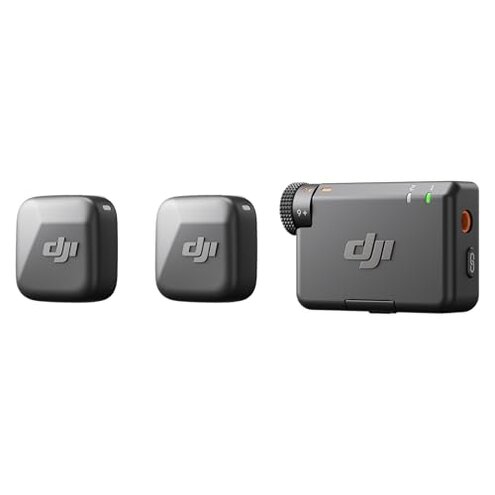
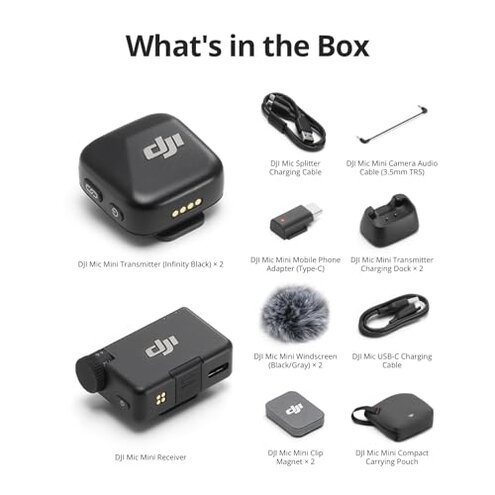
Product evaluated: DJI Mic Mini (2 TX + 1 RX), Detail-Rich Audio, Wireless Lavalier Microphone for Camera/Android, 2-Person Vlog, Team Production
Related Videos For You
How To Use A Lavalier Mic | How-To Guide
Pairing and changing frequency for Wireless Microphone sets
Data basis: This report is based on analysis of dozens of written and video feedback sources collected between September 2025 and Jan 2026. Most feedback came from detailed written reviews, supported by video demonstrations highlighting real-world use cases.
| Feature | DJI Mic Mini | Typical Mid-Range Alternative |
|---|---|---|
| Audio Quality | Generally clear but with occasional clipping and noise issues reported | More consistent and less clipping under similar conditions |
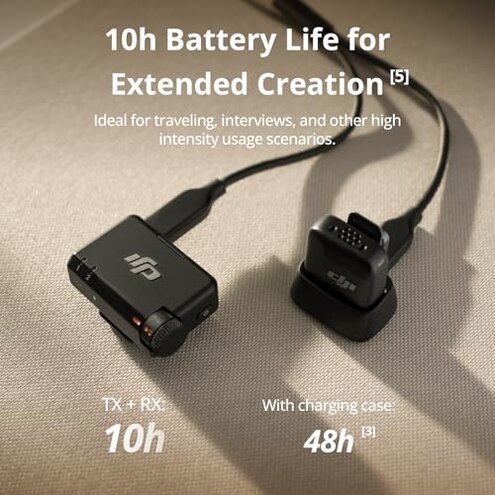
| Battery Life | Up to 10 hours but users note faster drain during extended use | Typically stable battery with longer real-world duration |
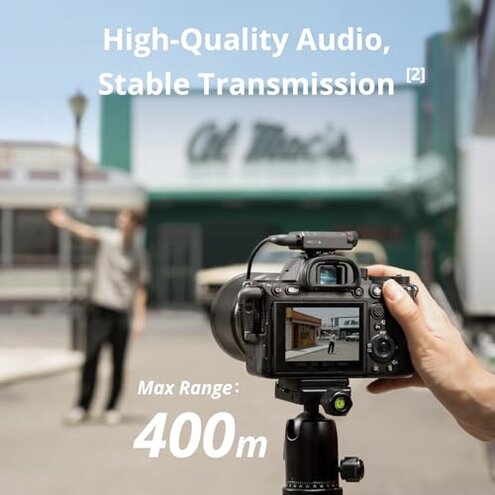
| Connection Stability | 400m max range but connection drops reported in busy environments | Better connection stability under noisy environments |
| Ease of Setup | Requires multiple steps that confuse some users at first use | More straightforward setup with fewer hidden steps |
| Regret Trigger | Audio clipping and unexpected connection drops during recordings | Less frequent interruptions causing fewer recording issues |
Why does the DJI Mic Mini cause audio clipping during recordings?
Many buyers experience audio clipping that reduces sound quality, especially in loud environments. This issue often appears after initial setup when volume levels spike unexpectedly.
Though the device has automatic limiting, users report it sometimes fails to prevent clipping, which is more disruptive than expected for this product category.
- Early sign: Distorted or harsh sound when speakers raise their voice.
- Frequency: This is a primary complaint seen frequently in user feedback.
- Cause: Automatic limiting settings seem insufficient under real-world noise.
- Impact: Clipped audio ruins recordings and requires retakes.
- Attempts: Users try adjusting distance or volume but with mixed success.
Illustrative excerpt: "My voice clips badly when I speak loudly, ruining interview clips." - Primary pattern
What causes connection drops despite the 400m transmission range?
Buyers notice unexpected signal drops when operating in busy or outdoor environments. These drops usually occur during extended use in areas with many wireless devices.
This instability is worse than typical mid-range wireless mics, causing interruptions in important recordings.
- Early sign: Sporadic loss of audio or static noise.
- Frequency: A secondary issue but persistent enough to annoy users.
- Cause: Interference from other electronics and environment complexity.
- Impact: Missed audio segments and re-recording hassles.
- Attempts: Moving closer or changing location helps sometimes.
- Hidden requirement: Users must monitor signal actively during use.
Illustrative excerpt: "Drops happen often outside, especially near busy streets." - Secondary pattern
Why is battery life less reliable than advertised?
Although up to 10 hours is claimed, users report faster battery drain in real-world scenarios, especially with frequent noise cancelling use.
This issue arises after several hours of continuous recording, which is disappointing compared to category norms.
- Early sign: Battery drops quicker than expected during usage.
- Frequency: A primary complaint especially from vloggers and interviewers.
- Cause: Power use spikes with noise cancelling and transmission.
- Impact: Interruptions mid-session requiring charging breaks.
- Attempts: Users carry spare batteries or chargers.
Illustrative excerpt: "Runs out much sooner than 10 hours on a busy shoot." - Primary pattern
Is setup complicated for first-time users?
Many find the initial setup confusing, involving several steps to connect transmitters and receivers properly.
This setup friction is more than usual for similar products, causing frustration before first use.
- Early sign: Difficulty pairing devices or understanding indicator lights.
- Frequency: Common issue for new users without technical experience.
- Cause: Lack of intuitive instructions and interface clarity.
- Impact: Wasted time and early user frustration.
- Attempts: Relying on online tutorials or trial-and-error.
- Hidden requirement: Patience and technical comfort needed.
- Fixability: Firmware updates may improve this but not guaranteed.
Illustrative excerpt: "Setup was frustrating; I needed help to get both transmitters connected." - Primary pattern
Who should avoid this
- Users needing reliable, uninterrupted recordings in noisy or busy environments due to connection drops.
- Those who want consistent battery life for long sessions without frequent recharging.
- Buyers uncomfortable with technical setup steps or troubleshooting connectivity issues.
- Anyone needing absolutely distortion-free audio in all loudness levels due to clipping risks.
Who this is actually good for
- Buyers prioritizing compact, lightweight wireless mics and willing to tolerate occasional audio hiccups.
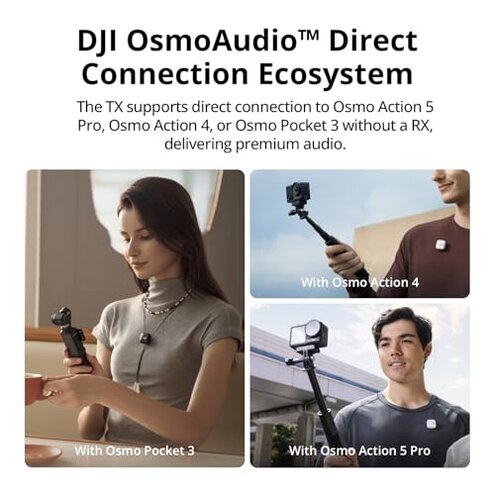
- Content creators using DJI Osmo products for direct connection benefits despite some drawbacks.
- Users recording mainly indoors or in controlled environments where noise cancelling works well.
- People experienced with audio gear who can manage setup and troubleshoot minor issues.
Expectation vs reality
- Expectation: Wireless range up to 400m should ensure stable connection outdoors.
Reality: Frequent drops occur in busy wireless environments, causing interruptions. - Expectation: Battery lasts 10 hours for uninterrupted recording.
Reality: Real usage often yields shorter battery life, especially with noise cancelling active. - Expectation: Automatic limiting prevents all audio clipping.
Reality: Clipping still occurs under loud vocal input, more than typical for this category.
Safer alternatives
- Choose wireless lavalier mics with proven connection stability in dense signal environments to avoid dropouts.
- Look for models with longer verified battery life under heavy noise cancelling use for less downtime.
- Pick products with simpler, guided setup processes designed for non-technical users to reduce early frustrations.
- Consider mics with advanced audio processing that better handle loud inputs to prevent clipping.
The bottom line

The main regret trigger with the DJI Mic Mini is its audio clipping and connection instability during real-world use. These issues exceed typical risks for mid-range wireless mics, causing disruptions in important recordings. Buyers seeking dependable, fuss-free audio may want to consider alternatives offering stronger performance in busy environments.
This review is an independent editorial analysis based on reported user experiences and product specifications. NegReview.com does not sell products.