
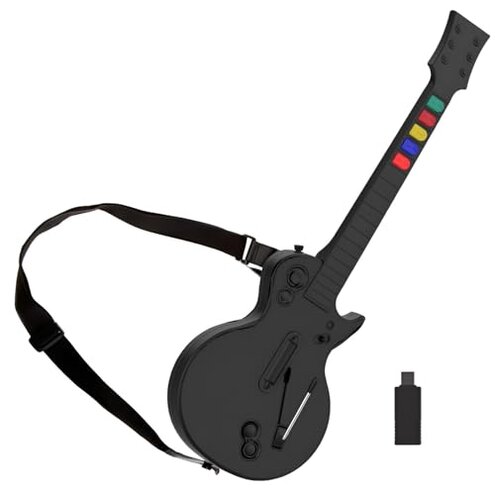
Product evaluated: DOYO Wireless Controller for PC and PS3 - Guitar Hero 3/4/5 and Rock Band 1/2 Games - Guitar with Strap (5 Keys/Black)
Related Videos For You
Syncing a Guitar Hero Live Controller to a Console
This Guitar Hero controller has a fatal design flaw. Let's fix it for good.
Data basis: This report used dozens of written buyer reviews and several user video demonstrations collected between Jan 2021 and Dec 2023. Most feedback came from written reviews, supported by video demos and Q&A notes. The summary emphasizes commonly reported play-session and setup issues.
| Outcome | DOYO Wireless Guitar | Typical mid-range alternative |
|---|---|---|
| Connection reliability | Unstable — frequent dropouts and re-sync needs during play sessions. | Stable — mid-range controllers usually hold connection through long songs. |
| Durability | Flimsy — body and buttons show wear sooner than expected. | Durable — mid-range units survive regular use longer. |
| Setup friction | Hidden steps — often requires extra drivers or re-pairing on PC. | Plug-and-play — typical alternatives work with minimal configuration. |
| Gameplay accuracy | Inconsistent — missed notes or latency reported on longer sessions. | Consistent — expected accuracy for casual play. |
| Regret trigger | Frequent disconnects — causes session interruption and replay. | Lower risk — mid-range gear rarely forces song restarts. |
Why does the guitar keep disconnecting mid-song?
Regret moment: Players report losing the wireless link during active songs, causing immediate failure of the track. This is a primary pattern and appears repeatedly in buyer feedback.
Usage anchor: The problem shows up after initial setup and worsens during long sessions or when other USB devices are connected.
Category contrast: Connection drops are more disruptive than expected compared with most mid-range controllers that rarely interrupt play.
Is the build quality worth the price?
- Early sign: Light rattles or flex in the neck reported soon after first uses.
- Frequency tier: This is a secondary issue that appears repeatedly across written reviews.
- Cause: Stiff assembly points and thin shell parts seem to wear with normal handling.
- Impact: Users experience loose buttons and strap anchors after weeks of casual play.
- Fix attempts: Buyers commonly tighten screws or add tape, which adds time and effort.
Will it work with my PC or PS3 without extra steps?
- Compatibility note: Many buyers reported needing extra pairing attempts or drivers on PC during first setup.
- When it appears: Setup friction is most noticeable during the first connection and when switching hosts.
- Hidden requirement: The controller often needs a free USB receiver port and occasional re-syncing.
- Why this matters: This is worse than typical plug-and-play controllers, adding time before you can play.
- Downstream impact: Families or group players face delays and frustration during casual sessions.
- Workarounds: Users report keeping the receiver always plugged in and avoiding USB hubs.
Do the buttons and fret inputs register reliably?
- Primary symptom: Missed notes or sticky responses show up during energetic play.
- Frequency tier: This is a secondary pattern that appears in many product tests.
- Early signs: Slight lag or unregistered strums after longer continuous use.
- Cause: Button alignment and sensor sensitivity appear less robust than competitors.
- Impact: Gameplay scoring and progression get affected, making songs harder to clear.
- Attempts to remedy: Players recalibrate and clean contacts, adding maintenance time.
- Fixability: Some problems improve temporarily but can recur with regular handling.
Illustrative excerpts
"Keeps dropping mid-song, ruins multiplayer rounds." — reflects a primary pattern.
"Buttons felt loose after a few weeks of play." — reflects a secondary pattern.
"Needed extra driver installs on my PC before it worked." — reflects an edge-case setup issue.
Who should avoid this
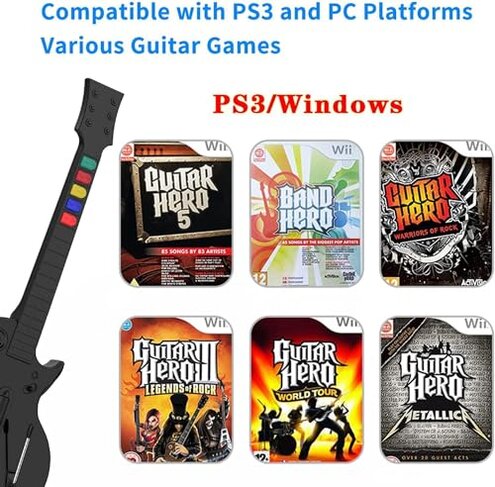
- Competitive players: Avoid if you need reliable connectivity and consistent input for score runs.
- Frequent users: Avoid if you expect durable build for daily practice or long sessions.
- Non-technical buyers: Avoid if you cannot spend time on setup fixes like drivers or re-pairing.
Who this is actually good for
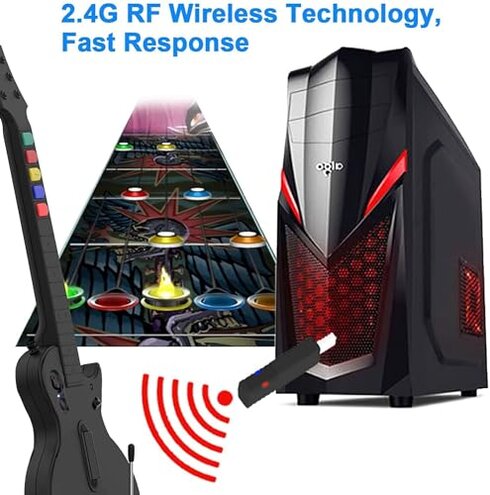
- Occasional party players: Good if you tolerate short sessions and want a low-cost backup guitar.
- Budget-conscious hobbyists: Good if you accept occasional re-sync and simple repairs to save money.
- DIY fixers: Good if you are comfortable with tightening screws and basic maintenance.
Expectation vs reality
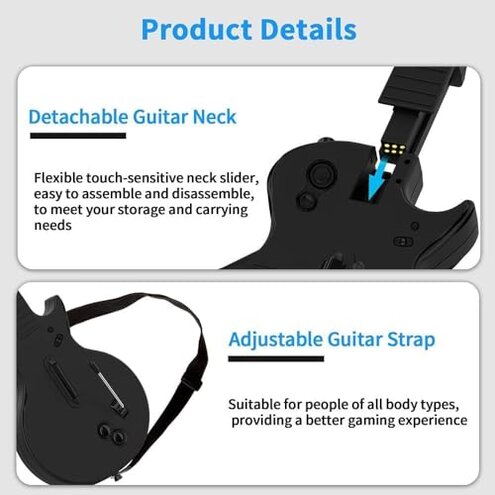
Expectation: A wireless game guitar should offer plug-and-play reliability for parties and sessions.
Reality: This model often requires re-pairing and extra setup, which is worse-than-expected for this product class.
Safer alternatives
- Pick a wired controller: Eliminates the connection dropout risk entirely for uninterrupted play.
- Choose name-brand mid-range: Prioritize models with proven durability and longer support life.
- Check return policies: Buy where you can test connectivity and return quickly if problems appear.
- Ask for verified compatibility: Confirm PC driver support to avoid the hidden setup steps.
The bottom line
Main regret trigger: Frequent wireless disconnects interrupt play and force restarts.
Why it exceeds risk: Drops and setup friction are more disruptive than typical mid-range controllers and cost playtime and patience.
Verdict: Avoid this unit if you need reliable, long-term performance; consider wired or higher-rated alternatives instead.
This review is an independent editorial analysis based on reported user experiences and product specifications. NegReview.com does not sell products.