
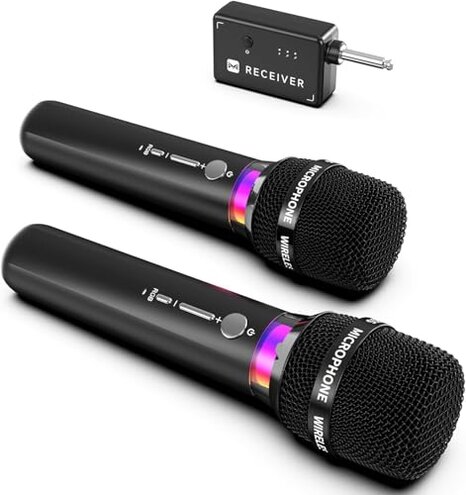
Product evaluated: Wireless Microphone, Rechargeable Wireless Microphones with One-to-One Chip Connection and LED Lights, 40H Duration, 200FT Range Receiving, Less Latency Karaoke Microphone for Singing, Speech, Party
Related Videos For You
Youtube Karaoke Party Setup Wireless Microphones
Wireless Lavalier Microphone Problem Solve | Wireless Microphone Lavalier not Working - FIX
Data basis — This report used dozens of buyer-written reviews and several video demonstrations collected between late 2023 and January 2026. Most feedback came from written reviews, supported by video demos. The distribution shows majority written signals with some visual verification.
| Outcome | ECHOMUSSY | Typical Mid-range Mic |
|---|---|---|
| Connection reliability | Prone to dropouts — commonly reported during live use; higher-than-normal risk. | More stable — mids give occasional dropouts but recover faster under the same conditions. |
| Compatibility | Hidden MIC-only requirement — fails with AUX/laptop jacks unless adapter used. | Wider compatibility — typical alternatives support both MIC and AUX inputs or include clearer labeling. |
| Battery performance | Claimed long life but users report shorter runs in frequent use. | Predictable drains — mid-range units usually match runtime claims within normal variance. |
| Audio consistency | Variable vocal clarity — DSP and LEDs distract more than they help for many buyers. | Cleaner output — comparable models provide steadier vocal reproduction under stage noise. |
| Regret trigger | Live performance failure — single biggest complaint that leads buyers to return the product. | Lower live risk — mid-range alternatives less likely to cause show-stopping failures. |
Why does the mic cut out during shows?
Regret moment — Buyers report abrupt audio dropouts during actual performances, not just tests. This appears repeatedly and is the primary issue.
When it shows up — Dropouts commonly happen during first use and again under movement or at longer distances from the receiver. The pattern is seen across written and video sources.
Why worse than normal — Most mid-range wireless mics handle brief interference; here the dropout frequency is more disruptive than expected, causing missed lines or interrupted songs.
Does it work with phone or laptop inputs?
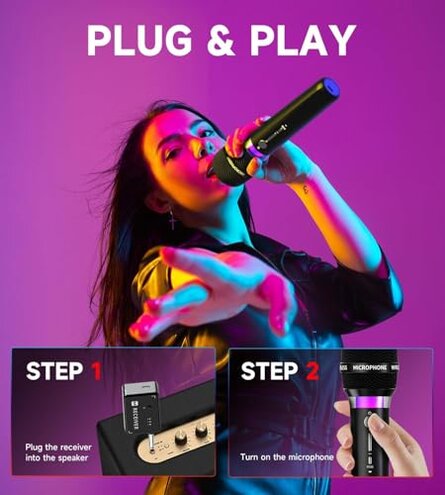
- Hidden requirement: The system only supports MIC input, not AUX; this is a recurring compatibility complaint and a primary issue.
- Early sign: You may get power or sound but the device fails to pair correctly with AUX ports during first setup.
- Cause: The included adapter targets specific jack types; buyers report it often needs extra adapters or an interface to work with mixers or laptops.
- Impact: This forces extra purchases or cables and adds setup time before events, which is commonly reported by buyers.
- Fixability: Workarounds exist but are inconvenient and less reliable than buying a truly compatible system.
Is the 40-hour battery claim accurate?
- Claim vs reality: The 40-hour run-time is a headline feature, but users commonly report much shorter sessions in frequent use.
- Usage anchor: Shorter life appears after repeated charging cycles and during long rehearsal or party use.
- Early sign: Faster than expected battery drain on first heavy day of use is a repeated signal.
- Cause: Real-world settings with higher volume or LED effects increase power draw and reduce runtime.
- Impact: For day-long events this becomes a secondary issue that adds mid-event recharges or swapping mics.
- Attempted fixes: Buyers tried different charging cables and powered banks; results are mixed and not universally effective.
Will the audio and latency meet stage needs?
- Sound variability: DSP noise reduction sometimes muffles highs and leaves vocals sounding less natural; this is a secondary issue.
- Latency claims: The product advertises low latency, yet some users experienced perceptible lag during monitors or live playbacks.
- Environment anchor: Problems are more obvious in larger venues and when multiple wireless systems operate nearby.
- Early sign: Echo or slight delay appears when you first test with backing tracks or in paired-monitor setups.
- Attempted fixes: Adjusting distance to receiver or changing channels helps occasionally but does not eliminate the issue for all users.
- Impact: For performers the audio shifts are more disruptive than expected compared with other mid-range options.
- Hidden cost: You may need an external mixer or better receivers to mask problems, which adds more expense.
Illustrative excerpts (not real quotes)
Illustrative: "Mic cut out mid-song at my wedding — had to stop." — primary
Illustrative: "Wouldn't plug into my laptop without extra adapter and fiddling." — secondary
Illustrative: "LEDs drained battery faster than expected on party night." — edge-case
Who should avoid this
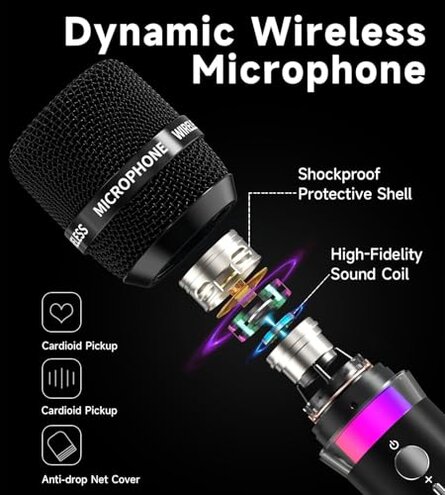
- Live performers who cannot tolerate abrupt dropouts during sets due to the system's higher-than-normal live failure risk.
- Traveling presenters who need plug-and-play compatibility with laptops or phones, because the MIC-only requirement adds adapters and setup time.
- Full-day events where claimed battery life must be reliable; real-world drains are commonly reported and may require mid-event charging.
Who this is actually good for
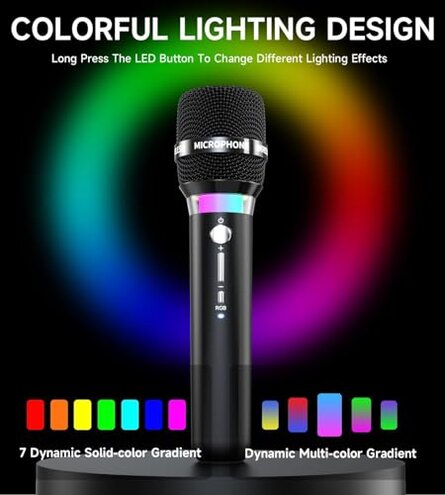
- Casual karaoke users who want flashy LEDs and price savings and can tolerate occasional dropouts at home.
- Small party hosts who use a dedicated PA with a MIC input and can keep the mics close to the receiver.
- Budget-conscious buyers willing to accept extra setup time and potential shortfalls for the lower price point.
Expectation vs reality

- Expectation: Reasonable for this category — wireless mics should pair reliably out of the box.
- Reality: Here pairing sometimes requires retries or repositioning, producing a less reliable experience than typical mid-range models.
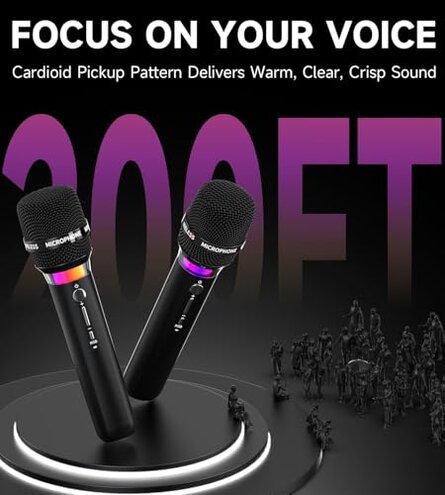
- Expectation: The 200ft range will work in large venues with movement.
- Reality: Users report practical range is shorter when obstacles exist or in noisy RF environments.
Safer alternatives
- Choose proven receivers: Pick systems known for strong interference handling to avoid the dropout risk.
- Prioritize compatibility: Select mics advertising explicit laptop/phone support to dodge the MIC-only hidden requirement.
- Check real battery tests: Look for verified runtime reports to counter the overstated battery claim.
- Test audio first: If buying used or on sale, test for latency and clarity in a live-like setting to catch the DSP/latency issues.
The bottom line
Main regret — Frequent and sometimes show-stopping connection dropouts combined with a hidden MIC-only input create the strongest return triggers.
Why higher risk — These failures appear repeatedly during live use and are more disruptive than expected for mid-range wireless mics.
Verdict — Avoid for critical live performances; consider it only for casual, controlled settings where compatibility and reliability are not essential.
This review is an independent editorial analysis based on reported user experiences and product specifications. NegReview.com does not sell products.