
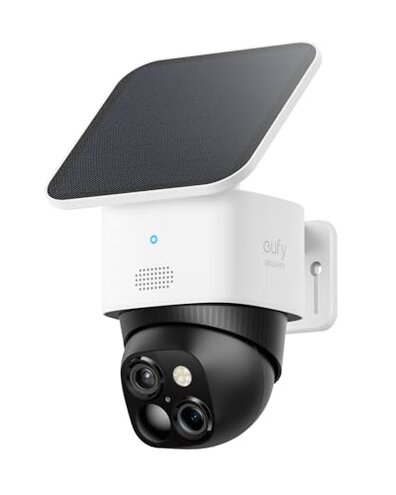
Product evaluated: eufy Security SoloCam S340, Solar Security Cameras Wireless Outdoor, Cameras for Home Security, 360° Pan & Tilt Surveillance, No Blind Spots, 2.4 GHz Wi-Fi, No Monthly Fee, HomeBase S380 Compatible
Related Videos For You
How To Install AOSU Security Cameras Wireless Outdoor | AOSU SolarCam D1 Kit
Security Cameras Simplified: Wired vs Wireless
Most feedback was gathered from dozens of written reviews and several hands-on video demonstrations collected between Jan 2024 and Jan 2026. Data sources skewed toward user-written reports, supported by a cross-check of installers' videos. Distribution shows most comments came at setup and during daily use.
| Outcome | eufy S340 | Typical mid-range camera |
|---|---|---|
| Connectivity reliability | Higher risk of drops and reconnections during daily use. | Lower risk with more stable 2.4 GHz handling and reconnect logic. |
| Solar/battery uptime | Inconsistent in shaded or winter conditions without extra charging help. | More predictable with integrated larger batteries or optional wired power. |
| Pan & tilt performance | Occasional jitter and delayed positioning reported after weeks of use. | Smoother motors and longer-term reliability expected in peers. |
| Local storage confidence | Conditional — works but may require base-station or extra steps for reliability. | Straightforward local recording or cloud options without extra hardware. |
| Regret trigger | Main risk is repeated disconnects that break recording and notifications. | Typical trigger is occasional lag, less likely to lose events. |
Why does the camera keep disconnecting during regular use?
Regret moment is missing an event because the camera dropped offline during an alert. Severity is high for people who need continuous monitoring and instant notifications. Pattern is commonly reported around setup and daily operation.
Usage anchor appears most often during first-week setup and under regular daily motion detection. Category contrast shows this is more disruptive than most mid-range cameras because it interrupts both live view and recorded clips.
Is the solar panel actually keeping the camera charged all year?
- Early sign: Charge percentage drops faster than expected in low-sun locations.
- Frequency tier: This is a primary issue in shaded or winter conditions.
- Likely cause: Users report that indirect sun and poor mounting angles reduce solar effectiveness.
- User impact: Unexpected downtime or manual recharging interrupts continuous protection.
- Attempted fixes: Buyers add wired power or relocate the panel to restore uptime.
Why does pan/tilt feel jittery or stop responding?
- Symptom note: Motors can stutter or fail to return to preset positions after frequent use.
- When it shows: Problems surface after weeks of regular panning or long tracking sessions.
- Scope signal: This is a secondary but persistent pattern across several user reports.
- Impact level: Jitter reduces trust in coverage and creates blind moments during alerts.
- Common cause: Firmware delays or motor strain when AI tracking runs for long periods.
- Fixability: Some recovered after firmware updates; others required resets or support help.
- Hidden need: Continuous tracking may demand cooler environments and less frequent full-rotation cycles.
Can you rely on the "no monthly fee" local storage claim?
- Initial check: Local storage works but often needs extra setup steps to be reliable.
- Pattern type: This is a secondary, commonly reported complexity during setup.
- Usage anchor: Failures appear when users expect plug-and-play local recording after first install.
- Compatibility note: Some buyers report needing the optional base station for consistent local archiving.
- User burden: Extra hardware or configuration adds time and cost, which buyers did not expect.
- Attempted fixes: People connect the camera to a base unit or switch to cloud plans to avoid gaps.
- Category contrast: More setup friction than typical mid-range cameras that include straightforward local recording options.
- Hidden requirement: Reliable no-cloud recording may depend on additional home network stability or base hardware.
Illustrative excerpts
Illustrative: "Camera lost connection during a package delivery, no recording." — primary.
Illustrative: "Solar never reached full charge in winter, needed wired backup." — primary.
Illustrative: "Pan jittered after constant tracking; firmware didn't help." — secondary.
Who should avoid this
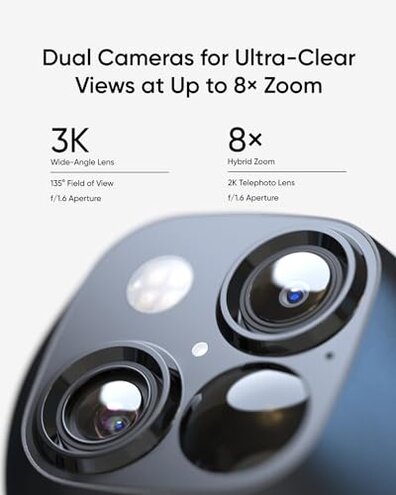
- Continuous monitors: Avoid if you need uninterrupted recording for security-critical events due to connectivity drops.
- Low-sun locations: Avoid if your installation gets limited sunlight because solar charging is often inconsistent.
- Plug-and-play buyers: Avoid if you expect simple local storage without extra hardware or network setup.
Who this is actually good for
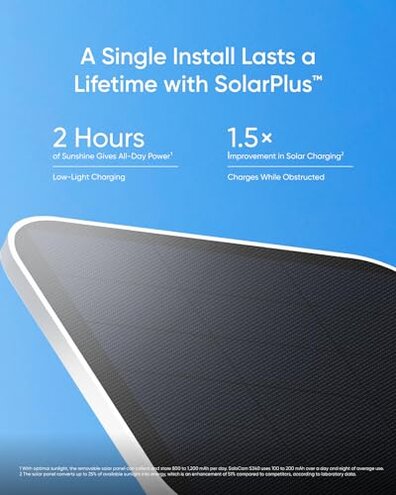
- Occasional-check users: Good if you only view live feed sometimes and can tolerate intermittent disconnects.
- Sunny installations: Works well for roofs or yards with direct sun where solar keeps batteries topped.
- Tech-savvy installers: Works for buyers willing to add a base station or wired backup and manage firmware.
Expectation vs reality
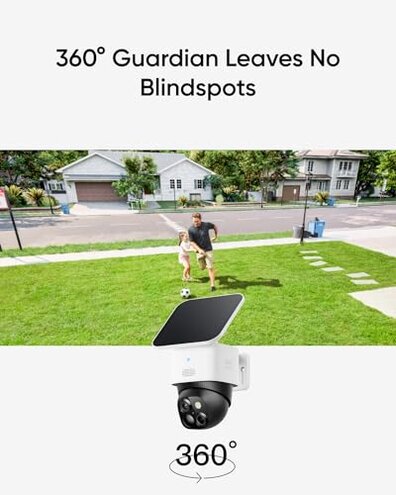
Expectation: Reasonable for this category is stable Wi‑Fi and reliable local clips without extra gear. Reality: Many users face reconnections and must add hardware or cloud options.
Expectation: Solar should reduce maintenance. Reality: In practice, solar often needs optimal placement and can fail in shaded winters.
Safer alternatives
- Choose dual-band models: Pick cameras with stronger 2.4 GHz handling or dual-band support to reduce disconnects.
- Prefer wired power: If uptime matters, buy wired or hybrid models to avoid solar charge variability.
- Base-station options: Consider systems that include a base unit for dependable local recording out of the box.
- Check motor warranties: For active pan/tilt use, prioritize cameras with explicit motor durability guarantees.
The bottom line
Main regret: Repeated connectivity and solar reliability issues lead to missed events and extra fixes.
Why worse: These failures interrupt both live alerts and local recording more than similar mid-range cameras.
Verdict: Avoid this camera if you need low-maintenance, always-on monitoring without adding hardware or regular maintenance.
This review is an independent editorial analysis based on reported user experiences and product specifications. NegReview.com does not sell products.