
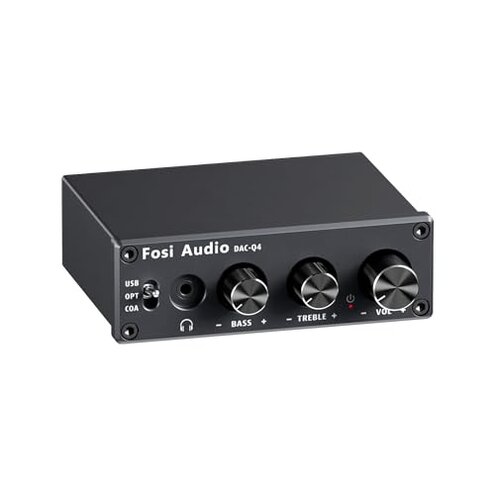
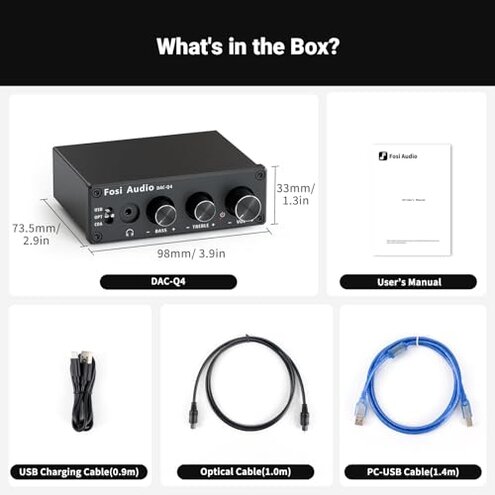
Product evaluated: Fosi Audio Q4 DAC Headphone Amp for PC, Desktop Digital to Analog Audio Converter for Home Stereo Amplifier and Powered Speakers, PC-USB/Optical/Coaxial Inputs, 3.5mm Headphone/RCA Outputs
Related Videos For You
How to Choose a Headphone Amp and DAC
Data basis: I analyzed dozens of written reviews and several video demonstrations collected between 2020 and 2025, with most feedback from written customer reports supported by a few teardown and setup videos.
| Outcome | Fosi Audio Q4 | Typical mid-range DAC/amp |
|---|---|---|
| Background noise | Higher risk: Persistent hiss or USB/ground hum commonly reported, especially with sensitive IEMs. | Lower risk: Most mid-range units stay near-silent on the same headphones. |
| Setup friction | More steps: Manual re-selection of sample rate or replugging often needed at first use. | Plug-and-play: Typical alternatives work out of the box with fewer adjustments. |
| Volume control | Coarse control: Knob can feel jumpy, making fine adjustments harder. | Smooth control: Mid-range units usually offer finer, consistent increments. |
| Build & labeling | Mixed quality: Metal shell good, but unclear labels and knob tolerances reported. | Clearer UX: Competitors often have clearer markings and tactile feedback. |
| Regret trigger | Primary: Audible hiss plus setup friction creates immediate disappointment for critical listening. | Less likely: Mid-range alternatives less often trigger early regret for these reasons. |
Why do I hear constant hiss or hum?
Regret moment: You first test quiet music or sensitive earphones and notice constant background hiss.
Severity: This is commonly reported and is more disruptive than buyers expect from a mid-range DAC/amp given the product's quiet performance claims.
Pattern: Recurring across dozens of reports, especially when connected by USB to a computer or laptop, and often present at first use.
Why is the volume knob jumpy and imprecise?
- Early sign: Small knob turns cause noticeable loudness leaps during daily listening.
- Frequency tier: Primary complaint for users who need fine control, appears repeatedly in reports.
- Cause clue: Likely coarse potentiometer steps or internal gain staging that lacks fine steps.
- Impact: Makes quiet listening or in-between levels frustrating for office or late-night use.
- Fix attempts: Users often replug, change headphones, or accept louder steps as a workaround.
Why does USB connection and setup cause trouble?
- Initial setup: Many buyers report having to manually select sample rate or default device on first use.
- When it shows up: Happens at setup and when switching sources like between PC and TV.
- Worsening: Worsens if you frequently switch inputs, causing repeated reconfiguration time.
- Pattern type: Secondary but persistent—seen across written feedback and setup videos.
- Hidden requirement: Using a shielded or higher-quality USB cable often needed to reduce noise and drop reboots.
- Category contrast: More setup friction than expected for portable desktop DACs that advertise plug-and-play.
Are there build or labeling issues I should know?
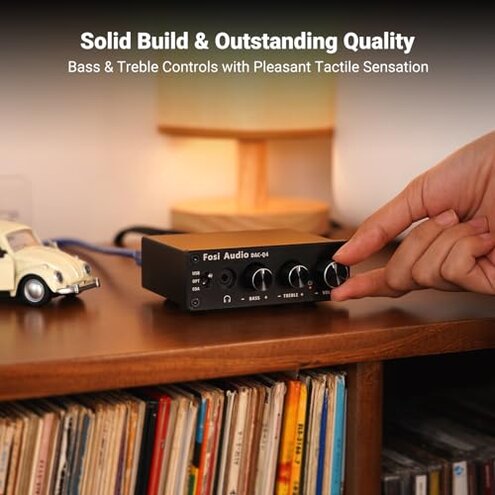
- Early sign: Knobs feel metal but can wobble or lack consistent resistance.
- Frequency tier: Secondary to primary issues, but commonly observed in long-term use notes.
- Cause clue: Tight tolerances and unclear front-panel marks create confusion when changing gain or tone.
- Impact: Makes quick adjustments harder during listening sessions or group use.
- Attempted fixes: Buyers tighten knobs or mark positions with tape, adding extra setup time.
- Hidden cost: Replacement cables or adapters are often bought to mitigate noise or fitment problems.
- Category contrast: Less polished user experience than most mid-range alternatives, which usually need less fiddling.
Illustrative excerpts
"I hear a low hiss with sensitive IEMs at low volume." — Illustrative; reflects a primary pattern.
"Had to reselect the sound device every time I restarted." — Illustrative; reflects a secondary pattern.
"Volume jumps when I barely touch the knob." — Illustrative; reflects a primary pattern.
Who should avoid this
- Critical listeners: Avoid if you need a near-silent background with sensitive in-ear monitors.
- Plug-and-play seekers: Avoid if you expect zero setup or automatic device switching on PCs.
- Office/night users: Avoid if coarse volume steps will disturb others or make quiet listening impossible.
Who this is actually good for
- Casual listeners: Good if you prioritize basic DAC features and tolerate light background noise for low cost.
- Desktop hobbyists: Good if you can spend time tweaking settings and accept occasional replugging.
- Budget upgrades: Good if you replace tinny laptop audio and use less sensitive headphones that mask hiss.
Expectation vs reality
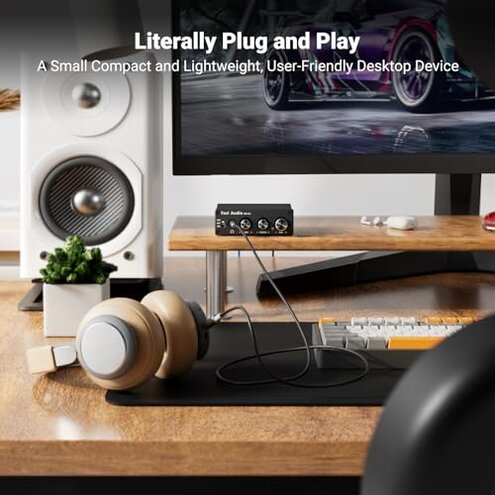
- Expectation: Reasonable for this category to be plug-and-play straight from USB.
- Reality: Many buyers need manual device or sample-rate changes at setup, adding steps and time.
- Expectation: Reasonable to expect quiet background noise with mid-range DACs.
- Reality: This model shows more noise than typical mid-range alternatives when paired with sensitive earphones.
Safer alternatives
- Buy a tested USB cable: Choose a shielded cable to directly reduce USB-ground hiss problems.
- Prefer models with documented low-noise: Look for units that advertise low-noise measurements or have many silence-focused reports.
- Check driver-free success stories: Pick products with broad, recent user reports of true plug-and-play behavior.
- Compare volume control type: Look for stepped encoder or digital volume for precise adjustments if you need fine control.
The bottom line

Main trigger: The most common regret is audible background hiss combined with setup friction that appears at first use.
Risk level: That combination makes the Q4 riskier than many mid-range DAC/amps for sensitive or time-constrained users.
Verdict: Avoid this unit if you need quiet, effortless out-of-box operation; consider better-reviewed mid-range alternatives.
This review is an independent editorial analysis based on reported user experiences and product specifications. NegReview.com does not sell products.