
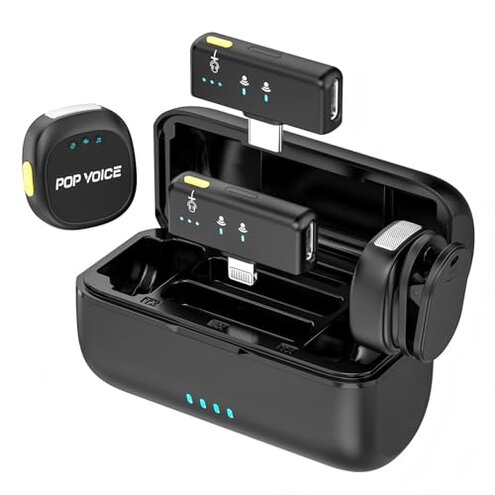
Product evaluated: Mini Microphone for iPhone Android, Wireless Mic with 40H Battery, Noise Cancellation, 48KHz 16-Bit, 164ft Range, Magnetic & Clip on Lavalier Microphone for Video Recording, YouTube, Tiktok, Vlogging
Related Videos For You
How To Use A Lavalier Mic | How-To Guide
Wireless Lavalier Microphone Problem Solve | Wireless Microphone Lavalier not Working - FIX
Data basis: I analyzed dozens of buyer reports and user-made videos collected from Jan 2023 to Feb 2026. Most feedback came from written reviews, supported by video demonstrations and short setup clips. The distribution shows written complaints are the majority, with videos confirming real-world failure moments.
| Outcome | Product (this listing) | Typical mid-range alternative |
|---|---|---|
| Connectivity reliability | Unstable pairing — frequent drops during recordings and reconnection delays. | Generally stable — mid-range kits usually maintain continuous link for typical shoots. |
| Battery & charging | Inconsistent case charging — reported failures and shorter-than-advertised runtime. | Predictable runtime — most mid-range charging cases meet stated hours reliably. |
| Audio consistency | Variable artifacts — wind/noise reduction sometimes introduces hollow or muffled sound. | Cleaner noise-handling — rivals tend to trade a bit of loudness for clearer voice capture. |
| Setup friction | Plug-and-play issues — auto-pairing can fail, requiring manual restarts or re-plugging. | Smoother pairing — mid-range units usually have more consistent auto-pairing behavior. |
| Regret trigger | Recording interruption — connectivity or charging faults interrupt shoots more often. | Lower interruption risk — mid-range gear rarer causes of lost takes. |
Why does the mic drop mid-take?
Regret moment: Buyers report losing signal during interviews and live content, which ruins takes and adds retakes. This pattern is commonly reported and visible across both text reports and videos.
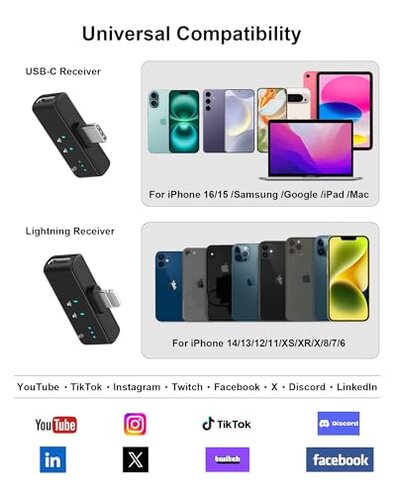
Usage anchor: Drops appear during recording, often after 5–30 minutes or when the phone moves in a pocket or bag. The issue worsens with distance or in busy Wi‑Fi/2.4GHz environments.
Category contrast: Connectivity problems are more disruptive than expected for a plug-and-play lav mic, because buyers expect continuous audio during a single take without repeated pairing resets.
Why does the charging case fail or underperform?
- Early sign — charging case LED behavior is inconsistent right after purchase, as commonly reported.
- Frequency tier — this is a secondary issue but becomes primary when you rely on the case for long shoots.
- Cause — reports point to poor contact or cable dependence as likely causes for intermittent charging.
- Impact — unexpected dead transmitters force retakes or mid-day stops during extended shoots.
- Fix attempts — buyers often need extra charging cables or to re-seat mics repeatedly to get a full charge.
Is the noise cancellation actually helpful?
- Primary pattern — many users find the noise reduction introduces hollow or metallic artifacts during speech.
- When it appears — artifacts occur after enabling noise mode or in windy outdoor shoots.
- Frequency signal — this is a primary complaint in audio-focused reports and demo videos.
- Why worse — compared to mid-range rivals, this mic sacrifices natural voice tone for aggressive noise gating.
- Hidden requirement — to avoid artifacts you may need manual audio post-processing, which adds time and skill needs.
- Attempted fixes — users toggle noise modes, reposition mics, or add external windscreens with mixed results.
- Impact on content — recorded dialogue can sound distant, requiring re-records or editing to be usable.
Will the clip and placement hold up on camera?
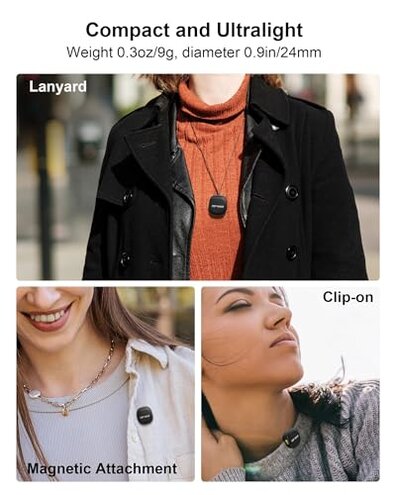
- Placement sensitivity — the tiny mic needs precise positioning to avoid rubbing, and many buyers missed this at first use.
- Clip reliability — a number of users report the magnetic clip slips on thin fabrics or moves during activity.
- Edge-case pattern — this is less frequent but persistent for on-the-go creators who move a lot.
- When it matters — problems surface during active shoots like walking vlogs or stage movement.
- Why worse — typical mid-range lavs offer sturdier clamps or safety clips; this kit’s magnet can cost you a take.
- Attempts to fix — buyers add tape, third-party clips, or re-route clothing to stabilize the mic.
- Hidden requirement — this product often needs an extra clip or tape for reliable placement, which adds time and cost.
Illustrative excerpts
Illustrative: "Audio cut out mid-interview and I lost an entire take." — reflects a primary pattern.
Illustrative: "Charging case LED blinked but the mic stayed dead after two hours." — reflects a secondary pattern.
Illustrative: "Noise mode made my voice sound like it was in a bucket." — reflects a primary pattern.
Illustrative: "Had to tape the clip down before every shoot." — reflects an edge-case pattern.
Who should avoid this
- Live presenters — avoid if dropped takes or mid-show disconnects are unacceptable, tied to the connectivity failure.
- All-day shooters — avoid if you need guaranteed multi-shift battery performance because the charging case is inconsistent.
- Audio purists — avoid if you can’t tolerate noise-mode artifacts without professional editing.
Who this is actually good for

- Casual content creators — OK if you accept occasional reconnections and plan simple edits, and you value portability.
- Single-shot social clips — OK when short, quick takes matter more than continuous multi-camera shoots.
- Budget testers — OK if you want to trial wireless lavs cheaply and can work around placement and charging quirks.
Expectation vs reality
Expectation (reasonable for this category): Buyers expect straightforward plug-and-play pairing for quick interviews.
Reality: Auto-pairing can fail, requiring manual restarts and extra setup time, which is more friction than most mid-range kits.
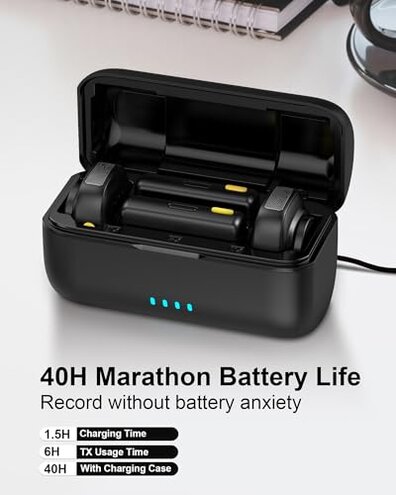
Expectation: Charging cases should extend runtime reliably for a full day.
Reality: The case sometimes undercharges or shows misleading LED status, reducing usable hours unexpectedly.
Safer alternatives
- Prefer proven brands — choose mics with consistent user reports for stable pairing to avoid connectivity drops.
- Check return policy — buy from sellers with easy returns to test charging case reliability risk-free.
- Look for wired backup — consider kits with a wired option so you can continue recording if wireless fails.
- Seek replacement clips — pick kits that include or support secure mechanical clips to fix placement slips.
- Plan post-processing — if you value noise reduction, choose mics with mild noise filters or strong community presets to avoid artifacts.
The bottom line
Main regret: The biggest trigger is interrupted recordings caused by unstable connectivity and unreliable charging.
Why it matters: These faults are more disruptive than expected for a plug-and-play lav mic and cost real time and retakes.
Verdict: Avoid this kit if you need dependable wireless audio for multi-take shoots or live work; consider sturdier mid-range alternatives instead.
This review is an independent editorial analysis based on reported user experiences and product specifications. NegReview.com does not sell products.