
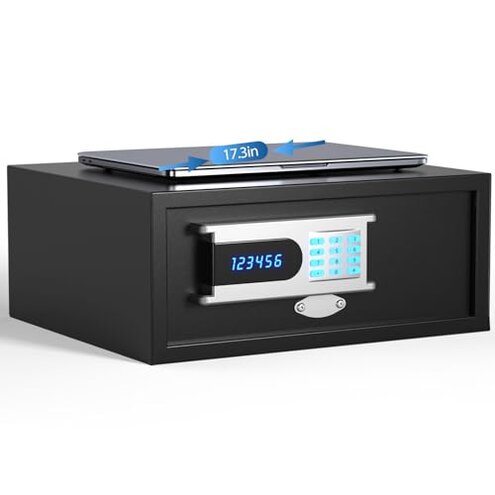
Product evaluated: Grimtron Hotel Safe Box (1.07 cu. ft.) with Audit Function, Administrator Password, College Dorm Safe with Silent Mode, LED, and Backlit Keyboard for Documents, Laptop Safe for IPhone, Smart Watch
Related Videos For You
Harbor Freight Union Electronic Safe - How to set code
Reset Your Hotel Safe Code In 60 Seconds!
Data basis: This report used dozens of written reviews and several video demonstrations collected between Jan 2023 and Jan 2026, with most feedback coming from written buyer reviews and some hands-on clips. The qualitative distribution was weighted toward written reviews, supported by occasional setup videos.
| Outcome | Grimtron H200 | Typical mid-range safe |
|---|---|---|
| Security reliability | Inconsistent locking reports appear repeatedly across buyers. | Consistent locks are common for this price tier. |
| Setup complexity | Higher-than-normal due to admin/hotel modes and hidden tools. | Moderate setup with clear single-mode instructions. |
| Audit function | Dependent on an external CEU device not included. | Not offered or built-in logs with clear access on competitors. |
| Size accuracy | Door opening narrower than interior dimension expectations. | Door and interior dimensions usually match buyer expectations. |
| Regret trigger | Setup lockouts during first use cause most buyer regret. | Minor setup hiccups rarely cause lockouts. |
Top failures
Why did the safe lock me out during first setup?
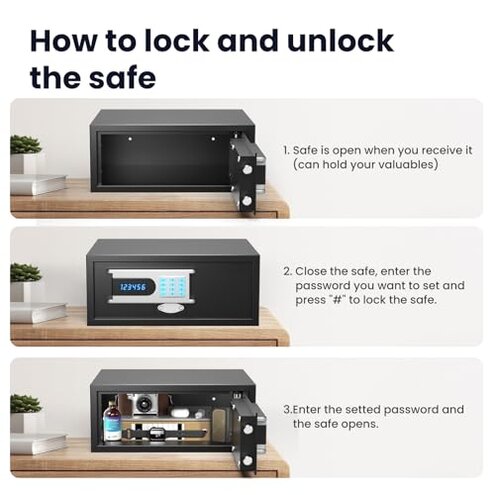
Lockout moments: Several buyers report the safe entering an error or refusing codes during initial setup, creating an immediate unusable unit. This pattern is commonly reported and often happens on first use.
Usage anchor: The problem appears while programming the administrator or switching between hotel and personal modes, and it can require repeated code entries.
Category contrast: Most mid-range hotel/consumer safes allow a straightforward single admin setup; this product's two-mode flow makes the error more disruptive than expected.
Is the audit log feature useful or just a hidden extra?
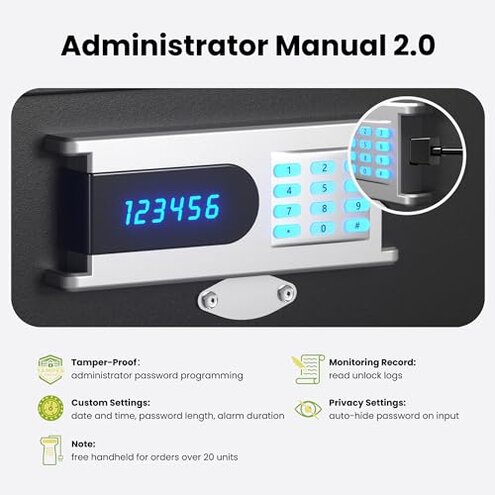
- Hidden requirement: The audit-trail needs an external handheld CEU device to read logs, which is not included and frequently mentioned by buyers as a surprise.
- Pattern: This is a secondary issue seen across written feedback and video demos.
- When it shows up: The limitation becomes obvious after you try to verify who opened the safe or audit access.
- Why worse: Competitors either include log access or offer simple local querying; the extra purchase adds cost and complexity here.
Why does the keypad and mode logic feel confusing?
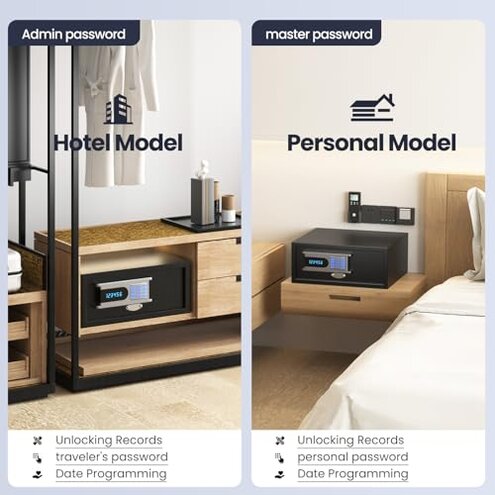
- Confusing labels: Buyers repeatedly flag the hotel/admin/personal mode switching as unclear and error-prone.
- Early sign: Confusion occurs during the first setup instruction steps.
- Frequency tier: This is a primary complaint and appears in many written reports.
- Cause: Multiple password types and hidden options increase user mistakes.
- Impact: Users reported wasted time and reprogramming attempts before the safe behaved predictably.
Does the physical size match what I expect for laptops and documents?
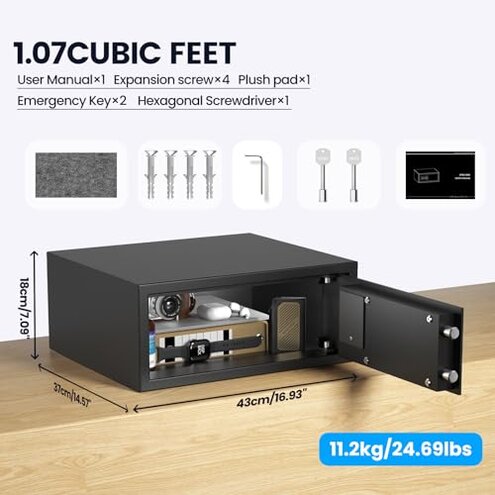
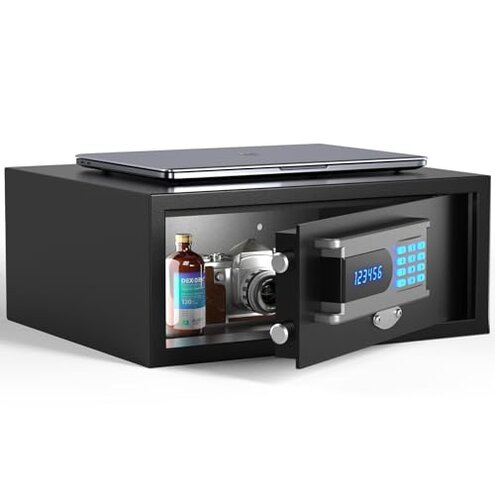
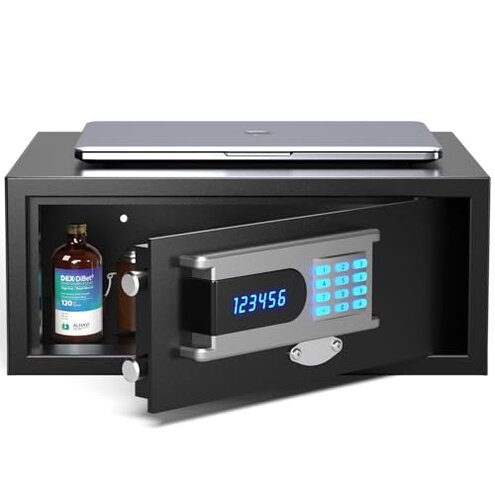
- Door vs interior: Buyers note the door opening is narrower than the interior width, making some laptops and folders hard to insert.
- When noticed: This problem appears when you try to store a larger laptop or file for the first time.
- Pattern: This is a secondary issue reported across product images and user descriptions.
- Why worse: Most mid-range laptop safes match opening size to interior claims; the mismatch here forces awkward angle insertion or item removal.
- Attempts to fix: Buyers often remove the plush pad or angle devices, which adds friction and risks wear.
- Hidden cost: Some buyers purchased different cases or smaller devices to avoid scraping the door frame.
Are reliability and build quality problematic over time?
- Intermittent failures: Reports of latch stiffness and keypad unresponsiveness are less frequent but persistent for some owners.
- When it worsens: Problems tend to appear after regular daily use or repeated code entries.
- Frequency tier: This is a secondary-to-edge complaint — less common than setup issues but more frustrating when it occurs.
- Cause: Repeated user corrections and extra force during insertion or keypad entries are common triggers.
- Fixability: Some buyers resolved issues by replacing batteries or returning units, indicating partial fixability but added hassle.
- Why worse: Competing safes in this price range tend to keep mechanical feel consistent for longer; interruptions here cause real trust issues.
- Hidden maintenance: Regular battery checks and cautious keypad use become necessary to avoid intermittent failures.
Illustrative excerpts
Illustrative excerpt: "Locked out during first setup, admin code wouldn't accept any time." — Primary pattern.
Illustrative excerpt: "Audit logs require a separate handheld tool I didn't know to buy." — Secondary pattern.
Illustrative excerpt: "Laptop barely fits the interior because the door opening is small." — Secondary pattern.
Who should avoid this
- Frequent travelers: Avoid if you need plug-and-play reliability when moving between hotels or dorms, due to setup lockouts.
- Non-technical users: Avoid if you don't want to buy or use an external CEU device for audit logs.
- Large-laptop owners: Avoid if you expect an easy fit for wide laptops; the door opening can be restrictive.
Who this is actually good for
- Tech-savvy buyers: Good if you accept the extra step of an external audit tool and want logs.
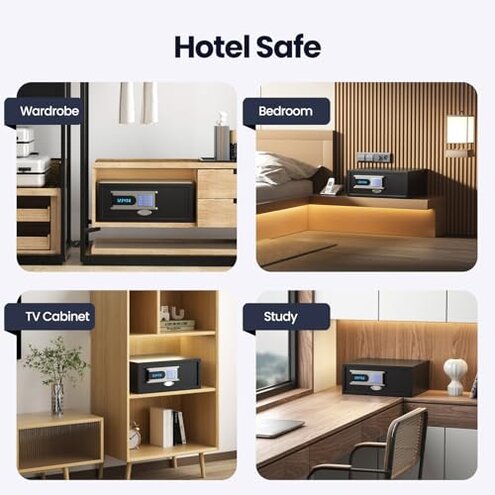
- Light storage users: Works for those storing small valuables or compact laptops willing to tolerate tight fit.
- Silent-keypad preference: Works well for users who value the mute feature and backlit keypad in dark rooms.
Expectation vs reality
- Expectation: Reasonable for this category is a clear one-step admin setup and predictable locks.
- Reality: Grimtron's two-mode admin flow and audit-tool dependency add unexpected steps and greater failure risk.
- Expectation: Most mid-range safes allow easy file and laptop insertion.
- Reality: The door opening size here often forces awkward angling or removing padding.
Safer alternatives
- Prefer built-in logs: Choose safes with built-in audit access to avoid buying external CEU tools.
- Look for single-mode setup: Pick models with a straightforward admin flow to reduce early lockouts.
- Verify door opening: Check clear stated door opening dimensions in listings and images before buying.
- Read setup videos: Watch real-world setup clips to catch hidden steps or required tools before purchase.
The bottom line
Main regret: Buyers most often regret early setup lockouts and the hidden need for an external audit tool.
Why it matters: These issues make the product feel more complex and less reliable than other mid-range safes.
Verdict: Avoid this model if you need simple, dependable setup and full functionality without extra purchases.
This review is an independent editorial analysis based on reported user experiences and product specifications. NegReview.com does not sell products.