
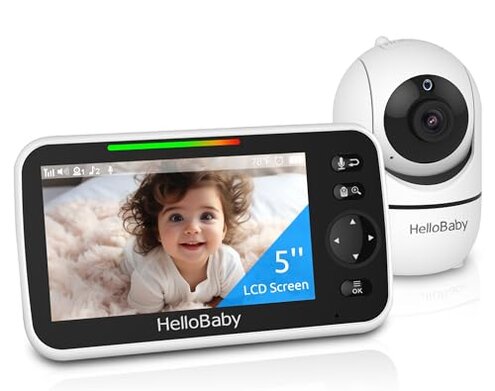
Product evaluated: HelloBaby No WiFi Baby Monitor 5" Screen 30-Hour Battery Pan-Tilt-Zoom Video Upgrade with Camera and Audio, Night Vision, VOX, 2-Way Talk, 8 Lullabies and 1000ft Range, HB6550
Related Videos For You
Setting Up a VTech Baby Monitor - Tech Tips from Best Buy
How To Replace The Battery In A VTECH Baby Monitor
Data basis: This report pulls observations from dozens of written reviews and several video demonstrations collected through January 2026. Source mix was mostly written feedback, supported by product unboxings and setup videos. Distribution shows recurring themes across formats.
| Outcome | HelloBaby HB6550 | Typical mid-range monitor |
|---|---|---|
| Battery life | Shorter than claimed under normal night use with screen and night vision active. | All-night coverage is common for mid-range models when VOX or power-saving modes are used. |
| Connection stability | Intermittent dropouts and lag appear across different home layouts and distances. | More stable link is typical for comparable non-WiFi FHSS monitors in this price band. |
| Night image | Grainy or low-detail night video when zoomed or at longer range. | Clearer IR images are often expected on 5" screens from similar brands. |
| Setup & extras | Hidden extra costs for additional cameras and occasional setup confusion. | Plug-and-play extras and clearer multi-camera compatibility are common mid-range features. |
| Regret trigger | Higher-than-normal risk of losing a live feed overnight when you most need it. | Lower risk of overnight failure with typical mid-range alternatives. |
Why is the battery dying so fast during use?
Battery life often fails during the first weeks of daily use when the display stays active. Severity is noticeable because the monitor rarely lasts the advertised long runtime.
Pattern is commonly reported rather than universal, and it appears more when night vision or two-way talk is used. Context gets worse overnight and during frequent parent checks.
Category contrast feels worse than normal because similar non-WiFi monitors usually last through a full night under power-saving modes.
Why does the picture freeze or drop out unexpectedly?
- Connection pattern: Intermittent dropouts occur repeatedly during daily use in many homes.
- When it happens: Drops often show up after setup, or after moving the camera across rooms.
- Common cause: Distance and household interference worsen the link, especially through walls.
- Category contrast: This is more disruptive than expected for a non-WiFi FHSS monitor.
- Repair attempts: Reboots and repositioning sometimes help but do not eliminate the issue.
Is the night image quality good enough for overnight monitoring?
- Early sign: Night video looks grainy within the first several nights of use.
- Frequency tier: This is a secondary complaint seen across multiple reports.
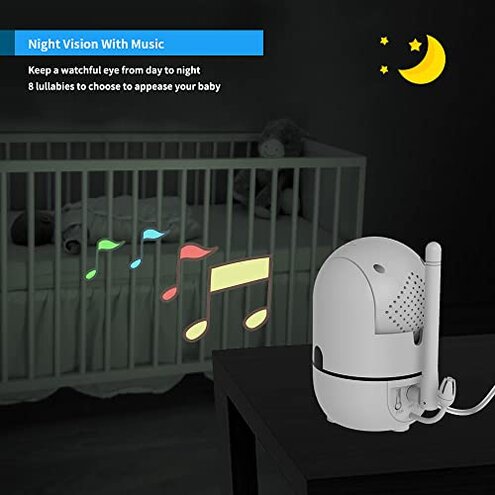
- Cause: Invisible infrared is used, but contrast and detail drop at range or with zoom.
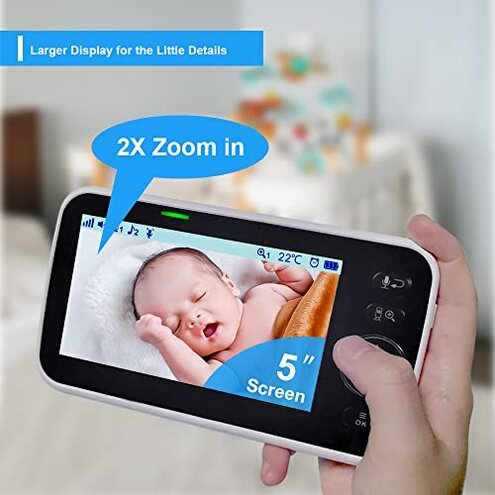
- Impact: Faces and small movements are harder to read than buyers expect on a 5" screen.
- Attempts: Users dim room lights or move the camera closer, which adds setup work.
- Fixability: Often limited without a hardware upgrade or a better night camera.
- Hidden requirement: Good placement and closer positioning are needed for acceptable night clarity.
Are extra cameras and support straightforward to add?
- Compatibility requires buying the branded extra camera SKU or confirming seller compatibility.
- Hidden cost appears because additional cameras are sold separately and may increase total spend.
- Setup friction can arise when pairing multiple cameras or switching channels.
- Support pattern shows delays when seeking help for extra-camera pairing or firmware questions.
- When it worsens: The complexity grows with each added camera and with frequent firmware changes.
- Impact: Buyers expecting simple expansion face extra steps, time, and potential returns.
- Repair attempts: Manual pairing and contacting seller often required to resolve compatibility issues.
- Edge-case: Some buyers managed expansion smoothly, but this is less common than promised.
Illustrative excerpts
Excerpt 1: "Battery won't last a full night with screen on and night vision" — primary pattern.
Excerpt 2: "Video freezes after a few hours, repositioning sometimes fixes it" — secondary pattern.
Excerpt 3: "Needed to buy another branded camera to add a second view" — edge-case pattern.
Who should avoid this
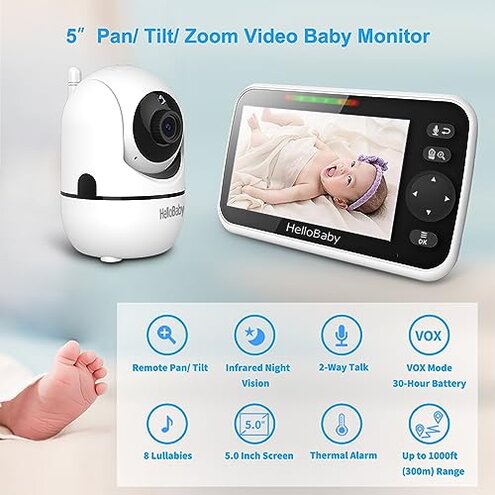
- Overnight guardians: Avoid if you require reliable, uninterrupted overnight monitoring.
- Large homes: Avoid if you need long-range coverage through multiple walls without dropouts.
- Low-light dependents: Avoid if you need sharp night-time detail from a distance.
- Budget-expanders: Avoid if you want cheap, seamless multi-camera expansion without extra purchases.
Who this is actually good for
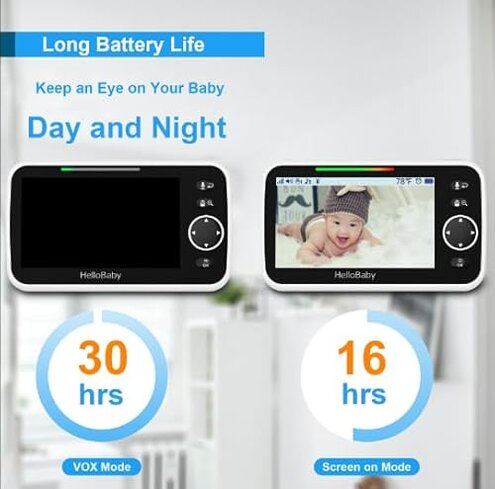
- Short-range users: Good for parents who monitor a nearby crib and can keep the camera close.
- Daytime checks: Works for daytime monitoring where battery and IR strain are lower.
- Wired placement: Suitable for buyers who keep the monitor plugged in and rarely rely on battery claims.
- Simple two-way use: Okay for households that mainly use two-way talk without heavy night monitoring.
Expectation vs reality
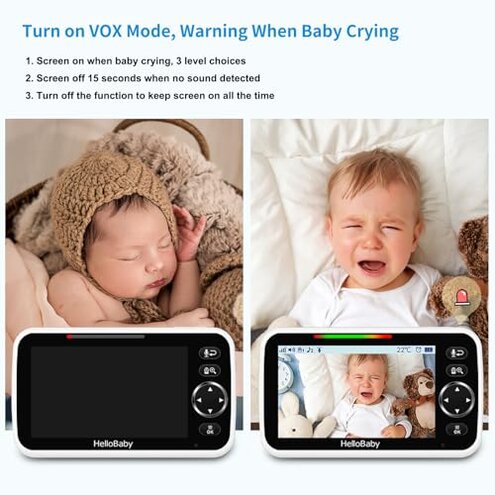
- Expectation (reasonable): A non-WiFi monitor should keep a stable local link overnight.
- Reality: The HB6550 shows more overnight dropouts and lag than that reasonable baseline.
- Expectation (reasonable): A branded 5" monitor should offer usable night detail at short range.
- Reality: Night vision is often grainy and needs closer placement to be useful.
Safer alternatives
- Choose long-run models: Look for monitors with user-verified all-night battery or continuous AC operation.
- Prioritize stable link: Prefer devices with documented stronger FHSS performance or wired back-up options.
- Check night image samples: Watch real user night footage before buying to confirm IR clarity at your expected distance.
- Confirm multi-camera cost: Verify extra camera SKUs and pairing steps to avoid unexpected purchases.
- Read setup demos: Use setup videos to spot pairing complexity and common troubleshooting steps.
The bottom line
Main regret: The biggest trigger is battery drain combined with intermittent video dropouts during night monitoring.
Why it matters: This mix exceeds normal category risk because it directly threatens overnight dependability when parents need it most.
Verdict: Avoid this model if you require dependable overnight coverage or multi-room stability without extra work or purchases.
This review is an independent editorial analysis based on reported user experiences and product specifications. NegReview.com does not sell products.