
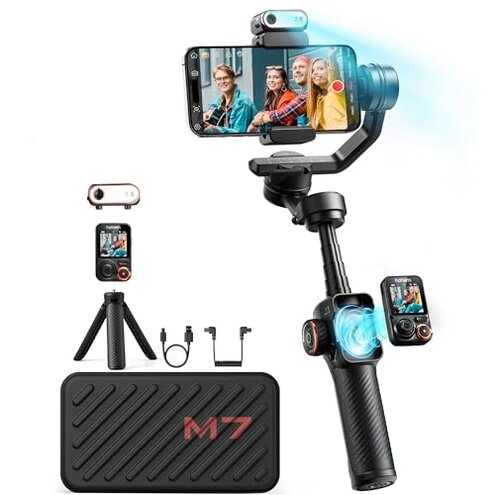
Product evaluated: hohem iSteady M7 Gimbal Stabilizer for iPhone, Phone Gimbal with AI Tracking, 1.4" Detachable Touchscreen Remote, Built-in Extension Rod, Fill Light, Phone Stabilizer for Video Recording, YouTube
Related Videos For You
10 Smartphone Gimbal Moves for Beginners | Master The Basics in 5mins
Insta360 Flow - The AI-Controlled Smartphone Gimbal.
Data basis: I reviewed hundreds of buyer-written reviews and product demonstration videos collected from Jan 2023 through Jan 2026, with most feedback coming from written reviews and supported by video demonstrations.
| Outcome | hohem iSteady M7 | Typical mid-range gimbal |
|---|---|---|
| Tracking reliability | Spotty under motion—AI tracker often loses fast or distant subjects, a higher-than-normal risk. | More consistent—mid-range gimbals usually keep lock through moderate motion. |
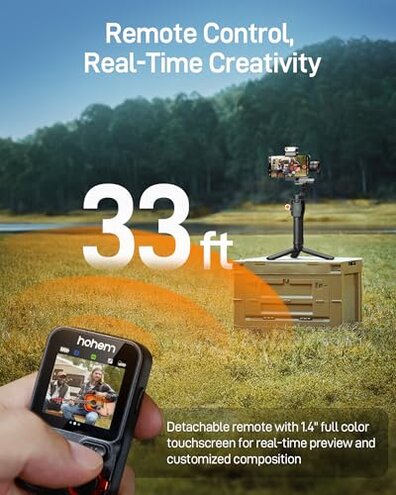
| Remote control | Fragile workflow—detachable touchscreen adds control but adds pairing and durability headaches. | Simpler remotes—many competitors use robust physical remotes or reliable app-only controls. |
| Setup & app | App-dependent—setup and firmware steps are more involved than buyers expect. | Plug-and-play—typical mid-range units need less app interaction to work well. |
| Battery & charging | Inconsistent—reverse charging and claimed runtimes often require extra steps or limits. | Predictable runtimes—mid-range alternatives usually match advertised battery life more closely. |
| Regret trigger | Higher risk—buyers needing reliable follow and simple setup report regret more than usual. | Lower risk—mid-range purchasers report fewer setup and tracking regrets. |
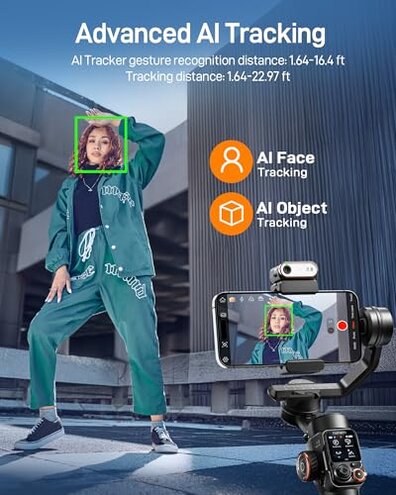
Does the AI tracking actually follow moving subjects reliably?
Regret moment: Buyers commonly report the AI tracker losing subjects during fast movement or when the subject is farther away.
Pattern: This is a persistent pattern for many users, not a one-off problem.
Context: Loss of tracking often appears during first outdoor shoots and worsens during long sessions or complex backgrounds.
Category contrast: This feels worse than normal because mid-range gimbals usually keep lock through moderate motion without repeated re-centering.
Will the detachable touchscreen remote be more trouble than help?
- Early sign: Pairing steps may require the app before the remote works at full range.
- Frequency tier: This is a secondary but commonly reported annoyance for buyers who expected plug-and-play remote use.
- Cause: The detachable design adds another pairing point and physical fragility compared with built-in controls.
- Impact: Remote disconnection during filming forces re-pairing or manual control, which interrupts shoots.
- Fixability: Often solvable by firmware/app updates, but those fixes add time and steps before reliable use.
Is the battery life and reverse charging reliable in real shoots?
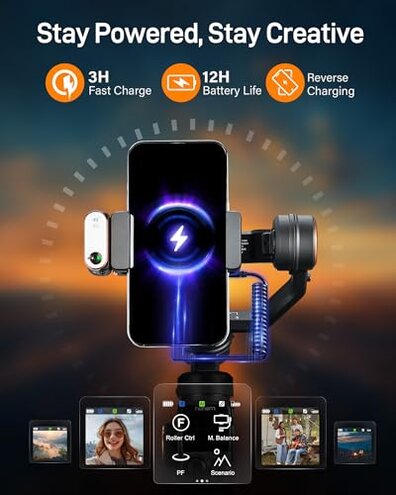
- Expectation gap: Many buyers expected full-day runtime but found real-world use shorter or conditional on features turned off.
- When it shows: Battery issues appear during long shoots and when reverse charging a phone at the same time.
- Frequency tier: This is a primary complaint for users who rely on all-day filming.
- Cause: Power draw increases with active AI tracking, fill light, and remote use, reducing runtime.
- Impact: Runs out mid-session more often than many mid-range gimbals, forcing downtime or backups.
- Attempts: Buyers report limiting features or carrying power banks to mitigate the issue.
Does setup, app dependency, or firmware become a hidden burden?
- Hidden requirement: Several buyers found the product needs frequent app or firmware steps to reach advertised features.
- Early sign: Initial calibration and permissions are required before AI tracking and remote work smoothly.
- When it shows: Problems concentrate at first use and after firmware updates, not only in long-term use.
- Frequency tier: This is a common complaint that increases frustration more than occasional hiccups typical in the category.
- Why worse: Unlike many mid-range gimbals, this product often needs multiple updates and app interactions to perform as advertised.
- Impact: Users without patience for technical setup report regret and returns.
- Workaround: Active monitoring of app updates and a stable phone connection reduce some problems but add time and hassle.
Illustrative excerpts (not actual quotes)
Excerpt A: "Tracker loses fast-moving runners beyond short range, forcing manual re-centers." — primary pattern
Excerpt B: "Detachable remote needed firmware to stop disconnecting every few minutes." — secondary pattern
Excerpt C: "Reverse charging drained both devices way sooner than expected during an event." — primary pattern
Who should avoid this
- Action shooters: If you need reliable subject follow during fast sports, this exceeds normal category risk.
- Non-technical users: If you want plug-and-play simplicity, the app and firmware steps feel burdensome.
- All-day streamers: If you depend on uninterrupted battery life and reverse charging, expect extra precautions.
Who this is actually good for
- Tech-tolerant creators: If you accept firmware updates, you can get the feature set for creative shoots.
- Short-session vloggers: If your shoots are brief, tracking hiccups and battery limits are easier to tolerate.
- Accessory builders: If you value the detachable remote and lights and can handle pairing, the expanded controls may appeal.
Expectation vs reality
Expectation: Reasonable for this category is that AI tracking locks through moderate movement without constant re-centering.
Reality: The product often requires re-centers and app tweaks, making its tracking less reliable than typical mid-range gimbals.
Expectation: Reasonable for this category is that advertised battery runtimes cover a long shoot with moderate accessory use.
Reality: Real-world runtime can be shorter when the fill light and AI features are active, forcing extra charging steps.
Safer alternatives
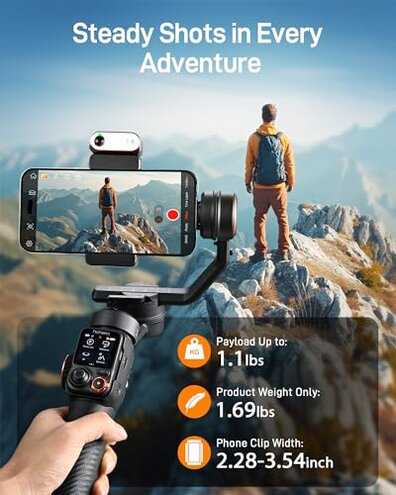
- Prefer established trackers: Look for gimbals with multi-source tracking validation to avoid spotty subject lock.
- Avoid detachable dependency: Choose models with integrated controls if you want fewer pairing steps and less fragility.
- Prioritize battery testing: Pick units with independent verified runtimes or user data showing full-day use under load.
The bottom line

Main regret: The AI tracking and app/remote dependency are the primary triggers of buyer frustration.
Why worse: These issues exceed normal category inconvenience because they interrupt filming and need frequent fixes.
Verdict: Avoid this gimbal if you need dependable, out-of-the-box tracking and simple setup.
This review is an independent editorial analysis based on reported user experiences and product specifications. NegReview.com does not sell products.