
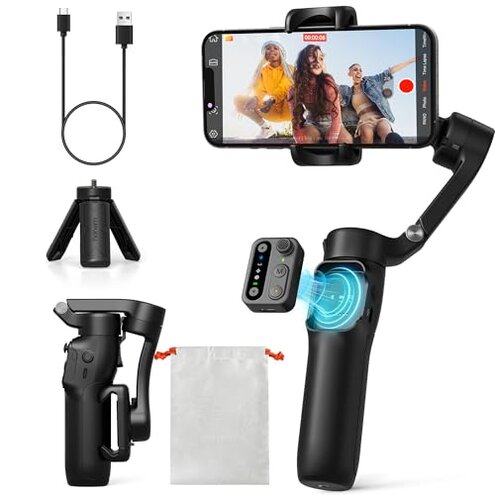
Product evaluated: hohem iSteady X3 SE Gimbal Stabilizer for iPhone, Phone Stabilizer with Detachable Remote Control, Portable Foldable 3-Axis Phone Gimbal for Android & iPhone 16 15 Pro Max, Ideal for Travel Vlogging
Related Videos For You
10 Smartphone Gimbal Moves for Beginners | Master The Basics in 5mins
How to set up DJI OSMO Mobile 3
Data basis I analyzed dozens of user reports collected from written reviews and video demonstrations between June 2024 and January 2025, with most feedback coming from written reviews supported by video demonstrations.
| Outcome | This product | Typical mid-range |
|---|---|---|
| Battery reliability | Inconsistent — battery drain and shorter real-world run times appear repeatedly during long shoots. | Steady — mid-range gimbals typically meet advertised day-use claims more reliably. |
| App & pairing | Problem-prone — frequent connection drops and pairing steps were commonly reported during setup and recording. | Smoother — alternatives usually need fewer re-pairs and fewer workarounds. |
| Stability & balance | Fussy — balancing sensitivity and motor noise are more disruptive than expected for this price range. | More forgiving — typical mid-range models balance faster and quieter for run-and-gun use. |
| Ease of use | Extra steps — multiple recalibrations and app steps are commonly needed after setup. | Simpler — mid-range gimbals usually work out of the box with fewer steps. |
| Regret trigger | Recording interruptions — app or battery failures during shoots create more regret than typical for the category. | Minor annoyances — alternatives tend to cause less disruptive failures. |
Why does the gimbal lose connection or misbehave during recording?
Regret moment losing a Bluetooth link or app control in the middle of a take is commonly reported and highly disruptive.
Pattern this appears repeatedly during initial setup and while switching modes, and it worsens during long sessions or when running other phone apps.
Category contrast this is worse than expected because most mid-range gimbals handle pairing reliably and rarely interrupt recordings.
Why does the battery fall short on long shoots?
- Primary signal commonly reported battery drain occurs during extended live streaming or long event shoots.
- Early sign battery percentage drops faster when the Hohem Joy app is active.
- Root cause app background activity and mode switching seem to increase power draw compared with idle use.
- Impact mid-shoot shutdowns are more disruptive than a typical occasional recharge for similar gimbals.
- Attempted fix users commonly reported carrying a power bank or restarting the gimbal mid-event to recover function.
Why is balancing and motor noise causing shaky footage?
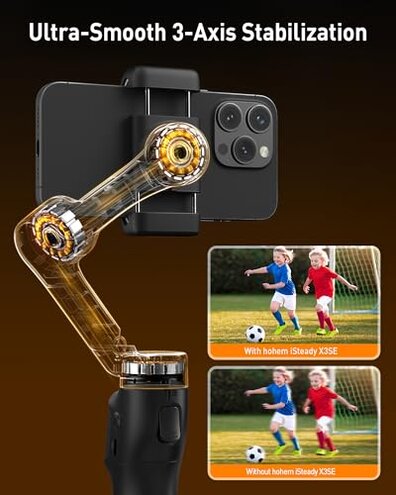
- Primary issue balancing sensitivity is a persistent complaint during first use and after phone swaps.
- Early sign motors emit noticeable noise when moving quickly to follow motion.
- Frequency tier this is a secondary but visible problem across multiple user reports.
- Cause heavier phones or cases push the payload close to limits, increasing motor strain and noise.
- Impact footage can look less smooth than expected for run-and-gun vlogging sessions.
- Hidden requirement careful manual balancing or removing phone cases is often needed to get acceptable stabilization.
- Fixability fixes typically require repeat balancing, firmware updates, or lighter phone setups to improve results.
Illustrative excerpts
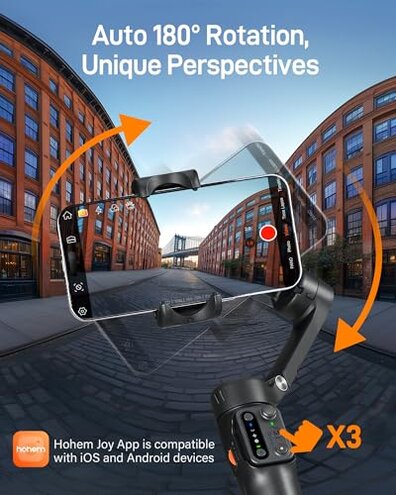
Illustrative: “Stopped recording mid-stream when the app lost connection, very frustrating.” — primary pattern
Illustrative: “Battery dropped fast during a four-hour event despite full charge.” — secondary pattern
Illustrative: “Had to rebalance after swapping my phone case.” — secondary pattern
Illustrative: “Motor whine appeared during quick pans, ruined the clip audio.” — edge-case pattern
Who should avoid this
- Live streamers who need uninterrupted recording and reliable app pairing should avoid this due to common connectivity drops.
- Full-day shooters relying on long battery life should avoid this because reported drain is worse than expected.
- Run-and-gun vloggers who swap phones or keep heavy cases should avoid this because balancing is fiddly and time-consuming.
Who this is actually good for

- Occasional travelers who shoot short clips and can restart the app will tolerate intermittent pairing and battery quirks.
- Beginner hobbyists who want a budget foldable gimbal and accept extra setup time for acceptable results.
- Lightphone users with slim phones and minimal background apps who can avoid motor strain issues.
Expectation vs reality
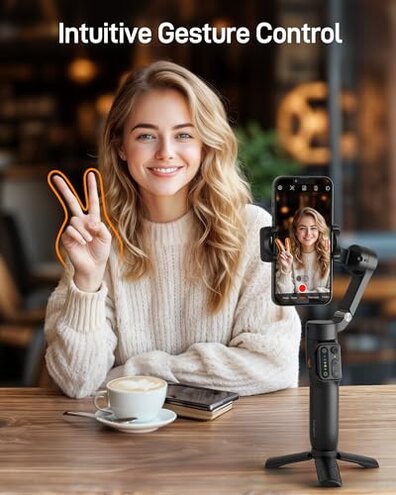
Expectation reasonable for this category: a foldable phone gimbal should pair quickly and hold a charge for a day of casual shooting.
Reality pairing often needs multiple reboots and battery performance commonly falls short during long sessions.
Expectation reasonable for this category: balancing should be straightforward with a phone case removed.
Reality balancing is more sensitive than typical, and users often report needing repeated adjustments.
Safer alternatives
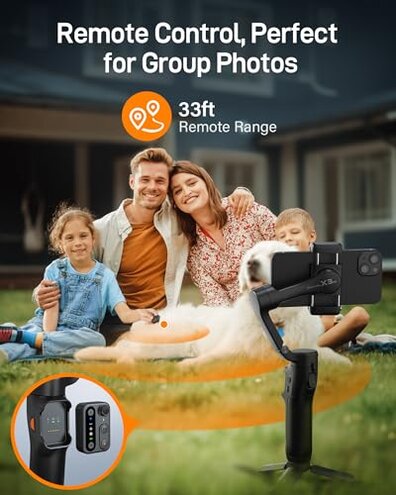
- Pick a gimbal with consistently praised app stability to neutralize pairing and connectivity failures.
- Choose models with verified real-world battery reports or removable batteries to avoid mid-shoot shutdowns.
- Prefer heavier-duty gimbals if you use large phones or cases to reduce balancing and motor strain problems.
- Check firmware support and update history before buying to reduce early connectivity and motor bugs.
The bottom line
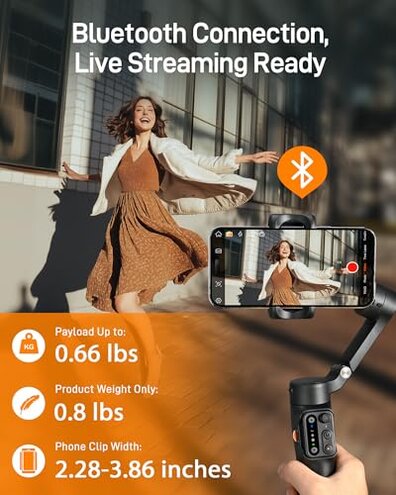
Main regret intermittent app connectivity and shorter-than-expected battery life are the dominant issues, commonly reported by buyers.
Risk level these failures interrupt recordings more than typical for mid-range gimbals, so the product carries higher-than-normal category risk.
Verdict avoid this model if you need reliable all-day recording or quick, hassle-free setup; consider sturdier mid-range alternatives instead.
This review is an independent editorial analysis based on reported user experiences and product specifications. NegReview.com does not sell products.