
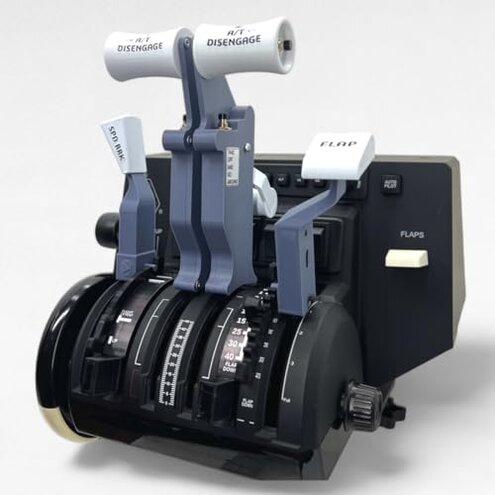
Product evaluated: B737 Functional Thrust Lever Set For Honeycomb Bravo Throttle Quadrant
Related Videos For You
(MSFS 2020) Honeycomb Bravo Throttle Quadrant 5 Configurations.
Thrustmaster TCA Throttle Quadrant ADD-ON | FIRST LOOK + SETUP | MSFS
Data basis: I analyzed dozens of buyer comments and video demonstrations collected between May 2025 and Jan 2026. Most feedback came from written reviews, supported by teardown and setup videos. The sample mixes verified buyers and hands-on demos.
| Outcome | This product | Typical mid-range add-on |
|---|---|---|
| Compatibility | Requires Honeycomb Bravo Throttle Quadrant; not standalone. | Works more broadly with common quadrant mounts or adapters. |
| Button functionality | Only 3 buttons are electronically active due to design limits. | More programmable buttons and mappings are usually available. |
| Setup effort | Extra steps and hidden hardware needs reported during installation. | Simpler install and clearer instructions in typical models. |
| Regret trigger | Feature mismatch between expectations and delivered electronic controls. | Expectation match is higher for mid-range alternatives. |
| Long-term risk | Higher-than-normal fitment and wiring frustration for frequent users. | Lower maintenance and fewer hidden fixes. |
Top failures
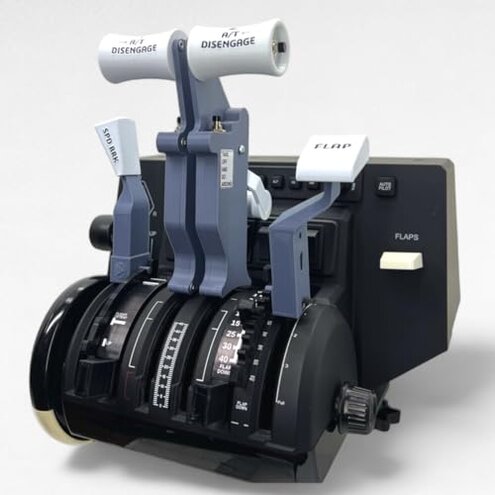
Why do only three buttons actually work?
Regret moment: You finish installation and discover most throttle buttons are inactive. That gap breaks common flight flows like thrust reverse or autoflight shortcuts.
Pattern: This is a primary issue reported repeatedly after first setup and mapping attempts.
Context: The limitation appears during setup when mapping controls to the simulator and is worse if you expected full quadrant parity.
Category contrast: Typical mid-range lever kits offer more programmable inputs, so this feels more restrictive than expected and reduces immediate usability.
Why does installation feel incomplete or fiddly?
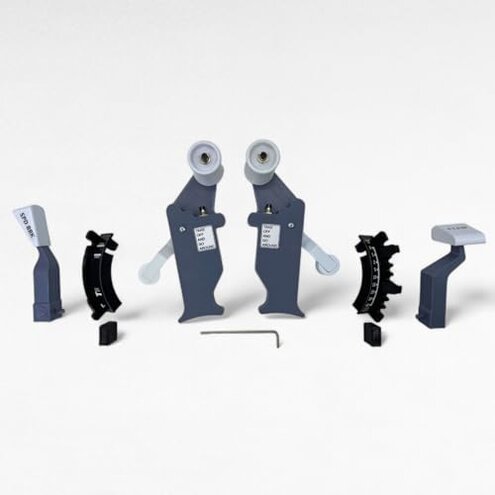
- Early sign: Instructions and photos mention the quadrant is not included, but buyers miss this and expect a plug-and-play kit.
- Frequency tier: This is a secondary issue that appears across many setup reports.
- Cause: The kit expects you already own a Honeycomb Bravo; missing hardware or adapters add extra work.
- Impact: Setup time increases and may require tools or modifications not listed in the main description.
- Attempts: Buyers often try firmware mapping or third-party adapters to regain lost buttons.
- Fixability: Workarounds exist but add time and cost, making the package less convenient than alternatives.
Why can fit, feel, and durability be inconsistent?
- Early sign: Some buyers note loose detents or subtle misalignment right after first flights.
- Frequency tier: This is a secondary issue—less common than button limits but persistent enough to notice.
- When it shows up: Problems surface after repeated use or during longer sessions with frequent lever movement.
- Perceived cause: Tight mechanical tolerances and shipping handling are suspected in multiple hands-on reports.
- Impact: Reduced realism and occasional need for readjustment during flights.
- Attempts: Users apply shims, tighten screws, or re-seat parts to restore proper gate stops.
- Category contrast: This product is less forgiving than mid-range kits that usually arrive with plug-and-play tightness.
- Hidden requirement: Owning the original Honeycomb Bravo is mandatory and affects fit and function.
Why will support and mapping take extra effort?
Pattern: Reports show this as a tertiary issue that crops up when buyers try to bind controls in diverse simulators.
Context: The problem is more noticeable during cross-platform use such as between MSFS and X-Plane where mappings differ.
Category contrast: Buyers expect easier mapping from a dedicated lever set; needing manual remaps and external tools is more disruptive than expected.
Illustrative excerpts
Illustrative: “Only three built-in buttons work after full install—surprising limitation.” — primary
Illustrative: “Thought it was plug-and-play; extra adapters and time required.” — secondary
Illustrative: “Small alignment drift after a few weeks of use.” — edge-case
Who should avoid this
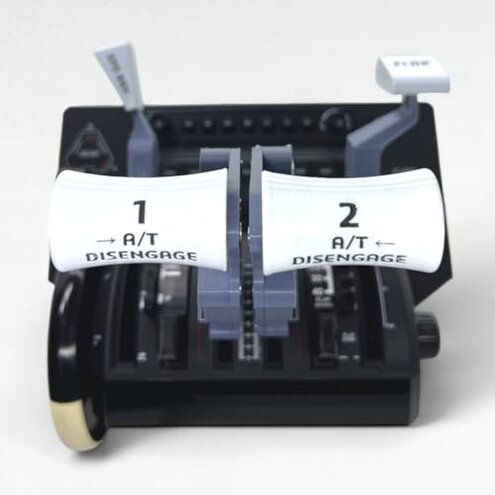
- Serious sim pilots who want full hardware button parity across a quadrant should avoid this due to the 3-button limit.
- Buyers without a Honeycomb Bravo should avoid it because the product is not a standalone throttle and requires the base quadrant.
- Users looking for plug-and-play simplicity should avoid it because installation often needs adapters and manual mapping.
Who this is actually good for
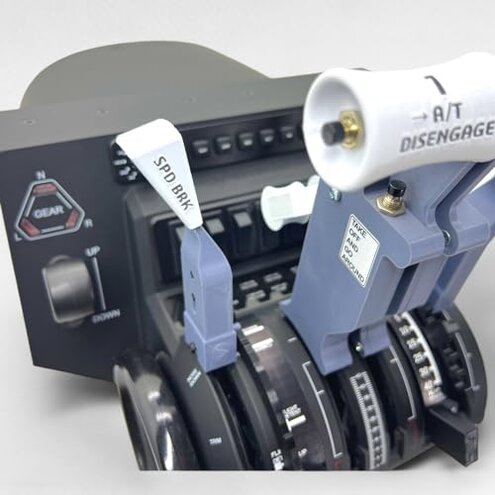
- Honeycomb owners who want a more realistic B737 feel and accept mapping limits can tolerate fewer electronic buttons.
- Modders and tinkerers who enjoy mechanical tweaks will accept extra setup time to get the feel they want.
- Casual sim users who primarily fly throttles and don’t rely on many button shortcuts can live with the limitation.
Expectation vs reality
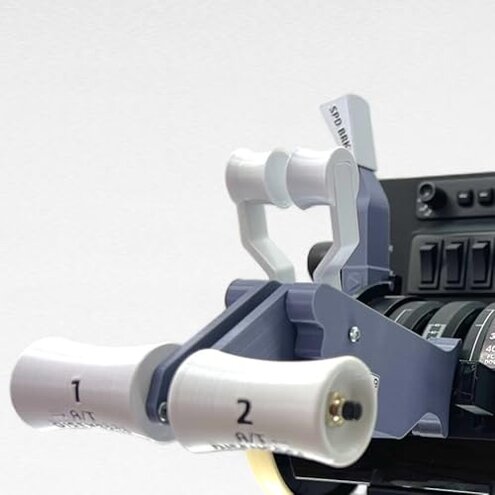
- Expectation (reasonable): "An add-on lever set will expand controls."
- Reality: This kit often does not expand electronic inputs beyond three usable buttons.
- Expectation (reasonable): "Easy install with clear instructions."
- Reality: Installation frequently needs extra adapters, time, or community-sourced steps.
Safer alternatives
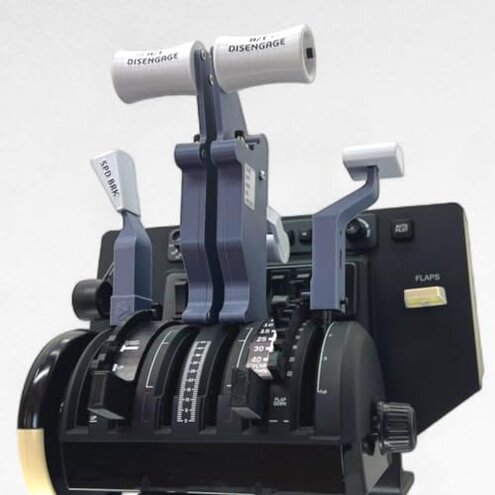
- Pick full kits: Choose add-ons that explicitly include a standalone quadrant or full wiring to avoid the hidden Honeycomb requirement.
- Check programmable inputs: Prefer products advertising multi-button programmability to neutralize the 3-button limitation.
- Look for documented installs: Favor vendors with step-by-step setup guides and adapter lists to reduce installation friction.
- Buy from modular lines: Consider alternatives that sell optional wiring harnesses and shims to handle fit issues without mods.
The bottom line
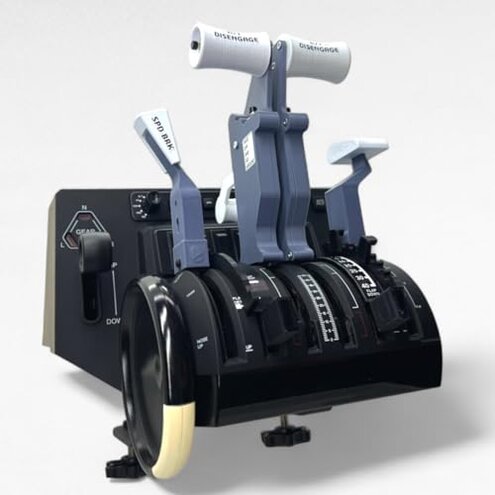
Main regret: The primary trigger is a feature mismatch—this lever set limits electronic buttons and assumes you own a Honeycomb Bravo.
Why it matters: That combination raises the risk of unexpected setup work and lost functionality compared with typical mid-range options.
Verdict: Avoid this if you need plug-and-play controls or full button mapping; keep it only if you already own the Honeycomb base and expect to tinker.
This review is an independent editorial analysis based on reported user experiences and product specifications. NegReview.com does not sell products.