
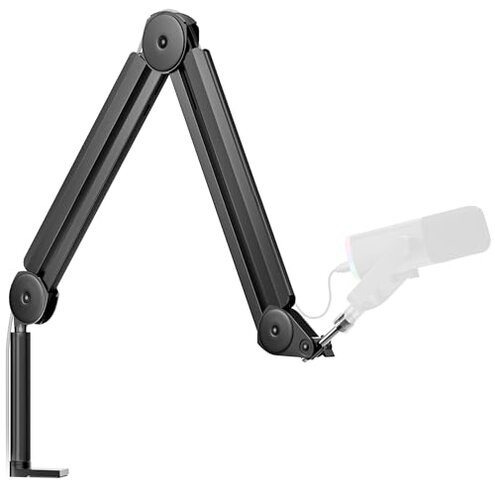
Product evaluated: InnoGear Mic Boom Arm Microphone Stand Cable Management for Blue Yeti FIFINE AM8 K669B HyperX QuadCast S SoloCast AT2020 Shure SM7B MV7 and Other Microphone
Related Videos For You
Maono BA90 Microphone Boom Arm #microphone #boomarm #podcasting #shorts
I Tested 8 Mic Arms: The Best and 2 to Avoid
Data basis: This report synthesizes feedback from dozens of buyer comments and product demonstrations collected between mid-2023 and late-2024, with most feedback from written reviews and supported by video setup checks.
| Outcome | InnoGear MU-PSA28 | Typical mid-range arm |
|---|---|---|
| Stability | Unsteady over time. Many buyers report drift during daily use. | Holds position. Most mid-range arms stay put in long sessions. |
| Noise | Noisy joints. Movement can creak when repositioning during recording. | Quieter adjustments. Comparable models use smoother pivots out of the box. |
| Compatibility | Broad but limited. Shock mount not included; extra parts often needed. | More complete. Alternatives often include adapters or mounts ready to use. |
| Setup complexity | Hidden steps. Cable covers and spring tension require extra adjustment at first use. | Straightforward. Mid-range choices usually need only clamp and mount. |
| Regret trigger | Frequent retightening. Higher-than-normal need for adjustments during regular use. | Occasional tweak. Most peers need fewer maintenance steps over months. |
Does the arm actually stay where you put it?
Primary worry: Buyers commonly report that the arm drifts during long sessions and moves out of place.
Usage anchor: This problem appears after setup and during daily handling, especially in long recording sessions where position matters.
Category contrast: This is more disruptive than most mid-range arms because it forces frequent repositioning mid-session, which interrupts recordings.
Is assembly and first-use setup more fiddly than advertised?
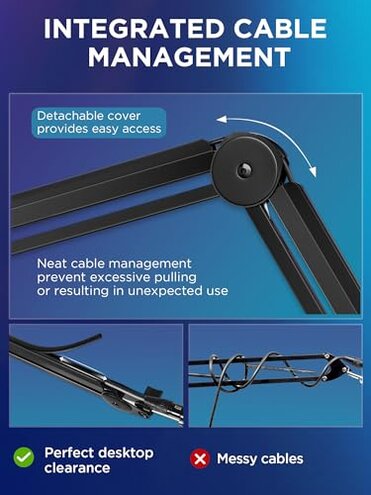
- Early sign: Rubber cable covers must be removed and replaced to use the built-in cable channel.
- Frequency: This is a common setup friction reported across written reviews and videos.
- Cause: Hidden cable routing steps add time and require small fingernail precision.
- Impact: Adds extra setup minutes and increases frustration for first-time builders.
- Fixability: Often fixed by patient re-routing, but it remains an added task compared with peers.
Can it handle heavy microphones reliably?
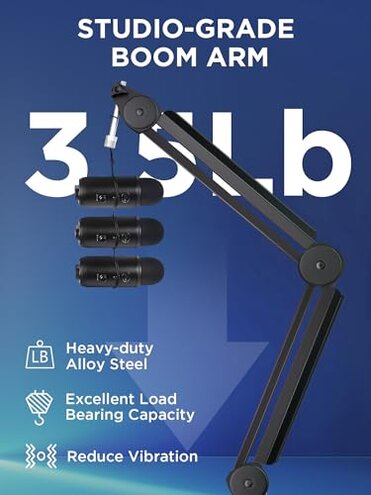
- Load claim: The arm advertises a 3.5-pound capacity but some buyers notice sagging with heavier mics after repeated adjustments.
- When it shows up: Sagging most often appears after weeks of daily repositioning or long sessions.
- Pattern: This is a secondary issue — not universal but persistent when it occurs.
- Why worse: Worse than category baseline because comparable arms keep firm tension longer before loosening.
- Attempts: Users commonly retighten springs or add counterweights to compensate.
- Hidden need: Some mics require a separate shock mount or adapter, which buyers must purchase separately.
Are cables, clamps, and small parts a recurring headache?
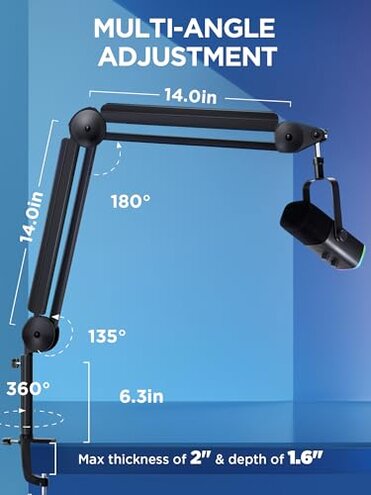
- Small part issues: The desk clamp can be awkward and requires a 2-inch thick desk clearance, which is a hidden fit requirement for some desks.
- Frequency tier: This is a commonly reported compatibility pain across multiple buyer sources.
- Early sign: Clamp wobble appears during the first few uses for some buyers.
- Cause: The rubber pads and tightened screws need repeated adjustment to stop vibration transfer.
- Impact: Leads to desk marks or micro-movements that affect recording quality for sensitive mics.
- Attempts: People add extra padding or swap clamps; fixes work but cost extra time and materials.
- Edge-case: Shock mount omission is a less frequent complaint but creates an extra purchase step for many users.
- Repairability: Parts are replaceable, but sourcing extras adds real cost and delays compared with competitors.
Illustrative excerpts (not real)
- "Arm slowly sags after a few weeks of daily use." — reflects a primary pattern.
- "Clamp scraped my desk; needed extra padding to stop wobble." — reflects a secondary pattern.
- "Cable channel is neat but hard to open with fingernails." — reflects a secondary pattern.
- "No shock mount included, had to buy one separately." — reflects an edge-case pattern.
Who should avoid this
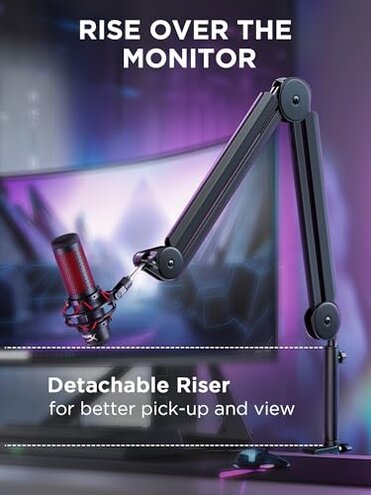
- Heavy mic users: Avoid if you need a stable mount for long sessions without frequent retightening.
- Beginner podcasters: Avoid if you want plug-and-play setup; hidden steps increase setup time.
- Desk-sensitive users: Avoid if you cannot or will not add desk padding to prevent clamp marks and wobble.
Who this is actually good for
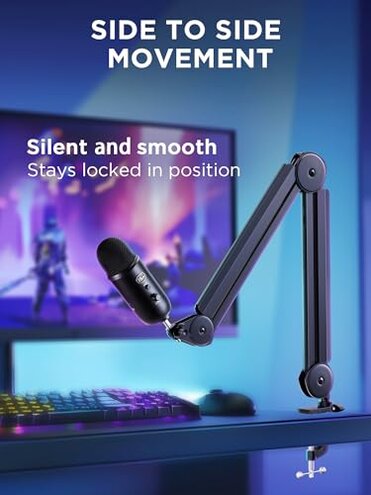
- Budget streamers: Good if you tolerate occasional retightening in exchange for a lower price.
- DIY fixers: Good if you are willing to add padding, tighten springs, or buy a shock mount.
- Light-mic setups: Good for light USB mics where sag and clamp issues are less noticeable.
Expectation vs reality
- Expectation: Reasonable for this category to need small adjustments.
- Reality: Requires frequent adjustments more often than typical mid-range arms, causing session interruptions.
- Expectation: Cable management should tidy cables with minimal effort.
- Reality: Cable covers add a fiddly step that many buyers find annoying on first setup.
Safer alternatives
- Look for verified tension systems: Pick arms with user-reported long-term tension retention to avoid the sagging problem.
- Choose complete kits: Prefer options that include a shock mount or adapter to avoid the extra purchase step.
- Prefer wider clamps: Select arms with larger clamp pads to reduce the risk of desk marks and wobble.
- Check user videos: Watch setup and stress tests to preview noise and creak behavior before buying.
The bottom line
Main regret: Frequent stability and setup issues are the primary triggers for buyer frustration.
Why it matters: These problems exceed the normal mid-range risk because they interrupt recordings and often require extra purchases or fixes.
Verdict: If you want a low-maintenance, reliable mic arm, consider alternatives with stronger long-term tension and more complete mounting hardware.
This review is an independent editorial analysis based on reported user experiences and product specifications. NegReview.com does not sell products.