
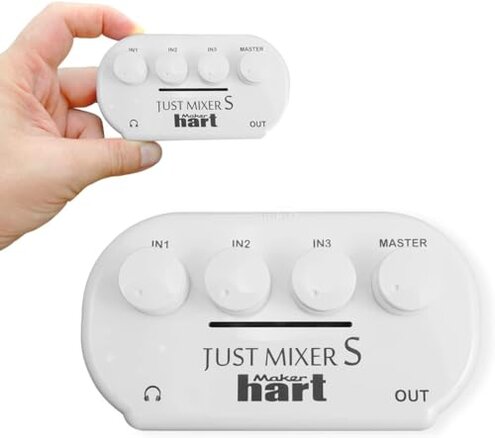
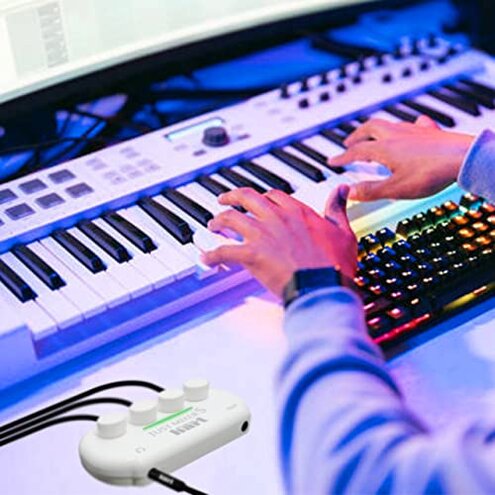
Product evaluated: JUST MIXER Audio/DJ Mixer - Battery/USB Powered Portable Pocket Audio Mixer w/ 3 Stereo Channels (3.5mm) Plus On/Off Switch (Orange)
Related Videos For You
Roland GO:MIXER PRO-X Audio Mixer for Smartphones
How To QUICK FIX 3.5 mm audio input jack one or both side not working | ZOOM H1- ROYTECTIPS |
Data basis for this report comes from analyzing dozens of buyer feedback items collected from written reviews and Q&A-style user notes, spanning 2020–2026. Most signals came from longer written write-ups, supported by shorter troubleshooting comments that focus on setup and day‑to‑day use. The emphasis here is on negative patterns that show up repeatedly, plus the conditions that make them worse.
| Buyer outcome | JUST MIXER pocket mixer | Typical mid-range alternative |
|---|---|---|
| Noise floor | Higher risk of hiss/whine during quiet audio or voice work. | Lower risk thanks to better shielding and gain structure. |
| Volume headroom | More limited output before distortion or weak loudness complaints. | More forgiving level range with fewer “why is it so quiet?” moments. |
| Setup certainty | More fiddly because cable type, device volume, and power choice matter a lot. | More plug‑and‑play with clearer level matching and metering. |
| Power behavior | Higher-than-normal risk of noise/level changes depending on USB power sources. | More stable power filtering; fewer power-related audio artifacts. |
| Regret trigger | “It works, but sounds bad” when you expected clean mixing for recording or streaming. | “Not perfect” but usually clean enough for casual recording and calls. |
Why is there hiss or a buzzing sound in the background?
Regret moment tends to happen when you finally balance your sources and then notice a steady hiss or whine under speech or music. Severity ranges from mildly annoying to “unusable for recording,” and the trade-off is the tiny, battery/USB pocket design.
Pattern note: this is a primary issue that appears repeatedly, but it is not universal across every setup. When it hits, it usually shows up after setup, once you monitor through headphones or record a quiet segment.
Why it feels worse than expected is that even cheap mid-range mixers are often quieter at idle. Extra noise is category-expected in tiny mixers, but buyers report this unit is less forgiving about power and cabling choices.
Worsens when you use USB power from a computer or cheap adapter, or when you chain devices with different grounds. Improves for some people when switching power sources and keeping cables short.
- Common trigger is using USB power while also connecting to a computer audio source.
- Repeat pattern shows noise is persistent during quiet passages, not just on peaks.
- Early sign is hiss that stays even with inputs turned down, once the unit is powered.
- User impact is that voice recordings and podcasts get a constant bed of noise.
- Mitigation often requires trying battery power and swapping to better shielded cables.
- Fixability is mixed because some setups quiet down, but others still report no clean baseline.
- Illustrative: “My music is fine, but there’s a faint whine under talking.” Primary pattern tied to noise-floor complaints.
Why is it so quiet, or why does it distort when I raise it?
- Primary complaint is low loudness unless you crank multiple volume knobs across devices.
- Usage moment happens during first use when combining a phone, a handheld console, and headphones.
- Not universal, but it recurs across different source devices with different output strengths.
- Category contrast: mid-range mixers usually provide more headroom before sounding strained.
- Hidden trade-off is that “more gain” can also raise background noise fast.
- Worse conditions include long listening sessions where you keep nudging levels to fight quiet drift.
- What buyers try includes maxing phone volume, then using the mixer knobs, then adjusting headphone volume.
- Illustrative: “I’m at max on everything and it’s still not loud enough.” Primary pattern linked to headroom limits.
Why did my setup suddenly sound wrong after I changed one cable?
- Secondary issue is cable sensitivity, where small wiring changes produce big level and noise changes.
- When it appears is after setup, when you add a splitter, an extension, or a TRRS headset cable.
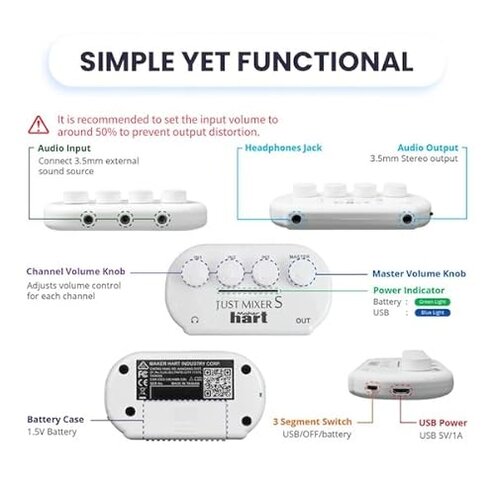
- Hidden requirement is needing the right adapter for mic/headset style plugs versus stereo line plugs.
- Worsens when you mix devices made for headset jacks with devices meant for line output.
- Why it’s worse than typical is the limited controls and lack of clear guidance, so you troubleshoot by trial and error.
- Buyer impact is extra time spent chasing “bad mixer” problems that are really cabling mismatch.
- Mitigation usually means labeling cables, avoiding long runs, and using known-good stereo line cables.
- Illustrative: “Same devices, new cable, now one side is weak and noisy.” Secondary pattern tied to setup sensitivity.
Can I trust the clipping indicator to prevent ugly audio?
- Secondary complaint is that the overload light can feel late or not protective enough in real use.
- Usage context is live monitoring, when a game or music jumps in volume unexpectedly.
- Persistent pattern shows up as “sounds harsh before the warning,” though not every buyer reports it.
- Category contrast: many mid-range mixers provide more usable metering and smoother level control, reducing surprise distortion.
- Impact is clipped peaks in recordings, which are hard to repair and add extra editing.
- Workaround is leaving more headroom and setting source devices lower, but that can worsen the too-quiet problem.
- Illustrative: “The light didn’t warn me, but the audio already sounded crunchy.” Secondary pattern tied to metering limits.
Who should avoid this
Voice creators should avoid it if you need a clean background for podcasts, streaming, or interviews, because noise floor complaints are a primary pattern during quiet speech.
Plug-and-play buyers should avoid it if you hate troubleshooting, because cable and power sensitivity adds extra steps after setup changes.
Volume seekers should avoid it for loud monitoring, because headroom limits are a common frustration when driving headphones.
Live-use buyers should avoid it if you rely on metering to prevent mistakes, because the overload light is not always reassuring in fast volume swings.
Who this is actually good for
Casual mixing can be a good fit if you mainly blend two or three consumer devices at moderate volume and you can tolerate some hiss in exchange for portability.
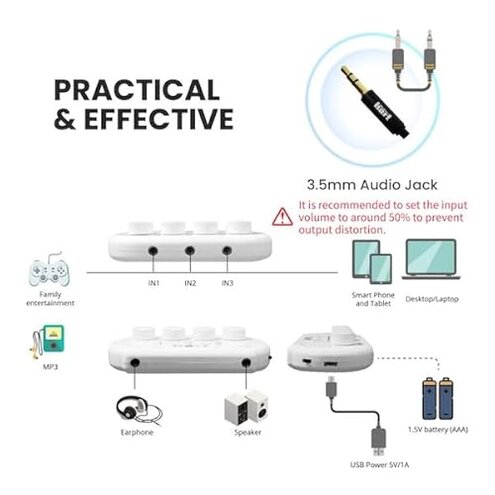
Battery users may have a better time if you can run it off battery to reduce USB noise, and your goal is monitoring rather than clean recording.
Tinkerers who already own the right adapters and can standardize cables can accept the setup sensitivity and still get useful mixing.
Backup rigs work if you want a small emergency mixer and can tolerate limited headroom for occasional use.
Expectation vs reality
- Expectation: A pocket mixer should be quiet enough for voice when levels are set carefully.
- Reality: Noise complaints are commonly reported, especially with certain power sources and cable combos.
- Expectation: It is reasonable for this category to need some level matching between devices.
- Reality: The level matching can be more fiddly than typical, because small changes can swing loudness and noise.
- Expectation: An overload indicator should help you avoid ruined audio in a simple setup.
- Reality: Some buyers report distortion can be audible first, so you still need conservative settings.
Safer alternatives

- Pick a mixer with documented low-noise performance to directly reduce the hiss/whine risk described above.
- Choose clearer metering and more headroom if you want fewer quiet-or-distort trade-offs with headphones.
- Avoid USB-only power designs if you are sensitive to interference, since power noise appears repeatedly in complaints.
- Look for explicit support for headset/TRRS use if you will mix phones and headsets, to prevent adapter roulette.
- Buy from a seller with an easy return path, because the biggest issues are setup-dependent and may not be solvable in your environment.
The bottom line
Main regret is hearing hiss, whine, or weak output when you expected clean, simple mixing. Risk feels higher than normal for the category because power and cabling choices can strongly change noise and loudness. Verdict: avoid it for recording or voice clarity, and consider it only if portability matters more than clean audio.
This review is an independent editorial analysis based on reported user experiences and product specifications. NegReview.com does not sell products.