
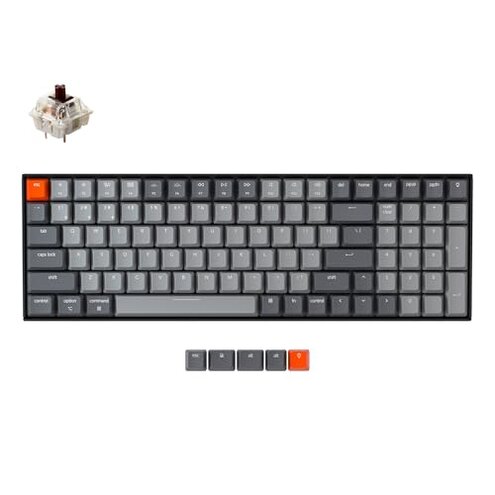
Product evaluated: Keychron K4 96% Layout 100 Keys Wireless Bluetooth 5.1/Wired USB Mechanical Gaming Keyboard with Gateron G Pro Brown Switch White LED Backlight N-Key Rollover for Mac Windows PC-Version 2
Related Videos For You
Build your own Mechanical Keyboard… the RIGHT Way
How To Fix Wireless Keyboard Not Working Problem 🔥🔥
Data basis This report draws on hundreds of buyer accounts across written reviews and video demonstrations collected between 2022 and 2024.
| Outcome | Keychron K4 (this unit) | Typical mid-range keyboard |
|---|---|---|
| Connectivity reliability | Higher risk: commonly reported Bluetooth drops and switching delays during daily use. | Expected: stable Bluetooth or quick fallback to wired without frequent drops. |
| Typing consistency | Variable: some buyers note inconsistent stabilizers and wobble across keys. | Consistent: mid-range models often have tighter stabilizers and even key feel. |
| Battery life | Shorter: backlight use appears to cut usable hours well below manufacturer claims. | Typical: advertised ranges are closer to real-world use for many competitors. |
| Compatibility | Requires tweaks: Mac layout and switching can need extra steps for reliable mapping. | Plug-and-play: most rivals provide clearer cross-platform mapping out of the box. |
| Regret trigger | Wireless failure: Bluetooth instability combined with shorter battery spans is more disruptive than expected. | Lower risk: typical mid-range keyboards avoid paired failures of both wireless reliability and battery. |
Top failures
Does the Bluetooth keep dropping during normal use?
Regret moment You will notice keys stop responding mid-type or the keyboard disconnects when you move between rooms.
Pattern This is a commonly reported complaint that appears repeatedly in buyer feedback.
When It usually shows up after setup and during day-to-day wireless use, and it worsens when switching between three paired devices.
Why worse Many buyers expect stable Bluetooth from mid-range wireless keyboards; this unit shows more frequent drops and longer reconnection time.
Are loud rattles and uneven key feel going to bother you?
- Early sign: buyers report louder spacebar rattle or off-center stabilizers right away.
- Frequency tier: this is a secondary issue—common but not universal across all units.
- Cause: inconsistent stabilizer tuning and variable switch seating are often cited.
- Impact: typing feel becomes uneven, which harms long typing sessions for sensitive users.
- Fix attempts: buyers often need to open the case or add lube/foam to reduce rattle.
Will the battery meet the quoted runtime with backlight turned on?
- Claim vs real: the manufacturer quotes long runtimes, but real-world use with backlight commonly shortens life.
- Usage anchor: shorter battery life appears during daily mixed use with periodic Bluetooth switching.
- Frequency tier: this is a primary complaint that appears repeatedly in buyer reports.
- Hidden cost: frequent charging adds extra steps and sometimes requires carrying a cable for work travel.
- Workaround: disabling backlight extends runtime but reduces the visual feedback some buyers expected.
- Why worse: many mid-range keyboards deliver closer to advertised runtimes under similar use.
Is the Mac/Windows layout and feature switching confusing?
- Early sign: included extra keycaps and a Mac layout create manual mapping steps at setup.
- Pattern: this is a secondary but persistent friction point for buyers who switch OS often.
- When: issues show up during setup and when attempting to use function keys on the other OS.
- Hidden requirement: reliable NKRO and some advanced functions often need wired mode or firmware updates.
- Impact: switching devices adds minutes of reconfiguration each time instead of instant switching.
- Attempts: buyers report needing to consult guides or perform firmware steps to fix mapping.
- Why worse: reasonable category baseline is plug-and-play cross-platform keys; this keyboard requires more setup effort.
Illustrative excerpts
Illustrative: "Keys cut out while typing, then reconnect after a minute." — primary
Illustrative: "Spacebar wobbles and sounds tinny on long sessions." — secondary
Illustrative: "Had to plug in to get NKRO for a game." — edge-case
Who should avoid this
- Mobile professionals who rely on uninterrupted wireless typing for calls or on-the-go work should avoid this unit due to its connectivity risk.
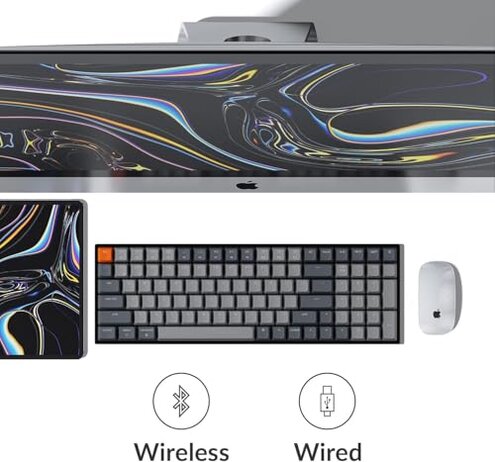
- Competitive gamers who need guaranteed NKRO in wireless mode should avoid it because full rollover often requires wired use.
- Noise-sensitive users who need a quiet, consistent typing feel should avoid it if they cannot tolerate stabilizer rattle.
Who this is actually good for
- Casual typists who mainly use the keyboard at a desk and don't mind occasional reconnection can accept the wireless trade-off.
- Desktop users who keep it wired to prioritize NKRO and battery-free operation will avoid the main wireless flaws.
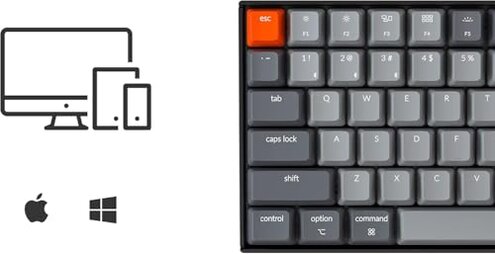
- Mac switchers who value the Mac layout and are willing to perform initial mapping work can tolerate the setup friction.
Expectation vs reality
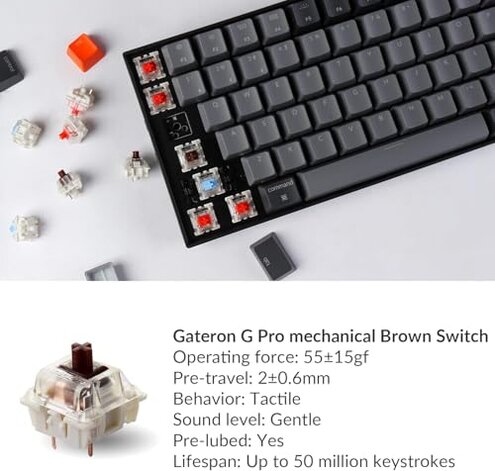
- Expectation (reasonable): mid-range wireless keyboards offer stable Bluetooth for daily typing. Reality: this unit shows more frequent disconnects than that baseline.
- Expectation: advertised battery life holds under light use. Reality: backlight use commonly reduces runtime faster than buyers expect.
- Expectation: mechanical keyboards at this price deliver consistent stabilizers. Reality: some units show noticeable rattle without fixes.
Safer alternatives
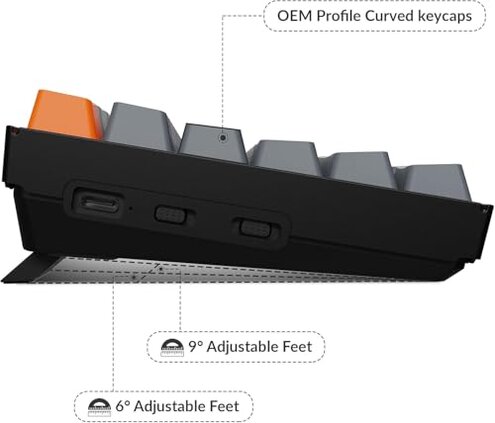
- Prioritize tested Bluetooth Look for keyboards with clear stability reports and dedicated reviews proving multi-device switching works reliably.
- Check wired fallback Buy a model with confirmed NKRO in wireless mode if gaming is required, or one with instant wired fallback.
- Inspect stabilizers Favor keyboards with pre-lubed stabilizers or known tight tolerances to avoid post-purchase modding.
- Battery realism Choose models with real-world battery tests showing backlight-on runtimes similar to advertised numbers.
The bottom line
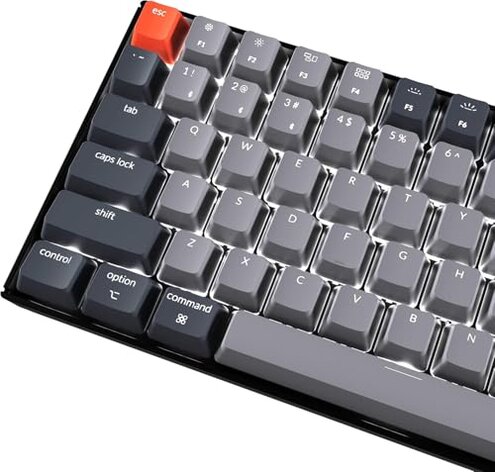
Main regret The primary issue is unreliable Bluetooth combined with shorter-than-expected battery life under backlit use.
Why it matters This pairing of failures creates more disruption than typical mid-range keyboards and forces wired workarounds or extra setup.
Verdict Avoid this unit if you need dependable wireless performance; consider it only if you accept wired fallback and are willing to tune stabilizers.
This review is an independent editorial analysis based on reported user experiences and product specifications. NegReview.com does not sell products.