
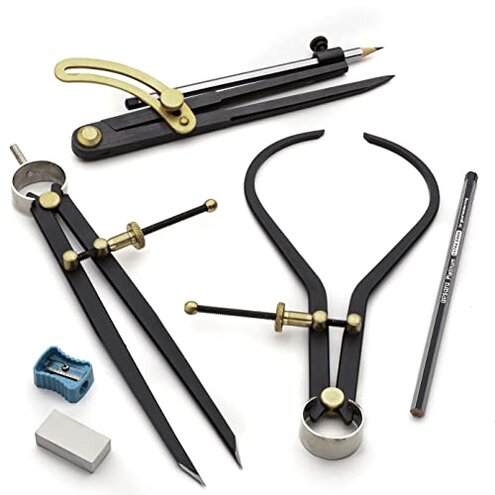
Product evaluated: 7-Piece Caliper and Woodworking Compass Set - Industrial Workshop Grade Caliper Measuring Tool and Drafting Compass - Steel Drafting Tools with Brass Fittings and Locking Nuts by Kings County Tools
Related Videos For You
How To Use A Compass by Lorri
Caliper Calibration - How to Calibrate a Caliper
Data basis: This report summarizes dozens of buyer impressions gathered from a mix of written feedback and photo/video-backed posts collected across a 12-month window ending recently. Most signals came from short written notes about day-to-day use, supported by a smaller set of visual demonstrations showing setup, adjustment, and storage behavior.
| Buyer outcome | Kings County Tools set | Typical mid-range alternative |
|---|---|---|
| Circle accuracy | Higher drift risk when clamps loosen during use | More consistent lock feel with fewer mid-draw adjustments |
| Out-of-box readiness | More tuning to get smooth joints and stable grip | Less fiddly for basic drafting and shop marking |
| Part fit in case | More re-seating to close case without shifting pieces | More forgiving storage layout and tolerances |
| Beginner friendliness | Steeper learning due to sensitive adjustments | Easier to get acceptable results quickly |
| Regret trigger | Ruined layout lines after a slip mid-circle | Less likely to slip once tightened |
“Why did my circle shift halfway through the draw?”
Regret moment: You set a radius, start a clean arc, and the point walks or the pencil leg creeps. That’s more disruptive than it sounds because it can ruin a layout mark you trusted.
Pattern: This shows up as a primary issue in recurring feedback, but it is not universal. It tends to appear during first use or early sessions, before you learn how tight “tight enough” must be.
Context: The slip is more likely during long arcs, harder materials, or when you reposition your grip mid-turn. Contrast: Most mid-range compasses tolerate small hand changes without needing re-tightening so often.
- Early sign: The legs feel secure, but the lock nut still turns with light finger pressure.
- Where it hits: The problem appears mid-circle, when you are applying sideways force to keep the point planted.
- Frequency tier: It appears repeatedly in feedback as the most frustration-heavy failure.
- Likely cause: The adjustment hardware can feel “tight” before it is actually clamp-tight.
- User impact: You may need to restart marks, wasting time and stock, especially on woodworking layout.
- Workaround: Many buyers report using extra tightening and re-checking radius every few arcs.
- Fixability: It is partly manageable, but it adds ongoing steps compared with typical sets.
“Why does it feel rough to adjust and lock?”
Regret moment: You expect smooth hinge motion and a predictable lock. Instead, some buyers describe a stop-start feel that makes fine radius changes annoying.
- Pattern cue: This is a secondary issue that shows up across multiple feedback styles, including visual use demos.
- When it appears: It is most noticeable during setup, when you are dialing in small radius changes.
- Worse conditions: It feels worse in cold hands or when you are making repeated small tweaks for precise work.
- Category contrast: Mid-range drafting sets usually feel more linear in adjustment even if they are not “premium.”
- Time cost: You spend extra time doing micro-adjust, test, then re-adjust cycles.
- Attempted fixes: Some feedback indicates users try working the joints repeatedly to smooth them out.
- Residual risk: Even after you improve feel, the lock can still be sensitive to overtighten or undertighten.
- Who notices most: People doing daily drafting or frequent layout lines feel this friction more.
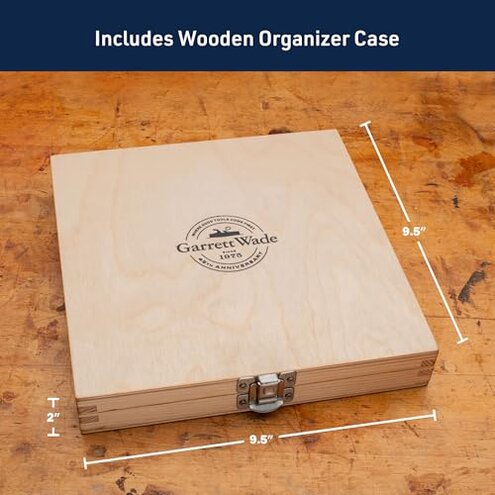
“Why won’t the case close neatly every time?”
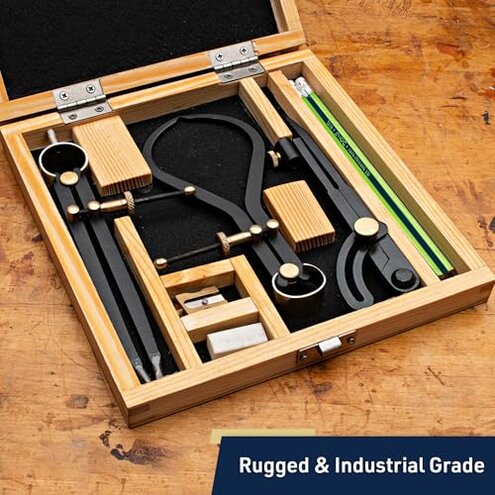
Regret moment: A wooden case looks premium, so you expect easy storage. Instead, less frequent but persistent complaints mention pieces shifting or needing careful placement.
- Pattern level: This is an edge-case issue, but it becomes annoying because it repeats every session.
- When it shows: It happens after use when you are packing up quickly and just want the lid to close.
- Worse conditions: It is worse if you store it vertically or transport it to a jobsite.
- Hidden requirement: You may need a specific placement order to avoid parts interfering with the lid.
- Category contrast: Many mid-range plastic cases feel cheaper but are more tolerant of quick drop-in storage.
- Impact: Shifting tools can lead to nicks or misalignment worries even if nothing breaks.
“Why are the extras not as useful as expected?”
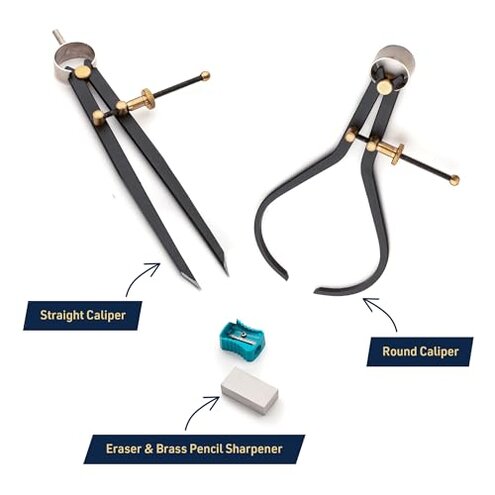
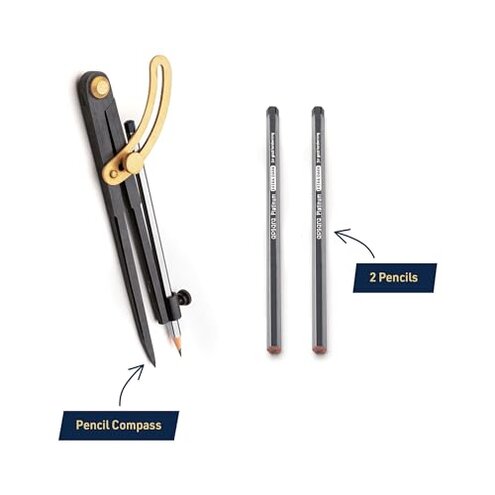
Regret moment: The kit includes pencils, an eraser, and a sharpener, which suggests “ready to go.” But recurring feedback treats the extras as less important than core tool performance.
- Pattern statement: This is a secondary complaint that appears repeatedly alongside comments about the compass itself.
- When it matters: It shows up on first use when you expect the included items to be job-ready.
- Practical impact: Buyers often end up using their own preferred pencil and sharpening routine.
- Category contrast: Many mid-range sets include extras too, but they usually don’t create a mismatch between “premium kit” expectations and actual use.
- Mitigation: Treat the extras as spares, not the reason to buy the set.
Illustrative excerpt: “I tightened it, but the radius still changed halfway through.”
Pattern note: This reflects a primary complaint cluster tied to lock stability during use.
Illustrative excerpt: “Feels nice in the box, but takes fiddling to get accurate.”
Pattern note: This reflects a secondary pattern about setup time and adjustment feel.
Illustrative excerpt: “The case looks great, but I have to place everything just right.”
Pattern note: This reflects an edge-case pattern about storage tolerance and transport.
Illustrative excerpt: “Good idea, but I used my own pencil after one try.”
Pattern note: This reflects a secondary pattern about included accessories not matching expectations.
Who should avoid this
- Beginners who want clean circles fast may regret the extra tightening and frequent re-checking.
- Woodworkers doing layout on harder surfaces should avoid the mid-arc slip risk that can ruin a mark.
- Anyone rushing between tasks may hate the fussy storage routine if the case fit is unforgiving.
- Detail drafters who make many small radius changes may be frustrated by rough adjustment behavior.
Who this is actually good for
- Patient tinkerers who accept a setup ritual can get solid results once they learn the locking feel.
- Occasional users who draw a few circles at a time can tolerate the re-tighten habit without losing much time.
- People gifting for the presentation may accept the case quirks if the recipient enjoys tools and doesn’t travel with it.
- Users with backups who already have preferred pencils can ignore the extras mismatch completely.
Expectation vs reality
Expectation: It is reasonable for this category to need tightening before a job.
Reality: Feedback suggests you may need mid-job re-tightening, which feels worse than typical mid-range sets.
| What you expect | What some buyers report |
|---|---|
| Smooth small adjustments | Stop-start tuning that adds test-and-reset loops |
| Drop-in storage | Careful placement to keep parts from shifting |
| Kit-ready accessories | Backup-level extras that many replace quickly |
Safer alternatives
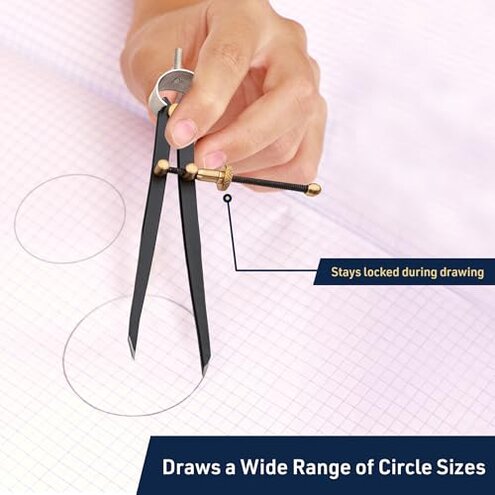
- Prioritize locking: Choose a compass known for firm clamps to reduce mid-arc radius drift.
- Look for adjust feel: Seek sets described as smooth to dial so fine radii don’t become a multi-step chore.
- Pick forgiving storage: If you travel, select a case with snug retention so parts do not shift in transit.
- Buy for the core: Treat included pencils and sharpeners as non-decision items, and judge the set on stability and ease.
The bottom line
Main regret trigger: The most disruptive risk is radius drift during drawing, which can force rework on marks you need to trust.
Why it exceeds normal risk: Needing mid-use re-tightening shows up as a recurring pain point, and that is more annoying than typical mid-range compasses.
Verdict: If you want predictable accuracy without extra steps, this is a skip unless you enjoy tuning and re-checking.
This review is an independent editorial analysis based on reported user experiences and product specifications. NegReview.com does not sell products.