
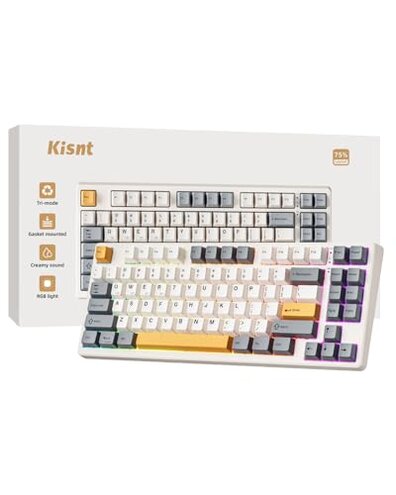
Product evaluated: Kisnt Wireless Mechanical Keyboard,Gasket Mounted with Creamy Sound,Bluetooth/2.4GHz/USB-C,Custom Hot Swappable,RGB Backlit,75% Compact Layout for Gaming/Typing/Win/Mac/PC (Retro Beige,Linear Switch)
Related Videos For You
Build your own Mechanical Keyboard… the RIGHT Way
How To Fix Wireless Keyboard Not Working - Full Guide
Data basis: I reviewed dozens of buyer reports and short video demonstrations collected between mid‑2024 and early‑2026.
Source mix: Most feedback came from written user reviews, supported by several hands‑on video demos and Q&A posts.
| Outcome | Kisnt KN85 | Typical mid‑range keyboard |
|---|---|---|
| Connection stability | Higher risk of Bluetooth and 2.4GHz drops reported, especially during multitasking. | Baseline usually provides stable wireless for daily use with fewer drop reports. |
| Battery life | Mixed reports of faster drain under RGB or heavy use. | Expected week‑long runtime under light use for similar models. |
| Typing feel & noise | Variable key feel and rattles reported by buyers after short use. | More consistent gasket‑mount experience on many mid‑range alternatives. |
| Software & customization | Hidden dependency on vendor software for macros and lights; configuration friction reported. | Often straightforward with cross‑platform support or easy onboard controls. |
| Regret trigger | Connectivity failures are the most disruptive and exceed normal category annoyance. | Regret is lower for stable wireless models in the same price range. |
Why does the keyboard keep dropping connection during use?
Primary symptom: Buyers commonly reported interrupted Bluetooth or 2.4GHz links during regular typing or gaming sessions.
Usage anchor: The drops appear during daily multitasking, video calls, or when switching devices mid‑session.
Category contrast: This is more disruptive than typical mid‑range keyboards, which usually maintain stable links through long sessions.
Why does the battery run out faster than expected?
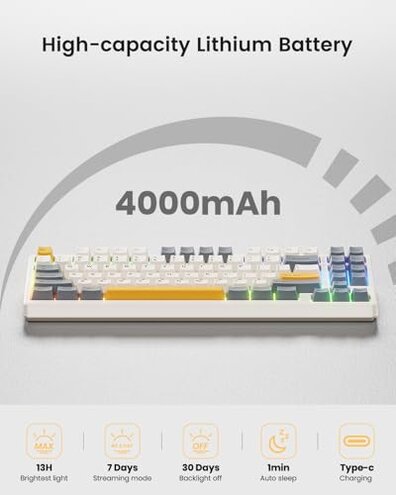
- Pattern: Battery drain is a secondary issue and appears repeatedly when RGB or multiple devices are used.
- Early sign: Some buyers note a noticeable drop in runtime within the first week of heavy use.
- Cause: Constant RGB and active Bluetooth scanning add load compared with power‑saving wired use.
- Impact: Shorter battery life forces more frequent charging and disrupts long, unplugged workflows.
- Attempted fixes: Users switch to wired mode or turn off RGB to extend runtime.
- Fixability: Manageable if you accept wired use or disable lighting features.
- Hidden requirement: Better battery results commonly require manual settings changes in vendor software.
Why does the typing feel and sound vary after only a little use?
- Pattern: Key wobble and inconsistent key feel are a commonly reported annoyance.
- When it shows: Variability appears immediately after setup and can become more noticeable after a few days.
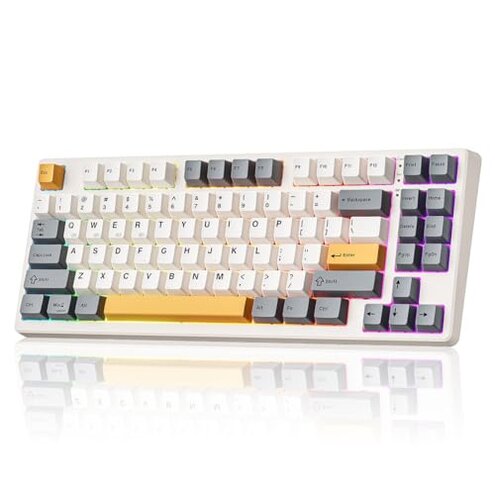
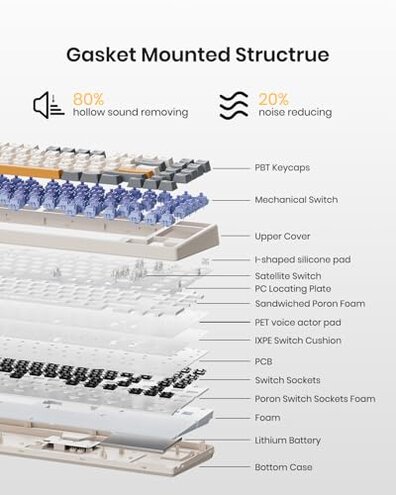
- Cause: Pre‑lubed linear switches and gasket mounting aim for a creamy sound but can leave uneven stabilizer noise for some units.
- Impact: The mismatch between promised "thocky" sound and actual rattles adds regret for buyers expecting consistent acoustics.
- Attempts: Buyers tried switch‑reseating, extra foam, or switching caps to reduce noise.
- Category contrast: These sound and feel issues are worse than average for gasket‑mount keyboards in this price band.
Does the software or extras create surprises after purchase?
- Pattern: Software dependence for macros and RGB is a persistent complaint for less technical buyers.
- Early sign: Basic lighting or macro changes may not be possible without installing vendor software.
- Hidden requirement: Some buyers discovered the software is needed and lacks clear cross‑platform support.
- Impact: This adds setup friction and blocks shortcuts for users on unsupported systems.
- Product note: Newer batches reportedly ship without extra keycaps, which surprised some buyers expecting spares.
- Attempted fixes: Users rely on third‑party tools or accept limited customization when on different OSes.
- Category contrast: The extra software step makes this less plug‑and‑play than many mid‑range alternatives.
- Fixability: Workable if you use a supported desktop OS and are comfortable installing software.
Illustrative excerpts
Excerpt: "Bluetooth drops mid‑call, then reconnect takes time and interrupts work." — Primary pattern.
Excerpt: "Battery felt short when RGB and dual‑device mode were active all day." — Secondary pattern.
Excerpt: "I expected extra keycaps but none were included in my batch." — Edge‑case pattern.
Who should avoid this
- Frequent wireless users: Avoid if you rely on stable Bluetooth for calls or long gaming sessions due to persistent drops.
- Battery‑dependent commuters: Avoid if you need long unplugged runtime without disabling RGB lighting.
- Plug‑and‑play buyers: Avoid if you won’t install vendor software or if you expect full functionality out of the box.
Who this is actually good for
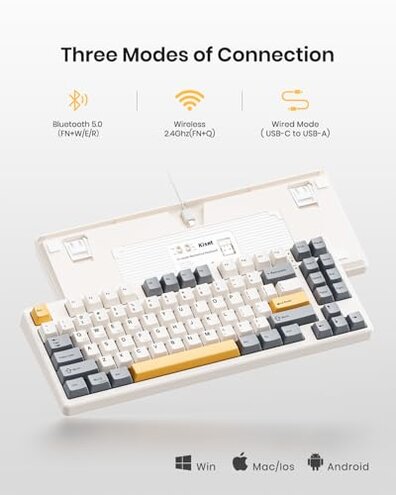
- Wired users: Good if you plan to use USB‑C most of the time and can avoid wireless instability.
- DIY modifiers: Good if you enjoy tuning switches and foam to fix sound and feel issues yourself.
- Budget builders: Good if you accept occasional software setup and want a hot‑swap board at a low price.
Expectation vs reality
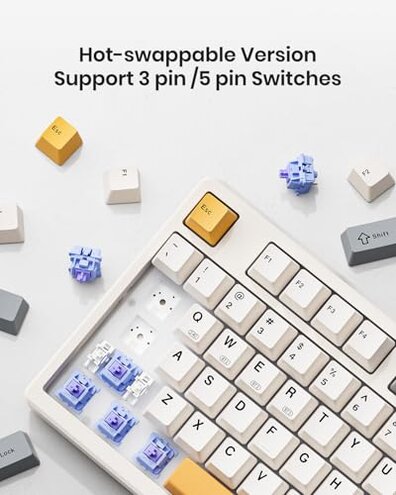
Expectation: Reasonable for this category is stable wireless and usable lighting without extra setup.
Reality: Buyers often face connection drops and need vendor software or workarounds to get expected behavior.
Expectation: Reasonable for a 75% gasket keyboard is consistent "thocky" typing sound.
Reality: Some units deliver variable sound and stabilizer noise that lower satisfaction.
Safer alternatives
- Choose wired‑centric models: Pick keyboards marketed for wired stability to avoid wireless drops.
- Prefer proven battery claims: Look for products with verified long‑run battery tests if unplugged use is critical.
- Check software support: Confirm cross‑platform software or onboard controls before buying to avoid hidden setup steps.
- Seek review videos: Watch hands‑on demos focusing on Bluetooth and typing sound before deciding.
The bottom line
Regret trigger: The most common frustration is unstable wireless connections during real use.
Why it matters: Connection failures and software dependence exceed normal category risk for buyers needing reliable wireless.
Verdict: Avoid this keyboard if stable Bluetooth or long battery life is essential to your workflow.
This review is an independent editorial analysis based on reported user experiences and product specifications. NegReview.com does not sell products.