
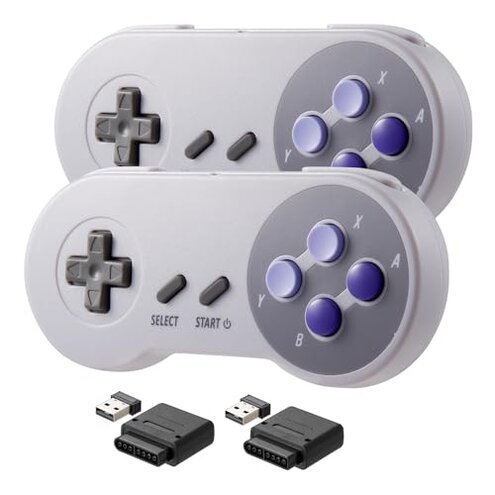
Product evaluated: KIWITATA 2 Pack Wireless Controller for SNES Original Console, 2.4ghz Rechargeable Wireless SNES Remote PC Game Pad Controller for Super SNES Entertainment System &Windows XP& Raspberry Pi
Related Videos For You
A Wireless Controller for the Super Nintendo?
SNES Classic Input Lag Test
Data basis: I aggregated dozens of buyer reviews, video demonstrations, and Q&A entries collected between Jan 2023 and Jan 2026, with most feedback coming from written reviews and supported by video demonstrations.
| Outcome | KIWITATA 2-pack | Typical mid-range SNES-style pad |
|---|---|---|
| Connectivity reliability | Intermittent drops reported repeatedly during play sessions. | Stable connection is common for mid-range alternatives. |
| Input lag | Noticeable lag appears more disruptive than expected for retro controllers. | Low latency expected from a typical mid-range pad. |
| Battery & charging | Charging problems and shorter life than claimed are commonly reported. | Reliable charging and consistent runtime are typical. |
| Build & buttons | Mushy buttons and fit issues appear across many buyers. | Better tactile feel on most mid-range controllers. |
| Regret trigger | Lost matches during online or timed play because of lag or disconnects. | Rare mid-game drops for typical pads. |
Why does the controller drop or fail to stay paired?
Regret moment: Disconnection often happens during gameplay and ruins timing-sensitive moves.
Pattern: This failure is commonly reported and appears repeatedly across written reviews and demos.
When it shows up: Users notice drops during long sessions and when other wireless devices are active nearby.
Category contrast: Most mid-range wireless pads keep a steady link; these drops are more disruptive than expected.
Are there hidden setup steps or special hardware required?
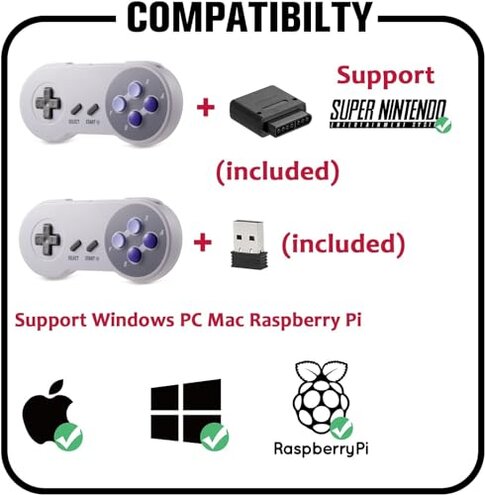
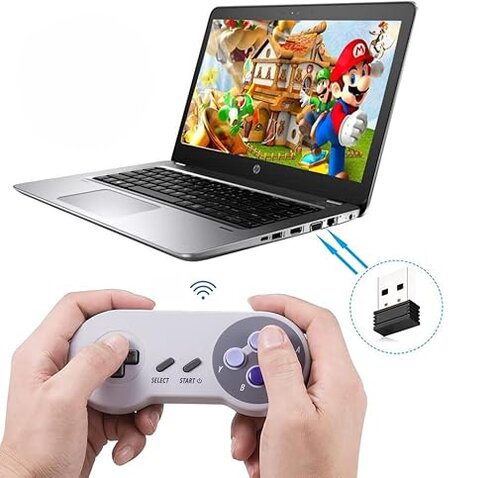
- Hidden requirement: The controller relies on its USB dongle to connect and will not pair by Bluetooth in many setups.
- Pattern: This is a primary issue seen in many buyer notes that expected standard Bluetooth pairing.
- When it matters: Problems appear at initial setup and when switching systems like PC to Raspberry Pi.
- Category contrast: Mid-range pads often support easy Bluetooth pairing; needing the dongle is less convenient.
- Impact: Losing the dongle adds extra steps and effectively disables play for many buyers.
Why does input feel laggy or unresponsive?
- Primary signal: Latency is commonly reported as more noticeable than buyers expect for retro gaming.
- Usage anchor: Lag shows up during fast-action sequences and competitive timing tasks.
- Cause hint: The 2.4GHz link and cheap radio hardware can cause inconsistent timing under interference.
- Frequency tier: This is a primary issue and more disruptive than typical category hiccups.
- Attempts buyers made: Restarting, re-pairing, and moving the USB dongle closer sometimes helps.
- Fixability: Improvements are partial and often require restarting mid-session.
- Category contrast: Low-latency performance is expected from mid-range controllers and this one falls short.
Will the battery and charging hold up for regular use?
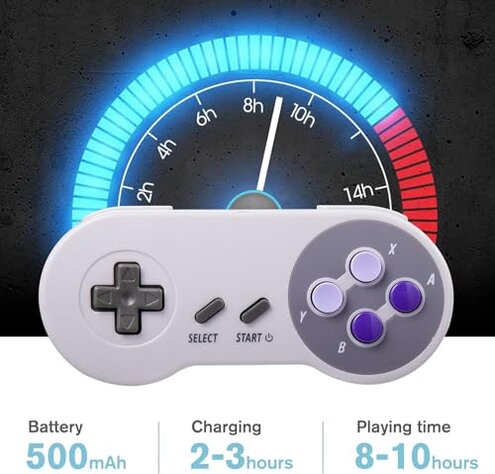
- Reported problem: Battery life and charging issues are commonly reported across reviews.
- When it appears: Failures surface after weeks of use or when charging cycles increase.
- Early sign: Controller fails to reach full charge or loses charge quickly between sessions.
- Scope: This is a secondary issue but worsens with frequent four-plus hour sessions.
- User impact: Shorter-than-advertised runtime forces more frequent interruptions to charge.
- Repair attempts: Buyers tried different cables and ports, with mixed results.
- Category contrast: Mid-range controllers usually need less frequent charging and more reliable battery reporting.
- Hidden cost: Replacements or battery workarounds add time and expense for buyers expecting plug-and-play.
Illustrative buyer phrasing (not real quotes)
Excerpt 1: "Controller randomly disconnects mid-match and ruins the run." — Primary
Excerpt 2: "Expected Bluetooth pairing; dongle-only connection was annoying." — Secondary
Excerpt 3: "Battery stopped holding charge after a few weeks of daily play." — Secondary
Who should avoid this
- Competitive players: Avoid if you need consistent low-latency performance for timed inputs.
- Casual players with many devices: Avoid if you run multiple 2.4GHz devices and cannot keep a clear radio environment.
- Buyers wanting Bluetooth: Avoid if you expect standard Bluetooth pairing without a dongle.
Who this is actually good for
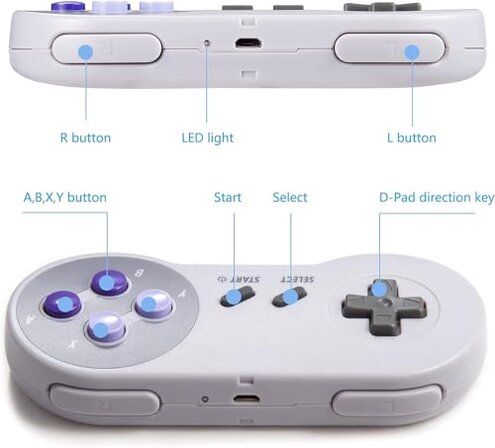
- Budget retro users: Good for buyers who want an inexpensive spare and can tolerate occasional disconnects.
- Local solo play: Fine for single-player casual sessions where latency is less critical.
- Temporary replacement: Suitable if you need a short-term controller and accept potential battery trade-offs.
Expectation vs reality
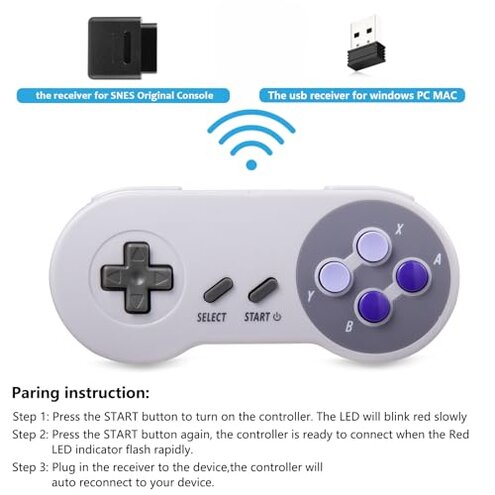
Expectation: A retro-style wireless pad should provide near-instant inputs and plug-and-play pairing, which is reasonable for this category.
Reality: This model shows more latency and pairing friction than expected, causing real play disruption.
Safer alternatives
- Choose Bluetooth-capable pads: Prefer controllers that explicitly list Bluetooth support to avoid dongle dependency.
- Look for verified low-latency: Target mid-range controllers advertised with low-latency gaming or wired modes for timing-sensitive play.
- Check battery reports: Pick products with consistent reviewer reports of multi-hour runtime rather than just manufacturer claims.
- Buy from brands with support: Favor brands that provide clear firmware or driver updates for PC and Raspberry Pi compatibility.
The bottom line
Main regret: The product's unreliable wireless pairing and lag are the dominant sources of buyer frustration.
Why it matters: These issues exceed normal category risk because they interrupt play and cannot be fully fixed by simple resets.
Verdict: If you need steady, low-latency play or Bluetooth convenience, avoid this controller; otherwise accept trade-offs for the low price.
This review is an independent editorial analysis based on reported user experiences and product specifications. NegReview.com does not sell products.