
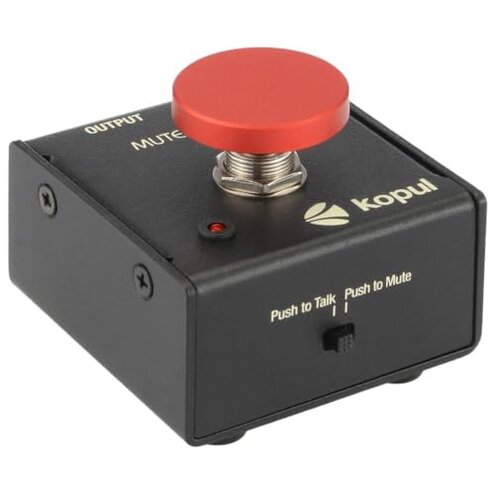
Product evaluated: KOPUL Momentary Microphone Mute/Talk Button – Push-to-Talk or Push-to-Mute, LED Indicator,XLR in/Out, Desktop or Footswitch Use, for Dynamic & Condenser Mics for Podcast, Online Meetings, Live Events
Related Videos For You
Always turn this privacy setting on. PS5 controller microphone. Mute button #dualsense #ps5
Microphone Mute Pedal // How-To | I Like To Make Stuff
Dozens of user reports were aggregated from written reviews, product Q&A posts, and video demonstrations collected between 2024-11 and 2026-01. Most feedback came from written reviews, supported by video demonstrations and a smaller set of Q&A notes. The summary highlights recurring issues and real-use failure moments.
| Feature | KOPUL Mute Button | Typical Mid-range Alternative |
|---|---|---|
| Muting reliability | Unreliable — commonly reported intermittent mutes and stuck states during live use. | Consistent — most mid-range units mute without unexpected drops during sessions. |
| LED accuracy | Misreports — LED often shows live when muted, a frequent complaint across sources. | Trustworthy — LEDs usually match actual mic state in comparable products. |
| Compatibility | Selective — reports show problems with some preamps and condenser setups during setup. | Flexible — typical alternatives work reliably with standard preamps and condenser mics. |
| Regret trigger | High — failures occur during meetings, recordings, or live streaming causing lost audio. | Lower — regret triggers are mainly minor inconveniences. |
| Durability | Mixed — build feels solid but switch longevity issues are commonly reported after repeated use. | More durable — many mid-range options tolerate frequent switching better. |
Top failures
Why does the mic sometimes stay muted or fail to unmute?
Primary frustration: Users report the unit intermittently stays muted or fails to re-open the mic during calls and recordings.
Pattern: This is a primary issue and appears repeatedly across written and video feedback.
When: The fault often appears during live sessions or after the first few uses and worsens with long, repeated switching.
Category contrast: This is more disruptive than expected for mid-range accessories because it causes lost audio rather than a simple nuisance click.
Why do I hear pops, clicks, or audio artifacts when toggling mute?
- Early sign: A sharp pop or click the first time you press the button after setup.
- Frequency tier: This is a secondary but commonly reported problem across demonstrations and user notes.
- When: Artifacts show up immediately after pressing and during long sessions with frequent toggling.
- Likely cause: Many users note the switch path and internal contacts produce a transient when interrupting the signal.
- Workaround: Temporarily lowering input gain before pressing often reduces the click but adds extra setup steps.
Why does the LED sometimes show the wrong status?
- Symptom: LED indicates the mic is live while the mic remains muted, or vice versa.
- Pattern: This is a secondary pattern seen across written reports and video checks.
- When: Misreporting frequently appears after initial setup and following cable re-plugs.
- Impact: Wrong LED state leads to accidental interruptions during calls and recordings.
- Attempts: Users commonly unplug/replug XLR to restore correct LED state, which temporarily fixes it.
- Category contrast: LED misreporting is worse than typical because it removes a reliable visual cue users depend on live.
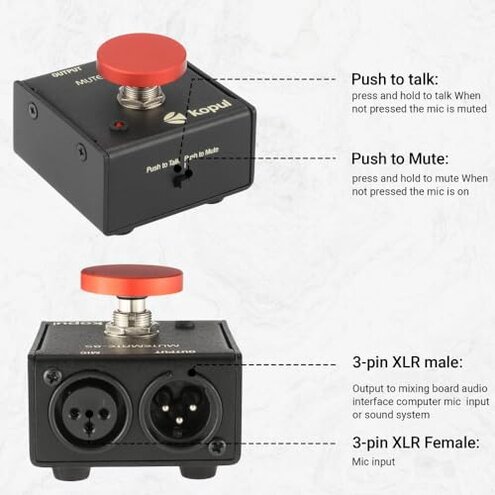
- Hidden requirement: Several users discovered that correct behavior requires placing the device before certain preamps or mixers; this placement is not obvious from the listing.
Why does the unit feel unreliable as a footswitch or desktop control?
- Stability: Some buyers report the unit slides or the rubber feet wear, impacting footswitch use.
- Frequency tier: This is an edge-case but persistent for purchasers using it as a floor switch.
- When: Issues appear after frequent foot presses or when used on carpeted floors.
- Impact: Mis-presses or slips can lead to unintended muting during performances.
- Attempts: Adding non-slip mats helps but increases setup time and cost.
- Fixability: Replacement switches or stronger feet are not user-serviceable in most cases.
- Category contrast: Less forgiving than typical mid-range footswitches that are built for repeated stomping without shifting.
- Hidden requirement: Buyers should expect to buy a small mat or adhesive feet for reliable floor use.
Illustrative excerpts (not actual quotes)
Illustrative: “Mic stayed muted mid-interview; had to unplug to fix.” — primary
Illustrative: “Loud click when I pushed it, ruined the take.” — secondary
Illustrative: “LED said live but no sound, confusing on stage.” — secondary
Who should avoid this
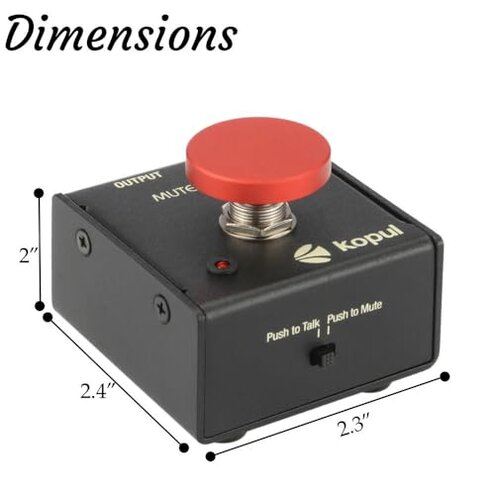
- Live performers who cannot tolerate unexpected muting during shows should avoid this unit due to common in-session failures.
- Podcasters who require click-free, immediate switching should avoid it because pops and misreports disrupt recordings.
- Users needing foolproof LED feedback should avoid this if a wrong visual state would cause mistakes.
Who this is actually good for
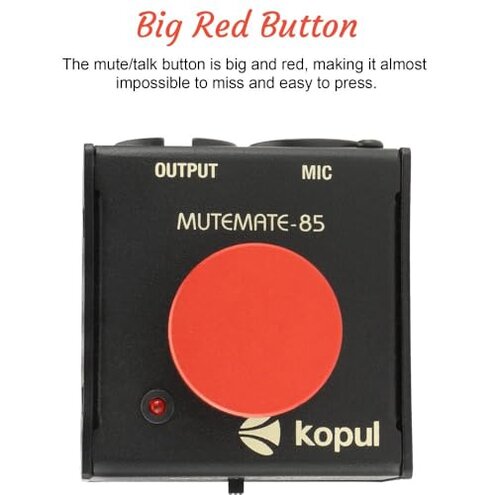
- Hobby streamers who can tolerate occasional re-plugs and extra setup might accept the trade-off for the price.
- Home podcasters willing to use gain-lowering workarounds can avoid clicks during editing.
- Desktop users who use it mainly as a talk button (not footswitch) and can monitor audio will manage the LED quirks.
Expectation vs reality
Expectation (reasonable for this category): Buyers expect a mid-range mute button to mute cleanly and show accurate LED state.
Reality: In reality, many users encounter intermittent muting, clicks, or LED misreporting that require extra fixes.
Impact: The extra troubleshooting and occasional re-plugs add setup time and increase the chance of live mistakes.
Safer alternatives
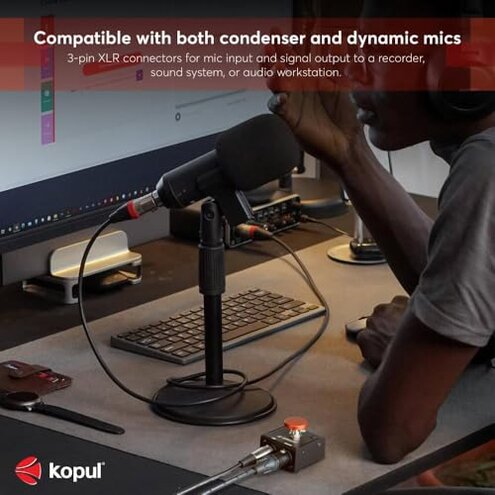
- Choose a unit with verified reliability by looking for products emphasizing switch lifespan and click-free muting in their specs.
- Prefer models with documented compatibility for condenser mics and phantom power to avoid placement and LED problems.
- Look for dedicated footswitches if you need floor use; they usually include anti-slip design and longer switch life.
- Check return policy and warranty terms to ensure quick replacement if your unit shows intermittent muting.
The bottom line
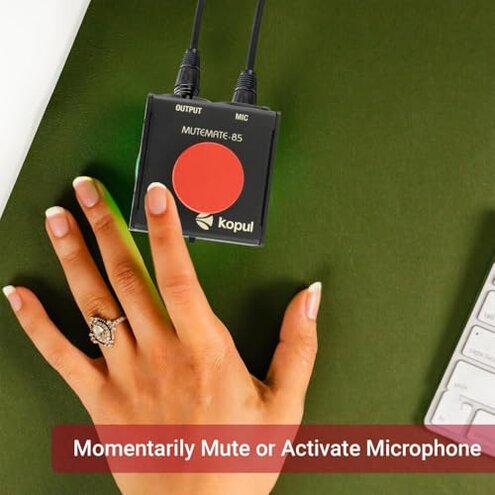
Main regret: The most common regret is intermittent muting that interrupts live calls and recordings.
Why it’s worse: This exceeds normal category risk because it turns a convenience tool into a potential failure point during critical moments.
Verdict: Avoid this product if you need dependable, worry-free muting; consider alternatives with proven switch reliability and clearer compatibility notes.
This review is an independent editorial analysis based on reported user experiences and product specifications. NegReview.com does not sell products.