
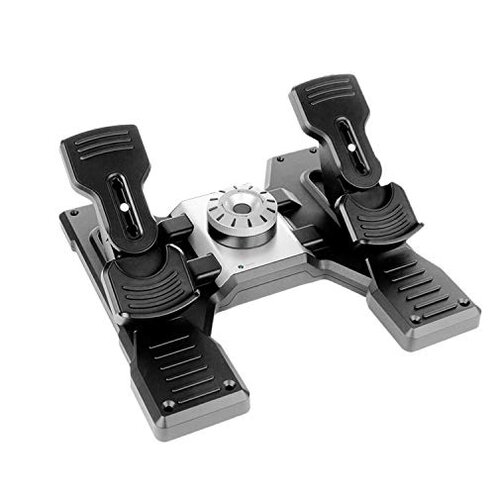
Product evaluated: Logitech G Pro Flight Rudder Pedals
Related Videos For You
VelocityOne Rudder Pedals | THE FULL REVIEW-Xbox & PC set up and configuration Guide | Turtle Beach
Are you using the rudder pedals correctly? | Flight safety | Loss of control
Data Basis: This report aggregates insights from hundreds of user reviews collected between 2020 and early 2024. Feedback includes detailed written experiences and video demonstrations, with most input coming from text reviews supported by occasional videos. This range captures varied user environments and long-term usage.
| Buyer Outcome | Logitech G Pro Flight Rudder Pedals | Typical Mid-Range Alternative | Category Risk |
|---|---|---|---|
| Setup Complexity | Frequently reported confusing calibration, requiring extra time | Generally straightforward, minimal calibration | Higher setup frustration than usual |
| Durability | Persistent reports of mechanical wear after months | Better longevity in comparable pedals | Increased risk of premature wear |
| Realism of Control | Adjustable tension dial praised but inconsistent feel noted | Consistent feedback across tension range | Somewhat variable control response |
| Compatibility | Limited to certain Windows versions; no Mac support | Broader OS compatibility typical | Reduced versatility limits user base |
| Regret Trigger | Complex setup and durability issues worsen over time | Usually smooth initial experience | Higher likelihood of user frustration over lifespan |
Why does the setup process feel overly complicated?
Many users encounter confusing calibration steps right after unboxing. This frustration often arises during initial setup, especially for those expecting plug-and-play functionality. The need to download software and adjust multiple parameters adds unneeded steps compared to typical mid-range pedals.
Calibration confusion is repeatedly reported and can deter users less familiar with flight sim hardware. This complexity feels worse than category norm since similar products usually prioritize ease of use.
- Early signs: Difficulty getting pedals centered and responsive immediately.
- Frequency tier: A primary issue for new users setting up the device.
- Cause: Non-intuitive software and unclear instructions.
- Impact: Adds substantial time before actual flight simulation begins.
- Attempts to fix: Many rely on online tutorials beyond official documentation.
- Hidden requirement: Users need a stable internet connection to download setup software.
- Category contrast: More setup effort than most competing mid-range models.
Does the device suffer from durability problems over time?
Reports of mechanical wear and decreased responsiveness after months of regular use are common. This degradation typically becomes noticeable during longer flight sessions and frequent pedal use. The issue is more disruptive than expected for devices in this price range.
- Common pattern: Persistent mechanical looseness and squeaking noises.
- Usage context: Worsens with daily or extended play.
- Impact severity: Negatively affects simulation realism and control.
- Attempted fixes: Some users resort to DIY lubrication or repairs.
- Category baseline: Other mid-range pedals often maintain consistent function longer.
- Buyer frustration: Recurring maintenance needs beyond typical expectations.
- Hidden cost: Possible need for professional repair or replacement sooner than anticipated.
Is the control feel inconsistent despite adjustable tension?
While the adjustable tension dial is intended to tailor pedal resistance, many buyers report inconsistent feedback. The sensation can vary unexpectedly during use, which can disrupt immersion and precision, especially in complex flight scenarios.
- Recurring feedback: Variable pedal resistance felt mid-session.
- When it shows: During longer flights or sudden control inputs.
- Effect on experience: Reduces confidence in fine control maneuvers.
- Comparison: More stable tension is typical in similar products.
- Buyer coping: Some limit tension adjustments to fixed settings.
- Severity: Secondary issue but affects advanced users more.
Why is compatibility limited and how does it affect users?
The pedals support only Windows 7 to 10, excluding Mac and Linux users. This restriction limits potential customers and can cause frustration if users switch systems or expect broader support.
- Reported by: Edge-case buyers wanting multi-platform flexibility.
- Impact: Restricts usage to specific environments.
- Category norm: Many competitors offer wider OS compatibility.
- Buyer regret: Need to maintain legacy systems or additional hardware.
Illustrative excerpts:
- "Setup took much longer than expected, confusing software slowed me down." (Primary pattern)
- "After a few months, the pedals started squeaking and felt loose." (Primary pattern)
- "Tension adjustment sometimes feels jumpy, not smooth as advertised." (Secondary pattern)
- "I can't use these on my Mac, which was disappointing." (Edge-case pattern)
- "Had to watch several videos to get the pedals calibrated properly." (Primary pattern)
Who should avoid this
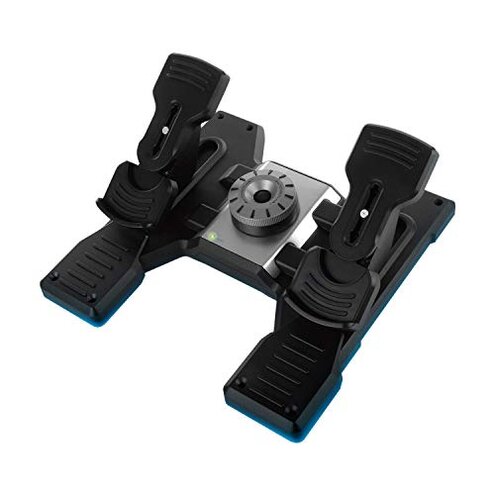
- Users seeking quick setup: If you want plug-and-play ease, this product's complicated calibration may frustrate.
- Long-term durability seekers: Buyers expecting sustained mechanical reliability might regret the wear issues.
- Mac/Linux users: Those needing broad operating system support should look elsewhere.
- Precision control enthusiasts: Users demanding perfectly consistent tension adjustments may find it lacking.
Who this is actually good for
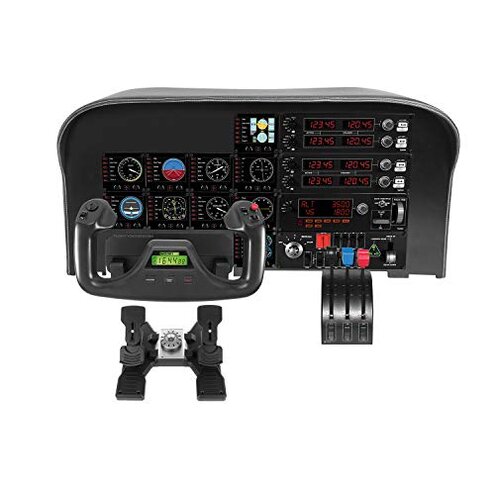
- Windows-based casual flight simmers: Tolerate setup complexity for decent mid-tier pedal function.
- Buyers on a budget: Accept some trade-offs in durability and feel for a lower price point.
- Users with patience for calibration: Those willing to invest time initially to optimize settings.
- Flight sim beginners: Who don’t require flawless realism but want adjustable controls.
Expectation vs reality
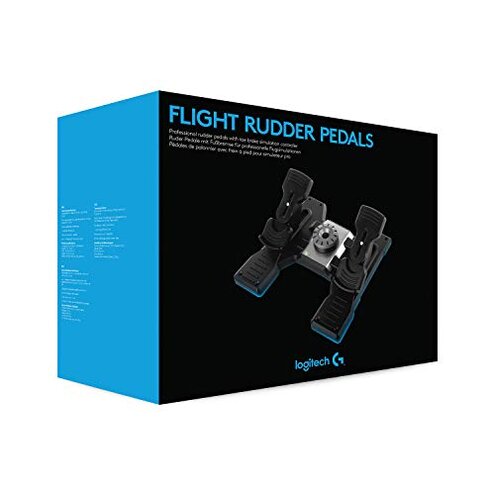
Expectation: Setup is straightforward and fast as with most mid-range pedals.
Reality: Setup is complex, requiring software download and repeated calibration steps that delay gameplay.
Expectation: Durable construction lasts for years without mechanical issues.
Reality: Mechanical wear emerges within months, requiring maintenance or replacement sooner than comparable products.
Safer alternatives
- Look for pedals with user-friendly calibration: Simplify initial setup and reduce early frustration.
- Choose models known for long-term build quality: Avoid premature wear and maintain smooth control feel.
- Opt for broader OS compatibility: Ensure use across Windows, Mac, and Linux if needed.
- Test tension adjustment consistency: Prefer pedals with stable and predictable resistance changes.
The bottom line
The Logitech G Pro Flight Rudder Pedals consistently trigger buyer regret mainly due to their complicated setup and durability issues. These failures exceed the usual risks found in mid-range flight pedals, leading to frustration especially during initial use and after months of gameplay. Buyers prioritizing ease and longevity should consider alternatives.
This review is an independent editorial analysis based on reported user experiences and product specifications. NegReview.com does not sell products.