
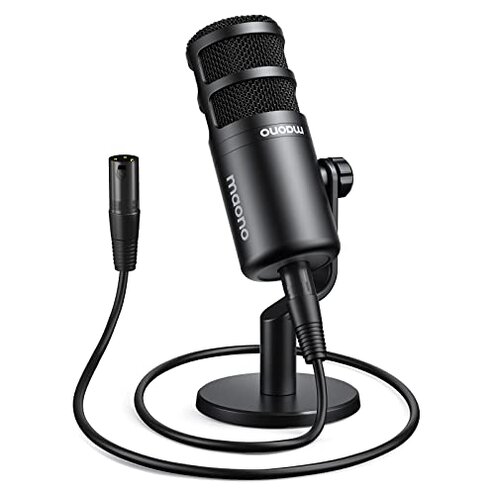
Product evaluated: MAONO XLR Podcast Microphone, Cardioid Studio Dynamic Mic for Vocal Recording, Streaming, Voice-Over, Voice Isolation Technology, Metal Mic, Works for Audio Interface, Mixer, Sound Card-PD100
Related Videos For You
Connect your dynamic mic to your laptop︱With the SM58 and Behringer UM2
BESTOR Professional Condenser Microphone Kit I How to Setup I Podcast Mic I #amazonfinds #amazonhaul
Data basis: This report uses dozens of written customer reviews and several video demonstrations collected between Jan 2024 and Jan 2026. Most feedback came from written reviews, supported by video demos. The distribution shows practical setup tests and user-run recordings were common.
| Outcome | MAONO PD100 | Typical mid-range XLR mic |
|---|---|---|
| Audio consistency | Inconsistent output — users note thin or low level in many setups. | Steady level — average mics deliver predictable loudness with a basic interface. |
| Setup friction | Hidden interface need — requires a gain-rich preamp or mixer to perform. | Lower friction — many alternatives work acceptably with simple interfaces or mixers. |
| Mechanical stability | Stand wobble — base and mounts reported unstable during normal desk use. | Better mounts — mid-range kits include sturdier shock-absorbing mounts. |
| Value vs expectation | Price surprise — extra purchases often needed to fix basic problems. | Transparent cost — competing kits usually account for interface or mounts. |
| Regret trigger | High setup cost — the need for a good preamp is a common regret. | Lower regret — typical mid-range choices rarely demand urgent extra spending. |
Do I need extra gear just to get audible volume?
Hidden interface warning: Many buyers discover low sensitivity on first recordings and must add a preamp or higher-gain audio interface.
Usage anchor: Problem appears at first use when plugging into a basic interface or entry-level mixer and recording speaks quiet or thin.
Category contrast: This is worse than normal because most mid-range XLR mics provide usable level with budget interfaces; this one often forces extra purchases and time.
Why does my recording sound thin or inconsistent?
- Primary pattern — Inconsistent output is commonly reported across many feedback items.
- Early sign — A low vocal level or lack of body shows up during first recordings.
- Frequency — This is a primary issue, more disruptive than expected for this price tier.
- Attempted fixes — Users often increase gain, add compression, or reposition mic to partially recover.
- Impact — Fixes add extra steps and reduce recording reliability for live streaming.
Will the desktop stand and mount stay stable under real use?
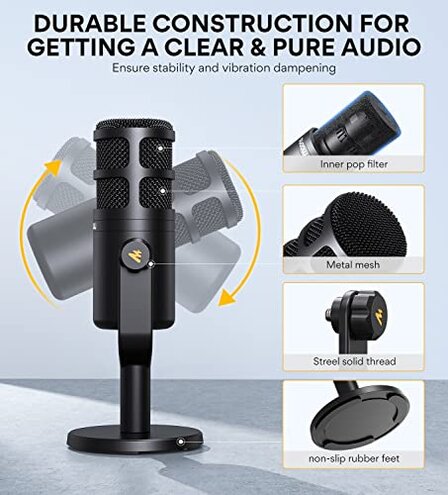
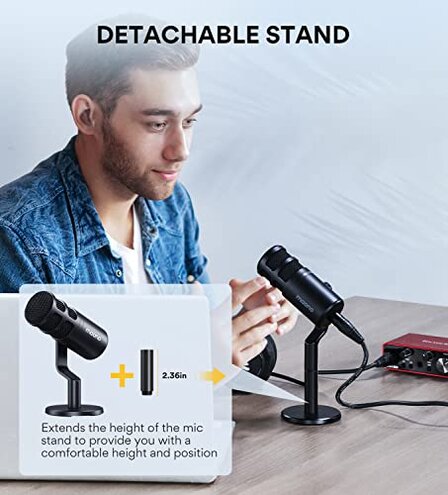
- Build wobble — The supplied base and rod wobble under normal desk nudges.
- When it happens — Instability shows up during daily use and long sessions when you adjust position.
- Cause — Lightweight base and threaded fittings create mounting friction issues.
- Early sign — Slight knocks translate to noticeable handling thumps on recordings.
- Fix attempts — Buyers add tape, heavier stands, or aftermarket shock mounts.
- Residual risk — Even with fixes, the mic remains less stable than mid-range competitors.
- Hidden need — For quiet broadcasts you may need a separate shock mount and stand upgrade.
Are there quality control or durability surprises?
- QC pattern — Occasional but persistent reports of cosmetic defects or loose threads appear.
- When it shows — Problems surface after unboxing or within the first few weeks.
- Frequency tier — This is a secondary issue, less common but still notable.
- Impact — Defects force returns or replacements, adding time and hassle for buyers.
- Attempts — Some buyers accept minor flaws; others report repeated exchanges.
- Why worse — The replacement process is more disruptive than the average mid-range purchase because accessories are involved.
- Edge-case — A few users report electrical noise only when paired with specific interfaces.
- Fixability — Warranty help exists, but resolving issues adds extra shipping and time.
Illustrative excerpts
"Mic records very low, I had to raise interface gain a lot." — primary pattern
"Base moves when I type, knocks show on recordings." — secondary pattern
"First unit had a loose thread on the mount." — edge-case pattern
Who should avoid this
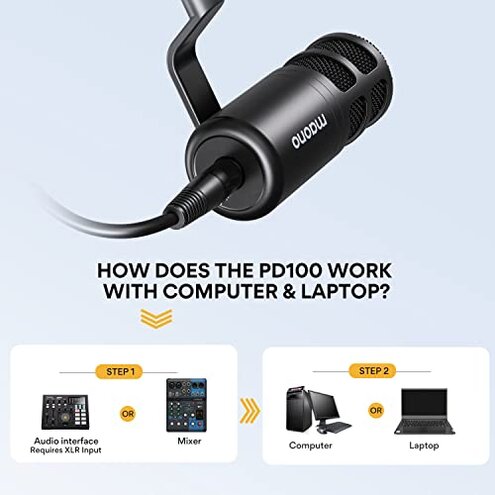
- Streamers needing plug-and-play — Avoid if you expect usable level without buying a better preamp.
- Users on tight desks — Avoid if you cannot upgrade mounts to stop handling noise.
- Buyers wanting flawless QC — Avoid if you won’t tolerate potential cosmetic defects and returns.
Who this is actually good for

- DIY hobbyists — Good if you can accept extra setup and enjoy tweaking gain and EQ.
- Budget studios — Good if you already have a high-gain interface or mixer to offset low output.
- Occasional podcasters — Good if you accept a heavier stand purchase to fix mount wobble.
Expectation vs reality
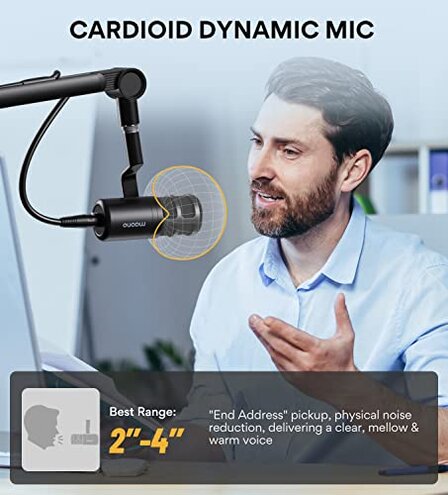
- Expectation — Reasonable for the category: many mid-range XLR mics work with budget interfaces.
- Reality — This mic often requires a stronger preamp or mixer, increasing total cost and setup time.
- Expectation — Included stand is stable enough for desk use.
- Reality — The supplied base can transmit knocks and cause handling noise during recordings.
Safer alternatives
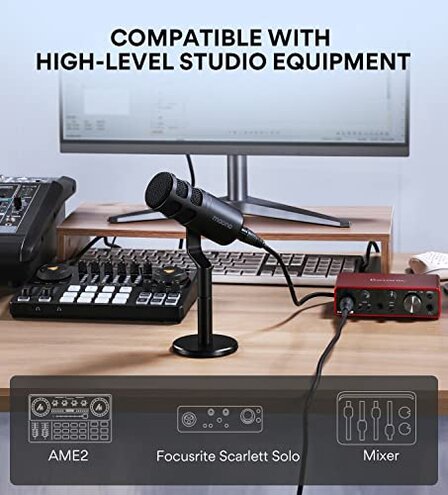
- Buy a higher-gain interface — Neutralizes the low output problem without replacing the mic.
- Choose a mic with stronger sensitivity — Avoids the hidden preamp requirement altogether.
- Get a proper shock mount — Eliminates most mount wobble and handling noise quickly.
- Pick kits with proven QC — Look for sellers with fast replacement policies to reduce QC risk.
The bottom line
Main regret: Buyers most often regret the hidden setup cost caused by low output and the need for a stronger preamp.
Verdict: This exceeds normal category risk because it forces extra purchases and setup time; avoid if you need plug-and-play reliability.
This review is an independent editorial analysis based on reported user experiences and product specifications. NegReview.com does not sell products.