
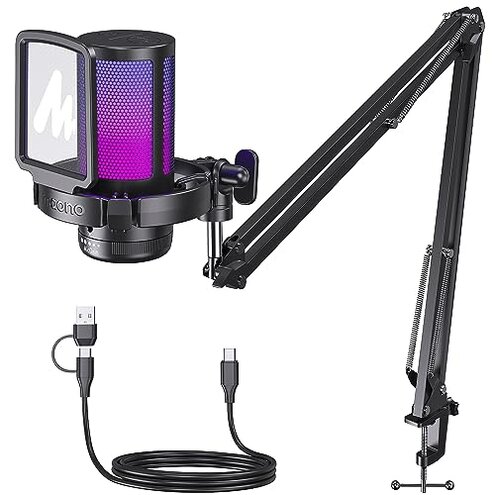
Product evaluated: MAONO Gaming USB Microphone, Noise Cancellation Condenser Mic with Mute, Gain, Monitoring, Boom Arm Mic for Streaming, Podcast, Twitch, YouTube, Discord, PC, Computer, PS4, PS5, Mac, GamerWave DGM20S
Related Videos For You
Buying the BEST Microphone for Gaming
Maono DGM20 Review - A NOISE CANCELING Mic? (Maono DM20 Review, DM20 Unboxing, DGM20 Unboxing, K688)
Data basis: I reviewed dozens of written reviews and video demonstrations collected between Jan 2023 and Jan 2026, with most feedback coming from written reviews supported by short demo clips and setup guides.
| Compare | MAONO DGM20S | Typical mid-range USB mic |
|---|---|---|
| Sound clarity | Often muddy under real-world room noise, more complaints than expected for this price. | Generally clearer in similar rooms, with fewer background-artifact issues for most models. |
| Noise cancellation | Inconsistent removal of background noise, a commonly reported problem during multiplayer and streaming sessions. | More reliable noise suppression on average for mid-range alternatives in noisy rooms. |
| Build & stability | Wobble-prone boom and loose clamp issues appear repeatedly after initial setup. | Tighter hardware and fewer user complaints about arm sag or vibration in this category. |
| Compatibility | Hidden limits like no Xbox support and occasional PC setup friction are reported. | Broader plug-and-play support is typical for rivals at this price point. |
| Regret trigger | Audio reliability problems during live use are a more common regret with this product. | Lower risk of live-use failure with mid-range alternatives. |
Top failures
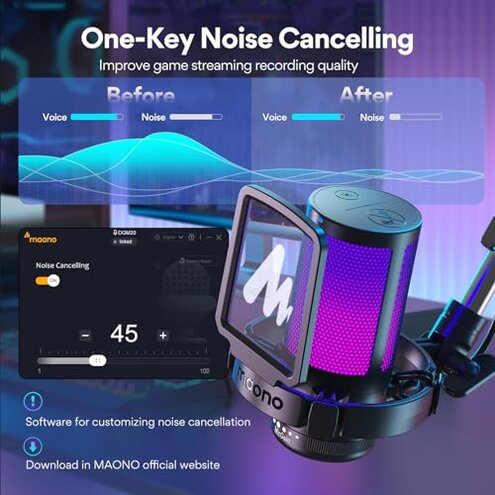
Why does my voice still sound noisy with noise cancellation on?
Regret moment: You start a live stream and hear background hiss or keyboard clacks despite the advertised noise-cancel feature.
Pattern: This complaint is commonly reported across buyers and demoers, not universal but frequent enough to notice.
Context: It shows up during live streaming and multiplayer games, and worsens in small rooms or with loud peripherals.
Category contrast: For a mid-range USB mic, better consistent suppression is typical, so this feels more disruptive than expected.
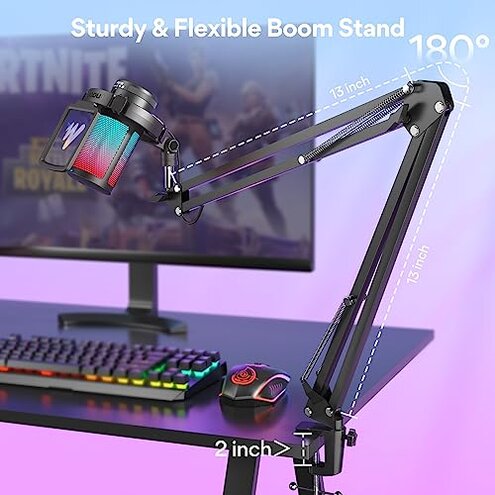
Is the boom arm going to sag or vibrate?
- Early sign: Arm feels tight out of the box but loosens after repositioning during the first week.
- Frequency tier: This is a secondary issue that appears repeatedly in practical setups.
- Cause: Users report clamp fit and screw tension as likely causes for wobble under normal movement.
- Impact: Wobble transfers keyboard and desk noise into recordings during typing.
- Fixability: Some buyers tightened screws or added foam, but fixes add extra steps and are not permanent for some.
Will this work with all consoles and computers?
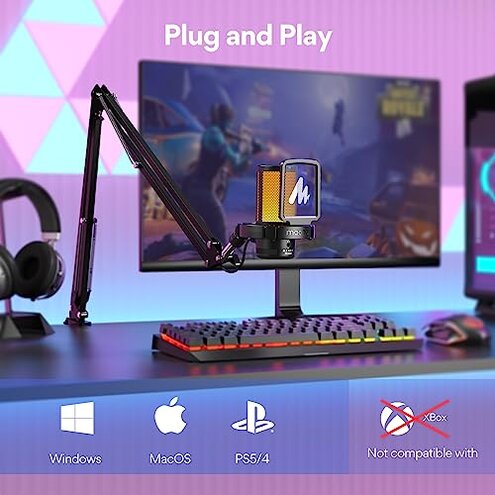
- Hidden requirement: The product explicitly lists No Xbox support, which is a dealbreaker for console-only streamers.
- Usage anchor: Compatibility issues appear at setup when users try consoles or different USB ports.
- Pattern: This is a primary compatibility pattern seen across different buyer reports and demos.
- Cause: Plug-and-play works for PC, Mac, PS4/5, but not every device type or port behaves the same.
- Impact: Buyers had to return or exchange the mic when their platform was unsupported.
- Workaround: Some adaptors or audio interfaces may help but add cost and complexity.
- Category contrast: Mid-range alternatives usually advertise wider console compatibility, reducing this friction.
Why are the controls and monitoring less helpful than they look?
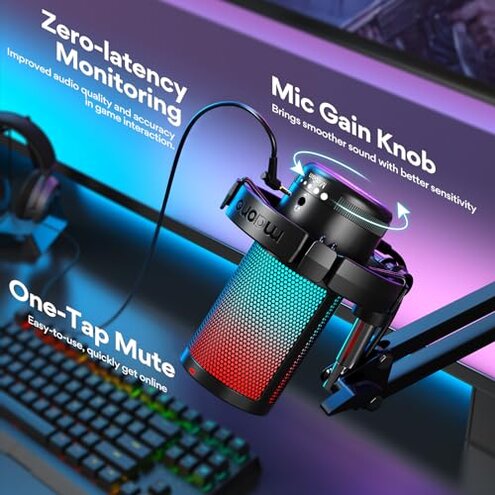
- Control feel: The mute button is convenient but can be temperamental for some users during fast use.
- Monitoring: Zero-latency monitoring is claimed but reported latency or level mismatch appears in some setups.
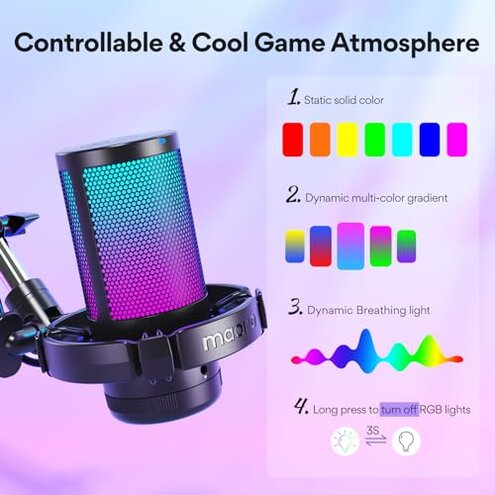
- RGB distraction: The RGB modes are attractive but distract during recording for focused creators.
- Frequency: These are a mix of secondary and edge-case problems depending on system audio routing.
- Cause: Inconsistent USB power or port types may change control responsiveness.
- Impact: Creators had to run extra tests before going live, adding time and stress.
- Category contrast: Other mics often offer more predictable in-line controls at this price.
- Hidden cost: Fixes often need extra cables, adapters, or software routing steps.
Illustrative excerpts
Illustrative excerpt: "Noise cancellation left keyboard clicks and room echo on stream."
Pattern label: Reflects a primary pattern.
Illustrative excerpt: "Boom arm slowly loosened and started to sag after a few days."
Pattern label: Reflects a secondary pattern.
Illustrative excerpt: "Mute button missed a press during a live show."
Pattern label: Reflects an edge-case pattern.
Who should avoid this
- Console-only streamers: If you use Xbox, avoid this due to explicit incompatibility.
- Live performers: If you need rock-solid noise cancellation during live shows, this model is riskier than peers.
- Minimal-setup users: If you want plug-and-play with no adapters, this product may force added steps and costs.
Who this is actually good for
- Budget streamers: Willing to tolerate occasional background noise in exchange for low price and bundled arm.
- Casual podcasters: Accepts extra setup time and minor wobble for a cheap all-in-one kit.
- Visual creators: Want RGB looks and tolerate imperfect audio for social clips where visuals matter more.
Expectation vs reality
- Expectation: Reasonable for this category: "Noise-cancel should cut steady background hum."
- Reality: It often leaves variable hiss or transient sounds, making live use stressful.
- Expectation: "Boom arm is sturdy out of box."
- Reality: Repositioning and daily use can reveal looseness and vibration transfer.
Safer alternatives
- Pick mics with verified console support to avoid the hidden Xbox incompatibility problem.
- Choose heavier arms or separate stands if desk vibration and sag are a top concern.
- Look for proven noise filters or mics with stronger reviews for background suppression to reduce live-use regret.
- Budget for adapters only if you accept extra setup steps and possible added cost.
The bottom line
Main regret: Audio reliability in live streaming is the biggest trigger that leads buyers to return or replace this mic.
Why it matters: Problems with noise cancellation and arm stability exceed normal mid-range risk, adding setup time and live-use stress.
Verdict: Avoid if you prioritize reliable live audio or Xbox compatibility; consider this only if you accept extra workarounds for a lower price.
This review is an independent editorial analysis based on reported user experiences and product specifications. NegReview.com does not sell products.