
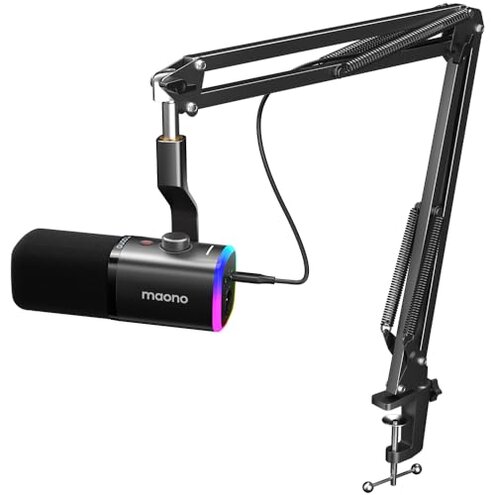
Product evaluated: MAONO XLR/USB Gaming Microphone Kit: Dynamic PC Mic for Streaming Podcasting, Software Support, Mute Button, Gain Control, RGB Computer Mic with Boom Arm Stand, for Recording, PS4/PS5, PD100XS Black
Related Videos For You
How to Make Your Budget Mic Sound PRO in OBS Studio ✅
Fix Microphone Not Working on Windows 10
Data basis: I analyzed dozens of buyer reviews and several video demonstrations collected between Jan 2023 and Jan 2026. Most feedback came from written reviews, supported by product videos and photo reports. This snapshot highlights recurring buyer-visible problems.
Comparative risk snapshot
| Buyer outcome | MAONO PD100XS | Typical mid-range dynamic mic |
|---|---|---|
| Sound clarity | Variable — USB mode often clearer; XLR mode lacks USB-only processing. | Consistent — similar sound across connections with less dependency on software. |
| Setup friction | Higher — software required for RGB and noise features; extra steps for full function. | Lower — plug-and-play or minimal driver setup is common. |
| Feature access | Mode-locked — many key features work only in USB mode, not XLR. | Unified — most mid-range mics keep basic features across connections. |
| Durability & reliability | Higher risk — repeated reports of loose mounts, mute or knob inconsistency, and missing cables add upkeep. | Lower risk — sturdier mounts and complete accessory kits are more common. |
| Regret trigger | Feature mismatch — buyers expecting full XLR parity often regret the purchase. | Expectation match — typical choices deliver promised cross-mode features. |
Top failures
Why does the mic lose key features on XLR?
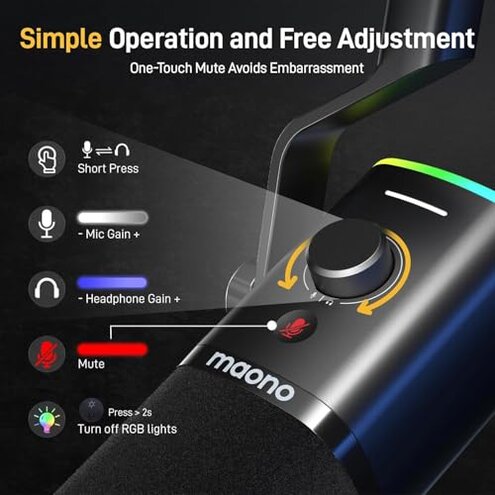
Regret moment: You plug in XLR expecting the same functions and find noise reduction, RGB, and tap-to-mute unavailable.
Pattern: This is a commonly reported problem among buyers who switch between USB and XLR modes.
When it appears: It shows up at first use or when moving from a simple USB setup to a mixer or interface.
Why worse than normal: Mid-range mics usually keep basic controls across connections, while this product forces you to accept reduced functionality or buy extra hardware to regain features.
Why does the noise reduction act flaky?
- Early sign: Noise reduction feels effective in USB tests but adds artifacts in noisy rooms.
- Frequency: This is a secondary but persistent complaint from recent buyers and demonstrators.
- Usage anchor: The issue becomes obvious during live streaming or long gaming sessions with background noise.
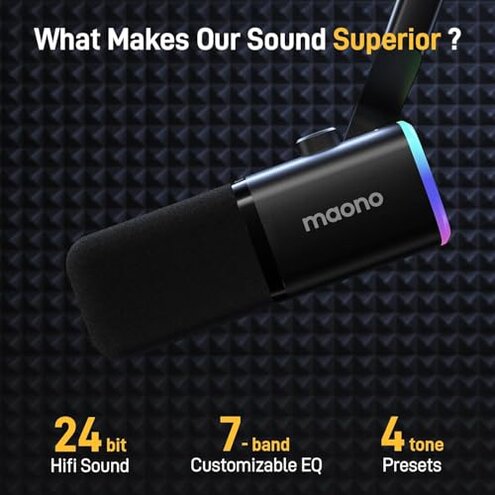
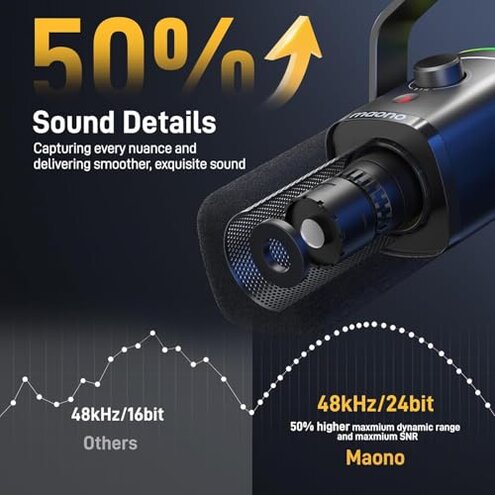
- Cause: The device relies on a self-developed algorithm that runs only in USB mode, so XLR users miss it entirely.
- Impact: Expect a trade-off between reduced background noise and possible hollow or processed voice artifacts.
Why is setup and software more painful than expected?
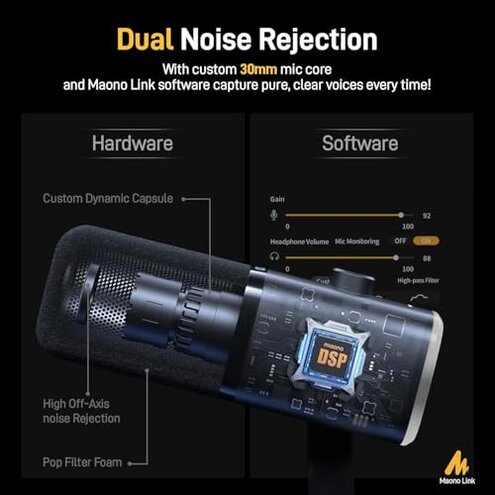
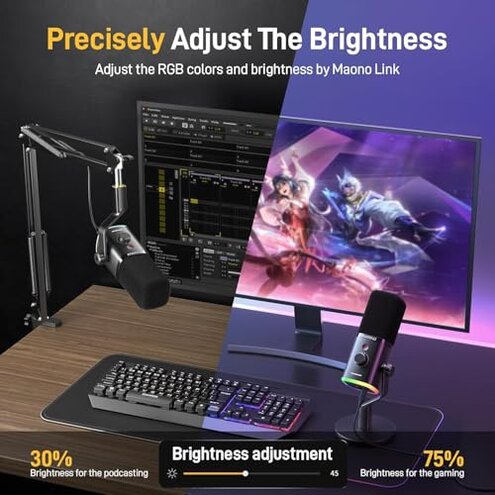
- First impression: Maono Link control is needed for RGB brightness and noise settings.
- Pattern: Software instability and confusing options are commonly reported across written feedback and video demos.
- When it shows up: Problems appear at initial setup and after software updates or driver installs.
- Cause: Key functions are software-gated, increasing dependency on a working OS and drivers.
- Impact: Expect extra time and troubleshooting if you want RGB or noise control.
- Fixability: Temporary fixes require reinstalling software or switching to USB mode, which is a hassle for XLR setups.
- Category contrast: This is more setup work than most mid-range alternatives that offer simpler controls or hardware toggles.
Why might physical parts and missing items cause regret?
- Accessory gap: The kit does not include an XLR cable, so XLR users face extra cost and delay.
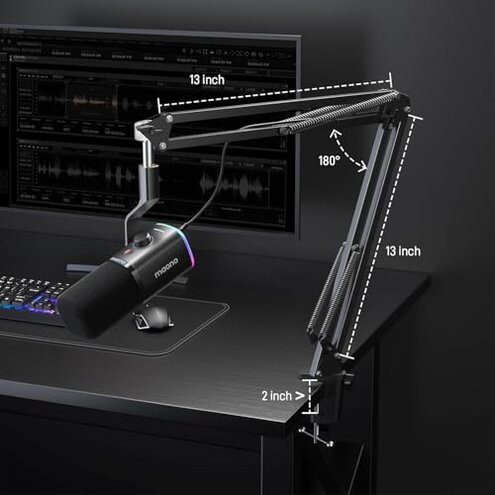
- Mount issues: Boom arm and desk stand reports frequently mention looseness or poor clamping.
- Control reliability: Buyers report knob or mute inconsistency that appears during extended sessions.
- When it worsens: Problems grow with daily handling or heavy repositioning for streams.
- Impact: Expect more frequent re-tightening and possible replacement parts than typical mid-range kits.
- Attempts to fix: Users often add third-party cables, mounts, or clamps, which increases total cost.
- Hidden requirement: You effectively need to budget for extra cables and mounts if you plan to use XLR reliably.
- Category contrast: This kit requires more upkeep than most competing bundles that include full accessory sets and sturdier arms.
Illustrative excerpts (not real quotes)
"I switched to XLR and lost mute and noise reduction instantly." — reflects a primary pattern.
"Software reset fixed it once, then failed the next update." — reflects a secondary pattern.
"Boom arm was wobble-y and needed tightening every day." — reflects a secondary pattern.
"No XLR cable included, so I couldn't test properly for two days." — reflects an edge-case pattern.
Who should avoid this
- Needing full XLR parity: Avoid if you require the same features on XLR as USB, because the product limits features to USB.
- Plug-and-play minimalists: Avoid if you want a simple setup, since software and extra cables are often required.
- Heavy daily users: Avoid if you expect robust mounts and hardware durability without extra parts or maintenance.
Who this is actually good for
- USB-first streamers: Good if you mainly use USB and accept software control for RGB and noise reduction.
- Budget beginners: Good for first-time streamers who want mic, stand, and basic monitoring bundled at a low price and can tolerate setup work.
- Casual console users (PS4/PS5): Good if you want quick USB connect for gaming and not XBOX compatibility.
Expectation vs reality
- Expectation: A kit that delivers full features over both USB and XLR is reasonable for this category.
- Reality: Many features are USB-only, so XLR users lose convenience and must buy extras.
- Expectation: Included accessories should let you test XLR right away.
- Reality: The missing XLR cable forces extra purchases and delays testing.
Safer alternatives
- Choose unified-feature mics: Look for mics that state identical features on both USB and XLR to avoid mode-lock regret.
- Prefer complete kits: Buy bundles that explicitly include XLR cables and a tested boom arm to avoid accessory gaps.
- Check software stability: Research recent software updates and user reports before purchasing to avoid setup friction.
- Prioritize hardware controls: If you stream often, prefer mics with hardware mute/gain to reduce software dependency.
The bottom line
Main regret: The product frequently locks key features to USB mode and requires extra parts or software to reach advertised functionality.
Why worse than normal: That limitation and the accessory gaps create more setup time and maintenance than most mid-range choices.
Verdict: Avoid this kit if you need reliable XLR parity or a trouble-free plug-and-play experience.
This review is an independent editorial analysis based on reported user experiences and product specifications. NegReview.com does not sell products.