
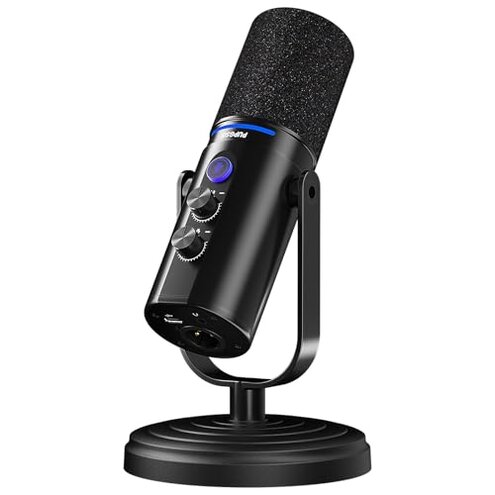
Product evaluated: MAONO XLR/USB Dynamic Microphone Kit, RGB Podcast Mic with Software, Mute, Gain Knob, Volume Control, Boom Arm for Streaming, Gaming, Voice-Over, Recording-PD200XS Black
Related Videos For You
You Can Use an XLR Mic with Smartphones
A solid option for podcasting. Fifine K688 Dynamic USB and XLR microphone. #microphone #podcast
Data basis: We analyzed dozens of written reviews and hands-on video demonstrations collected between Dec 2023 and Jan 2026, with most feedback coming from written reviews supported by visual demos.
| Outcome | MAONO PD200XS | Typical mid-range mic |
|---|---|---|
| Setup friction | Higher — software-only features in USB mode create extra steps for XLR use. | Lower — most rivals keep parity between interfaces for plug-and-play use. |
| Audio reliability | Mixed — recurring reports of inconsistent levels and noise when switching modes. | Consistent — mid-range alternatives usually show steadier analog/XLR behavior. |
| Hidden requirements | Present — XLR cable not included and advanced features need USB+software. | Minimal — many competitors include required cables and equal feature access. |
| Regret trigger | High — lost features during XLR use are more disruptive than expected for this category. | Lower — typical regret stems from minor setup, not missing core features. |
Why do core features vanish when I switch to XLR?
Regret moment: Buyers expect the same controls on XLR and USB, but the software features only work in USB mode.
Pattern: This is a commonly reported issue and appears repeatedly across feedback.
When it shows up: It appears after setup when users switch from plug-and-play USB to XLR for mixers or interfaces.
Category contrast: Worse than the category baseline because most mid-range mics keep essential controls available on XLR or document limits clearly.
Why does the boom arm feel unstable or fail?
- Early sign: The arm sags or loosens within days of regular repositioning.
- Frequency tier: This is a secondary complaint seen in multiple hands-on reports.
- Likely cause: Tightening hardware and mount fit issues are commonly cited by buyers.
- Impact: The mic moves mid-session, which disrupts recordings and streams.
- Fixability: Some users manage by re-tightening fasteners or adding clamps, but this adds time and tools.
Why is the MAONO software unpredictable?
- Pattern: Software instability is persistent for several users rather than isolated.
- When it occurs: Problems appear during first setup or after driver updates in USB mode.
- Early sign: Controls like EQ, compressor, and RGB fail to save or respond reliably.
- Cause hint: Users report disconnects when toggling USB vs hardware inputs.
- Impact: This makes tuning sound unpredictable for live streams or timed recordings.
- Attempted fixes: Reinstalling software and rebooting are commonly tried but not always effective.
- Category contrast: More annoying than typical audio software hiccups because these features are marketed as core benefits.
Why does audio level and noise behave inconsistently?
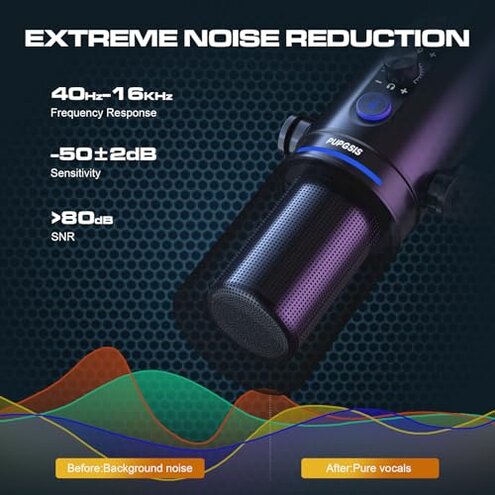
- Primary sign: Recordings show uneven volume or background hiss across USB and XLR modes.
- Frequency tier: This is a primary complaint that appears across many user reports.
- When it appears: Issues happen during daily use, often when switching equipment or cables.
- Cause clues: Users point to gain control quirks and missing XLR cable as part of the problem.
- Impact: The result is extra editing time and unpredictable live performance quality.
- Attempted mitigation: Some buyers add external preamps or change cables to reduce noise.
- Fixability: The fixes add cost and complexity, making this more disruptive than expected for mid-range kits.
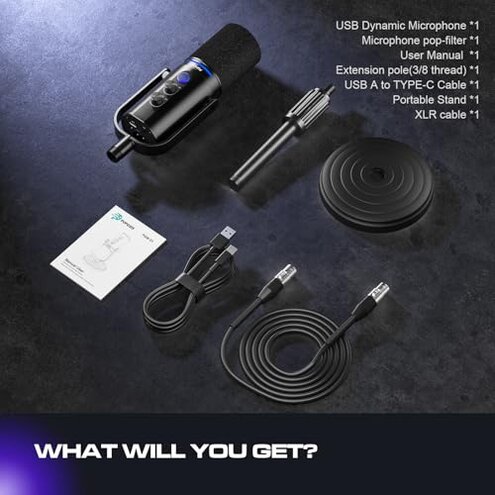
- Hidden requirement: XLR use often needs an extra cable and interface, which buyers did not expect.
Illustrative excerpts
Illustrative: "Software only worked on USB; XLR felt like a stripped-down mic." — Primary pattern.
Illustrative: "Boom arm loosened after a week of daily shifting." — Secondary pattern.
Illustrative: "Had to buy an XLR cable and preamp to fix noise." — Primary pattern.
Who should avoid this
- Live streamers who need reliable XLR functionality without extra hardware.
- Users who expect full software parity between USB and XLR modes.
- Buyers wanting a ready-to-use XLR kit without buying additional cables or preamps.
Who this is actually good for
- USB-only creators who want software tuning and RGB and will not use XLR.
- Budget streamers willing to tolerate software quirks for a lower price point.
- Hobbyists who can accept extra setup steps like buying cables or re-tightening the boom arm.
Expectation vs reality
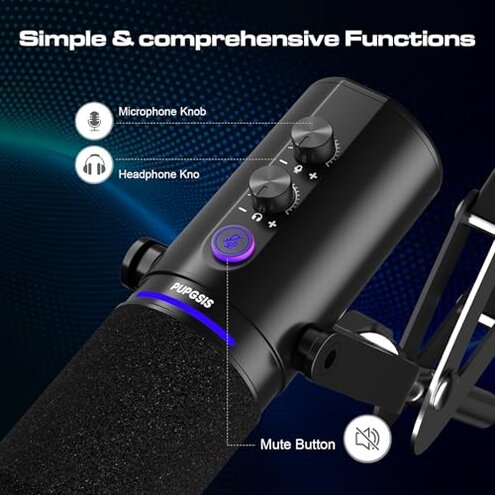
- Expectation: Full feature parity across USB and XLR as reasonable for mid-range mics.
- Reality: Advanced features require USB and the manufacturer's software, leaving XLR users with reduced control.
- Expectation: Included cables and solid mounts are standard at this price.
- Reality: The kit omits an XLR cable and has recurring boom-arm fit issues for some buyers.
Safer alternatives
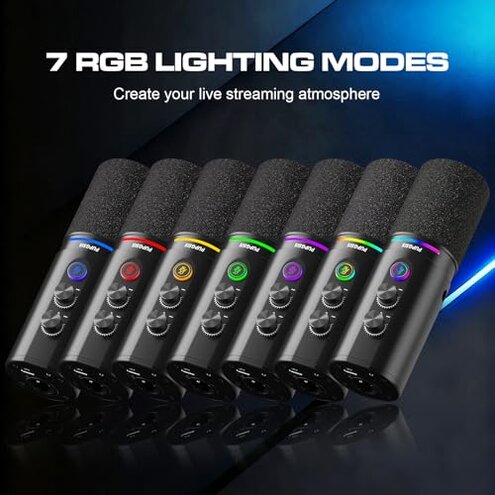
- Prefer full XLR use: Choose a mic that explicitly lists identical feature support for USB and XLR.
- Avoid hidden cables: Buy kits that include XLR cables and adapters to prevent surprise purchases.
- Stability matters: Look for boom arms with metal clamps and user images showing long-term stability.
- Software reliability: Pick brands with a track record of consistent driver updates and clear changelogs.
The bottom line
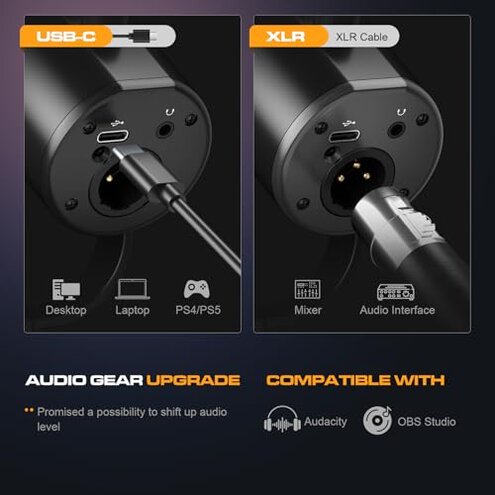
Main regret: The kit's software-limited features and missing XLR inclusions are the chief causes of buyer disappointment.
Why it matters: These failures create more setup time and unpredictability than typical mid-range microphone kits.
Verdict: Avoid this if you need reliable XLR performance out of the box; consider it only for USB-only, budget setups.
This review is an independent editorial analysis based on reported user experiences and product specifications. NegReview.com does not sell products.