
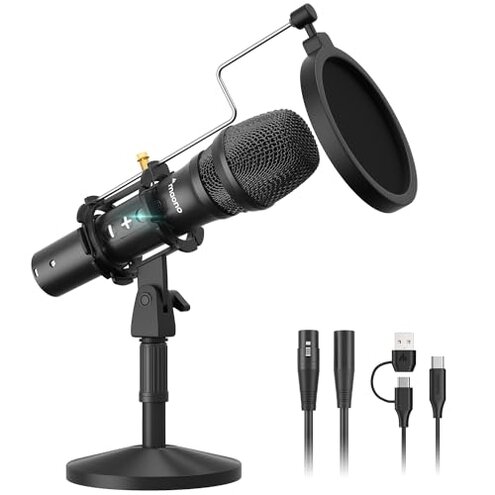
Product evaluated: MAONO USB/XLR Podcast Dynamic Microphone, Studio Mic Kit with Volume Control, Shock Mount, Pop Filter, Ideal for Vocal, Instruments Recording, Voice Over, Live Streaming (HD300T)
Related Videos For You
Best CHEAP Podcast Setup for Beginners (Everything You Need to Start!)
How To Connect an XLR Mic to Computer for Beginners
Data basis: This report is based on dozens of written reviews and several video demonstrations collected between Jan 2021 and Dec 2025. Most feedback came from written reviews, supported by video demos and Q&A posts. The distribution shows a clear skew toward hands-on setup reports rather than marketing pages.
| Outcome | MAONO HD300T | Typical mid-range mic |
|---|---|---|
| Plug-and-play | Inconsistent recognition on some computers; needs replugging or driver tweaks. | Generally reliable recognition with standard plug-and-play behavior. |
| Out-of-box volume | Lower-than-expected gain requires boosts in software or preamp. | Usable level for most vocal uses without extra hardware. |
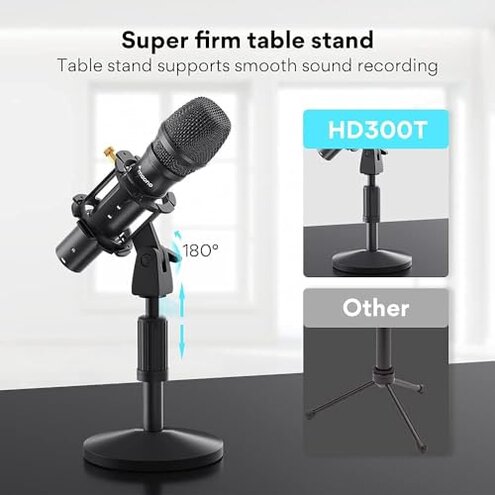
| Mechanical stability | Stand wobble and loose shock mount reported under normal desk use. | More stable stands and mounts in competing mid-range kits. |
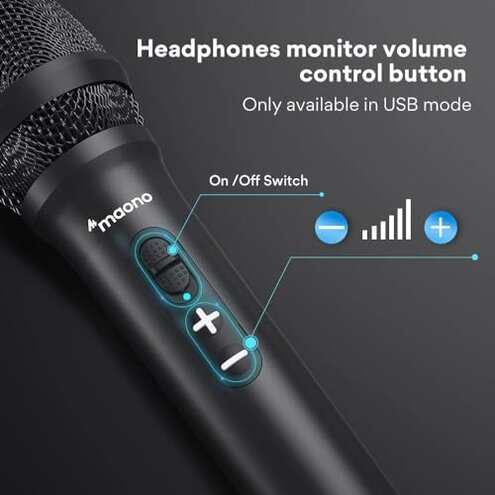
| Monitoring control | Underpowered headphone output and confusing volume control behavior. | Clearer zero-latency monitoring with usable headphone volume on peers. |
| Regret trigger | Higher-than-normal risk: repeated setup time and lower recorded level create regret. | Lower risk of setup delays and re-recording with typical alternatives. |
Why won’t my computer keep the mic connected?
Regret moment: You plug in the mic and the computer sometimes fails to keep it as the active input. This is commonly reported when switching between USB and other devices.
Pattern: Recurring problem that appears at first setup and after OS updates. This is more disruptive than category norms because it interrupts live streams and forces reboots or re-plugs.
Why does my voice sound quiet or thin?
- Early sign: Mic records but requires high software gain to reach normal loudness.
- Frequency tier: This is a primary issue for many users, not just an edge case.
- Probable cause: Lower output sensitivity compared with mid-range dynamic mics.
- Impact: Requires extra preamp or interface adjustments and adds recording steps.
- Fixability: Some buyers resolve it with an audio interface or software gain, but this adds cost and complexity.
Is the stand and mount solid enough for desktop use?
- Build sign: Stand and shock mount wobble under normal desk contact.
- Frequency tier: This is a secondary issue seen across many written reviews.
- Cause: Lighter tripod base and loose mount fittings compared to stronger kits.
- User impact: Mic position drifts and needs frequent re-tightening during sessions.
- Attempted fixes: Users add weights or replace the mount to regain stability.
- Hidden requirement: Expect to buy a sturdier arm if frequent repositioning is needed.
- Category contrast: More upkeep than most mid-range alternatives, which wastes time and money.
Why is the headphone monitor too quiet or oddly controlled?
- Immediate sign: Headphone output feels underpowered at normal volume settings.
- Pattern: Persistent for users doing long sessions or multi-device setups.
- Cause: Onboard volume control can be non-linear and hard to judge.
- Impact: Monitoring level requires software tweaks or external amp.
- Attempts: Buyers report toggling USB modes or using different headphones as workarounds.
- Hidden need: For reliable zero-latency monitoring you may need an audio interface.
- Frequency tier: This is a primary complaint for those who monitor live.
- Category contrast: Worse than expected for plug-and-play podcast kits, creating extra setup time.
Illustrative excerpts
Excerpt: "Sound is low until I boost gain and still sounds thin in recordings." — primary pattern
Excerpt: "Headphones barely loud even at max mic volume control." — primary pattern
Excerpt: "Stand tip-over after I adjust boom twice during one session." — secondary pattern
Who should avoid this
- Live streamers who need reliable plug-and-play input without fiddling should avoid it due to connection interruptions.
- Podcasters needing high out-of-box gain should avoid it unless they plan to buy an interface.
- Frequent repositioners or mobile podcasters should avoid it because the stand and mount require extra stabilization.
Who this is actually good for
- Budget hobbyists who can tolerate extra setup time and some software gain for occasional recording.
- Dual-mode tinkerers who plan to use XLR into an interface and ignore USB quirks.
- Non-live recorders who can edit levels in post and accept lower headphone loudness.
Expectation vs reality
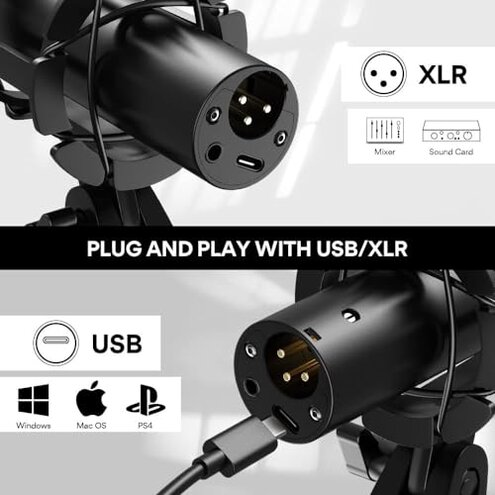
Expectation: Reasonable for this category is stable plug-and-play USB operation for quick setup.
Reality: The mic often needs re-plugging, driver tweaks, or extra hardware to reach usable levels.
Safer alternatives
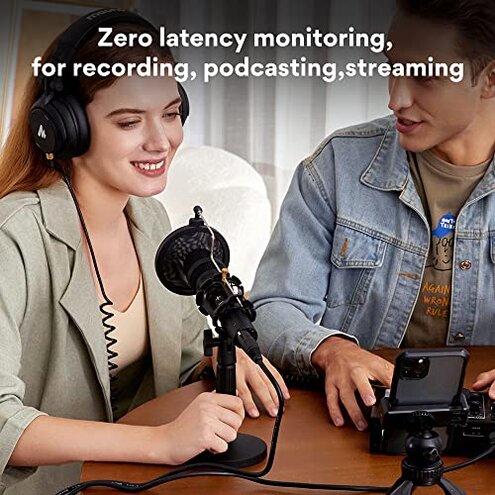
- Choose mics with documented plug-and-play compatibility to avoid repeated setup time.
- Prioritize gain by selecting mics with higher out-of-box sensitivity or plan to budget for an interface.
- Use a desk arm or heavier stand to neutralize reported wobble and mount issues.
- Test monitoring by checking headphone output in store videos or reviews before buying.
The bottom line
Main regret: The combination of unreliable USB recognition and low out-of-box gain leads to extra setup time and possible re-records.
Verdict: This product poses a higher-than-normal risk for users who expect true plug-and-play and solid monitoring. Consider alternatives if you need dependable live performance.
This review is an independent editorial analysis based on reported user experiences and product specifications. NegReview.com does not sell products.