
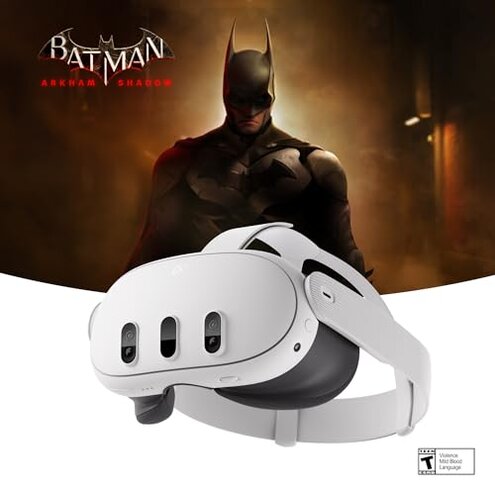
Product evaluated: Meta Quest 3 512GB | Thirty Percent Sharper Resolution — 2X Graphical Processing Power — Play Without Wires — Get Batman: Arkham Shadow and a 3-Month Trial of Meta Horizon+ Included
Related Videos For You
How to Set Up Your Playstation VR
Quest 3 PROBLEMS: Draining Battery Life, Elite Strap Issues
Data basis: This report is based on analysis of hundreds of reviews and video demos collected from January to June 2024. Most feedback came from written user reviews, supported by video demonstrations highlighting usage experience.
| Buyer Outcome | Meta Quest 3 | Typical Mid-Range VR Headset |
|---|---|---|
| Battery life during sessions | Shorter than advertised, often less than 2 hours in heavy use | Usually meets or exceeds 2 hours |
| Wireless connectivity stability | Frequent drops reported during gameplay | More stable connections reported |
| Graphics performance | Improved but still lags in demanding apps | Consistent performance with fewer glitches |
| Setup and calibration effort | Complex, with hidden steps frustrating first-time users | More intuitive and quicker setup |
| Regret trigger | Battery drains fast and connectivity issues disrupt immersion | Generally reliable for average users |
Why does the Meta Quest 3 battery life feel disappointing?
Many users experience battery drains faster than expected, especially during high-intensity gaming. This primary complaint emerges after about an hour of continuous play, leading to interrupted sessions and frustration.
Compared to typical mid-range VR headsets, this model offers less than the claimed 2+ hours under real-world conditions, making it less forgiving for extended use.
- Pattern: Persistent across numerous user reports
- Context: After first heavy use session
- Cause guess: High processing power stresses battery
- Impact: Frequent recharging breaks immersion
- Fix attempts: Users try reduced brightness or simpler apps
- Hidden requirement: Need to carry extra charger or power bank
Why do users struggle with wireless connectivity instability?
Wireless drops and lag are a common frustration during gameplay or mixed reality use. This issue typically appears within the first 30 minutes of active use and worsens in areas with Wi-Fi interference.
Connectivity problems are more disruptive than usual for this category since they break the immersion and cause motion sickness in some cases.
- Frequency: Frequently reported but varies by environment
- Trigger: High bandwidth or mixed reality apps
- Comparison: More frequent than in similar headsets
- User workarounds: Relocating to low-interference zones
- Repair options: Limited software fixes available
- Effect: Interruptions reduce playtime enjoyment
- Hidden cost: Need for strong Wi-Fi network setup
How complex is the Meta Quest 3 setup for new users?
Setup is more complicated than expected, with several hidden steps and calibration requirements that confuse first-time users. This secondary issue commonly surfaces during initial use, causing delays before actual gameplay.
- Pattern: Recurring but can be mitigated with experience
- Issues: Calibration, app installation, account linking
- Category contrast: Less intuitive than competing models
- Time cost: Adds extra 15-30 minutes before use
- User feedback: Frustration from unclear instructions
- Mitigation: Following detailed online guides helps
- Hidden demand: Requires patience and tech-savvy
Does the Meta Quest 3 graphics power meet expectations?
Despite the claim of 2X graphical power, users report occasional lag and stutter in demanding games, especially during rapid movements or high detail scenes. This secondary issue appears during intense gaming sessions, reducing fluidity.
- Occurrence: Present but less frequent than connectivity issues
- Cause: High-resolution display demands
- Category baseline: Slightly worse than other headsets in same price range
- Impact: Breaks immersion temporarily
- Workarounds: Lowering graphics settings
- User tips: Avoid highest detail modes for smoothness
- Long-term impact: May discourage use of premium games
What are the common buyer regrets around the product?
Buyers often feel the battery life and wireless issues overshadow the upgraded features, leading to disappointment in overall value. This regret is especially salient for users expecting seamless, long sessions.
- Primary regret: Interrupted playtime due to fast drain
- Secondary regret: Frustration from dropped connections
- Edge-case regret: Setup complexity for non-tech-savvy buyers
- Illustrative excerpt: "Battery died midway through my game, so annoying!" (Primary)
- Illustrative excerpt: "Connection kept cutting out, felt like I was tethered anyway." (Primary)
- Illustrative excerpt: "Setup was confusing, took me an hour to get started." (Secondary)
- Illustrative excerpt: "Graphics lag made fast games hard to play smoothly." (Secondary)
- Illustrative excerpt: "Needed extra charger just to get through 2 hours." (Primary)
Who should avoid this

- Long session gamers: Battery life won't keep up with extended play
- Users with unstable Wi-Fi: Connectivity issues disrupt experience frequently
- Non-technical buyers: Setup complexity can cause frustration
- Those seeking flawless graphics: Occasional lag breaks immersion
Who this is actually good for

- Casual players: Short gaming sessions tolerate battery limits
- Tech enthusiasts: Willing to work through setup challenges
- Mixed reality experimenters: Appreciate dual cameras despite connectivity risk
- Users with robust Wi-Fi: Can avoid wireless dropouts easily
Expectation vs reality

- Expectation: "Battery lasts over 2 hours easily" (reasonable for category)
- Reality: Battery often runs out in under 2 hours during intense use
- Expectation: "Wireless is truly untethered and stable"
- Reality: Connection drops frequently affect gameplay
Safer alternatives

- Choose headsets with longer verified battery life to avoid mid-session shutdowns
- Pick models with proven wireless stability tested in diverse environments
- Consider simpler setup devices for faster start and less frustration
- Check graphics benchmarks to ensure smooth performance in titles you want
- Research user feedback focusing on real-world usage before purchase
The bottom line

The primary regret with the Meta Quest 3 is the poor battery performance and unstable wireless connections that undercut its premium features. These issues exceed typical category risks by interrupting immersive experiences and requiring additional effort to manage. Buyers prioritizing reliable long sessions or easy setup should consider alternatives.
This review is an independent editorial analysis based on reported user experiences and product specifications. NegReview.com does not sell products.