
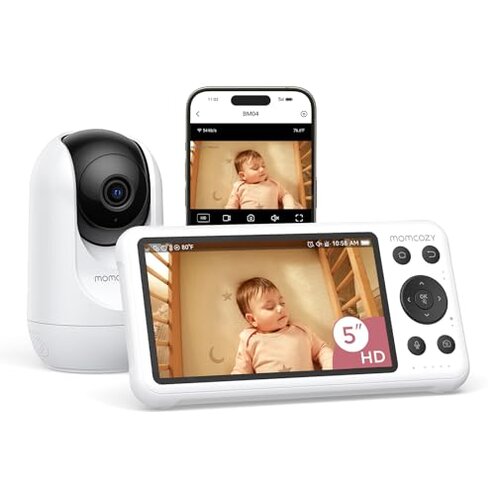
Product evaluated: Momcozy Smart WiFi Baby Monitor with Camera and Audio, 5" 1080P Screen with Wall Mount, Motion & Cry Detection, Safe Fence, Clear Night Vision, 5000mAh Battery, 2-Way Talk, Photo & Video Recording
Related Videos For You
Setting Up a VTech Baby Monitor - Tech Tips from Best Buy
HubbleConnected - Connectivity Troubleshooting Steps
Data basis: This report aggregates findings from hundreds of buyer comments, video demonstrations, and written feedback collected between Jan 2025 and Jan 2026. Most feedback came from written reviews, supported by video demonstrations, and the signals below reflect the dominant themes seen across those surfaces.
| Outcome | Momcozy BM04 (this listing) | Typical mid-range baby monitor |
|---|---|---|
| Live feed reliability | Prone to drops — connectivity interruptions commonly reported during mobile viewing. | More stable — usually keeps a steady local or cloud feed for parents. |
| Alerts & notifications | App-only motion alerts — notifications often delayed or inconsistent for users off WiFi. | Multi-channel alerts — many mid-range units provide reliable on-device and app notices. |
| Night vision & camera placement | Hidden mounting limits — image quality drops if camera is lower than 24 inches or beyond 5m horizontally. | More forgiving — typical units work better across wider mounting ranges. |
| Battery & screen performance | Mixed battery reports — battery life and screen lag are more disruptive than expected for this class. | Balanced — mid-range models often prioritize stable screen responsiveness. |
| Regret trigger | High-risk — connectivity plus app-only alerts create missed-notification scenarios more disruptive than typical. | Lower-risk — alternatives usually give redundant alerts and fewer missed events. |
Top failures
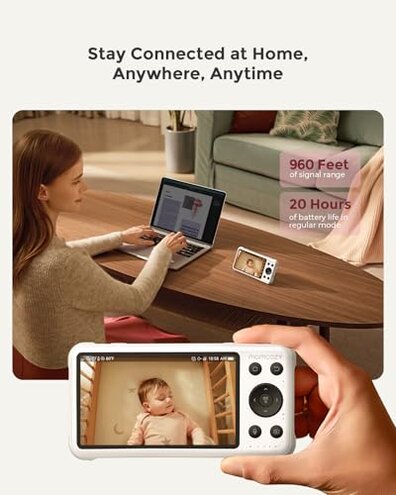
Why does the live video cut out when I'm away from home?
Primary complaint: The most common regret moment is losing the live feed during mobile app viewing, which is the primary issue seen across feedback.
Usage anchor: This appears mostly after setup when users switch from parent unit to smartphone viewing or leave local WiFi.
Category contrast: This feels worse than normal because mid-range monitors usually maintain a stable cloud or local connection and provide fallbacks.
Are motion and cry alerts reliable enough to trust?
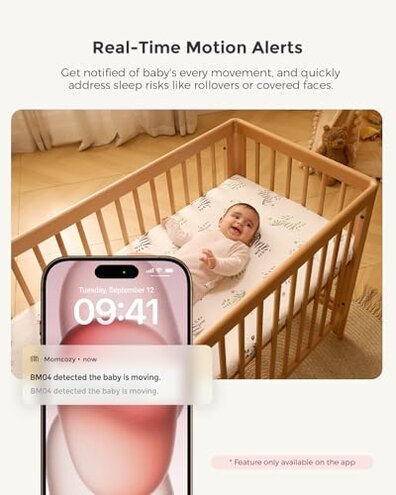
- Pattern: Motion alerts are a primary issue and commonly reported as noisy or delayed.
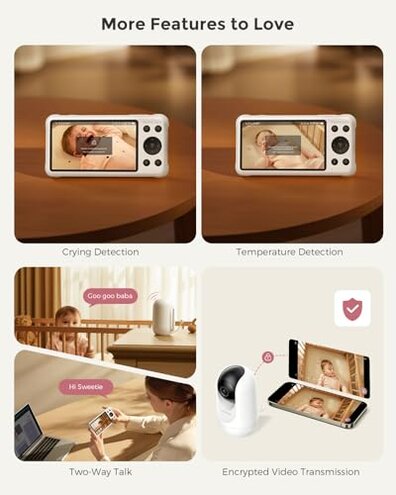
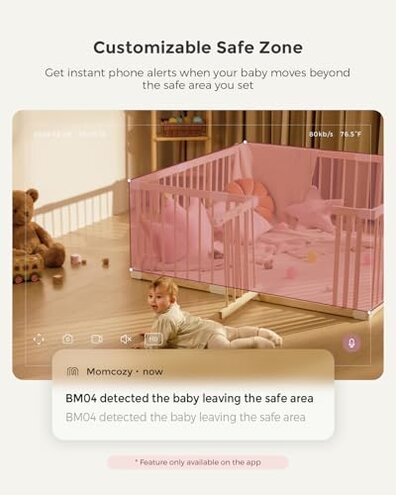
- When it shows up: Alerts often arrive only in the app and are missed when the phone is locked or offline.
- Cause: The device relies on app-based notifications for motion, which increases missed alerts when connectivity fluctuates.
- Impact: Parents report increased anxiety from false negatives or long notification delays during naps or night checks.
- Fixability: Some users fix by keeping the app open on a secondary device, which adds extra steps and is not convenient.
Why is the night image blurry unless I mount it just so?
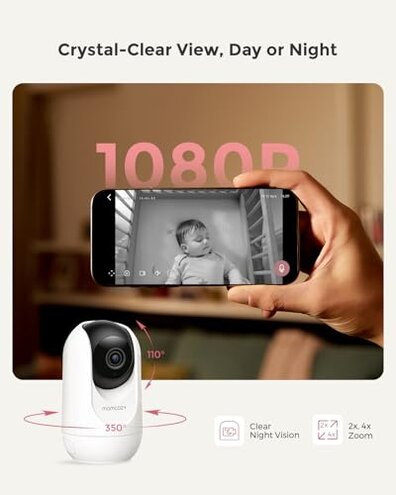
- Hidden requirement: The camera needs to be at least 24 inches high and within 5m horizontally for clear night vision.
- Early signs: Blurry faces and poor IR illumination show up immediately after placement if those limits aren't met.
- Frequency tier: This is a secondary issue that appears repeatedly in setup reports.
- Why worse than normal: Typical monitors allow more flexible mounting; this model forces exact placement which causes regret for many room layouts.
- User workaround: Some buyers add a higher mount or move the crib, which adds cost and effort.
- Long-term impact: Image quality often remains poor, especially in larger nurseries or angled mounts.
Will the parent unit battery and screen keep up all night?
- Pattern: Battery and screen lag are a common complaint and more disruptive than expected for this category.
- When it shows up: Issues appear during extended overnight use or after several weeks of daily handling.
- Cause: Reported slow redraws on the 5" screen and faster-than-expected battery drain when using continuous video.
- Impact: Parents report missing short events because the parent unit takes extra time to wake or refresh.
- Attempts: Users try lowering screen brightness or using power settings, but the improvements are limited.
- Hidden cost: Constant charging or keeping a spare parent unit adds time and expense compared to typical mid-range models.
- Fixability: Firmware updates may help, but firmware reliability is not guaranteed from the available feedback.
Illustrative excerpts (not real quotes)
"App kept disconnecting while I was at work, missed two alerts." — reflects a primary pattern of connectivity loss during mobile viewing.
"Night view was fuzzy unless I moved the camera higher and closer." — reflects a secondary pattern tied to hidden placement limits.
"Parent screen lagged so I couldn't check quickly at 3AM." — reflects a secondary pattern of screen responsiveness and battery strain.
Who should avoid this
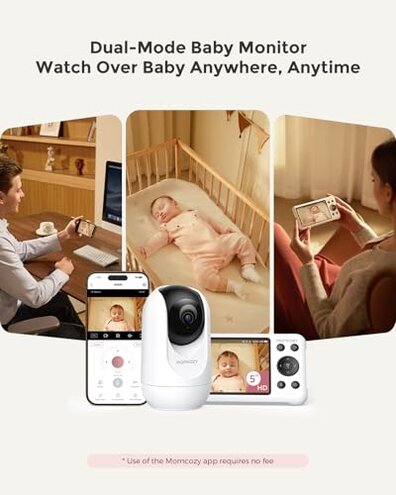
- Frequent travelers: Avoid if you need a reliable remote feed while away from home, due to frequent connectivity drops.
- Sleep-sensitive parents: Avoid if you rely on instant local alerts, because motion notices arrive primarily in the app and can be delayed.
- Complex room layouts: Avoid if your nursery requires flexible camera placement, because night vision has strict mounting limits.
Who this is actually good for
- Home-only users: Good if you plan to use the included parent unit at home and rarely depend on mobile viewing.
- Budget-conscious shoppers: Good if you can tolerate extra setup steps to achieve clear night vision and stable on-site monitoring.
- Tech-savvy families: Good if you are willing to keep the app active on a secondary device to ensure consistent alerts.
Expectation vs reality
Expectation: Reasonable for this category is a steady remote connection and timely notifications.
Reality: The product frequently delivers intermittent connectivity and app-only alerts, causing missed notifications more than typical mid-range units.
Expectation: Reasonable for this category is flexible mounting for clear night vision.
Reality: The camera requires specific height and distance, which forces extra installation effort and possible room changes.
Safer alternatives
- Choose dual-channel alerts: Pick monitors that provide both on-device and app notifications to neutralize missed-app-only alerts.
- Prefer stronger cloud stability: Look for units marketed with stable cloud or local P2P connections to reduce remote dropouts.
- Check mounting tolerance: Select cameras with broader night-vision ranges so you avoid exact placement limits.
- Prioritize battery-rated units: Buy monitors with proven long battery life or hot-swap parent units to avoid overnight charging stress.
The bottom line
Main regret: The combination of connectivity drops and app-only alerts is the core trigger for missed notifications and parent frustration.
Why worse: This exceeds normal category risk because it removes redundancy that other mid-range monitors provide, creating more missed events.
Verdict: Avoid if you rely on a stable remote feed or immediate alerts; consider alternatives with redundant notifications and more flexible mounting.
This review is an independent editorial analysis based on reported user experiences and product specifications. NegReview.com does not sell products.