
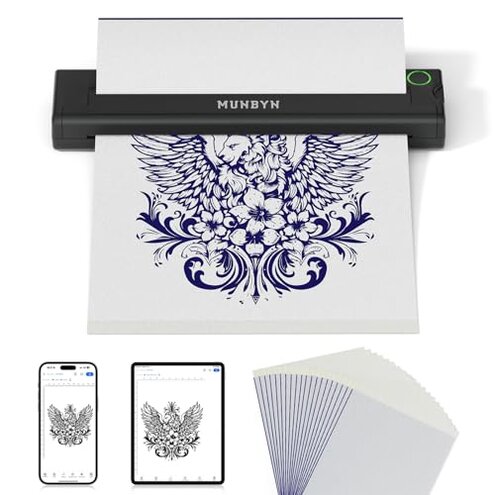
Product evaluated: MUNBYN Tattoo Stencil Printer ITP05, Wireless Thermal Tattoo Printer with 20 Transfer Papers, Compatible with Android and iOS Phone/Tablet & PC, Tattoo Printers for Tattoo Artists & Beginners (Black)
Related Videos For You
How to use a Thermal Printer for tattoo stencil
Data basis: This report is based on dozens of buyer comments collected from written feedback and video demonstrations between 2024 and 2026. Most input came from written impressions, with video use clips helping confirm where problems show up during setup and daily printing.
| Buyer outcome | MUNBYN ITP05 | Typical mid-range alternative |
|---|---|---|
| First-use setup | Higher friction because mobile app use and device pairing can add extra steps before the first stencil prints. | Usually simpler if controls are more direct or computer workflow is clearer. |
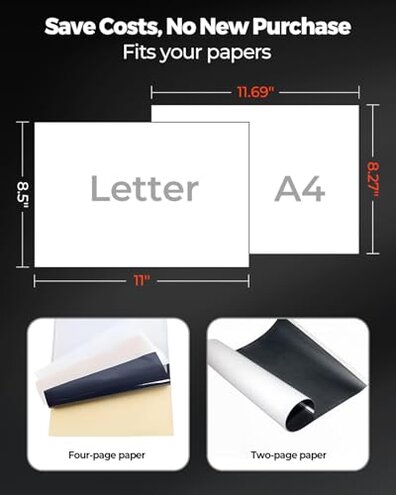
| Paper compatibility | Higher-than-normal risk because non-matching transfer paper may need density changes to get clear results. | More forgiving with mixed paper brands in normal use. |
| Mobile workflow | Convenient when working, but app dependence becomes a pain if you want quick, no-adjustment printing. | Less app-dependent on many mid-range options. |
| PC flexibility | More limited because PC use needs a wired connection instead of Bluetooth. | Often broader connection flexibility for desktop users. |
| Regret trigger | Buying for easy plug-and-print use and then finding setup, paper tuning, or connection limits take more time than expected. | Buying for portability but accepting a larger device. |
Want a quick first print, not an app project?
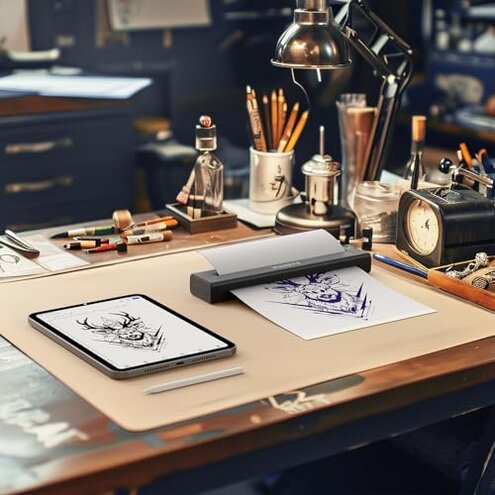
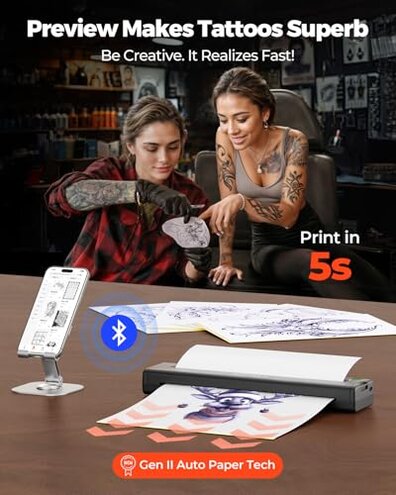
This is a primary issue. The regret moment usually appears on first use, when buyers expect a simple stencil print and instead have to work through app steps, pairing, and image adjustments.
The pattern appears repeatedly. That does not mean everyone struggles, but it is more disruptive than expected for a portable stencil printer that looks beginner-friendly.
When it hits: It shows up most during initial setup or when switching between phone, tablet, and computer workflows.
Why it feels worse: App-based printing is normal in this category, but this setup feels less forgiving than typical if you wanted fast, low-effort printing without trial and error.
- Pattern: Setup friction is a recurring complaint, especially before the first successful print.
- Trigger: It tends to worsen after setup begins, when users need to learn the app instead of just loading paper and printing.
- Trade-off: The app adds useful controls, but those same controls can slow down beginners.
- Impact: The extra steps can delay practice sessions and create a rough start for new users.
- Fixability: It is partly fixable once your workflow is learned, but that still costs time up front.
Illustrative: “I wanted one stencil fast, not ten minutes of app fiddling.” Primary pattern because it matches the most common regret moment.
Using your own transfer paper and getting weak prints?
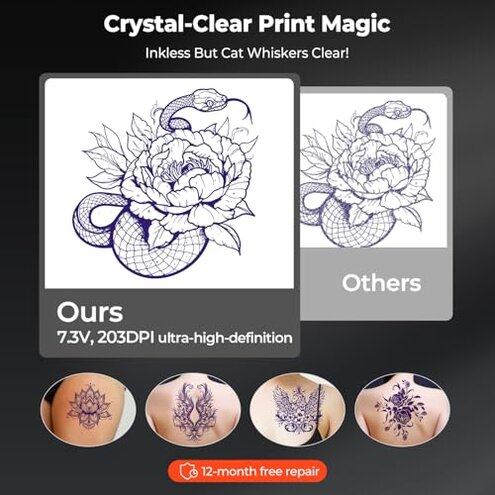
- Primary issue: Paper matching is among the most common complaints because the product itself warns that other paper brands may need density adjustment.
- Usage moment: This usually appears during daily use when buyers run out of included sheets and switch to different transfer paper.
- Hidden requirement: You may need to tune print density in the app to get clear templates, which many buyers do not expect at this price.
- Severity: That is more frustrating than expected in this category because mid-range alternatives are often more forgiving about paper changes.
- Visible impact: The result is lighter or less clear lines, which means reprints and wasted sheets.
- Why regret happens: A portable printer should save time, but paper-specific tuning adds extra steps and trial runs.
- Fixability: It is sometimes fixable by adjusting settings or sticking to the matching paper, but that creates a supply lock-in feeling.
Illustrative: “It worked better after changing settings, but I burned through paper first.” Primary pattern because it reflects repeated complaints about tuning effort.
Planning to work from a laptop without wires?
- Secondary issue: PC connection limits are less frequent than app setup complaints, but more annoying when desktop workflow is your main plan.
- Usage moment: The problem appears after purchase when buyers try using Windows or macOS over Bluetooth and find that PC use requires a wired connection.
- Category contrast: For a device sold on wireless convenience, that feels narrower than many buyers reasonably expect.
- Impact: It cuts into the portability benefit if your design station is a computer and you wanted fewer cables.
- Who notices most: This hits harder in studio setups where laptops and repeated print jobs are common.
- Fixability: The limitation is not really fixable unless you change your workflow to mobile devices or accept wired use.
Illustrative: “Wireless sounded great until I learned my laptop still needed a cable.” Secondary pattern because it affects a narrower group with a bigger mismatch risk.
Buying for portability, then noticing workflow trade-offs?
This is a secondary issue. The printer is clearly designed to be small and portable, but that benefit can come with compromises in how smoothly it fits different work habits.
The pattern is persistent. It usually shows up after the novelty wears off, when buyers start comparing daily convenience against a larger studio-style machine.
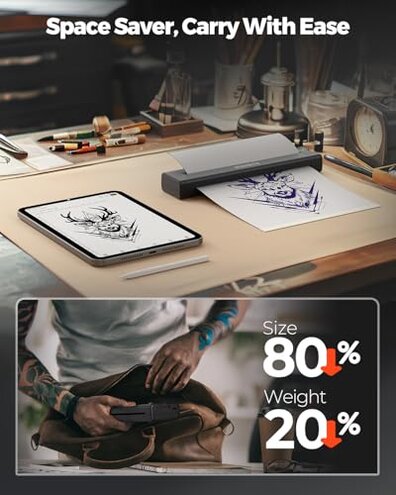
- Benefit first: The small body and battery are real advantages for travel, guest spots, or tight workspaces.
- Trade-off later: The downside is that portability can mean more dependence on the app and less direct flexibility than some larger alternatives.
- Why worse than expected: Portable printers normally involve compromise, but here the workflow burden seems more noticeable than typical for buyers expecting easy replacement of a desk unit.
- Regret trigger: If you wanted one machine for all settings, this can feel too specialized toward mobile-first use.
Illustrative: “Easy to carry, but not as easy to live with every day.” Secondary pattern because it reflects ongoing trade-offs more than outright failure.
Who should avoid this
- Avoid it if you want plug-and-print simplicity on day one, because setup friction is a primary complaint.
- Avoid it if you regularly buy different transfer paper brands, because paper tuning creates a higher-than-normal compatibility risk.
- Avoid it if your main workflow is laptop-based and wireless, because PC use needs a cable.
- Avoid it if you expect one printer to replace a full studio setup with no workflow compromises.
Who this is actually good for
- Good fit for buyers who value small size and battery use more than perfect desktop flexibility.
- Good fit for people already comfortable with a phone or tablet workflow and willing to learn the app.
- Good fit for users willing to stick with matching transfer paper to reduce print adjustment time.
- Good fit for occasional or mobile use where portability matters more than the smoothest first-use experience.
Expectation vs reality
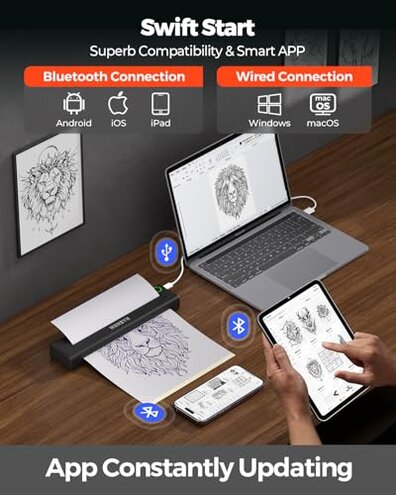
Expectation: A wireless stencil printer should feel fast and simple for first prints.
Reality: The mobile workflow can involve more setup and adjustment than some buyers expect.
Expectation: It is reasonable for this category to handle common transfer paper swaps without much effort.
Reality: This one has a worse-than-expected paper sensitivity because non-matching paper may need density changes.
Expectation: Wireless branding suggests broad device freedom.
Reality: PC users get wired-only desktop use, which narrows the convenience benefit.
Safer alternatives
- Look for a tattoo stencil printer with clear onboard controls or simpler software if first-use friction bothers you.
- Choose a model known to be more paper-forgiving if you do not want to buy one matching paper type.
- Prioritize printers with Bluetooth for desktop use if your main design work happens on a laptop.
- Consider a slightly larger mid-range unit if you need daily studio reliability more than maximum portability.
The bottom line
Main regret trigger: Buyers expecting easy, flexible printing can run into app friction, paper tuning, and desktop connection limits.
Why this exceeds normal risk: Portable printers always involve trade-offs, but the paper sensitivity and workflow dependence feel less forgiving than a typical mid-range alternative.
Verdict: If you want mobility first, it can still make sense. If you want the safest low-hassle buy, this is one to approach carefully.
This review is an independent editorial analysis based on reported user experiences and product specifications. NegReview.com does not sell products.