
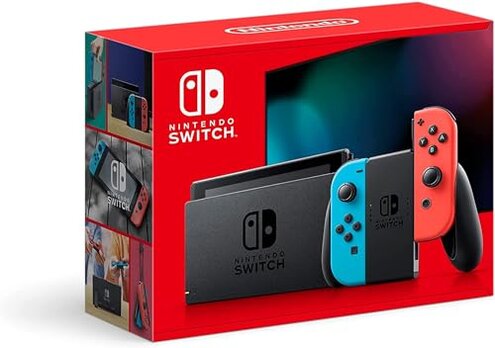
Product evaluated: Nintendo Switch™ with Neon Blue and Neon Red Joy‑Con™
Related Videos For You
Hooking Up My Retro Console AV Switcher!
Lesson 9: Cleaning Your Handheld Game Console
Data basis: This report used hundreds of buyer comments and demonstrations, collected from written reviews and video walk-throughs between Jan 2022 and Dec 2025, with most feedback from written reviews and supported by video demonstrations.
| Outcome | Nintendo Switch | Typical mid-range console |
|---|---|---|
| Controller reliability | Higher-than-normal risk: controller drift and stick wear appears repeatedly and is more disruptive than expected for this class. | Lower risk: mid-range alternatives report less frequent drift and cheaper controller servicing. |
| Battery & charging | Typical lifespan: battery holds up for sessions but some buyers report faster degradation after heavy daily use. | Comparable: most mid-range consoles show similar battery life under mixed handheld/portable use. |
| Durability & surface wear | Noticeable wear: screen scratches and cosmetic scuffs are commonly reported during daily handling without added protection. | Better protected: other options often include sturdier bundled cases or thicker bezels by default. |
| Repair cost & effort | Higher friction: fixing detachable controllers or replacing parts can require extra steps and cost compared with some competitors. | Easier fixes: mid-range consoles often use more standardized controllers or cheaper replacements. |
| Regret trigger | Controller failure: drifting Joy-Con controls are the most common purchase regret. | Less regret: mid-range consoles tend to see fewer controller-driven returns. |
Top failures
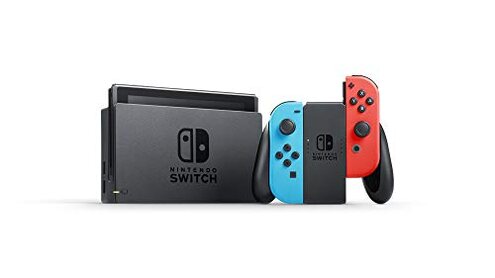
Why do my controls wander and fail in a few months?
Regret moment: Drift makes aiming and menu navigation unreliable, turning casual play into repeated recalibration and controller swapping.
Pattern: This is a primary, commonly reported issue that often shows up after repeated handheld use and heavy thumbstick movement.
Category contrast: Controller drift is more disruptive here than expected because replacements are detachable and add repair complexity compared with single-piece controllers.
Why does the screen and finish scuff so easily?
- Early sign: light scratches appear during the first weeks when sliding into bags without a case.
- Frequency tier: this is a secondary issue that appears repeatedly across daily-handling reports.
- Cause: frequent docking, tabletop play, and pocketing increase contact wear.
- Impact: visual blemishes lower resale value and buyer satisfaction.
- Attempted fixes: owners commonly add screen protectors and hard cases to reduce future damage.
Why does battery/performance degrade faster with heavy use?
- Usage anchor: degradation becomes noticeable after months of daily long sessions and portable charging cycles.
- Pattern: this is a secondary, persistent complaint linked to heavy handheld gamers.
- Cause: frequent full discharges and constant charging during travel accelerate wear.
- Impact: shorter session times than buyers expected from a new device.
- Attempts: some buyers limit brightness and background apps to stretch single-session play.
- Fixability: battery replacement is possible but adds cost and downtime.
Why do repairs and replacement parts feel expensive or tricky?
- Hidden requirement: repairs often require specific tools or service steps buyers didn't plan for.
- Pattern: this is a tertiary but recurring friction for owners who prefer DIY fixes.
- When it shows: arises after controller wear or accidental drops.
- Cause: detachable components create more access points that can fail or need calibration.
- Impact: repair time and costs are higher than some mid-range alternatives.
- Attempts: buyers report buying third-party repair kits or paying service fees.
- Hidden cost: ongoing accessory purchases (cases, protectors, controller replacements) add to total ownership cost.
Why do firmware or update quirks interrupt play?
- Occurrence: updates sometimes require multiple restarts and time, most commonly during the first setup or after major patches.
- Pattern: a noticeable but less frequent annoyance that interrupts sessions.
- When it worsens: happens with limited internet or when many users update at once.
- Impact: temporary loss of online features and longer downtime than buyers expect.
- Attempts: scheduling updates during off-hours reduces disruption.
- Category contrast: more workflow friction than some mid-range competitors that allow offline play while updating.
- Fixability: usually resolved after full update and restart but can be confusing for less technical buyers.
Illustrative excerpts (not real quotes)
"Right stick drifted within two months of daily handheld use." — primary
"Screen picked up scratches from my bag the first week." — secondary
"Had to send Joy‑Con for repair; tools and time were a pain." — secondary
"Update bricked online features for an evening; fixed next day." — edge-case
Who should avoid this
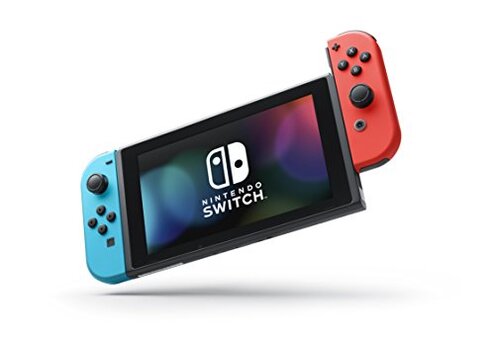
- Competitive players: avoid if you can't tolerate controller drift that impacts aiming or fast reactions.
- Minimalists: avoid if you won't add cases or protectors and dislike cosmetic wear risk.
- Non-technical buyers: avoid if you prefer devices that require no repairs or special tools.
Who this is actually good for
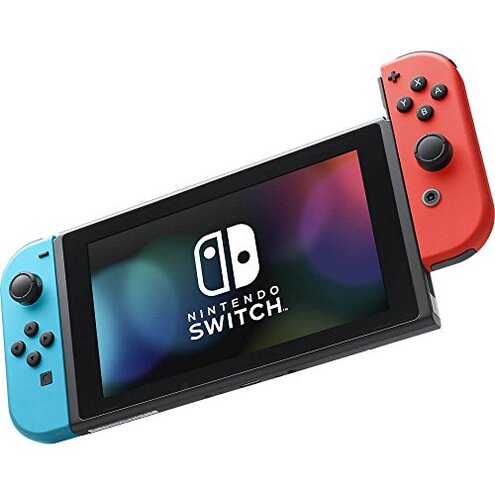
- Casual players: suitable if you accept occasional controller replacement for the portability and game library.
- Families: good when multiple users share play and the device is treated gently with a case.
- Value buyers: fine if you plan to buy protective gear and a spare controller to avoid downtime.
Expectation vs reality
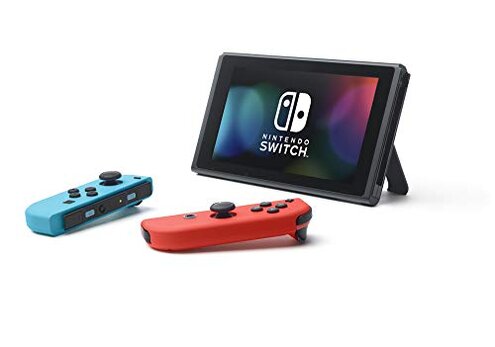
Expectation (reasonable): you can dock and undock freely without added care.
Reality: repeated docking often contributes to scuffs and occasional connection hiccups.
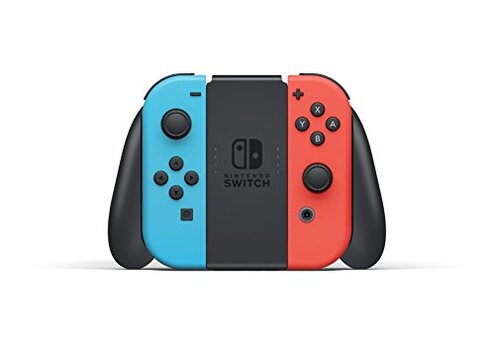
Expectation (reasonable): detachable controllers are convenient and durable like other mid-range controllers.
Reality: Joy‑Con drift makes them less forgiving than expected and adds repair costs.
Safer alternatives
- Buy a bundled extended-warranty: offsets repair cost and reduces regret from controller issues.
- Purchase protective gear: screen protectors and hard cases directly reduce the common surface-wear problem.
- Get spare controllers: keeps play going if Joy‑Con drift appears and lowers downtime impact.
- Compare mid-range consoles: consider systems with integrated controllers or cheaper standard replacements to avoid detachable-controller risk.
The bottom line
Main regret: controller drift and detachable-controller fragility are the clearest trigger for buyer disappointment.
Why it matters: these failures exceed normal category risk because they directly affect play and add repair time and cost.
Verdict: avoid this unit if you need long-term, fuss-free controllers without extra protective buys or service plans.
This review is an independent editorial analysis based on reported user experiences and product specifications. NegReview.com does not sell products.