
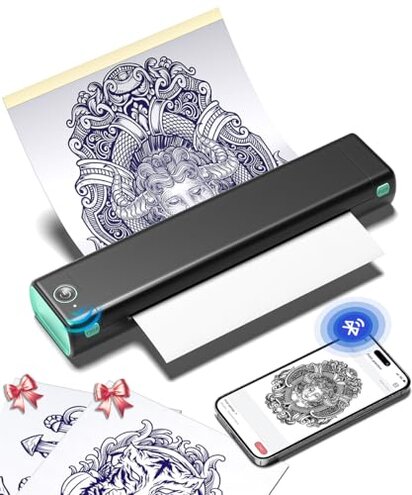
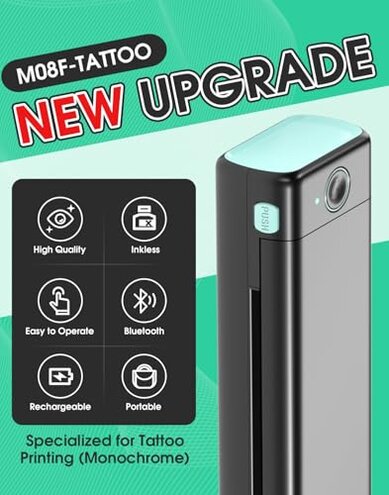
Product evaluated: Phomemo Tattoo Stencil Printer, M08F Wireless Thermal Tattoo Printer with 10pcs Transfer Paper, Compatible with Phone/Tablet/PC, Tattoo Supplies for Tattoo Artists, AI Image Generation, Black & Green
Related Videos For You
How to use a Thermal Printer for tattoo stencil
Data basis: This report summarizes dozens of buyer feedback points collected from written comments and video-style demonstrations between 2023 and 2026. Most input came from written reviews, supported by setup clips and hands-on impressions, which helps show both first-use friction and daily-use problems.
Comparative risk snapshot
| Buyer outcome | Phomemo M08F | Typical mid-range alternative |
|---|---|---|
| First-use setup | Higher friction; app pairing and workflow can add extra steps before the first stencil. | Moderate friction; still requires setup, but usually with fewer app-dependent steps. |
| Line consistency | Mixed results; thermal output can be clear, but is less forgiving with source image quality. | More predictable; mid-range options are often easier to tune for routine stencil work. |
| Mobile dependence | Higher-than-normal risk; many functions lean on the app, which can become the weak point. | Lower dependence; many alternatives offer a simpler direct print path. |
| Long-session ease | Less steady; portability helps, but repeated printing can expose workflow interruptions. | More stable; less convenient to carry, but often smoother in shop use. |
| Regret trigger | Biggest trigger: buying for speed, then losing time on connection, formatting, or transfer-paper tuning. | Typical trigger: bulkier size, not repeated setup slowdowns. |
Top failures
Why does a portable printer still feel slow to start?
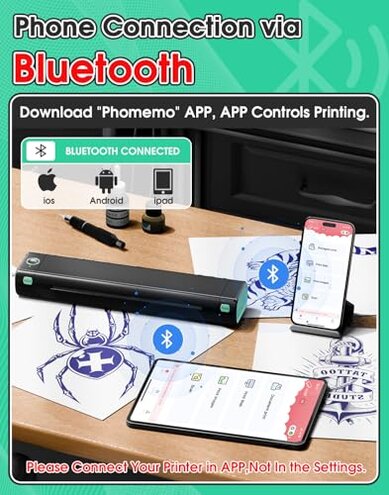
Primary issue: setup friction appears repeatedly and is among the most common complaints for small wireless printers like this. The regret moment usually happens on first use, when buyers expect quick Bluetooth printing but end up troubleshooting pairing, app flow, or file formatting.
Category contrast: some setup is normal for portable thermal printers, but this can feel worse than expected because tattoo work is often time-sensitive. A device sold around convenience feels more disappointing when convenience depends on several steps working in the right order.
Recurring pattern: this is not universal, but the pattern is persistent across different skill levels. It tends to worsen when switching between phone, tablet, and PC or when trying to print quickly during an appointment.
- Early sign: the printer connects, but the print path inside the app still takes extra taps and adjustments.
- When it shows up: the problem usually appears during initial pairing or the first time importing a tattoo design.
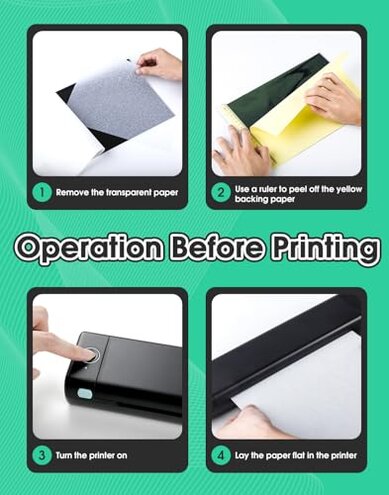
- Hidden requirement: smooth use often depends on learning the app workflow, not just turning on Bluetooth.
- Impact: instead of saving time, setup can interrupt the design-to-stencil process right when speed matters most.
- Fixability: many buyers can get it working, but the extra learning curve is more effort than typical mid-range alternatives.
Why do some stencil prints look weaker than expected?
- Primary complaint: output consistency is a recurring problem, especially after setup when buyers start printing detailed designs.
- Usage moment: it becomes obvious during daily use with fine lines, shading, or busy artwork that needs crisp transfer visibility.
- Severity: this is less universal than connection trouble, but more frustrating when it happens because it affects the actual tattoo workflow.
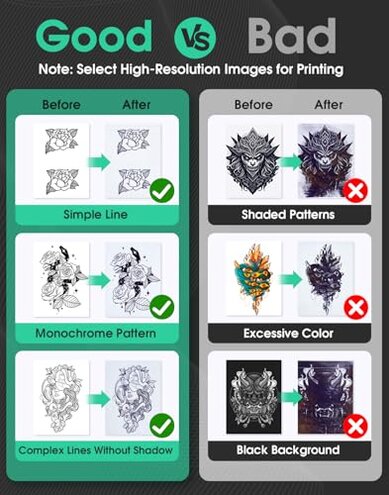
- Cause pattern: thermal printing is sensitive to source image quality and print settings, so weak files can produce faint or uneven stencils.
- Why worse here: that sensitivity is category-expected, but this model feels less forgiving than many mid-range alternatives marketed for stencil work.
- Buyer impact: users may need reprints, contrast adjustments, or app edits before getting a stencil they trust.
- Time cost: repeated trial-and-error adds extra steps right before skin prep, which is a bad place to lose time.
Does the app make printing easier or add another failure point?
- Secondary issue: app dependence shows up across multiple feedback types and becomes a persistent annoyance after the printer is physically ready.
- Real context: this usually appears when importing artwork, resizing designs, scanning an image, or trying to fine-tune a print from a phone.
- Trade-off: the app adds convenience features, but it also becomes the gatekeeper for tasks buyers hoped would be straightforward.
- Pattern strength: this is a recurring complaint rather than an edge-case issue.
- Why buyers regret it: a printer should reduce workflow friction, yet app-heavy use can create more decisions and more chances for mistakes.
- Category baseline: software is common in this category, but the inconvenience feels higher than normal when simple stencil printing still needs app learning.
- Mitigation: buyers who stick to basic line art may cope better than buyers who frequently edit, resize, and test multiple versions.
Will portability matter if the workflow breaks during real use?
- Secondary risk: portability is the headline benefit, but recurring workflow interruptions can cancel out that advantage.
- When it matters: the issue shows up during longer sessions or mobile use, where buyers expect cordless printing to feel simpler.
- Why frustrating: a light printer is helpful only if it prints reliably without repeated reconnecting, repositioning, or redoing settings.
- Comparative cue: this is more disruptive than expected for a travel-friendly tattoo printer, because portability raises expectations for quick setup anywhere.
- Not universal: some buyers likely get smooth casual use, but persistent complaints suggest the convenience gap is real for others.
- Hidden cost: extra test prints and retries can eat into the battery and the included starter paper faster than planned.
- Best-case limit: it makes more sense for occasional mobile jobs than for buyers needing repeatable shop-speed output all day.
Illustrative excerpts
- Illustrative: “I bought portable convenience, but setup took longer than my old machine.” Primary pattern.
- Illustrative: “Simple art printed fine, but detailed lines needed too much adjusting.” Primary pattern.
- Illustrative: “The app can do a lot, but I only wanted quick stencil prints.” Secondary pattern.
- Illustrative: “Great size for travel, less great when I have to retry jobs.” Secondary pattern.
Who should avoid this
- Busy artists who need fast, repeatable stencils during appointments should avoid it, because setup and app steps can exceed normal category tolerance.
- Beginners wanting plug-and-play may struggle if they expect Bluetooth alone to make the process simple.
- Detail-heavy users should be cautious, because fine-line work is less forgiving when image prep is not dialed in.
- Shop-first buyers may prefer a less portable but more direct printer if workflow reliability matters more than size.
Who this is actually good for
- Occasional users can do fine if they accept a learning curve in exchange for a smaller cordless printer.
- Traveling artists may still like it when carrying space matters more than pure setup speed.
- Basic-design users are a better fit if they mostly print simpler line art and can tolerate app-based adjustments.
- Tech-comfortable buyers may accept the software friction because they are willing to test settings and workflows.
Expectation vs reality
Expectation: a wireless tattoo printer should cut cords and save time.
Reality: cordless use helps mobility, but the time savings can shrink if pairing and app steps become routine.
Reasonable for this category: some image tuning is normal with thermal stencil printers.
Worse-than-expected: this model can feel less forgiving when buyers move from simple designs to detailed artwork.
Expectation: an included app should make printing easier.
Reality: the app can also become the extra layer that slows down quick jobs.
Safer alternatives
- Choose simpler workflow: prioritize a stencil printer known for direct printing if your main risk is app friction.
- Test for detail tolerance: if you print fine-line work, look for models with a stronger reputation for crisp, predictable line output.
- Prefer shop stability: if you print many stencils in a row, a less portable but steadier mid-range machine may be safer.
- Check software burden: avoid models where key functions depend heavily on one app if you want fewer hidden setup requirements.
The bottom line
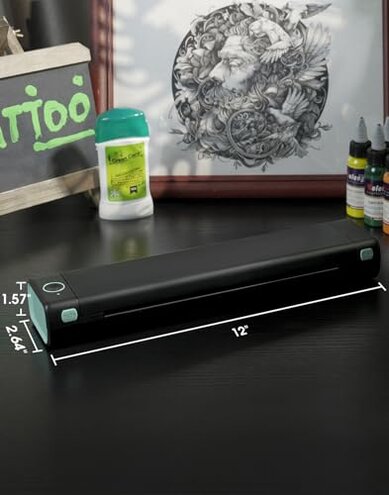
Main regret trigger: buyers choose this for portable speed, then lose time to connection steps, app learning, or print tuning. That exceeds normal category risk because convenience is the core promise here, and the weak point is the workflow itself. Verdict: avoid it if you need dependable, fast stencil printing more than compact wireless convenience.
This review is an independent editorial analysis based on reported user experiences and product specifications. NegReview.com does not sell products.