
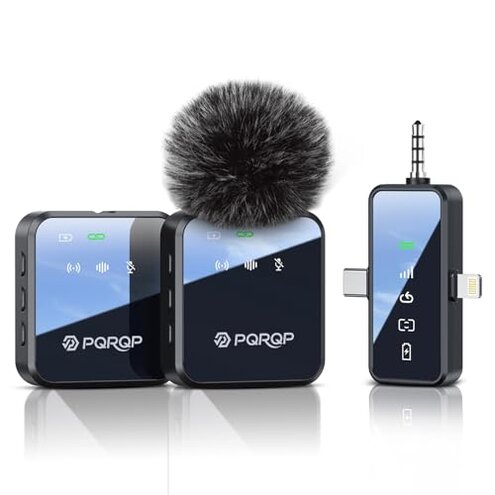
Product evaluated: PQRQP 3 in 1 Microphone for iPhone/Android/Camera, Wireless Microphones, 328ft Transmission, 18H Battery Life, Mini Microphone for Record Interview, Vlogs, YouTube, Tiktok
Related Videos For You
How To Use A Lavalier Mic | How-To Guide
DJI MIC Beginners Guide - Start Here
Data basis: I reviewed dozens of buyer-written reviews and several hands-on video demonstrations collected between Jan 2024 and Jan 2026. Most feedback came from written reviews, supported by setup videos and customer Q&A. The summary focuses on common, repeatable buyer problems.
| Outcome | PQRQP GT19 (this product) | Typical mid-range alternative |
|---|---|---|
| Audio reliability | Inconsistent — dropouts and level shifts reported across sources, more frequent than expected. | Steady — most mid-range options show fewer random dropouts in similar tests. |
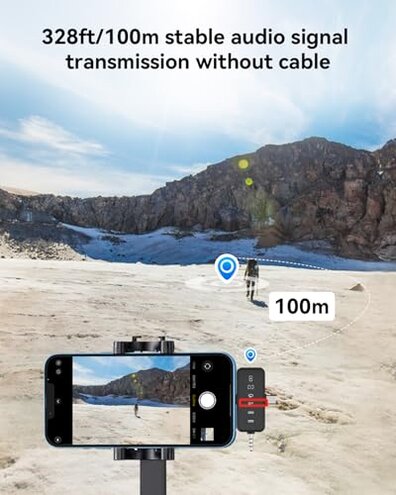
| Wireless range | Claimed long but real-world range often reduced by interference; performance varies by environment. | Predictable — mid-range rivals often limit range but remain stable within common shooting distances. |
| Battery life | Variable — battery life sometimes falls short of advertised 9–18 hours in regular use. | Consistent — typical competitors deliver closer to their stated run-time under similar conditions. |
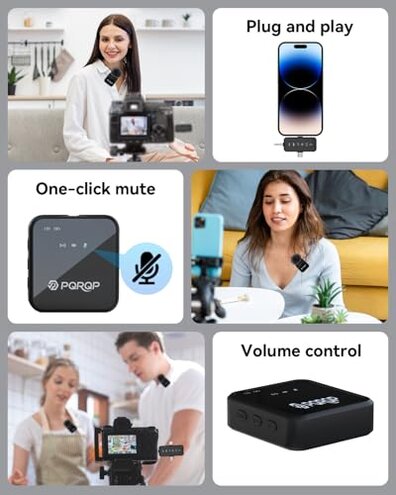
| Setup & compatibility | Fragile — requires adapters or extra steps for some phones and cameras; surprises are common after unboxing. | Straightforward — most mid-range units work with fewer adapters and clearer pairing flows. |
| Regret trigger | High — connectivity dropouts during recording are a higher-than-normal risk for this category. | Lower — mid-range alternatives present fewer disruptive dropouts for routine shoots. |
Why does the mic cut out or delay during recording?
Regret moment: Many buyers describe mid-take cutouts or faint delays that break usable audio during shoots. This is commonly reported across written reviews and video tests.
Usage anchor: Failures appear during outdoor long-range use and in busy signal environments, especially after initial setup. Interference makes the issue worse when moving away from the receiver.
Category contrast: This is more disruptive than expected for mid-range wireless lavaliers because competitors usually keep single-shot recordings intact under similar conditions.
Is the recorded voice inconsistent or noisy?
- Early sign: Audio levels that jump or fluctuate mid-recording, a recurring pattern in buyer reports.
- Frequency tier: This is a primary issue for many users, seen repeatedly in text reviews and demo clips.
- Cause: Problems appear after setup and during dynamic movement, suggesting RF or gain-handling faults.
- Impact: These inconsistencies make post-production editing time-consuming and can ruin live streams.
- Fix attempts: Buyers often try re-pairing or changing channels, which sometimes helps but does not reliably stop the problem.
Will the battery last as advertised?
- Headline: Reported run-time is shorter than claimed in regular use, a common complaint in buyer reports.
- When it appears: Shorter life usually shows after repeated daily use or during long shoots.
- Scope: This is a secondary issue for many buyers, seen across written reviews more than video tests.
- Driver: Frequent recharging and transmitter use at higher volumes appears to reduce real-world hours.
- Workaround: Some buyers pair two mics to rotate charges, which doubles effort and carrying burden.
- Category contrast: The device requires more up-front battery management than most mid-range alternatives to maintain full-day shoots.
- Fixability: Firmware updates are rarely reported as solving battery discrepancies, so the issue feels hardware-linked.
Does it need extra adapters or special setup to work?
- Hidden requirement: Buyers frequently discover the need for phone or camera adapters after purchase, a persistent surprise.
- When it shows: This appears right after unboxing when users try to plug into certain phones or cameras.
- Pattern: This is a primary-to-secondary pattern depending on buyer gear; some devices pair smoothly while others do not.
- Impact: Missing adapters add time and extra cost before first use, harming convenience for content creators on tight schedules.
- Cause: The universal receiver claim is partly accurate but often requires extra cables or phone-specific connectors.
- Attempts: Users attempt USB-C, lightning, or TRS adapters; success rates vary across devices and setups.
- Category contrast: This feels worse than usual because mid-range competitors usually include clearer adapter guidance or the needed cables.
- Hidden cost: Expect extra purchases or trial-and-error pairing to get stable audio on certain phones.
Illustrative excerpts (not real quotes)

Illustrative: "Mic cut out during a live interview, had to re-record the clip." — Primary pattern
Illustrative: "Battery said full, died mid-livestream after a few hours." — Secondary pattern
Illustrative: "Needed an extra adapter for my camera I didn't expect." — Primary pattern
Who should avoid this
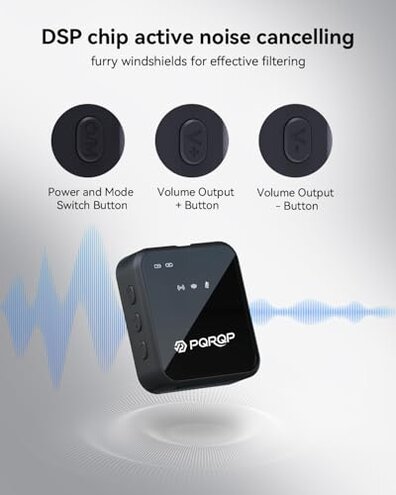
- Live streamers who cannot tolerate mid-take dropouts during broadcasts.
- Event videographers needing predictable battery life for full-day shoots.
- Buyers wanting plug-and-play experience who dislike hunting for extra adapters after purchase.
Who this is actually good for
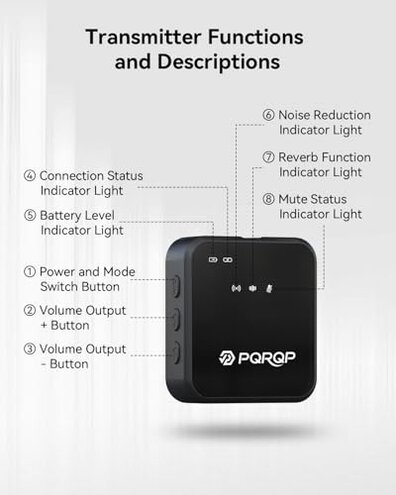
- Casual creators who accept occasional glitches and can re-record short clips.
- Short-form social users who shoot close to the receiver and can tolerate limited range.
- Budget buyers willing to manage adapters and battery swaps to save on cost.
Expectation vs reality
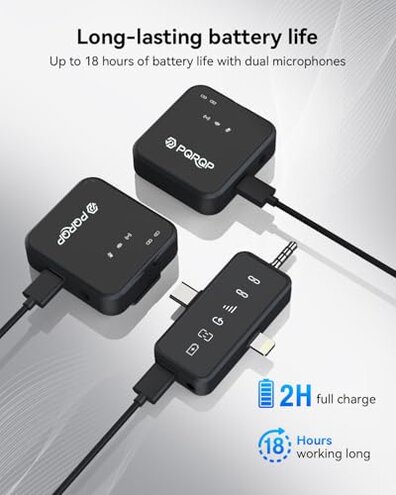
Expectation: Buyers reasonably expect a wireless lavalier to keep one uninterrupted recording within normal range.
Reality: The product shows dropouts that interrupt recordings more often than typical mid-range rivals, based on repeated reports.
Expectation: Claim of long range and long battery life sounds normal for this category.
Reality: Range and battery performance are variable in real conditions and often need extra care to meet expectations.
Safer alternatives
- Pick tested radios: Choose models with documented stable range to neutralize the dropout risk.
- Check included cables: Prefer sellers who list adapters or include a connector kit to avoid the hidden adapter requirement.
- Prioritize battery reviews: Look for units with consistent, verified run-times to address the battery variability.
- Read video demos: Seek hands-on setup videos showing real-world distance tests to spot audio fluctuation early.
The bottom line
Main regret: The most common trigger is connectivity dropouts during real recording situations.
Why worse: These failures are more disruptive than normal for mid-range wireless lavaliers because they break takes and add editing time.
Verdict: Avoid this mic if you need dependable, on-the-spot audio for live or one-take work; consider more proven mid-range rivals instead.
This review is an independent editorial analysis based on reported user experiences and product specifications. NegReview.com does not sell products.