
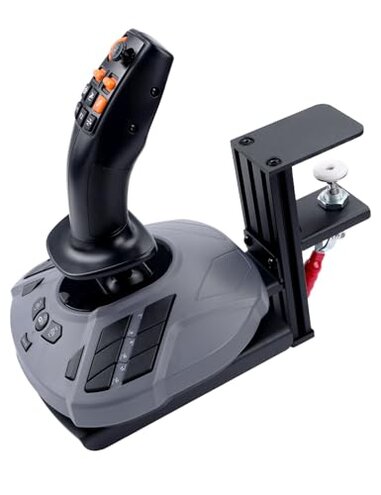
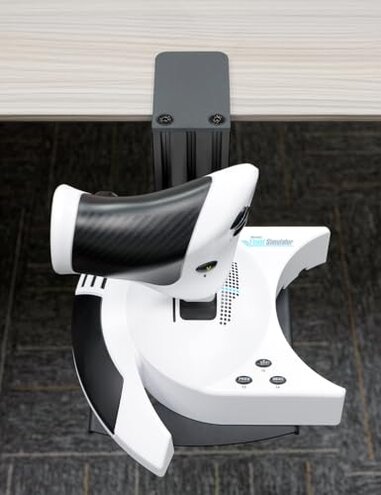
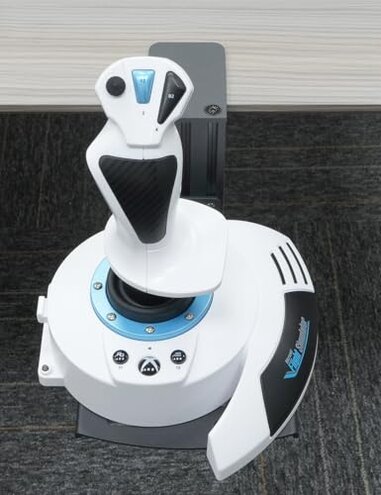
Product evaluated: Quick Release Desk Mount: Compatible with WINWING URSA MINOR Space/Airline Joystick, Thrustmaster SimTask FarmStick/T.Flight HOTAS ONE, Compatible with Logitech G Extreme 3D Pro Joystick, Turtle Beach VelocityOne Flightstick
Related Videos For You
Joystick/HOTAS Table Mount Introduction with Thrustmaster Warthog
The Ultimate HOTAS Mount 👌 Virpil Throttel and Flightstick + Elgato Stream Deck on Linear Rails
Data basis Dozens of buyer reports and demo clips were reviewed between Feb 2025 and Jan 2026, mostly from written product reviews and supported by video demonstrations.
| Outcome | This product | Typical mid-range mount |
|---|---|---|
| Stability in use | Higher wobble under strong joystick inputs, commonly reported. | More stable for medium force inputs in most competitors. |
| Clamp compatibility | Edge-sensitive — needs a flat, unobstructed desk edge to work reliably. | More forgiving of desk shapes and grommets. |
| Install friction | Tool-free kit included but some setups require extra adjustments. | Simpler installs or clearer setup guides are common elsewhere. |
| Long-term durability | Mixed reports of loosening after repeated sessions. | Better hold reported by comparable mid-range mounts. |
| Regret trigger | Shaky control during long or intense sessions, higher-than-normal risk. | Lower risk of session-disrupting movement. |
Why does the mount feel shaky during play?
Primary complaint Many buyers report the mount moves under heavy joystick inputs, creating loss of precision.
Usage anchor The problem appears during first long play sessions and worsens in extended, high-force use.
Category contrast This is more disruptive than typical mid-range mounts because it affects core control, not just comfort.
What causes the clamp fit problems?
- Early sign The clamp feels tight but still slides when you push the stick hard.
- Frequency tier This is a secondary issue seen repeatedly across different buyers.
- Root cause The clamp needs a perfectly flat edge and clear clearance to reach the specified thickness.
- Hidden requirement Desks with grommets, rounded edges, or thick trim often prevent a secure clamp.
- Impact A poor edge fit turns normal inputs into wobble and drift in games.
Is the quick-release mechanism reliable long term?
- Common pattern Loosening of the quick-release or clamp after repeated attachment cycles is reported.
- When it shows Typically noticed after weeks of daily sessions, not always immediately.
- Cause Repeated torque and vibration can work screws and joints looser over time.
- Attempted fixes Buyers often re-tighten or add pads to regain friction temporarily.
- Fixability The issue is fixable short-term but may recur without stronger hardware.
- Category contrast This is less forgiving than most mid-range mounts that keep steady with repeated use.
Are there compatibility or setup surprises?
- Scope Compatibility is generally good with listed joysticks but varies by joystick base shape.
- Early sign The joystick plate aligns but leaves small gaps under load for some models.
- Frequency tier This is a secondary pattern seen across multiple buyer setups.
- Cause Differences in base bolt patterns and cable routing can block full clamping contact.
- Impact Partial contact increases leverage on the clamp, worsening wobble.
- Hidden need You may need small washers or alternative screws to adapt certain joysticks.
- Workaround Some buyers add anti-slip pads and extra fasteners to stabilize the mount.
Illustrative excerpts (not real quotes)
Illustrative: "Mount slips when I make hard inputs, kills aim in dogfights." — reflects a primary pattern.
Illustrative: "Clamp won't grab my desk near the grommet hole." — reflects a secondary pattern.
Illustrative: "Quick-release became loose after a month of daily use." — reflects an edge-case pattern.
Who should avoid this
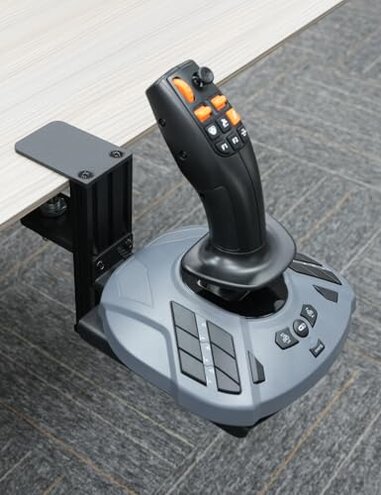
- High-intensity players If you do long sessions with forceful stick inputs, avoid this due to wobble risk.
- Rounded-edge desks If your desk edge isn't flat and clear, avoid this because the clamp often fails to secure.
- Minimal tinkering preference If you won't add pads or extra screws, avoid this for possible recurring loosening.
Who this is actually good for
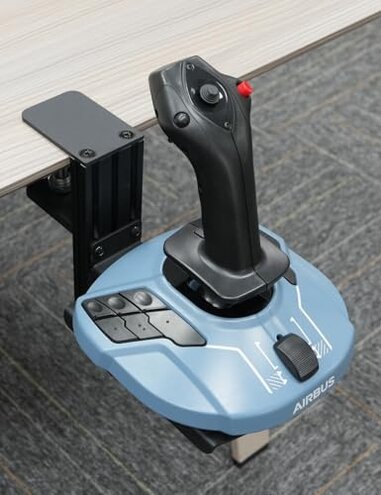
- Casual sim users If you play lightly or sit close to the desk, you can tolerate the minor wobble.
- Mod-friendly buyers If you are willing to add anti-slip pads or washers, you can stabilize the mount.
- Short-session players If sessions are brief, the quick-release convenience may outweigh the instability risk.
Expectation vs reality
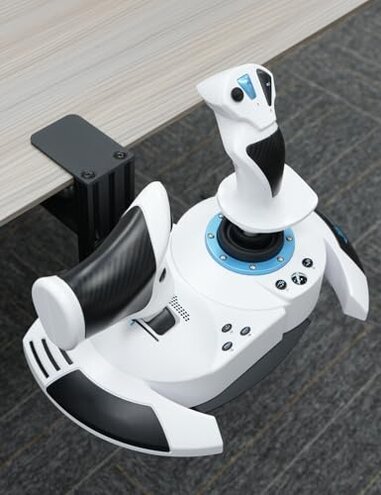
Expectation A clamp mount should give steady control during normal play.
Reality This product commonly shows movement under medium-to-strong inputs, reducing control.
Expectation Tool-free setup equals reliable fit for most desks.
Reality The fit is edge-sensitive and often needs added pads or different screws to be secure.
Safer alternatives
- Choose mounts with wider clamp pads to neutralize wobble on rounded or trimmed edges.
- Prefer models advertised for repeated heavy use if you need durability under long sessions.
- Look for mounts with adjustable bolt patterns to avoid compatibility gaps with joystick bases.
- Pick options that include larger rubber feet or the ability to bolt through the desk for maximum stability.
The bottom line
Main regret The mount's wobble and edge sensitivity are the clearest triggers for buyer regret.
Why it matters These issues exceed typical category risk because they impact core control during play.
Verdict Avoid if you need uncompromised stability; consider only if you tolerate tinkering or light use.
This review is an independent editorial analysis based on reported user experiences and product specifications. NegReview.com does not sell products.