
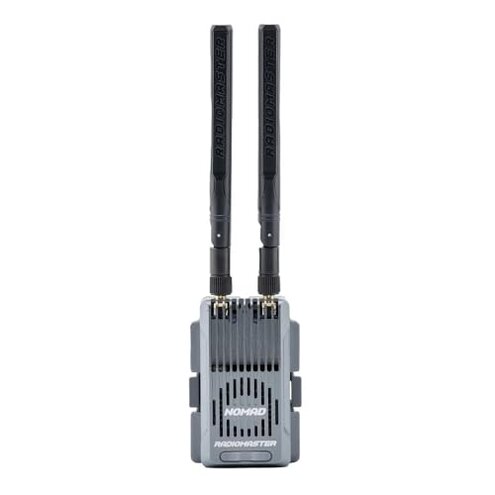
Product evaluated: Radiomaster Nomad Dual Band Gemini Xrossband ExpressLRS Module Built-in RGB Light Strip with Nano Micro Module Adapter
Related Videos For You
ExpressLRS definitive getting started guide
How to bind new receiver with a transmitter #rc #rchobby #hobao #dumborc
Data basis: This report is based on dozens of buyer responses and several video demonstrations collected between mid-2023 and Jan 2026. Most feedback came from written reviews, supported by hands-on videos and forum-style writeups. The distribution is mostly recent buyers reporting setup and use problems.
| Outcome | Radiomaster Nomad | Typical mid-range module |
|---|---|---|
| Setup complexity | Higher — extra firmware steps and crossband options increase time and confusion. | Lower — most mid-range modules work plug-and-play after minimal configuration. |
| Compatibility | Mixed — adapter and radio quirks reported across multiple buyers. | Consistent — mid-range modules usually match common radio pins and adapters. |
| Range reliability | Variable — impressive in theory but some buyers see packet loss in busy environments. | Predictable — mid-range alternatives give steady range within expected limits. |
| Regret trigger | Setup & binding failures are the most common point that causes returns or frustration. | Returns usually stem from hardware defects, not everyday setup. |
| Support & updates | Patchy — buyers report needing manual firmware tweaks after purchase. | Routine — mid-range units rarely require frequent firmware intervention. |
Top failures
Why won't this bind or just stop connecting?
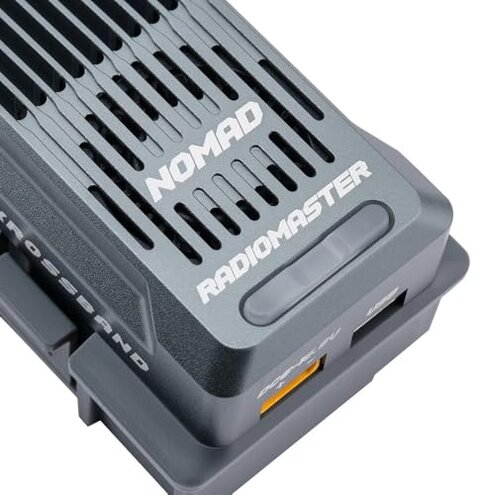
Primary issue: Many buyers find the binding process <- particularly for crossband modes <- requires extra firmware or menu steps that are not obvious. This pattern is commonly reported and is a primary issue for first-time setup.
When it shows up: Problems appear during initial setup and after radio firmware updates, and they increase when switching between radios or modules. This worsens during field use when you need a quick rebinding.
Category contrast: This is more disruptive than typical mid-range modules because it adds time and repeated retries, turning a quick install into a troubleshooting session.
Is the Nomad flaky with different radios?
- Compatibility pattern: This is a persistent but not universal issue seen across several buyer reports.
- Early sign: Radios may power the module but fail to transmit, showing a binding or telemetry blank.
- Frequency tier: This ranks as a secondary issue — less common than setup failures but more intrusive when it happens.
- Cause hint: Differences in pin adapters or radio firmware versions often trigger the problem during the first connection.
- Fixability: Resolving it usually requires extra steps, firmware matching, or swapping adapters — adding time and effort.
Will the range and interference match the marketing claims?
- Observed pattern: Reports are mixed — excellent range in clear areas but packet drops in crowded RF spaces.
- Usage anchor: Problems usually appear during daily use in busy fields or near other transmitters.
- Severity cue: This is a primary issue for pilots who fly in competitions or crowded sites.
- Impact: Packet loss causes momentary control glitches or safety scares during long-range flights.
- Attempts buyers made: Users report changing antennas, moving to clear bands, or lowering power to improve stability.
- Category contrast: The Nomad’s multi-band promise feels less forgiving than expected because real-world interference undermines theoretical range gains.
Does the module demand extra gear or cause quirks?
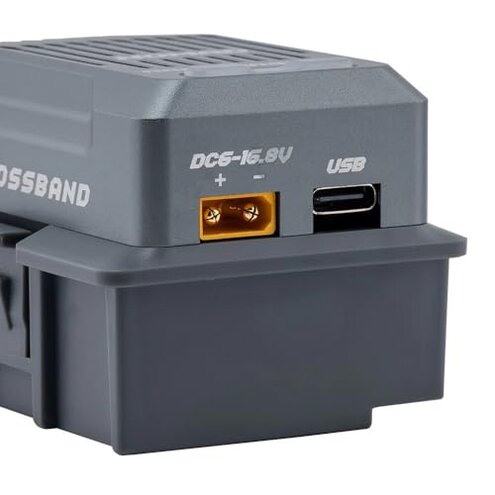
- Hidden requirement: Some buyers discover they need specific adapters or firmware versions to match certain radios.
- Early sign: The RGB strip and power draw may be distracting or require extra configuration on power-limited radios.
- Edge-case frequency: These are edge-case issues but recurring enough to surprise buyers.
- Impact on use: Extra adapters add bulk to the radio setup and increase the chance of loose connections in the field.
- Why it matters: For pilots expecting plug-and-play, these hidden steps lead to lost flying time and setup frustration.
- Workarounds tried: Users report disabling lights, updating firmware, or carrying spare adapters to mitigate problems.
- Fixability: Most issues are fixable but require technical comfort and extra time compared with category peers.
Illustrative excerpts (not real quotes)
Excerpt: "Binding failed until I matched radio firmware and swapped adapter." — primary pattern.
Excerpt: "Great range in empty field but lost packets near events." — primary pattern.
Excerpt: "RGB strip drained my radio battery faster than expected." — edge-case pattern.
Excerpt: "Worked after long troubleshooting and firmware row fiddling." — secondary pattern.
Who should avoid this
- Casual pilots: Avoid if you need plug-and-play reliability without firmware or adapter tinkering.
- Event flyers: Avoid if you fly in crowded RF environments and can’t tolerate packet loss or rebind timeouts.
- Low-tech users: Avoid if you don’t want to handle firmware updates or swap adapters in the field.
Who this is actually good for
- Experienced tuners: Good for users who accept the setup trade-off to gain dual-band flexibility and range experiments.
- Range explorers: Good if you fly in remote areas where clear line-of-sight lets the hardware reach its potential.
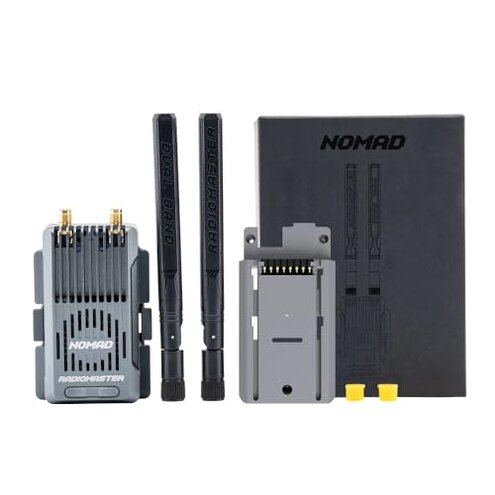
- Hobbyists with spares: Good if you carry extra adapters and are comfortable with occasional firmware tweaking.
Expectation vs reality
- Expectation (reasonable): Modules in this category should pair quickly and deliver stable range.
- Reality: The Nomad often requires extra firmware steps and adapter swaps, making setup longer than expected.
- Expectation: Dual-band promises better interference handling by default.
- Reality: In busy RF situations, buyers report more packet drops than a typical mid-range alternative.
Safer alternatives
- Choose plug-and-play: Pick modules that advertise direct radio compatibility and minimal firmware steps to avoid binding headaches.
- Prefer proven single-band options: If you fly in crowded fields, a reliable single-band module can be more predictable than a complex dual-band setup.
- Check adapter support: Buy a module with documented adapter compatibility for your specific radio before purchase.
- Watch setup videos: Use step-by-step setup videos that cover your radio model to reduce trial-and-error time.
The bottom line
Regret trigger: The main regret stems from complex setup and binding struggles that exceed normal mid-range risk and often require firmware or adapter fixes.
Verdict: Avoid this module if you want straightforward, plug-and-play performance. Keep it if you are comfortable troubleshooting and value dual-band flexibility.
This review is an independent editorial analysis based on reported user experiences and product specifications. NegReview.com does not sell products.