
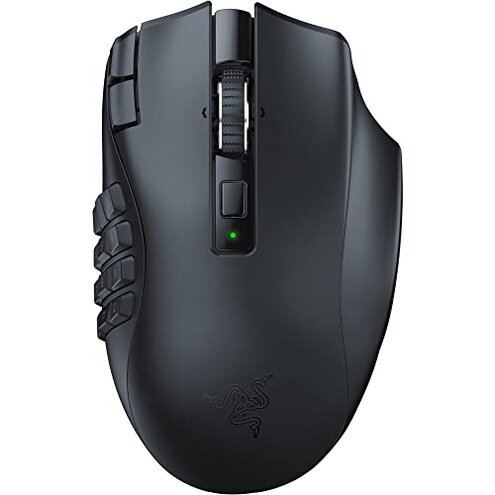
Product evaluated: Razer Naga V2 HyperSpeed Wireless MMO Gaming Mouse: 19 Programmable Buttons - HyperScroll Technology - Focus Pro 30K Optical Sensor - Mechanical Mouse Switches Gen-2 - Up to 400 Hr Battery Life
Related Videos For You
Xeno on Using an MMO Mouse and Tips on Hotbar Setup for FFXIV
How to REASSIGN Side buttons on MOUSE Windows 10 | (Remap Any Mouse Button!)
Data basis: This report synthesizes feedback from dozens of buyer reviews and video demonstrations collected between Nov 2022 and Jan 2026. Most feedback came from written reviews, supported by video demonstrations and setup guides. The qualitative mix shows written reports were the primary source, with videos used to confirm visible failures.
| Outcome | Razer Naga V2 | Typical mid-range mouse |
|---|---|---|
| Button reliability | Higher risk — commonly reported remapping or missed presses under heavy macro use. | Lower risk — fewer complaints about repeated misfires in this price band. |
| Software stability | Unstable — profiles sometimes lost after updates or reconnects. | Average — most mid-range options keep simple onboard profiles reliably. |
| Wireless behavior | Intermittent — some reports of latency spikes on Bluetooth versus 2.4GHz dongle. | Consistent — mid-range models typically show steadier wireless performance. |
| Ergonomic fit | Mixed — bulky for small hands, praised by larger-hand users. | Typical — more universal shapes at this price tend to fit broader users. |
| Regret trigger | Macro loss & button faults — most decisive for buyers needing reliable MMO performance. | Less likely — mid-range rivals rarely combine both failures. |
Why do some buttons misregister or need constant remapping?
Primary regret occurs when mapped macros stop working mid-session, causing gameplay disruption and wasted clicks.
Pattern: This is a commonly reported issue that appears after initial setup or after a software update.
When it shows up: Buyers report the problem during intensive sessions and after reconnecting between Bluetooth and the dongle.
Category contrast: Button remapping issues are more disruptive than typical mid-range mice because this model is sold specifically for MMO macro reliability.
Why does software lose profiles or behave unpredictably?
- Profile loss: Many buyers report profiles disappearing after firmware or Synapse updates, a primary complaint in feedback.
- Setup friction: Initial configuration often requires repeated restarts of the software and device, a secondary but frequent pain point.
- Hidden requirement: Onboard profile reliability often depends on keeping Razer Synapse installed and logged in, which some buyers did not expect.
- Impact: Losing macros mid-play is more damaging here because the product markets itself to MMO users who rely on complex bindings.
Why does wireless performance sometimes feel inconsistent?
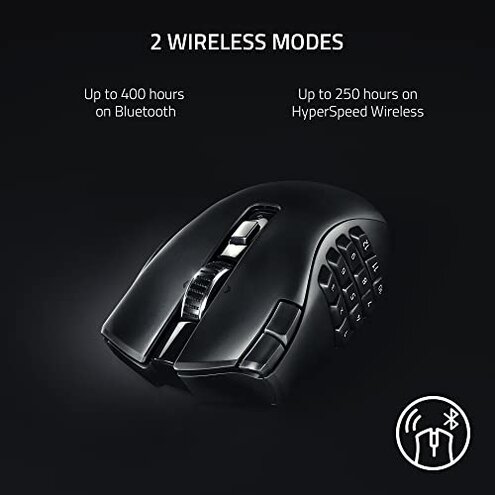
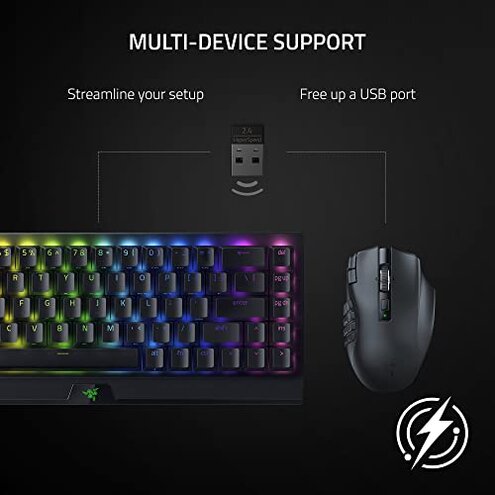
- Dongle vs Bluetooth: 2.4GHz dongle mode usually performs better, while Bluetooth can show occasional latency spikes during long sessions.
- Session timing: Issues are most noticeable during long gaming sessions and when switching connections frequently.
- Interference is commonly reported near crowded USB ports or metal surfaces, worsening dropouts.
- Battery drain: Long-term wireless use can cause behavior changes as battery level falls, a secondary pattern in reports.
- Category contrast: Mid-range gaming mice usually trade slightly worse battery for steadier Bluetooth; this mouse’s complexity raises failure likelihood.
- Fix attempts: Buyers often re-pair, change USB ports, or switch to wired use to regain consistent response.
Why might hand fit and daily comfort be a problem for some buyers?
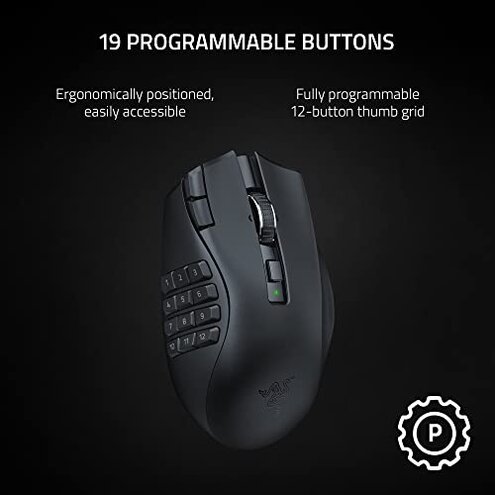
- Grip fit: The side grid of 19 buttons makes the mouse feel bulky for small-handed users, a frequent ergonomic complaint.
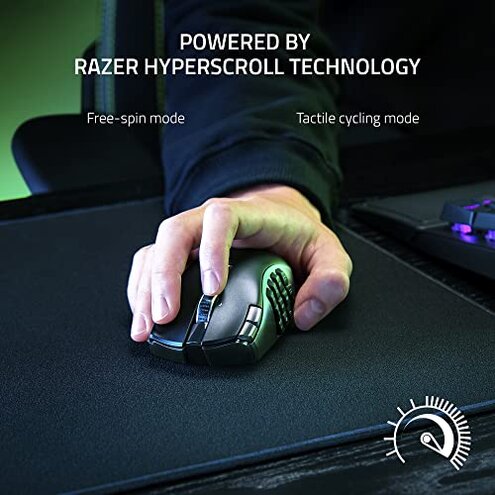
- Early sign: New users notice thumb strain during first sessions if they must reach buttons repeatedly.
- Usage context: Discomfort appears with long daily MMO play and frequent button presses.
- Frequency tier: This is a secondary issue for small-handed buyers and primary for those with small palms.
- Attempted fixes: Users tried changing grip style or disabling many buttons, which reduces the product’s selling point.
- Hidden requirement: Optimal use often requires customizing button layout in software, adding setup time and complexity.
- Category contrast: Typical mid-range mice with fewer side buttons are easier to use for long sessions without extra setup.
Illustrative excerpts
- Excerpt: "Macros stopped working after an update in the middle of a raid."
- Pattern: This reflects a primary pattern tied to software updates and profile loss.
- Excerpt: "Bluetooth lagged, switched to dongle and it fixed it."
- Pattern: This reflects a secondary pattern about connection mode differences.
- Excerpt: "Thumb hurt after two hours of tapping the side buttons."
- Pattern: This reflects a secondary ergonomic issue for small-handed users.
- Excerpt: "Had to reinstall Synapse three times to get profiles back."
- Pattern: This reflects a primary pattern about setup friction and software reliance.
Who should avoid this
- MMO players who need rock-solid macros: Avoid if you can’t tolerate intermittent profile loss during critical play.
- Small-handed users: Avoid if side button reach causes thumb strain after short sessions.
- Low-tolerance for software maintenance: Avoid if you don’t want to keep Synapse updated and troubleshoot regularly.
Who this is actually good for
- Large-hand MMO players: Good if you value lots of side buttons and have a hand size that fits the mouse comfortably.
- Users who accept software setup: Good if you are willing to invest time in Synapse configuration and backups.
- Dongle-preferred wireless users: Good if you plan to use the 2.4GHz dongle and avoid Bluetooth for competitive sessions.
Expectation vs reality
Expectation: Reasonable for this category is reliable macro mapping for MMO use.
Reality: Some buyers report macros lost or remapped after updates, which is worse than expected for an MMO-focused mouse.
Expectation: Reasonable for wireless mice is occasional lag on Bluetooth.
Reality: Bluetooth lag here can be frequent enough that many buyers must switch to the dongle or wired mode.
Safer alternatives
- Choose simpler button layouts: Prefer mice with fewer side buttons to avoid remapping headaches and reduce thumb strain.
- Prioritize onboard profiles: Look for models with reliable onboard memory that don’t depend on always-running software.
- Test wireless modes: If you need Bluetooth, test latency before buying or pick mice known for stable Bluetooth performance.
- Check ergonomic fit: Try in-store hand-fit testing or buy from retailers with easy returns if you have small hands.
The bottom line
Main regret: The decisive issue is profile loss and side-button reliability during real MMO use.
Why it matters: That failure exceeds normal category risk because the product’s core promise is programmable buttons for heavy macro use.
Verdict: Avoid this mouse if you need dependable macros out of the box; consider it only if you accept extra setup and wired/dongle use.
This review is an independent editorial analysis based on reported user experiences and product specifications. NegReview.com does not sell products.