
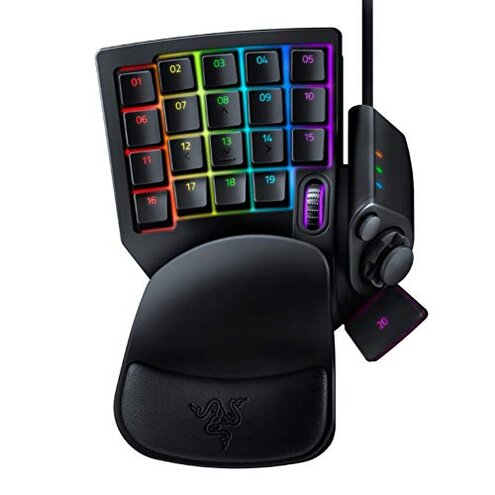
Product evaluated: Razer Tartarus V2 Gaming Keypad: Mecha Membrane Key Switches - One Handed Keyboard - 32 Programmable Keys - Customizable Chroma RGB Lighting - Programmable Macros - Snap Tap - Black
Related Videos For You
I Gamed With THIS for a MONTH – Azeron Cyborg
Unboxing and Review - Redragon K585 DITI One-Handed Mechanical Keyboard
Data came from hundreds of buyer comments and recorded demos collected through Jan 2026, drawn from written reviews and video demonstrations. Most feedback came from written reviews, supported by video walkthroughs that confirm setup and in-use problems.
| Outcome | Razer Tartarus V2 | Typical mid-range keypad |
|---|---|---|
| Reliability | Inconsistent key responsiveness reported more often than expected. | Steady key feel and fewer early failures are common. |
| Setup friction | High software dependence and account/driver steps before full use. | Lower plug-and-play behavior with optional software for extras. |
| Longevity | Wear and flaky keys appear within months in some reports. | More durable performance typical for similar-priced alternatives. |
| Customization | Deep macro and lighting options but tied to software. | Balanced customization with fewer software dependencies. |
| Regret trigger | Software-first design that breaks core features when setup fails. | Hardware-first design where basics work without software. |
Top failures
Why does the keypad need so much software to work right?
Regret starts during initial setup when core features need separate software and sometimes an account. Pattern: this is a primary issue that appears repeatedly in written reviews and demos.
Context occurs at first use and when updating drivers; missing or outdated software removes programmable keys and lighting. Why worse: typical mid-range keypads offer basic programming with no mandatory cloud or account steps.
Why do some keys go unresponsive or feel mushy?
- Early sign: keys sometimes miss presses right after unboxing in reports labeled as primary complaints.
- Frequency tier: this is a primary issue that appears repeatedly, not a rare edge-case.
- When it shows up: during daily use and long gaming sessions users note missed or double inputs.
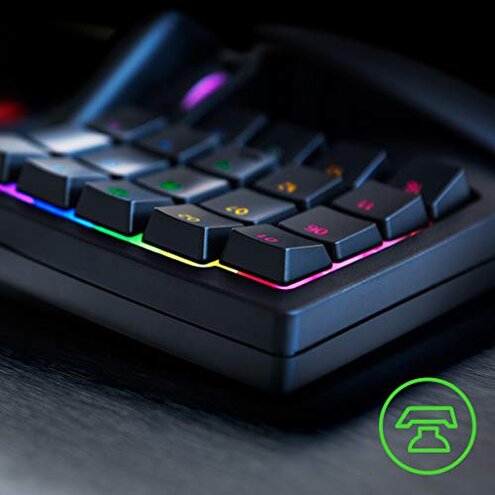
- Cause signal: users point to mecha-membrane feel and internal durability as the likely source.
- Impact: gameplay and creative workflows see misfires that break combos or macros.
Should I worry about the thumbpad and ergonomics failing over time?
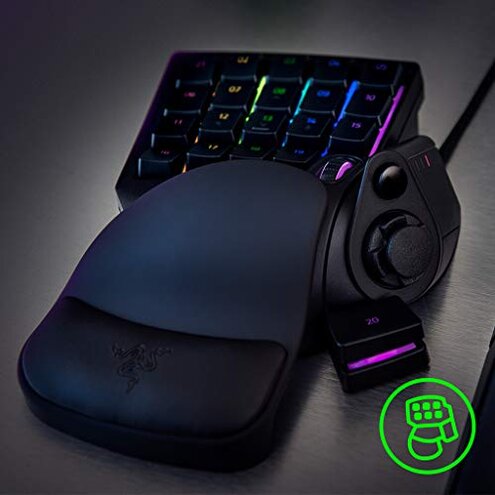
- Primary pattern: complaints about the thumbpad and resting comfort are commonly reported.
- Early sign: thumb fatigue or slipping shows up in the first few weeks for some users.
- When it worsens: long sessions or heavy directional use increases wear and control loss.
- Category contrast: this is worse than typical because many competitors use larger or more durable thumb controls.
- Attempts: buyers tried wrist rests and remapping but still reported discomfort or control drift.
- Fixability: partial software remaps help, but physical wear needs hardware replacement.
- Hidden requirement: better long-term performance often needs extra accessories not included.
How reliable are macros and customization in everyday use?
- Pattern: macro glitches and lost profiles are a common secondary complaint.
- When it appears: after software updates, OS changes, or switching machines users report lost mappings.
- Category contrast: more disruptive than expected because category peers keep local profiles working without cloud sync.
- Cause: dependence on background software and occasional firmware updates creates volatility.
- Impact: complex workflows break mid-session, adding extra steps to restore settings.
- Attempts: users reported reinstalling software, re-flashing firmware, or keeping backups to recover profiles.
- Hidden requirement: a persistent background app and account are often needed to retain advanced settings.
- Fixability: fixes exist but require time and comfort with device software.
Illustrative excerpts
Illustrative: "Keys started missing presses after a few weeks of use, very frustrating." — Primary pattern.
Illustrative: "Lighting and macros disappeared until I reinstalled the companion software." — Secondary pattern.
Illustrative: "Thumbpad feels small and slips during long sessions." — Secondary pattern.
Illustrative: "Had to create an account to save my macros—unexpected step." — Edge-case pattern.
Who should avoid this
- Non-technical buyers who expect plug-and-play reliability without installing software.
- Competitive gamers who cannot tolerate missed keypresses or macro failures during matches.
- Travel users who need stable function across different machines without reconfiguring software.
Who this is actually good for
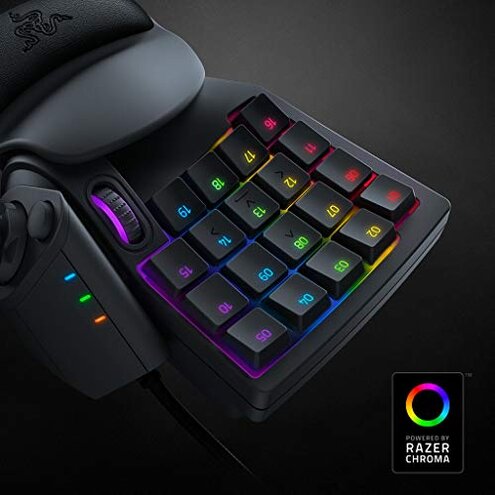
- Customization seekers who want deep macro and lighting control and are comfortable with vendor software.
- Casual gamers who accept occasional upkeep and can tolerate some setup steps for extras.
- Single-desk users who will keep the device on one machine and maintain the software environment.
Expectation vs reality
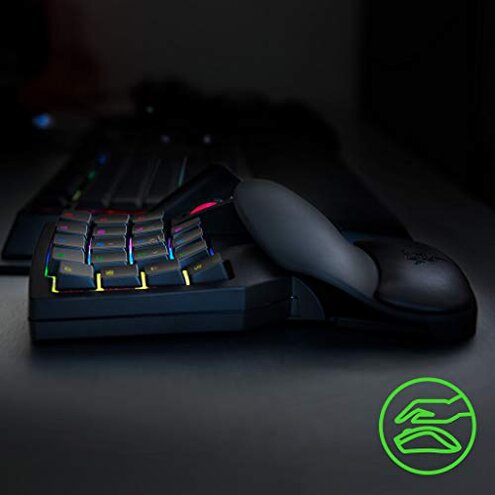
- Expectation: reasonable for this category is that basic keys work immediately without extra accounts. Reality: many buyers need the companion app to unlock core functions.
- Expectation: mid-range keypads last many months under daily use. Reality: multiple reports show early wear or key unresponsiveness.
- Expectation: macros stay stable after setup. Reality: profiles can be lost across updates unless backed up.
Safer alternatives
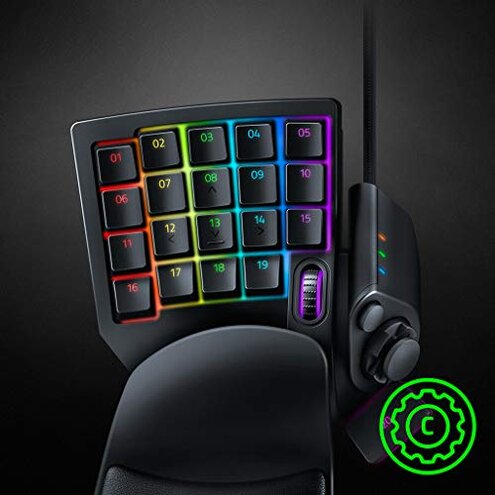
- Choose hardware-first models that provide basic key programming locally to avoid software dependency.
- Prefer mechanical switches if durability and crisp feedback matter more than soft membrane feel.
- Look for offline profile storage to prevent lost macros after updates or machine changes.
- Check accessory support if you need long-session comfort; some keypads include better wrist rests out of the box.
The bottom line
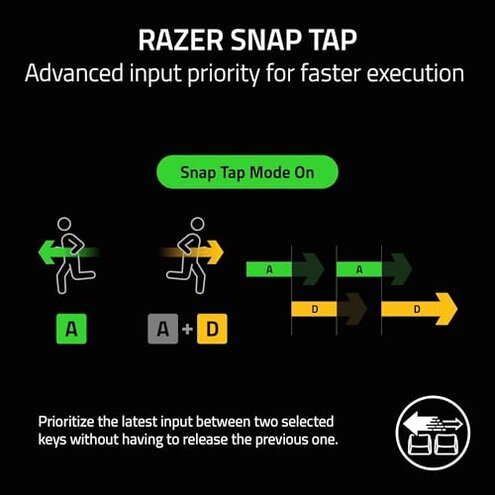
Regret trigger: this product places core features behind software and shows higher-than-normal early wear on keys and controls. Why it exceeds risk: those traits are more disruptive than typical mid-range keypads.
Verdict: avoid if you need reliable plug-and-play performance; consider it only if you value deep customization and can manage software upkeep.
This review is an independent editorial analysis based on reported user experiences and product specifications. NegReview.com does not sell products.