
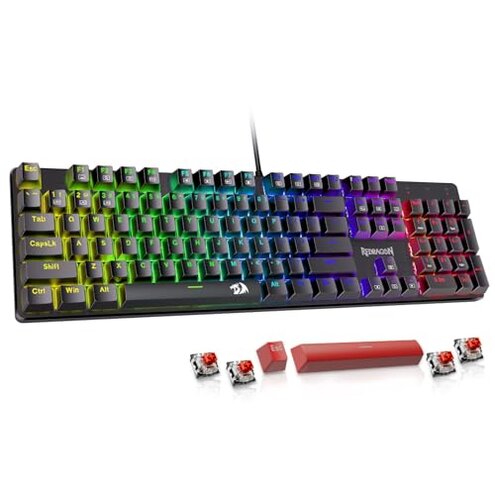
Product evaluated: Redragon K580 VATA RGB LED Backlit Mechanical Gaming Keyboard with Macro Keys & Dedicated Media Controls, Hot-Swappable Socket, Onboard Macro Recording (Brown Switches)
Related Videos For You
Best Gaming Keyboard? #gamingsetup #gaminggear #mechanicalkeyboard #keyboard #customkeyboards
How to Replace Hot Swap Mechanical Switches (with & without switch puller)!
Data basis: This report draws on dozens of buyer reviews and several video demonstrations collected between Jan 2020 and May 2024. Most feedback came from written reviews, with video walkthroughs supporting setup and failure signals. Distribution is weighted toward recent buyers and hands‑on testers.
| Outcome | Redragon K580 | Typical mid‑range keyboard |
|---|---|---|
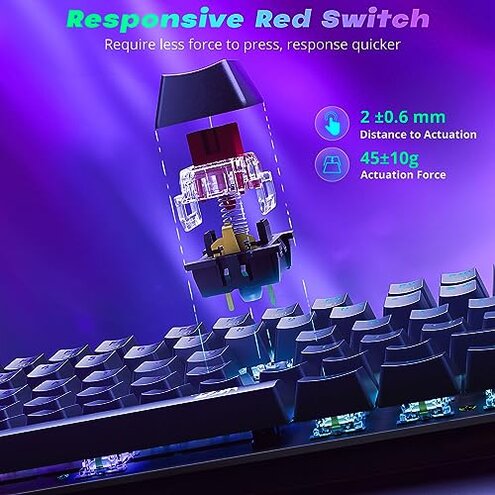
| Switch replacement | Higher fragility during hot‑swap and modding; many report fit problems. | Stable fit for most hot‑swap sockets; fewer fit issues reported. |
| Onboard macros | Clunky controls with limited editing on the device only. | Software support common, making macros easier to edit and backup. |
| Lighting & controls | Inconsistent behavior with wheel and RGB modes resetting for some users. | Reliable presets and clearer control paths on most rivals. |
| Longevity risk | Above‑normal regret when heavily modified or used daily long‑term. | Average longevity for mid‑range keyboards under similar use. |
| Regret trigger | Customization fails during modding or frequent reprogramming. | Minor inconvenience that rarely blocks use. |
Why does swapping switches sometimes break the keyboard?
Core problem: Many buyers report recurring hot‑swap fit issues that show up during switch replacement.
Usage anchor: The issue appears when users remove or install switches for mods and worsens with frequent swaps.
Category contrast: This is more disruptive than expected, since most mid‑range hot‑swap boards tolerate regular swaps without fit or contact problems.
Is the onboard macro system actually usable long term?
- Early sign: Macro recording feels unintuitive for first‑time users during setup.
- Frequency tier: This is a secondary issue that appears commonly among buyers who need complex macros.
- Cause: On‑device only editing limits quick adjustments and requires repeating steps to fix mistakes.
- Impact: Power users find it slower and more error‑prone than software‑driven macro tools.
- Workaround: Some users accept the limits, but it adds time and mistakes when reprogramming keys.
Why do lighting and the volume wheel act unreliable?
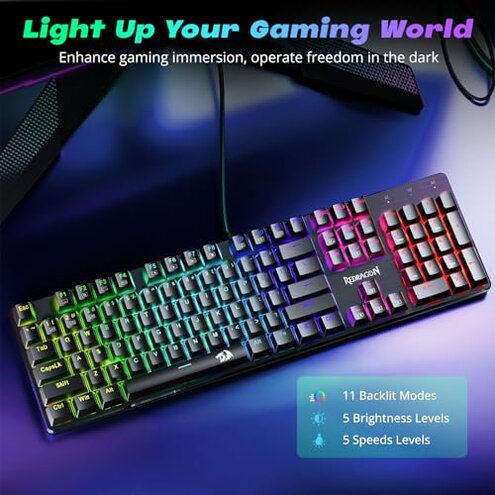
- Initial sign: Modes or brightness can reset after unplugging or long sessions.
- Scope: Appears repeatedly across setup and daily use reports.
- Worsening condition: Longer sessions and quick unplug/replug cycles tend to make it worse.
- Hidden requirement: Restoring preferred settings often needs repeating key combos, which many buyers find annoying.
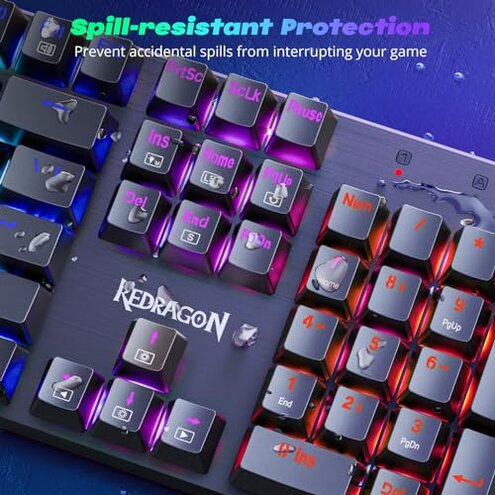
- Category contrast: Lighting persistence is weaker than typical mid‑range keyboards that store profiles or use companion software.
- Attempted fixes: Users commonly cycle power or reset defaults, which temporarily helps.
- Fixability: Persistent users sometimes accept the hassle, but it remains a recurring source of regret.
Will the keys and case hold up to heavy daily use?
- Early sign: Rattly stabilizers or inconsistent key feel reported after weeks of use.
- Frequency tier: This is a secondary issue seen by users who type or game daily.
- Cause: Assembly tolerances and stabilizer setup appear to vary between units.
- User impact: Noisy keys or uneven travel make long typing sessions more tiring.
- Attempts to fix: Some buyers open the case or lube stabilizers, which adds time and skill requirements.
- Hidden requirement: Fixing stabilizers commonly needs hobbyist tools or parts not included in the box.
- Category contrast: More upkeep than most mid‑range alternatives that ship better‑set stabilizers.
- Edge‑case: A minority report perfect units, but variability increases risk for buyers who expect plug‑and‑play consistency.
Illustrative excerpts (not actual quotes)
"Macros took repeated tries and I still couldn't edit them." — primary pattern
"New switches wouldn't seat cleanly in several sockets." — primary pattern
"RGB resets after unplugging; have to redo brightness every time." — secondary pattern
"Stabilizers rattled until I opened and lubed them myself." — secondary pattern
Who should avoid this
- Modders wanting reliable hot‑swap — avoid if you plan frequent switch changes without extra parts or repairs.
- Macro power users — avoid if you need easy, editable macros and profile backups.
- Buyers seeking plug‑and‑play durability — avoid if you expect stable stabilizers and lighting out of the box.
Who this is actually good for
- Budget buyers wanting RGB looks — acceptable if you prioritize appearance over fine customization.
- Causal gamers — fine if you don't swap switches or rely heavily on macros.
- DIY hobbyists — suitable if you plan to lube stabilizers or tinker with switches and accept extra work.
Expectation vs reality
- Expectation: "Hot‑swap sockets make modding painless." Reality: Sockets can be finicky and worsen with frequent swaps.
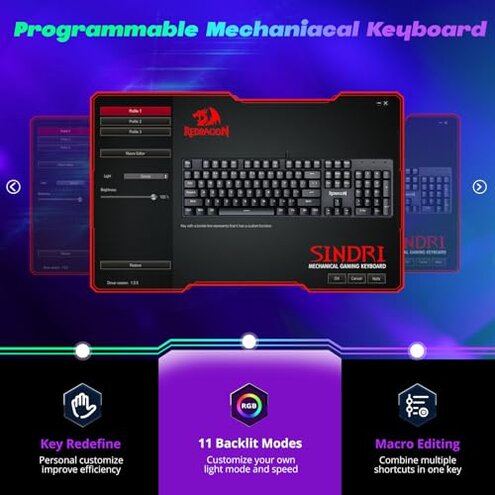
- Expectation: "Onboard macros are a quick substitute for software." Reality: On‑device recording is clumsy and hard to edit.
- Expectation: "RGB and wheel controls stay set." Reality: Lighting and wheel settings may reset after unplugging.
Safer alternatives
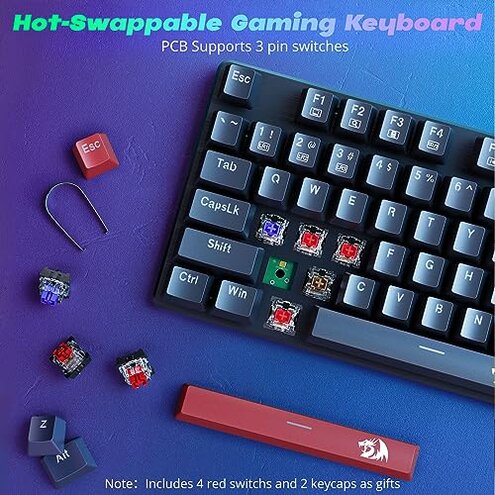
- Pick boards with proven sockets — look for mid‑range keyboards that advertise durable hot‑swap tested sockets to avoid fit issues.
- Prefer software support — choose keyboards with companion apps for easy macro editing and profile backups to neutralize on‑device limits.
- Check stabilizer reviews — pick models praised for out‑of‑box stabilizer tuning to avoid extra hobbyist work.
- Test lighting persistence — prefer keyboards where buyers note settings persist after unplugging to avoid repeated resets.
The bottom line
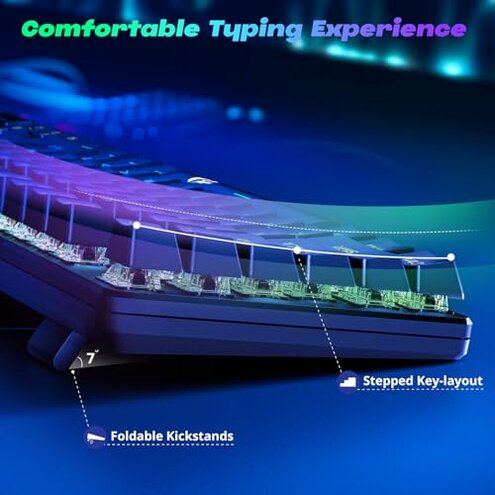
Main regret: Customization reliability is the key problem, driven by hot‑swap fit and clunky macros.
Why it matters: These issues exceed normal mid‑range risk for buyers who mod, program macros, or expect persistent lighting.
Verdict: Avoid this model if dependable customization or out‑of‑box stability is important to you.
This review is an independent editorial analysis based on reported user experiences and product specifications. NegReview.com does not sell products.