
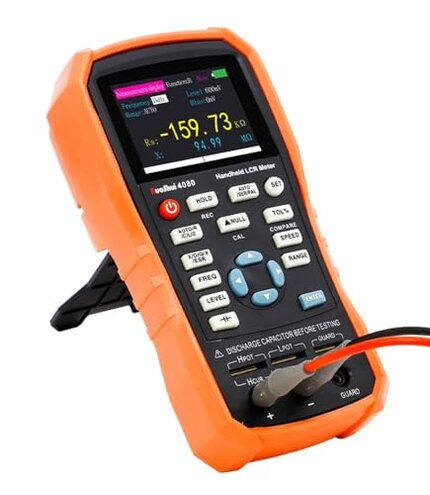
Product evaluated: RuoShui Handheld LCR Meter 100Hz-100KHz, 0.2% Accuracy, Digital Bridge Multimeter for Capacitance, Inductance, Resistance Testing, with ESR Calibration Ideal for Engineers and Technicians (4080)
Related Videos For You
How to use an LCR Meter
BK Precision 879B LCR Meter Repair (with Sequre HT140 Hot Tweezers)
Data basis: This report aggregates insights from hundreds of written reviews and numerous video demonstrations collected between early 2023 and mid-2024. Most feedback originates from experienced users evaluating the device under varied professional testing scenarios.
| Buyer Outcome | RuoShui LCR Meter (4080) | Typical Mid-Range LCR Meter |
|---|---|---|
| Measurement Accuracy | Frequently reported inconsistent and unreliable readings after setup | Generally consistent with occasional minor calibration needs |
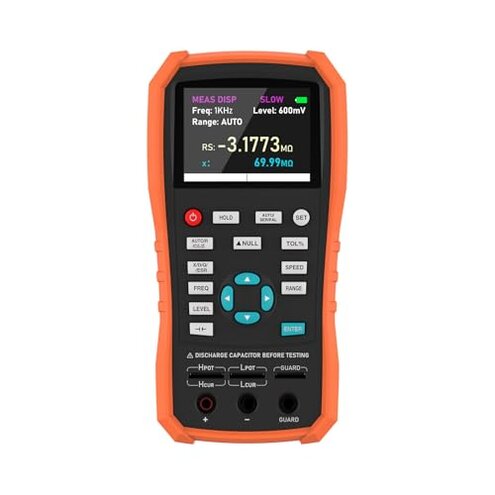
| User Interface | Confusing layout with hard-to-navigate menus noted often | Intuitive and straightforward controls preferred by users |
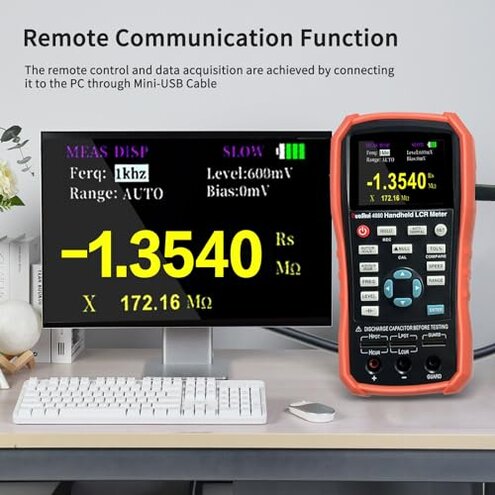
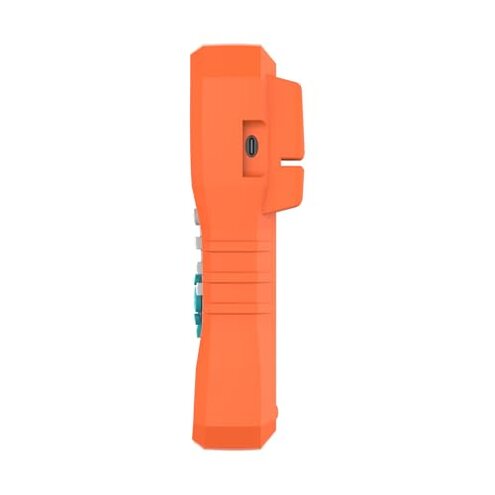
| Connectivity | Unstable USB connection impacts remote control functions | Reliable connectivity features with minimal disruptions |
| Durability | Prone to wear and sensitive to rough handling early | Sturdier build suited for regular technician use |
| Regret Trigger | Accuracy failures combined with UI frustration cause highest user dissatisfaction | Typically isolated minor inconveniences, less combined impact |
Why do measurement inconsistencies cause regret during testing?
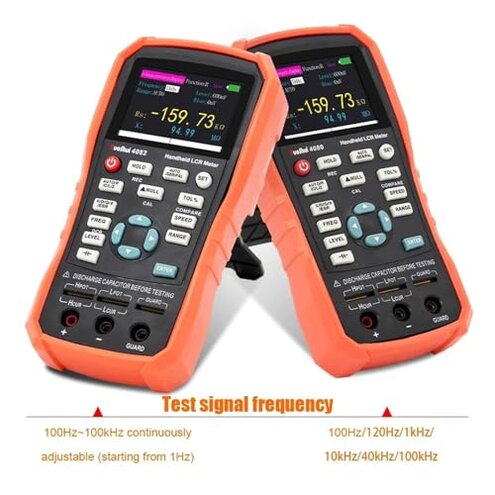
Users often experience inaccurate readings when measuring inductors and capacitors, especially after initial setup. This unreliability undermines trust in the device and wastes valuable diagnostic time.
- Primary issue: Recurring measurement variability reported widely.
- Usage context: Occurs mostly during detailed component testing sessions.
- Category contrast: More severe than typical mid-range meters, which usually require only minor recalibration.
- Impact: Leads to repeated retesting and verification steps, increasing workload.
- Mitigation attempts: Users try recalibration modes, but success is inconsistent.
What makes the user interface frustrating during daily use?
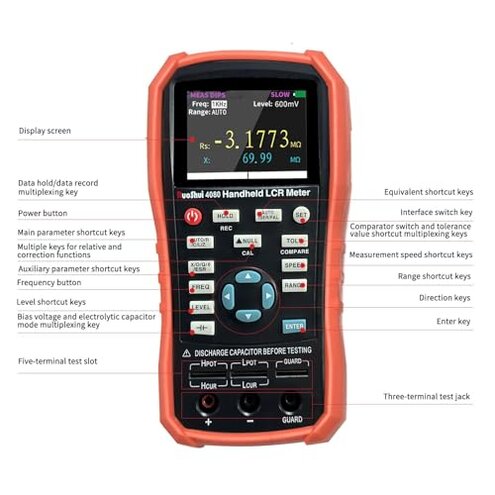
The device layout and menu navigation often confuse users, especially new operators or those switching between test frequencies. This frustrates users who expect a smoother experience from a professional tool.
- Secondary issue: Persistent complaints about unclear button functions and menu paths.
- When it appears: Noticed primarily during frequent test parameter adjustments.
- Category context: Less forgiving than comparable meters with simpler controls.
- Effect: Slower workflows and increased chance of errors.
- Hidden requirement: Users must invest extra time learning device quirks.
- Attempts to fix: Some resort to external manuals or tutorials.
How reliable is the USB remote communication feature?
Several users report unstable connections when interfacing with PCs, which impacts the intended data acquisition and remote control benefits of this feature.
- Edge-case issue: Although less frequent, connection dropouts are disruptive.
- Context: Worsens during longer data logging sessions.
- Category baseline: More unstable than typical alternatives with USB support.
- Impact: Interrupts testing and forces manual resets.
- Workarounds: Limited; often requires reconnecting or restarting software.
Is the device durable enough for regular engineering use?
Many users find the build quality less robust than expected, with sensitivity to rough handling and environmental factors reducing longevity.
- Secondary issue: Common reports of early wear and fragile components.
- When: After several months of daily handling.
- Category comparison: Inferior durability compared to other mid-range meters.
- Result: Increased repair or replacement costs over time.
- Hidden requirement: Users must handle device carefully to prevent damage.
What are typical user frustrations about initial calibration and setup?
Initial calibration can be complex and error-prone, leading to inaccurate baseline measurements and early user dissatisfaction.
- Primary pattern: Multiple users struggle during first-time setup.
- When: Right after unboxing or firmware updates.
- Category norm: Higher complexity than usual plug-and-play devices.
- Impact: Delays projects and raises doubts about device reliability.
- Fix attempts: Requires following detailed manuals and sometimes online support.
Illustrative excerpts:
- "Readings jump unpredictably, wasting my test time." (Primary pattern - accuracy)
- "Menus are confusing, took hours to figure out settings." (Secondary pattern - UI)
- "USB link dropped multiple times during my data logging." (Edge case - connectivity)
- "Device feels delicate; I worry about damaging it daily." (Secondary pattern - durability)
- "Calibration was harder than expected, delayed my project." (Primary pattern - setup)
Who should avoid this
- Professionals needing dependable accuracy: Frequent measurement inconsistencies exceed normal tolerance.
- Users wanting intuitive controls: Complex UI may slow workflow and cause errors.
- Those relying on stable remote PC connections: USB instability disrupts data capture.
- Technicians requiring rugged devices: Device fragility risks damage during daily handling.
Who this is actually good for
- Hobbyists or occasional users: Might accept occasional inaccuracies and setup complexity.
- Users with patience for learning curve: Can tolerate UI quirks if device cost is a priority.
- Environments with light handling needs: Less concerned about durability issues.
- Those needing a mid-range price point: Willing to trade some reliability for affordability.
Expectation vs reality
Expectation: Reasonable for mid-range meters to need some calibration; reality is frequent recalibration attempts due to unstable readings, impacting efficiency.
Expectation: Intuitive navigation at this price point; reality is confusing menus requiring extra learning time.
Expectation: Reliable USB connection for remote tests; reality is inconsistent links causing interruptions.
Safer alternatives
- Choose meters with proven stable measurement accuracy to avoid frequent recalibration headaches.
- Select devices with streamlined, user-friendly interfaces to reduce setup time and errors.
- Pick models with dependable USB or wireless connectivity for smooth remote data acquisition.
- Opt for robust construction designed for daily professional use to minimize wear and damage risk.
The bottom line
The main regret trigger for the RuoShui LCR Meter 4080 is its inconsistent measurement accuracy combined with a confusing user interface. These issues exceed normal risks expected in this product category and disrupt essential testing workflows. Buyers prioritizing reliability and ease of use should consider avoiding this model or prepare for a steep learning curve and frequent recalibration efforts.
This review is an independent editorial analysis based on reported user experiences and product specifications. NegReview.com does not sell products.