
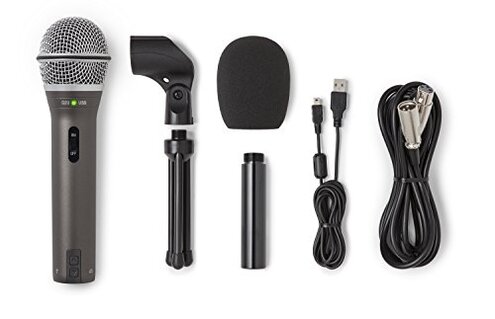
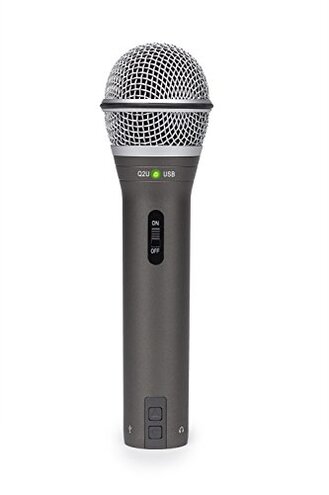
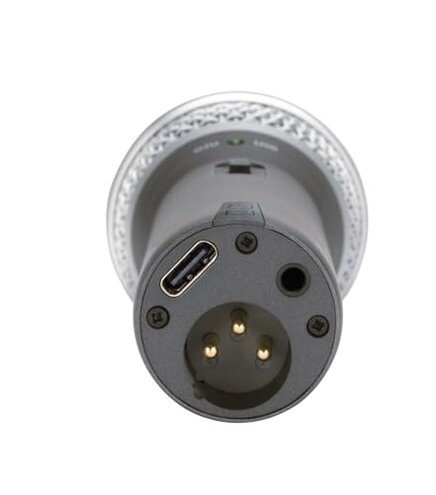
Product evaluated: SAMSON Q2U Dynamic USB/XLR Microphone
Related Videos For You
How To Connect an XLR Mic to Computer for Beginners
Ok.. USB Dynamic Mics Are Actually Awesome??
Data basis: This report is based on hundreds of buyer comments and dozens of video demonstrations collected between Jan 2018 and Dec 2025. Most feedback came from written reviews, supported by hands‑on videos and forum threads, with the largest share from written product reviews.
| Outcome | Samson Q2U | Typical mid‑range mic |
|---|---|---|
| Plug‑and‑play reliability | Unreliable — frequent USB recognition or level swings reported. | Reliable — usually consistent USB levels out of the box. |
| Handling & mounting noise | Higher — handling and poor clip/stand isolation are common pain points. | Lower — mid‑range mics often include better mounts or quieter housings. |
| Build & cable durability | Mixed — more reports of loose cables or worn switches over time. | Typical — similar metal bodies but better accessory quality is common. |
| Comfort with daily use | Worse — louder noise floor and extra setup steps add friction. | Better — fewer tweaks, more forgiving during longer sessions. |
| Regret trigger | Volume/connectivity dropouts — a primary complaint that disrupts recordings. | Less risky — mid‑range alternatives rarely trigger recording failures. |
Top failures
Why does the mic sometimes sound too quiet or change levels mid‑session?
Primary complaint: Many buyers report inconsistent USB output and sudden level changes during recording, which creates awkward retakes.
When it happens: This often appears at first setup and can recur during long sessions or when switching applications.
Pattern: This is a commonly reported issue, not universal but frequent enough to be a primary complaint in the feedback set.
Category contrast: For a mid‑range USB mic, buyers reasonably expect steady plug‑and‑play volume; the Q2U’s variability is more disruptive than typical alternatives.
How fragile are the accessories and connectors?
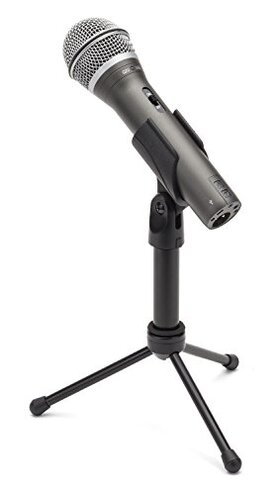
- Accessory wear: Early signs include loose mic clips and a floppy desktop stand that needs constant repositioning.
- Cable quality: Several buyers noticed the supplied USB/XLR cables feel thin and add stress to the connection point.
- Switch failure: Some users report the power/switch becoming intermittent after months of normal use.
- Replacement hassle: Fixing or replacing cables and stands adds time and cost compared with sturdier mid‑range kits.
- Hidden requirement: You may need to budget for a better shock mount and cable early on to avoid frequent replacements.
Why does handling or desk noise leak into recordings?
- Handling noise: Buyers report loud thumps and rustle when the mic is touched or moved during recording.
- Poor isolation: The included clip and small tripod do not isolate vibration well, worsening on hard desks.
- Worse during long sessions: Noise appears more noticeable in longer takes when users fidget or adjust position.
- Fix attempts: Many buyers tried foam, external mounts, or repositioning; fixes reduce but do not eliminate the issue.
- Frequency tier: This is a secondary issue — less common than connectivity, but more disruptive when present.
- Impact: The extra editing time or re‑takes required often outweighs the mic’s low price for content creators.
Why can the mic be picky with computers or apps?
- OS recognition: Some buyers describe the mic not recognized immediately by certain systems at first use.
- Driver fuss: Connecting to different recording apps sometimes requires manual gain and device switching.
- Workarounds: Users commonly toggle sample rates, reconnect cables, or restart apps to restore consistent audio.
- When it worsens: The problem shows up most when changing hosts, USB ports, or using multi‑app routing.
- Attempted fixes: Firmware is not often available; most fixes are manual and recurring.
- Category contrast: Many mid‑range USB mics offer more consistent cross‑platform behavior out of the box.
- Edge requirement: Expect a learning curve in audio settings if you need reliable cross‑app performance.
Illustrative excerpts (not real quotes)
"Mic works then drops out mid‑podcast; had to start over twice." — reflects a primary pattern where connectivity interrupts sessions.
"Clip loosened after a month, stand wobbles when I type." — reflects a secondary pattern about accessory durability in daily use.
"Needed to change settings every time I switched software." — reflects an edge‑case pattern with multi‑app setups.
Who should avoid this
- Podcasters needing reliability: Avoid if you cannot tolerate mid‑session dropouts or level swings.
- Live streamers: Skip it if handling noise and quick repositioning will interrupt live shows.
- Beginners wanting plug‑and‑play: Don’t buy if you expect zero setup and perfect cross‑app behavior.
Who this is actually good for
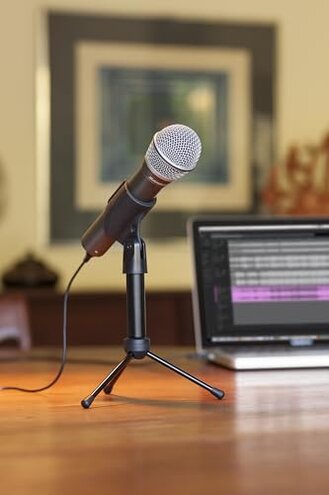
- Budget hobbyists: Good if you accept extra setup and occasional fixes to save money.
- Backup/portable use: Works when you need a cheap mic for occasional interviews or field checks.
- DIY improvers: Fine if you plan to upgrade cables, mounts, or use an audio interface to stabilize levels.
Expectation vs reality
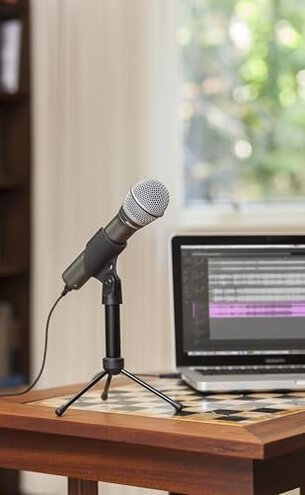
Expectation: A mid‑range USB/XLR mic should be steady plug‑and‑play across apps.
Reality: The Q2U often needs manual device switching and gain tweaks, which is worse than expected for its category.
Expectation: Included accessories should hold up for regular use.
Reality: Supply parts may require early replacement, adding hidden cost and time.
Safer alternatives
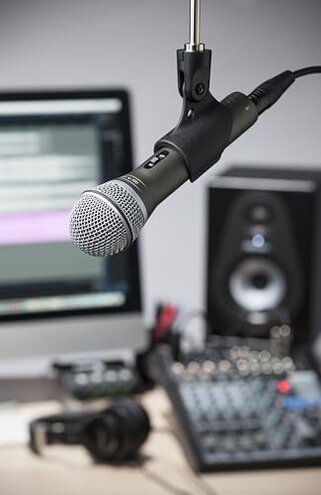
- Choose mics with stable USB drivers: Prefer models known for plug‑and‑play consistency to avoid connectivity dropouts.
- Buy a proper shock mount: If you’re sensitive to handling noise, get a mic with a built‑in or better included mount.
- Opt for thicker accessory bundles: Look for products with heavier cables and sturdier stands to avoid early wear.
- Check cross‑platform reports: Prioritize mics tested across multiple systems to reduce app switching friction.
The bottom line
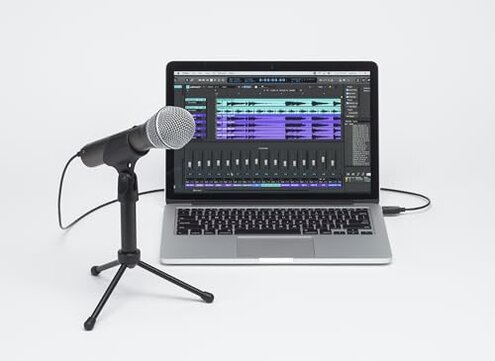
Main regret: The most disruptive issue is inconsistent USB volume and connectivity that interrupts recordings.
Why avoid: This problem is more frequent and impactful than buyers expect for a mid‑range mic, forcing extra setup and retakes.
Verdict: If you need dependable plug‑and‑play performance, consider alternatives with stronger accessory quality and more consistent USB behavior.
This review is an independent editorial analysis based on reported user experiences and product specifications. NegReview.com does not sell products.