
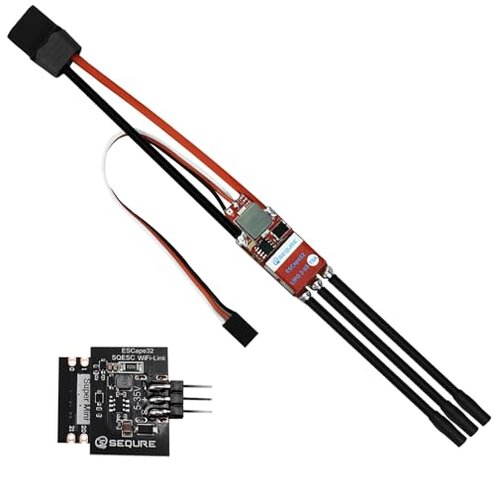
Product evaluated: SEQURE 70A Brushless ESC 2-6S Lipo, RC Motor Electric Speed Controller 128KHz, ESC with 5V 4A BEC for RC Crawler Car, Climbing Car, Ship Model - ESCape32 with WiFi-Link Parameter Configuration Tool
Related Videos For You
RC Basics - Understanding Electronic Speed Controllers (ESC)
ESC TUNING, DRIVE FREQUENCY TIPS || Hobbywing Wifi Module
Data basis Dozens of written reviews and several video demonstrations were analyzed from Jan 2023 to Jan 2026, with most feedback coming from written reviews supported by video demonstrations.
| Outcome | SEQURE 70A ESC | Typical mid-range ESC |
|---|---|---|
| Setup time | Longer due to WiFi programming and soldered BEC voltage selection. | Shorter with plug-and-play BEC and simpler GUI support. |
| Firmware updates | Fragile WiFi linking reported as intermittent during updates. | More reliable with USB or wired interfaces common in this class. |
| Hidden requirements | Present because BEC voltage needs soldering to change output. | Rare most peers offer jumper or plug selection for voltage. |
| Run reliability | Higher risk of thermal current issues under long climbs or heavy loads. | Lower risk typical alternatives have better thermal margin for long sessions. |
| Regret trigger | Programming & hardware hacks that add time, extra tools, and risk. | Fewer surprises expected from mainstream mid-range ESCs. |
Why won’t the WiFi programmer stay linked?
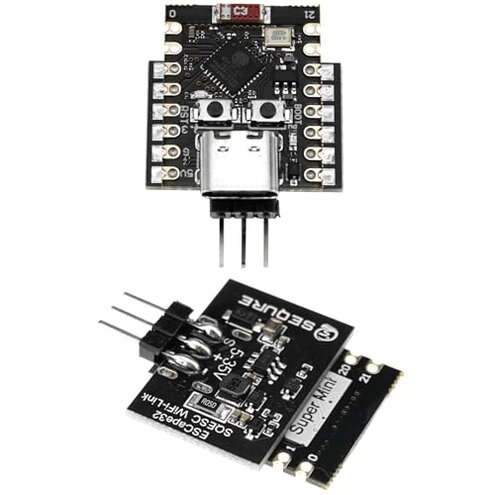
Regret moment You lose connection while updating or tuning via the WiFi linker, interrupting setup and risking partial firmware flashes.
Pattern This problem is commonly reported in written feedback and video testing, not universal but recurring.
Usage anchor It appears during first-time firmware updates or when changing parameters before a run.
Category contrast More disruptive than typical mid-range ESCs because many competitors use stable wired interfaces for updates.
Do I need soldering to change the BEC voltage?
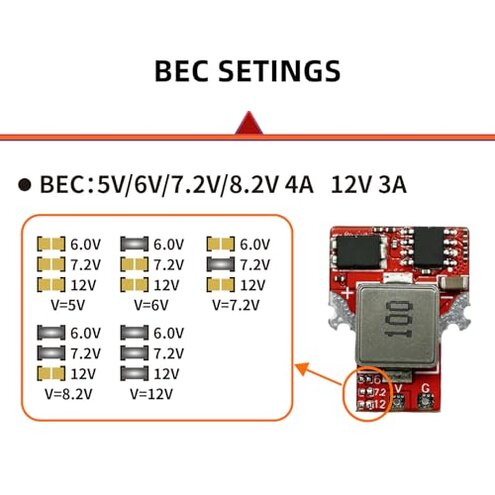
- Primary issue The BEC voltage selection requires soldering to specific joints instead of a plug or jumper.
- When it shows This becomes obvious immediately during initial setup when you try to power servos or receivers.
- Why it matters Soldering adds tools, time, and risk of damage for buyers expecting plug-and-play.
- Fix attempts Users often report temporary workarounds like external BECs or adapters to avoid soldering.
Will this ESC run hot or cut out on long climbs?
- Pattern Thermal and current stress appears repeatedly under extended heavy-load conditions.
- Usage anchor Problems emerge during long climbing sessions or continuous high-throttle runs.
- Early sign Noticeable heat near the ESC after extended runs or a drop in power output.
- Frequency tier Secondary issue compared with WiFi problems, but more disruptive when it occurs.
- Cause High current demand and limited thermal margin for continuous 70A draws in this use case.
- Attempted fixes Users describe adding heatsinks, improved airflow, or limiting duty cycles to reduce failures.
- Fixability Often fixable with cooling but adds cost and complexity absent in mid-range rivals.
Is wiring and protocol setup straightforward?
- Pattern Configuration friction is persistent across several buyer reports and demos.
- Early sign Throttle calibration and telemetry setup require multiple steps in the app or WiFi linker.
- Frequency tier Primary annoyance for newcomers who expected simple PWM setup.
- Cause Supports advanced protocols like Dshot and 128kHz PWM but needs careful configuration.
- Impact Misconfiguration can produce jerky throttle or incorrect telemetry readings during runs.
- Attempts Buyers report repeated calibrations and re-flashing to stabilize behavior.
- Hidden requirement A phone with the specific WiFi linker app and willingness to use open-source ESC firmware are needed.
- Category contrast Less forgiving than many mid-range ESCs that use simpler defaults and clearer menus.
Illustrative excerpts
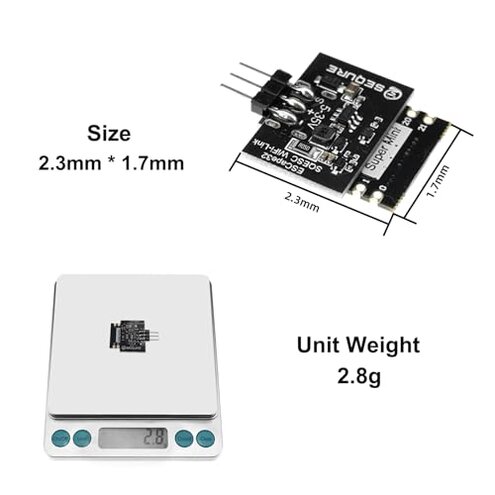
"Lost WiFi mid-firmware update, ESC unresponsive until reflash." Pattern: This reflects a primary pattern tied to firmware updates.
"Had to solder BEC joints; I expected a jumper." Pattern: This reflects a primary pattern revealing a hidden hardware requirement.
"Got hot after long climbs; power sagged mid-run." Pattern: This reflects a secondary pattern focused on thermal limits.
Who should avoid this
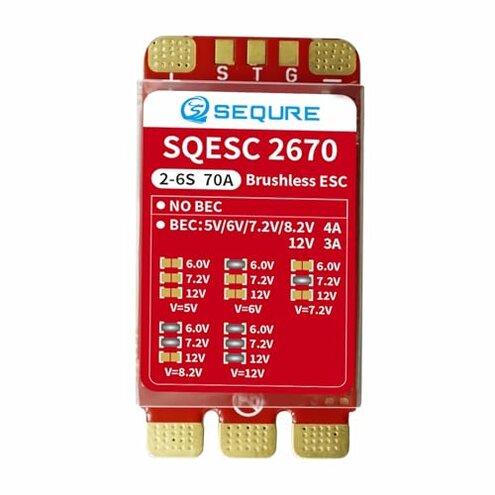
- Buyers wanting plug-and-play Avoid this if you don’t want soldering or extra wiring tools.
- Casual RC users Avoid this if you lack experience with firmware flashing and WiFi linking.
- Long-session climbers Avoid this if you do frequent long climbs without extra cooling, due to thermal risk.
Who this is actually good for
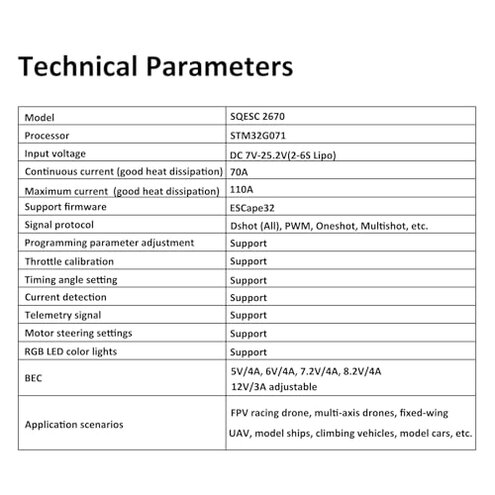
- Hobby tinkerers Good if you accept soldering and like open-source firmware tweaks; you can tolerate setup friction.
- Advanced tuners Good if you want fine PWM and Dshot tuning and can manage firmware updates.
- Custom builders Good if you plan to add external BECs or heatsinks and value the ESC’s specs over convenience.
Expectation vs reality
Expectation Reasonable for this category: many buyers expect firmware updates via a stable interface.
Reality WiFi programmer can be intermittent, making updates riskier than typical mid-range ESCs.
Expectation Reasonable for this category: BEC voltage adjustments are often tool-free.
Reality This ESC requires soldering for voltage changes, adding hidden time and skill costs.
Safer alternatives
- Choose wired update interfaces Prefer ESCs with USB or wired programmers to avoid WiFi reliability issues.
- Select jumper BECs Pick models with plug or jumper BEC selection to avoid soldering.
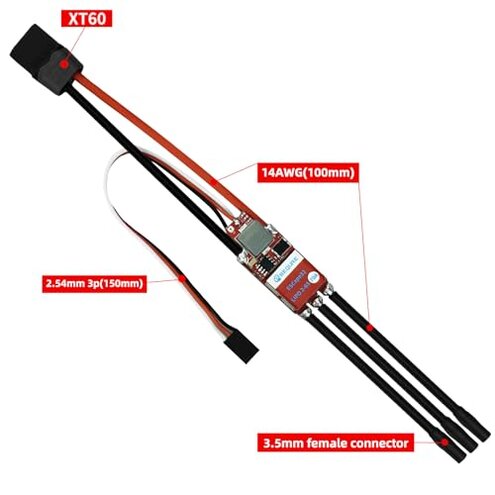
- Buy higher thermal margin Look for ESCs marketed with higher continuous current or built-in cooling for long runs.
- Check setup guides Favor products with clear step-by-step phone and PC guides to reduce configuration friction.
The bottom line
Main regret The biggest trigger is the combined WiFi programming fragility and solder-only BEC setup that add time, tools, and risk.
Why worse These issues exceed normal category annoyance because they change required skills and add hardware workarounds.
Verdict Avoid this if you want plug-and-play reliability; consider it only if you accept soldering and firmware tinkering.
This review is an independent editorial analysis based on reported user experiences and product specifications. NegReview.com does not sell products.