
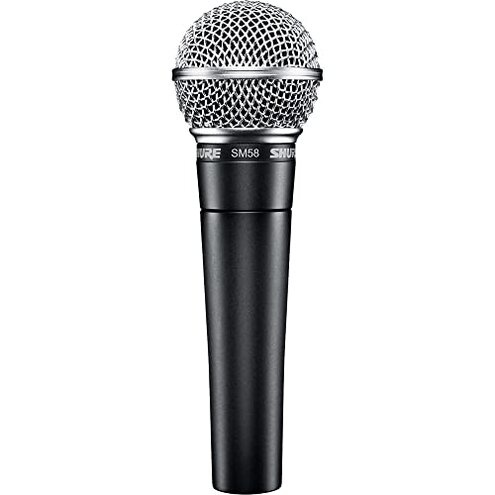
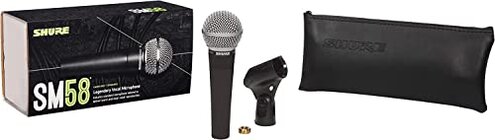
Product evaluated: Shure SM58 Professional XLR Dynamic Vocal Microphone – Cardioid Mic for Live Performance, Studio Recording, Podcasting & Broadcasting (SM58-LC)
Related Videos For You
You Can Use an XLR Mic with Smartphones
Learn From The Professionals: How To Clean And Sanitize A Microphone
Data: Report draws on dozens of written reviews and several video demonstrations collected between 2015 and 2026; most feedback came from written reviews, supported by videos and user comparisons.
| Outcome | Shure SM58 | Typical mid-range alternative |
|---|---|---|
| Sound clarity | Vocal-forward bright midrange that cuts through live mixes but can sound harsh on close studio talk, commonly reported. | Smoother balance from mid-range condensers or USB mics made for desktop recording. |
| Durability | Tour-ready rugged build widely praised and often the reason buyers pick it. | Good durability but often less robust than the SM58 for hard touring use. |
| Handling noise | Noticeable handling and stand thumps reported by many users, especially in close-up podcast setups. | Lower handling pickup in desk-focused USB or condenser mics designed with internal shock mounts. |
| Setup complexity | Higher because it requires an XLR interface, clean preamp gain, and often additional mounts; this is a higher-than-normal category risk for casual buyers. | Lower many mid-range alternatives are USB or have built-in preamps that work directly with a computer. |
| Regret trigger | Extra gear needed (interface, preamp, shock mount) creates unexpected cost and setup time for desktop users. | Minimal extra purchases needed for typical mid-range USB options aimed at podcasting. |
Top failures
Does handling noise ruin desktop podcasting?
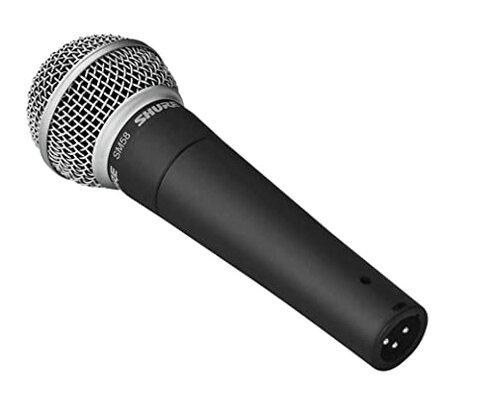
Frustration: Many buyers expect a plug-and-play mic for podcasting but encounter microphone stand thumps and handling noise that show up loudly on recordings.
Pattern: This is a commonly reported issue in written and video feedback and is most noticeable during close-mic desktop use and when adjusting the mic on-air.
Category contrast: Unlike typical USB podcast mics with built-in shock mounts, this mic transfers physical vibration and often needs an external shock mount to fix the problem.
Is extra audio gear required?
- Hidden requirement: The SM58 uses an XLR connection and therefore requires an audio interface or mixer for computer recording.
- Usage anchor: This appears at first use when buyers try to connect directly to a laptop and realize it's not USB.
- Pattern: Frequently reported by buyers shifting from USB gear to XLR dynamics.
- Impact: Adds cost, cables, and setup time compared with plug-and-play mics.
- Fixability: Solved with an interface, but that adds complexity some buyers find unacceptable.
Will quiet voices need more gain?
- Early sign: Sounds low until you increase preamp gain on the interface or mixer.
- Frequency tier: This is a secondary issue—not every voice is affected but common for soft-spoken users.
- Cause: Dynamic microphones are less sensitive than condenser or USB mics optimized for desktop talk.
- Impact: Drives buyers to add a cleaner preamp or raise gain, which can increase noise floor.
- Attempts: Users often boost gain in software or add compressors, which adds learning and time.
- Category contrast: Most mid-range USB mics produce louder raw levels with no extra equipment.
- Hidden cost: Clean gain solutions add to total purchase price beyond the mic itself.
Does it sound too ‘mid-forward’ for studio use?
- Early sign: Vocals cut but can feel harsh on close, intimate recordings.
- Pattern: Seen across multiple feedback sources by users repurposing the mic from stage to studio.
- Usage anchor: Problem shows up during studio recording for podcasts, vocals, or voiceover when clarity needs neutrality.
- Cause: Tailored presence boost emphasizes midrange, which room acoustics and mic position can exaggerate.
- Impact: Requires EQ and processing to smooth the voice for recordings, adding post-production time.
- Fixability: Fixable with EQ or different mic choice, but that adds skill or expense.
- Category contrast: Condenser or USB alternatives usually deliver a flatter, more forgiving tonal balance for studio talk.
- Frequency: This is a secondary-to-primary complaint depending on the user's recording environment and voice type.
Illustrative excerpts
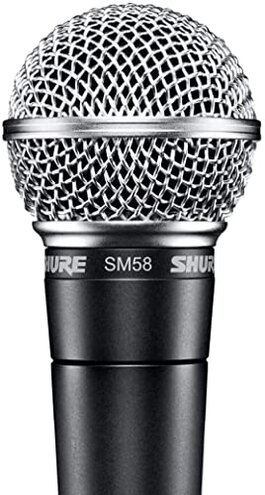
Illustrative: "Too much stand thump when I adjust my mic during shows." — Primary pattern reflecting handling noise.
Illustrative: "Needed an interface and a shock mount I didn't expect to buy." — Primary pattern showing hidden setup cost.
Illustrative: "My quiet voice sounded distant without heavy gain and EQ." — Secondary pattern about sensitivity.
Illustrative: "Cut through live, but too bright for spoken word recording." — Secondary pattern on tonal balance.
Who should avoid this
- Desktop podcasters who want plug-and-play USB simplicity and minimal extra purchases.
- Quiet speakers unwilling to buy a clean preamp or learn gain staging.
- Home studio users who prefer neutral, flat vocal tone without post-EQ work.
- Buyers on a strict budget who don't want the hidden expense of interfaces, mounts, and cables.
Who this is actually good for

- Live performers who need rugged gear and value stage-proven durability over desktop convenience.
- Engineers who already own an audio interface and welcome the mic's midrange presence for cutting through mixes.
- Users wanting longevity who accept extra setup time because they prioritize a proven tour-ready mic.
Expectation vs reality

Expectation: Buyers reasonably expect a reliable vocal mic for both stage and simple podcasting use.
Reality: Many recent buyers report the mic requires an interface, extra gain, and shock mounting, which is worse than expected for casual desktop use.
Expectation: Reasonable for this category to be durable and sound clear on stage.
Reality: While it meets durability needs, handling noise and setup needs make it less suitable than typical mid-range USB options for home recording.
Safer alternatives

- Pick a USB mic if you want plug-and-play desktop use and to avoid hidden XLR interface costs.
- Choose mics with built-in shock mounts to minimize handling noise for podcasting without extra purchases.
- Look for higher-sensitivity condensers if you have a quiet speaking voice and want less preamp gain.
- Budget for an interface and shock mount if you still prefer this mic's stage sound but want to avoid regret triggers.
The bottom line
Main regret: Unexpected setup complexity and handling noise are the most common buyer triggers for regret.
Why: These issues exceed normal category risk for casual users because they add cost, time, and audible problems that many did not anticipate.
Verdict: Avoid this mic if you need simple desktop podcasting without extra gear; keep it if you already own an interface or need stage durability.
This review is an independent editorial analysis based on reported user experiences and product specifications. NegReview.com does not sell products.